

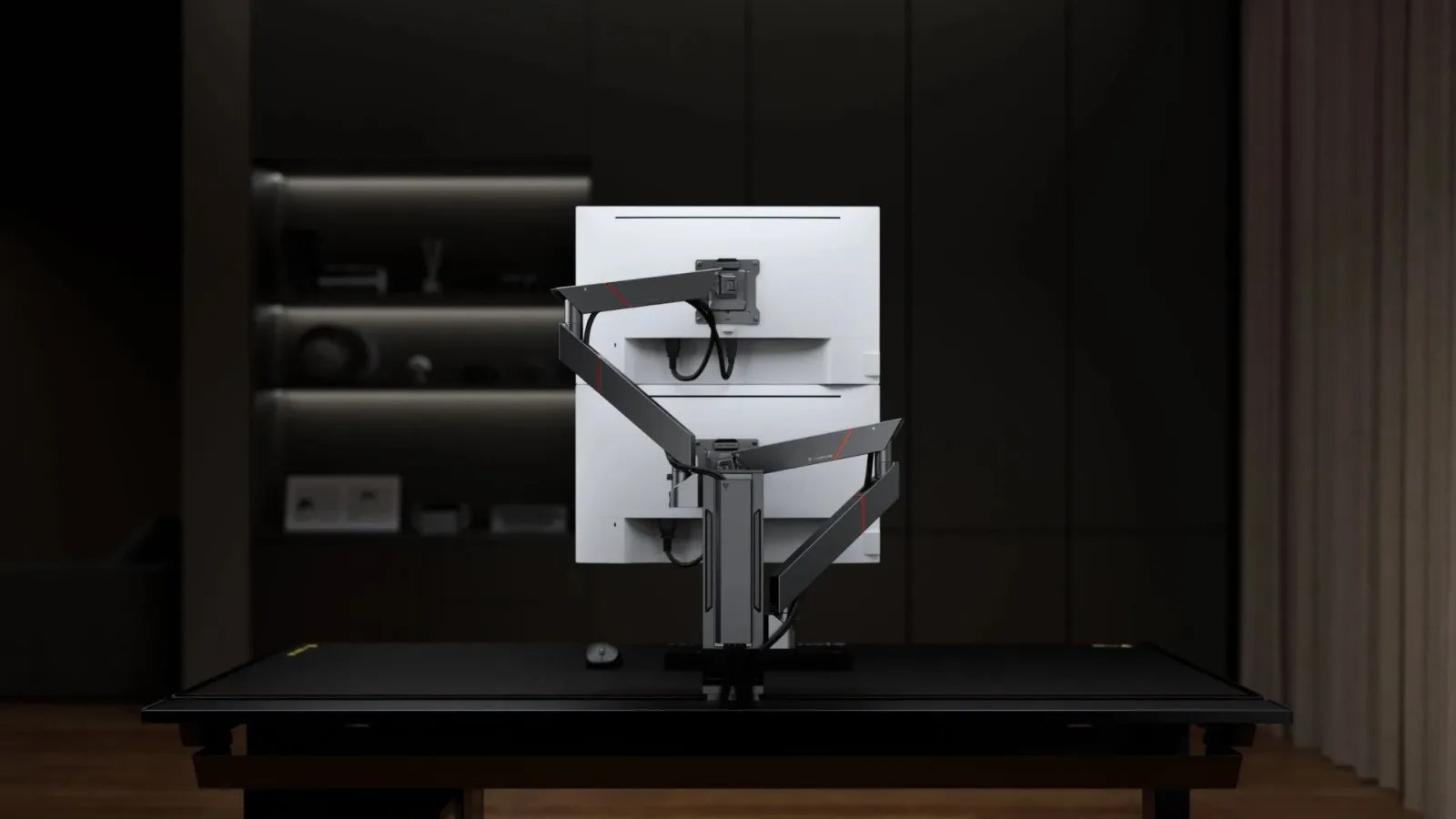
A gaming setup does not need a total rebuild to change how it feels to use every day. Sometimes, the most consequential adjustment can be as simple as moving a screen. That was the experience shared after an ergonomics session at Secretlab's Singapore office, where a recommendation to stack two monitors vertically rather than keeping a second panel off to the right reportedly helped reduce long-running neck and shoulder discomfort.
The recommendation came from Dr. Lindsey "GamerDoc" Migliore, a licensed physician and esports medicine specialist whose work includes helping competitive and casual players consider health and performance in their gaming environments. Her suggestion was straightforward: if the secondary display repeatedly pulls a user's head toward the same side as their pain, placing that screen above the main monitor may reduce the constant sideward rotation.
It is not a universal cure, nor is a monitor arm a substitute for clinical care, movement, or a broader look at workstation habits. In this particular case, the change was made alongside a renewed exercise and gym routine. Still, it is a useful reminder for PC players, streamers, remote workers, and anyone spending long periods at a multi-monitor desk that screen placement can shape the movements they repeat hundreds of times per day.
Why the side monitor became a problem
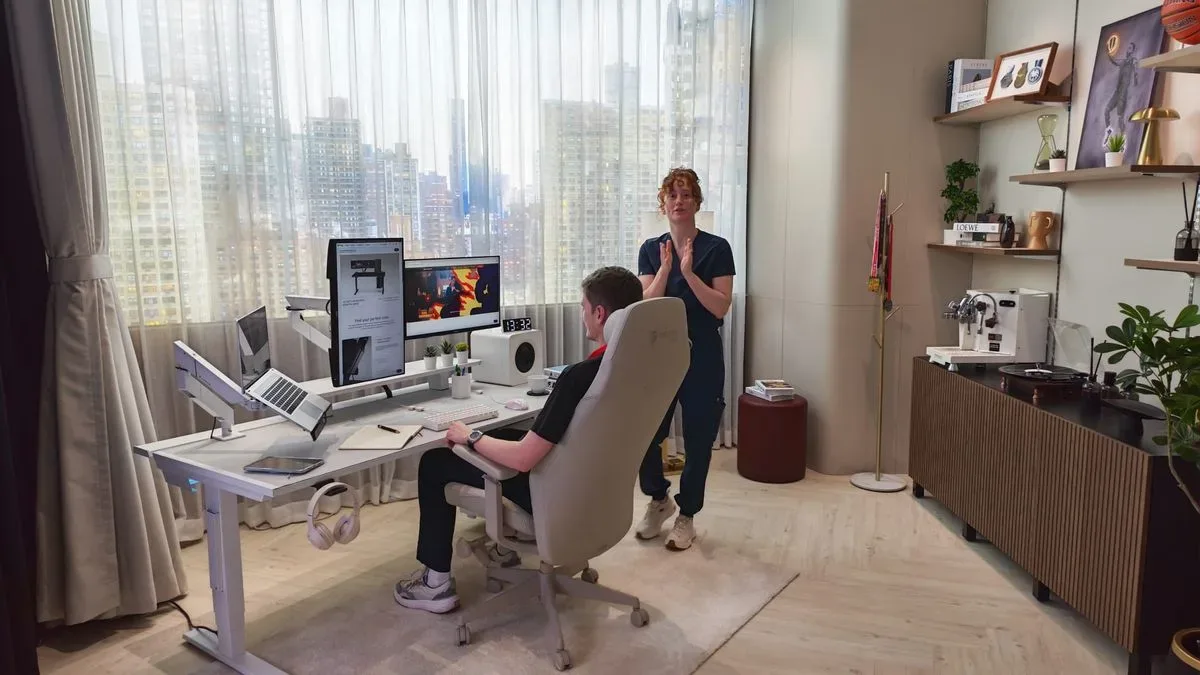
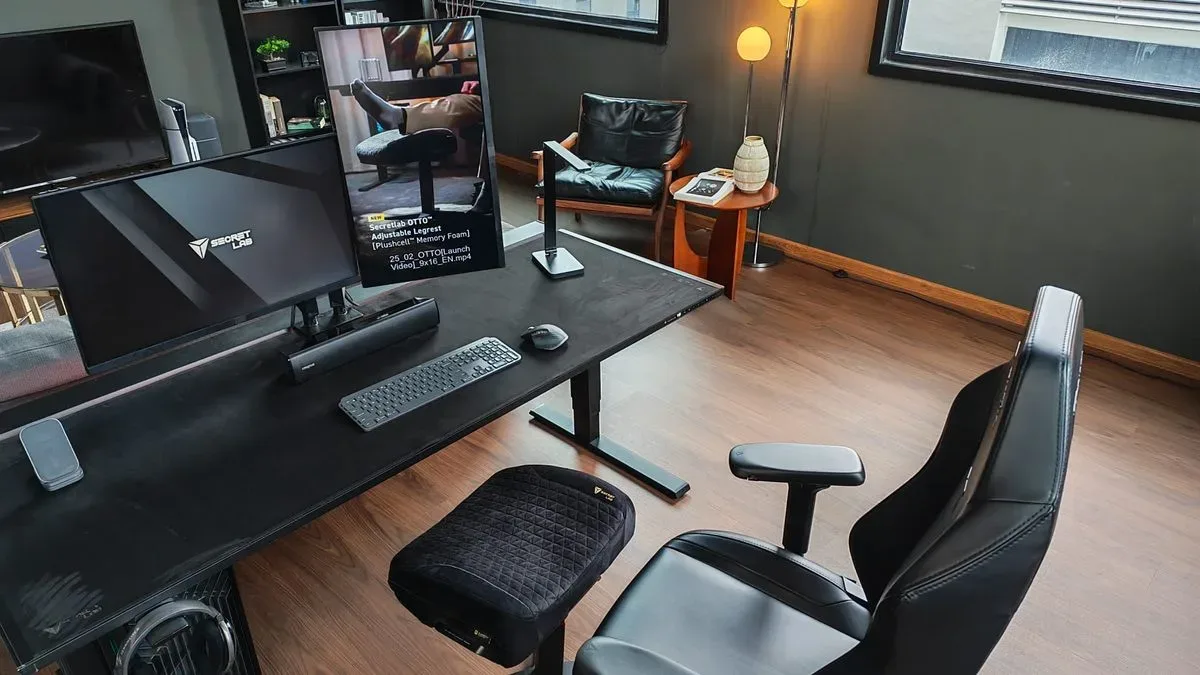
The user in question had dealt with persistent tension on the right side of the neck and shoulder area since early adulthood, having previously sought help from a physiotherapist at age 18. Over the years, attempts to manage it had included exercise, stretching, and efforts to improve posture. At the desk, however, the configuration included a primary monitor directly ahead and a vertical secondary display placed on the right for chat, music, and smaller work applications.
For useful background on this topic, read Night of the Living Toys Sets Steam Launch for December 10, 2026.
During a group ergonomics discussion in April, Dr. Migliore asked two especially relevant questions: whether there was more than one monitor, and which side of the body hurt. Once she heard that the additional screen sat on the right and the discomfort was also on the right, her answer was to put the second display above the primary one.
"You should try and put your secondary monitor up above your main one," Dr. Migliore said, explaining that it could avoid repeatedly craning the neck toward one direction and holding tension on that side.
The initial reaction was skeptical. The idea can sound almost too simple when someone has spent years trying to resolve recurring discomfort. Yet after receiving the equipment needed to test the layout and living with it for roughly five or six months, the reported difference in ongoing neck tension was substantial.
Vertical stacking changes the repeated motion
The logic behind the setup is less about declaring that one viewing angle is perfect for everyone and more about identifying a repetitive asymmetry. With a conventional side monitor, the user may turn their head in the same direction again and again to check messages, browse a playlist, read a guide, monitor a stream dashboard, or keep tabs on a game's social channels.
Those individual glances seem trivial. Over a full day of work, gaming, or both, they can add up quickly. A vertically stacked arrangement keeps both displays nearer to the user's centerline. Looking upward still involves motion and needs to be comfortable for the individual, but it may eliminate the repeated one-sided twist that a far-left or far-right monitor creates.
For a gaming desk, the arrangement can be particularly practical. The main screen can remain at the central, primary viewing position for games, while the upper panel handles Discord, music controls, OBS, a browser, walkthrough notes, system monitoring, or a game map. It can also suit users who work and play at the same desk, allowing a wider primary display to remain uncluttered while the top monitor carries communication and productivity apps.
There are limitations. A screen positioned too high could create a different source of strain, especially if it is used as the primary display for long sessions. The advice here was aimed at a secondary monitor used for brief checks and smaller tasks, not a blanket instruction that every player should place all screens overhead. Display size, desk depth, eyesight, seating height, personal mobility, and the exact applications used all matter.
Monitor arms make the layout possible
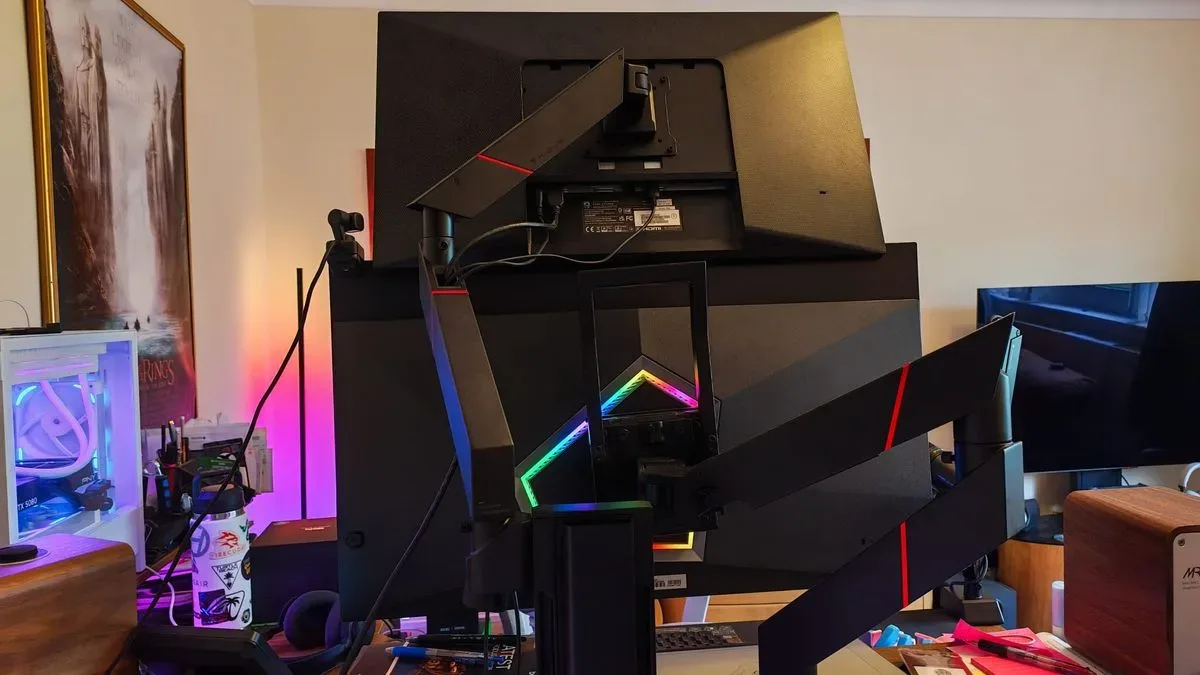
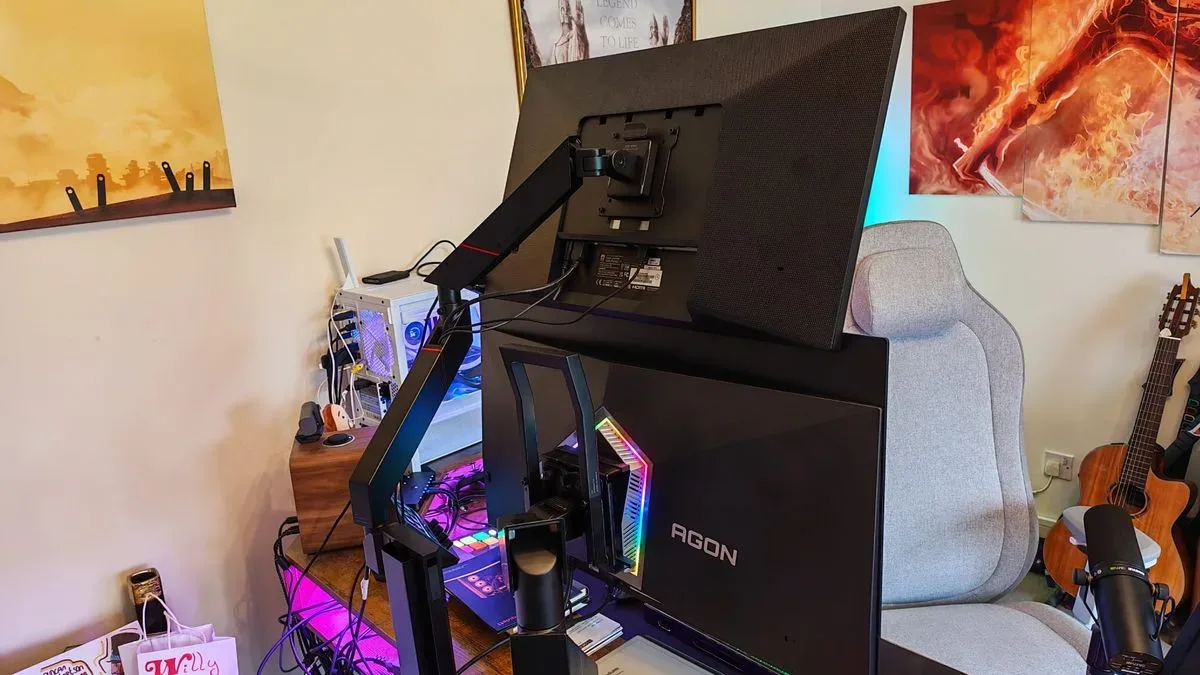
Achieving a clean stacked setup generally requires hardware that can safely support the weight and dimensions of both displays. In this case, a Secretlab Vertical Monitor Stand was used to mount the two panels one above the other. The stand can also be expanded beyond a basic two-monitor arrangement, with capacity for several articulated attachments. That could appeal to creators or high-end workstation users who want combinations such as multiple displays, a tablet holder, a camera, or a music stand.
The major drawback is price. Secretlab's solution is positioned as a premium desk accessory, and less expensive vertical monitor stands are available from other brands. The source material specifically noted examples from Standopia and AVLT, listed at $79.99 and $99.99 respectively at the time discussed. Cheaper options can make the core ergonomic experiment more accessible, particularly for users who only need a straightforward two-screen mount rather than a modular setup.
Compatibility should also be checked before buying any clamp-mounted monitor arm or stand. The Secretlab gear in this case was reportedly usable on a desk other than the company's Magnus desk, provided the worktop met its required thickness for a secure clamp. That is an important detail for anyone planning an upgrade: the desk's construction, thickness, rear clearance, cable routing, and stability are as relevant as the arm's advertised feature list.
Weight ratings are not optional
The setup later changed when a heavier OLED monitor became the main display. That required the addition of Secretlab's Heavy Duty Monitor Arm, intended for displays above an 8kg load. This highlights a common mistake when planning a monitor mount: judging an arm by the screen's diagonal size alone. Weight is the key figure, and it can rise sharply with larger OLED panels, ultrawide screens, and monitors with hefty built-in stands that may or may not be removed.
Users should consult the monitor's specification sheet, confirm VESA mounting compatibility, and leave an appropriate margin beneath the arm's maximum supported weight. They should also avoid forcing together parts that are not designed to be compatible. In this instance, the heavy-duty arm and the vertical stand were not physically interchangeable, even though combining their strengths might appear ideal on paper.
A chair cannot compensate for screen placement
Premium gaming chairs often focus on lumbar support, headrests, recline mechanisms, and adjustability. Those features can be useful, but they cannot entirely correct a workspace that continually asks the user to look far to one side. The same applies to a new keyboard, an expensive mouse, or a larger desk: accessories may improve comfort, but they work best as part of a coherent layout.
The reported improvement was also not credited solely to monitor positioning. Exercise and gym work were part of the change, and that context matters. A desk setup may reduce an obvious aggravating pattern, but persistent pain can have many causes. Anyone with severe, worsening, recurring, or concerning symptoms should seek guidance from a qualified health professional rather than relying on a hardware purchase or a social-media-style setup tip.
For everyone else, a no-cost trial may be worthwhile before investing in new equipment. If a monitor can be safely repositioned temporarily, try moving the secondary display closer to center, reducing how often it is needed, increasing text scaling so glances are shorter, or testing a stacked layout with an existing adjustable arm. Pay attention to how the neck, shoulders, and eyes feel not only in the first hour, but after several days of regular use.
A practical takeaway for multi-monitor players
The best gaming setup is not necessarily the one with the most gear. It is the one that suits the user's actual routine. Someone who constantly watches a stream chat or editing timeline may need a second display in a different place than a player who only occasionally changes a song. Likewise, a vertical layout that feels freeing for one person may be unhelpful for another with different mobility needs, screen sizes, or desk constraints.
But the core lesson is compelling: examine where your attention goes most often. If a secondary monitor lives far off to the side and causes you to repeatedly rotate toward a sore shoulder or stiff area of the neck, moving it above the main display could be a sensible adjustment to test. It is a small spatial change, yet one that may meaningfully alter the motion repeated throughout every workday and gaming session.
In this case, skepticism gave way to a noticeably more comfortable multi-monitor routine. For PC gamers considering a desk refresh, that may be the most valuable part of the story. Before buying another chair or chasing a complicated posture fix, look at the screens already in front of you--and at the direction your head keeps turning.
Community
Discussion
Start the conversation.
No comments have been posted yet.