

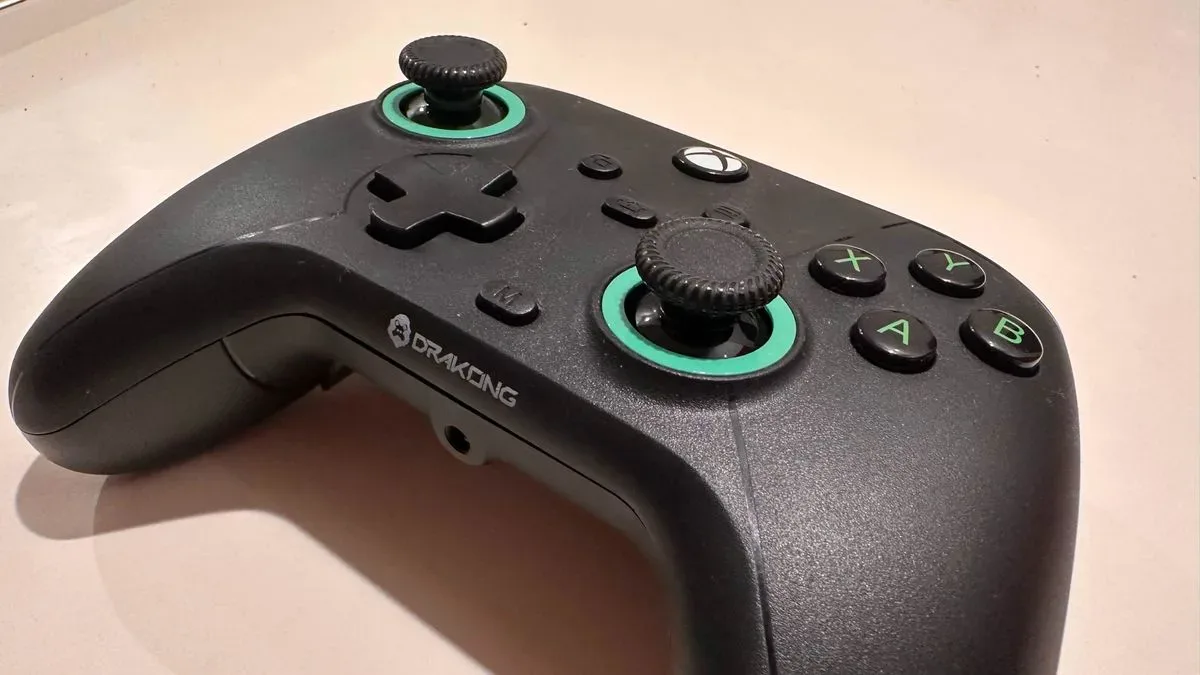
The Drakong Challenger makes a compelling case that useful controller upgrades should not be reserved for products approaching $200. Priced at $34.99 / £45, this officially licensed Xbox-style wired pad delivers several features commonly associated with more expensive "pro" controllers: Hall Effect thumbsticks, Hall Effect triggers, rear programmable buttons, rumble, and a headset jack. It does not disguise its budget positioning with lavish materials, wireless connectivity, or cosmetic extras. Instead, it focuses on the parts that can have the greatest effect on play.
That approach works more often than it does not. The Challenger is not likely to replace a premium controller for players who prefer a larger, weightier grip or demand a particularly refined finish. Its compact feel and slick thumbsticks create real ergonomic drawbacks. Yet for PC players, Xbox users, Nintendo Switch owners, and people using compatible retro platforms who simply want a feature-rich wired option without a large outlay, it is hard to ignore how much functionality arrives for the money.
A budget controller with unusually modern priorities
The controller market has steadily pushed premium features into ever-higher price brackets. Rear paddles, anti-drift stick technology, trigger refinement, and custom mappings are often treated as upgrades that require a substantial investment. The Drakong Challenger takes the opposite route. It trims cost in obvious places, notably wireless connectivity, RGB lighting, and more luxurious casing materials, while preserving features that affect control precision and customization.
Its most important specification is the use of Hall Effect technology in both the thumbsticks and triggers. Traditional potentiometer-based sticks are vulnerable to wear that can eventually lead to stick drift. Hall Effect components use magnets to detect movement, offering a design intended to avoid that familiar long-term problem. At this price, their inclusion is notable. The Challenger does not merely undercut more elaborate pro pads; it also offers a technology that is absent from many standard first-party controllers that cost more.
For useful background on this topic, read Final Fantasy XIV Players Hold In-Game Memorials for The Primals Bassist Eikichi Iwai.
The same thinking applies to the rear buttons. These inputs are becoming increasingly valuable in fast action games, where assigning a jump, dodge, parry, reload, or other frequent command to a back button can allow players to keep their thumbs on the sticks. Their presence on a $34.99 controller makes the Challenger feel more ambitious than its simple look initially suggests.
Familiar Xbox layout, smaller proportions
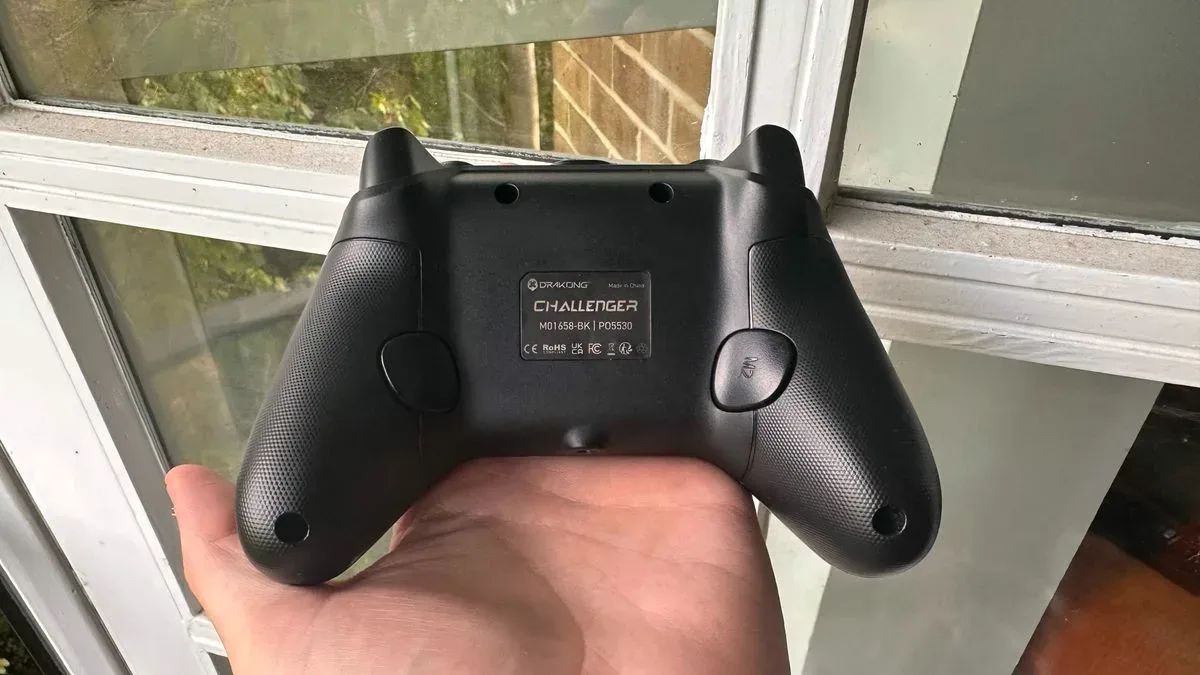
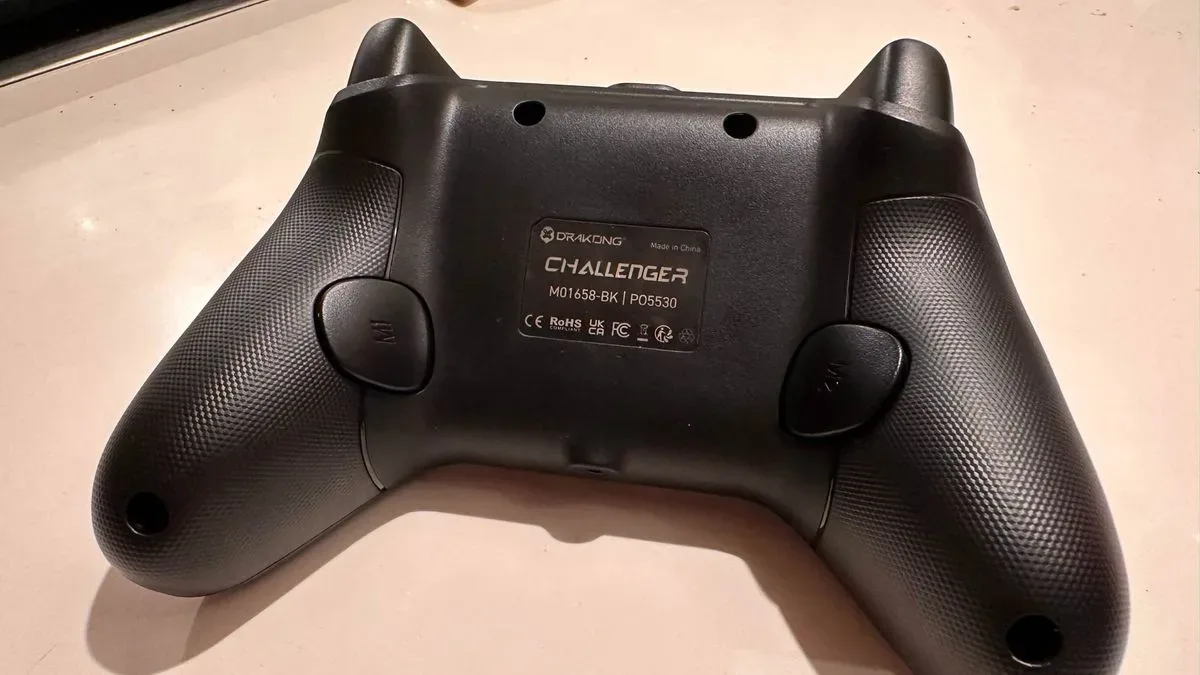
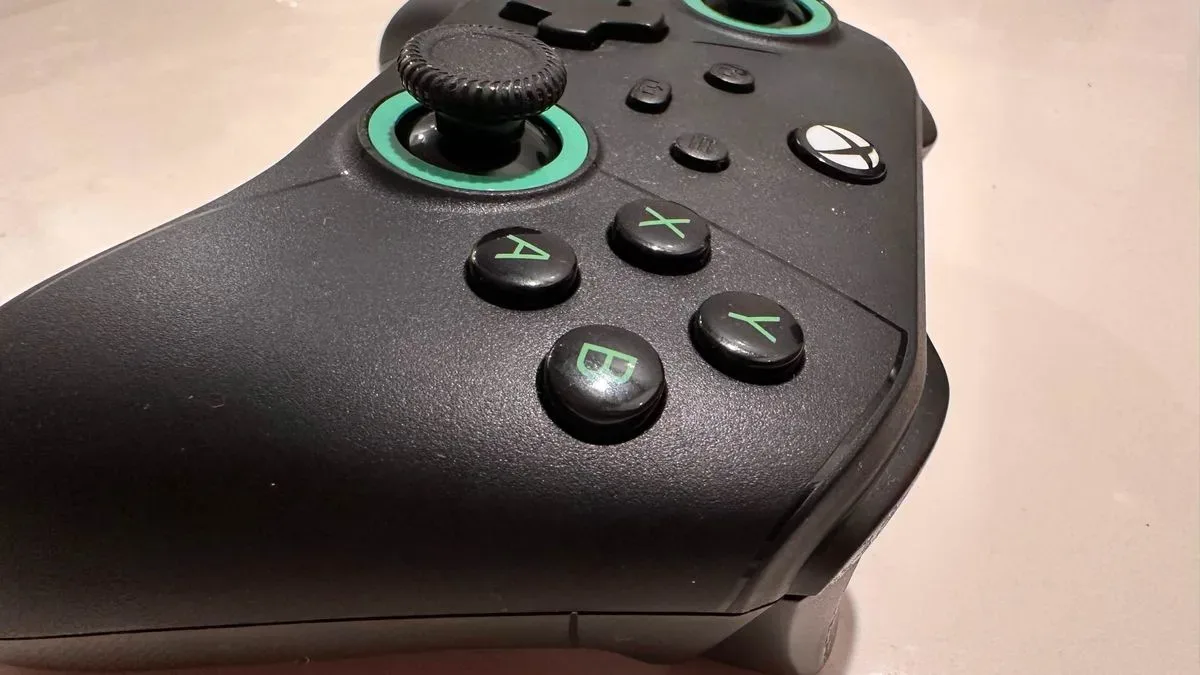
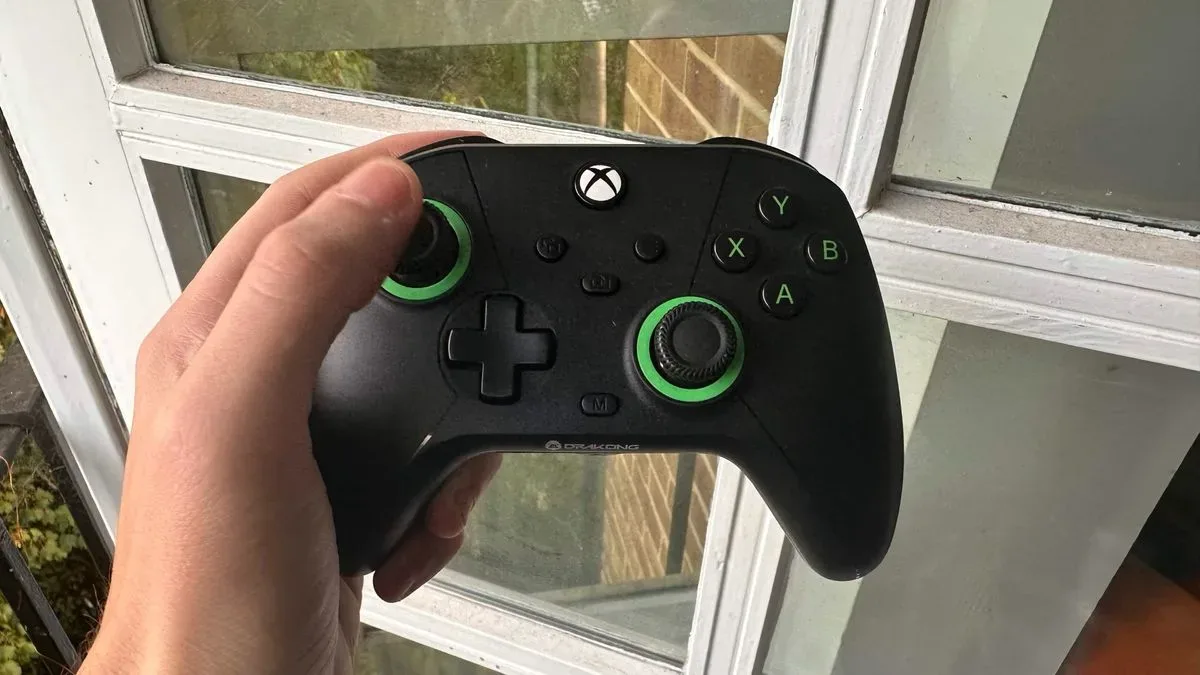
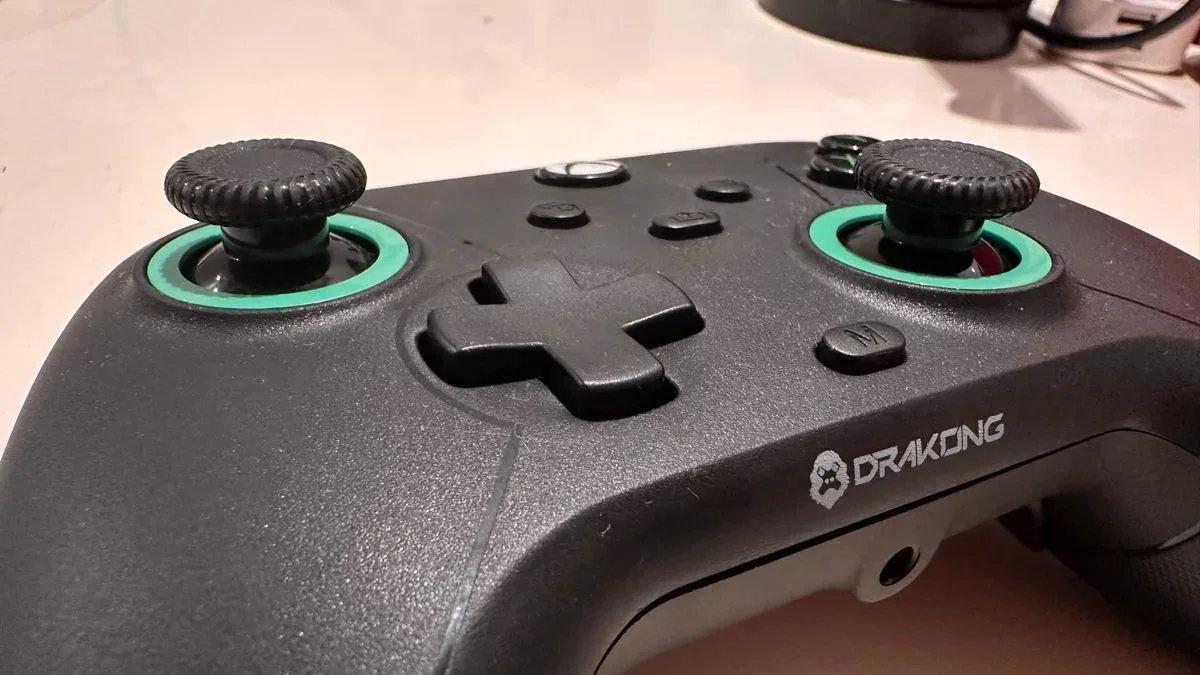
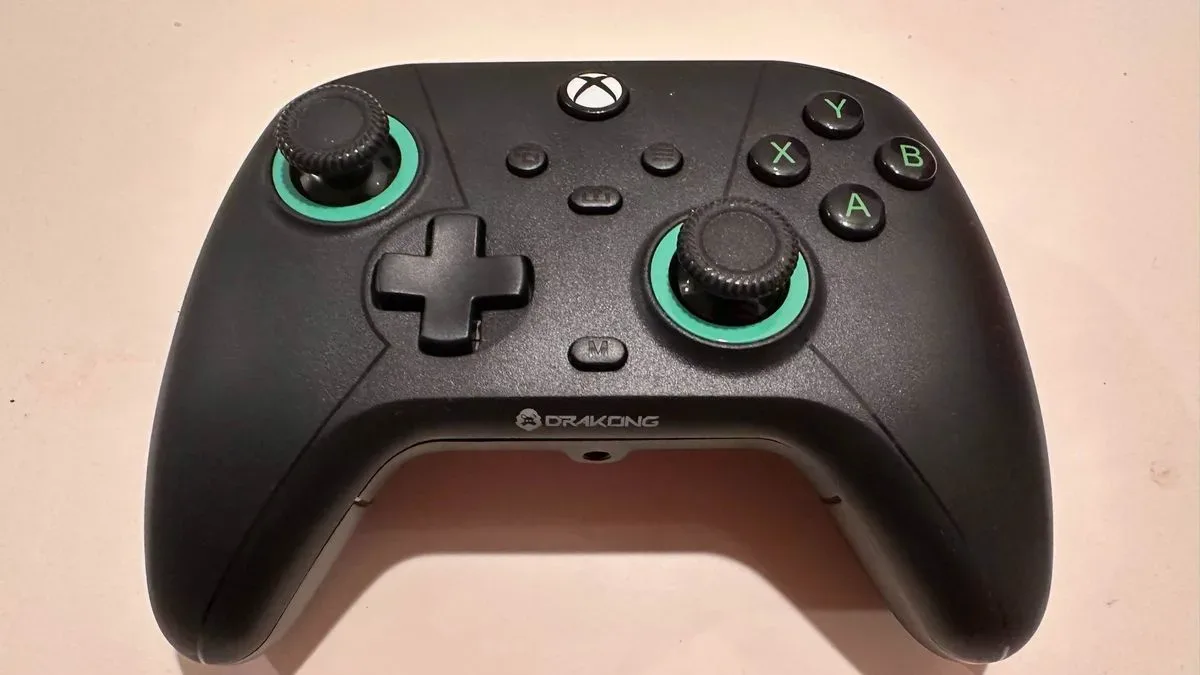
At a glance, the Challenger follows the established Xbox controller blueprint. It has offset analog sticks, familiar face-button placement, standard trigger positioning, and an Xbox home button at the center. The black shell is accented with green printing around the thumbsticks, while a dedicated M button is the major visual sign that this is more than a basic pad. The rear has textured plastic grips and houses the additional back buttons.
Its layout is intuitive for anyone accustomed to Xbox-style controllers, and official Xbox licensing reinforces that sense of familiarity. There is very little adjustment needed to understand where the essential controls are. The face buttons and D-pad are straightforward rather than exceptional, but they offer good response and suitably tactile feedback. That is an entirely acceptable result for a controller designed around value.
The more divisive part of the design is its physical size. The Challenger looks broadly similar to a conventional Xbox pad, but feels noticeably smaller in the hands. At approximately 205g, it is also remarkably light compared with larger premium alternatives such as the 645g PowerA Fusion Pro Wireless. A lighter controller can be welcome for players who find heavier pads fatiguing, and the more compact form may be particularly appealing for people with smaller hands. For those used to a DualSense Edge or a larger pro-style Xbox controller, however, the difference can make the Challenger feel somewhat toy-like.
The low weight also makes the plastic construction more apparent. The shell is functional, but it does not convey luxury. That is not an unreasonable compromise at this cost, especially given the internal technology and extra buttons, but shoppers should go in expecting a practical budget peripheral rather than a premium object.
Easy rear-button mapping without software
One of the Challenger's best decisions is to make remapping available directly on the controller. There is no required companion application and no lengthy setup process. Pressing the M button and then the desired input starts the assignment process, with vibration confirming that the command has been registered. Although the procedure is not clearly documented in the box, it is simple enough to work out quickly.
This accessibility matters. Software-free remapping means the rear buttons can be adapted without interrupting a gaming session to download or navigate an app. It also makes the controller a convenient option for players who prefer uncomplicated hardware settings. The rear buttons themselves are responsive and sit where middle fingers naturally rest, so their placement supports rather than complicates their purpose.
In action-focused games, those buttons can make a meaningful difference. Parry-heavy encounters in Assassin's Creed Black Flag Resynced and The Blood of Dawnwalker benefit from moving important actions off the face buttons. In these situations, the Challenger's added inputs provide the sort of flexibility that gives pro controllers their appeal in the first place. The pad cannot match premium models in material quality or overall refinement, but it provides much of the practical benefit.
Responsive controls and a surprisingly complete feature set
The Hall Effect sticks and triggers provide responsive, precise input across a range of genres. In Resident Evil 2 Remake, careful aiming and ammunition conservation put a controller's accuracy under pressure, and the Challenger's controls offer a measured, controlled feel. In Grand Theft Auto V, the sensitive triggers respond quickly to acceleration and braking demands. Whether driving cautiously or creating more chaotic traffic situations, the triggers react promptly.
Rumble is another welcome inclusion. Given how light the controller is, its vibration feedback may come as a surprise, but it is present and adds useful physical feedback during play. It is the kind of feature that might easily have been omitted from a lower-cost, lightweight wired controller, so its inclusion helps the Challenger feel more complete.
A 3.5mm headphone jack at the base further broadens its utility. Players who use a wired headset or microphone through their controller have the option available, even if not everyone will need it. The Challenger also uses USB-C and includes a cable of a reasonable length. For a desk setup, that cable should be perfectly adequate. For a living-room PC arrangement where the machine is some distance from a sofa or television, the wired limitation and cable reach could become inconvenient.
Wireless functionality would make the Challenger more versatile, but it would also likely undermine the product's main advantage: its aggressive price. Drakong has clearly made a choice to prioritize control hardware over cable-free convenience. Players need to decide whether that trade-off suits their setup.
Comfort is the main compromise
The Challenger's biggest issue is not responsiveness or missing functionality. It is comfort and grip. The thumbsticks use a soft plastic surface with a textured outer rim, but the texture does not provide enough dependable traction. Thumbs can slip off more often than they should, particularly during demanding play. That is frustrating because the sticks themselves are capable when a secure grip is maintained.
The rear texture has a similar problem. It appears designed to prevent the controller from moving around in the hands, yet the inexpensive-feeling plastic can still feel slippery. Combined with the smaller shell, this can leave larger-handed players feeling less anchored than they would with a standard Xbox controller or a premium alternative. The result is a pad that performs capably but does not always inspire confidence in longer sessions.
These are not trivial concerns. A controller lives or dies by the physical relationship between player and input device, and no list of specifications can completely overcome an uncomfortable shape. Still, the Challenger's fit will vary significantly from person to person. Players with smaller hands may find the reduced size comfortable rather than restrictive, while those who value a very light controller may see its low mass as a strength.
Who should buy the Drakong Challenger?
The Drakong Challenger is best suited to value-conscious players who want modern controller features but do not need wireless operation or premium materials. It is especially attractive for someone choosing between a standard official controller and a budget alternative. For roughly $25 less than an official Xbox controller, it brings Hall Effect sticks and triggers plus programmable rear buttons to the table. That is an unusually strong feature-to-price proposition.
It is also a sensible option for players building a PC setup, keeping a spare controller for local multiplayer, or looking for a compatible pad for Xbox, Switch, and retro-platform use. Its wired nature makes it straightforward for desk play, while its remapping capability gives it more flexibility than many basic gamepads.
Players with large hands, those who play from far away from their PC or console, and anyone especially sensitive to thumbstick grip should consider spending more. The Challenger's compact, lightweight body and slippery stick surfaces make it less persuasive as a universal long-term daily controller. It is a budget device with budget ergonomics, even if its internal feature list punches above that category.
Final takeaway
The Drakong Challenger is a very good budget controller rather than a cheap imitation of a premium one. Its makers have made sensible compromises: no wireless support, no flashy extras, and no expensive outer materials. In return, it offers Hall Effect controls, useful rear buttons, on-device remapping, rumble, and dependable performance for $34.99 / £45.
It will not be the ideal fit for every hand, and its thumbstick grip is its clearest flaw. But for players who can live with a cable and appreciate a smaller, lighter shape, the Challenger proves that anti-drift technology and pro-style customization do not need to be luxury features. At this price, that is a challenge many more expensive controllers should take seriously.
Community
Discussion
Start the conversation.
No comments have been posted yet.