

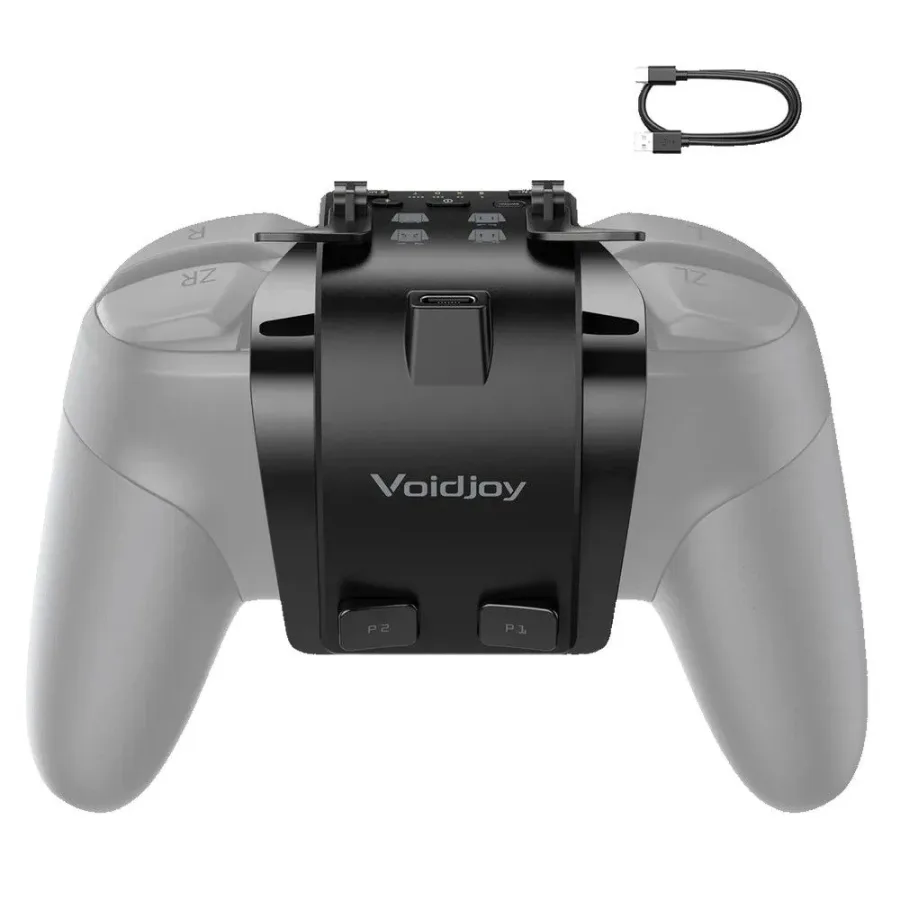
Voidjoy Elite Extender is a narrowly targeted controller accessory with a reasonable premise and an awkward execution. For $39.99, it attaches to the original Nintendo Switch Pro Controller through its USB-C port, adding two remappable rear inputs and a pair of removable analog trigger flippers for PC play. On paper, that makes it a cheaper alternative to spending $89 on Nintendo's newer Switch 2 Pro Controller just to gain back buttons.
The complication is that buying a complete third-party controller can be even cheaper while delivering better rear-button placement, modern stick technology, charging options, and more cohesive ergonomics. The Elite Extender does what it promises, but its P1 and P2 buttons never feel like a natural extension of Nintendo's controller. This is an accessory for a very particular kind of player: someone deeply attached to the original Pro Controller and unwilling to sacrifice its NFC, HD Rumble, motion controls, or familiar connection behavior.
A functional but highly visible attachment
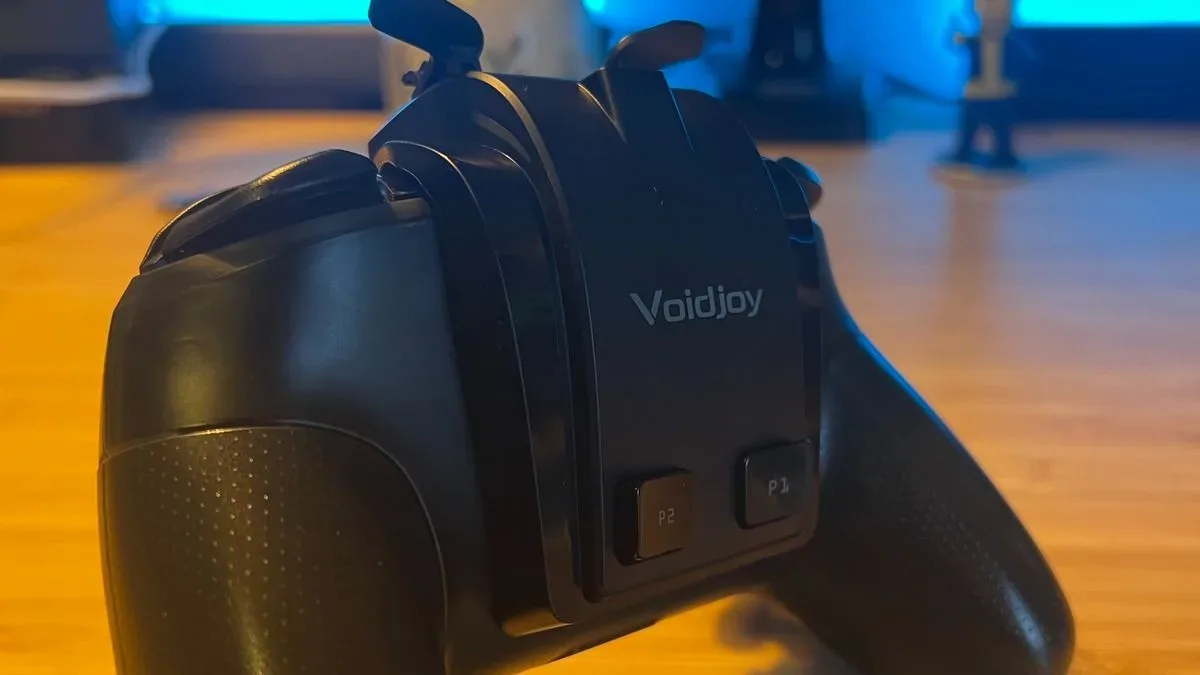
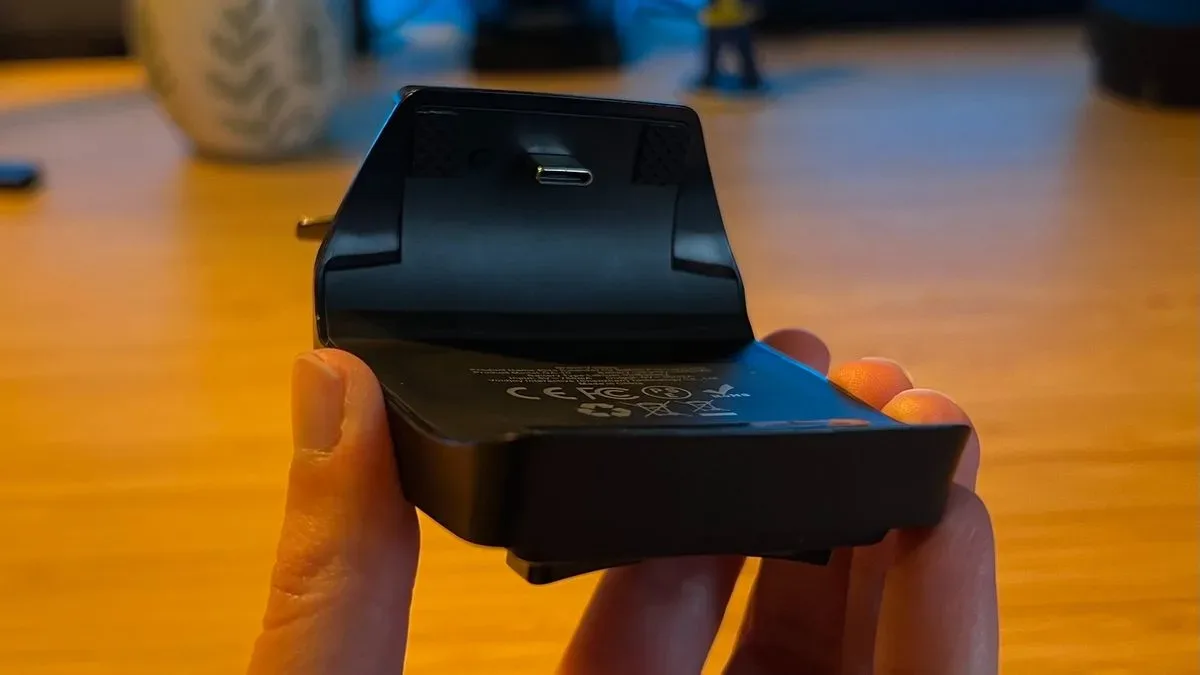
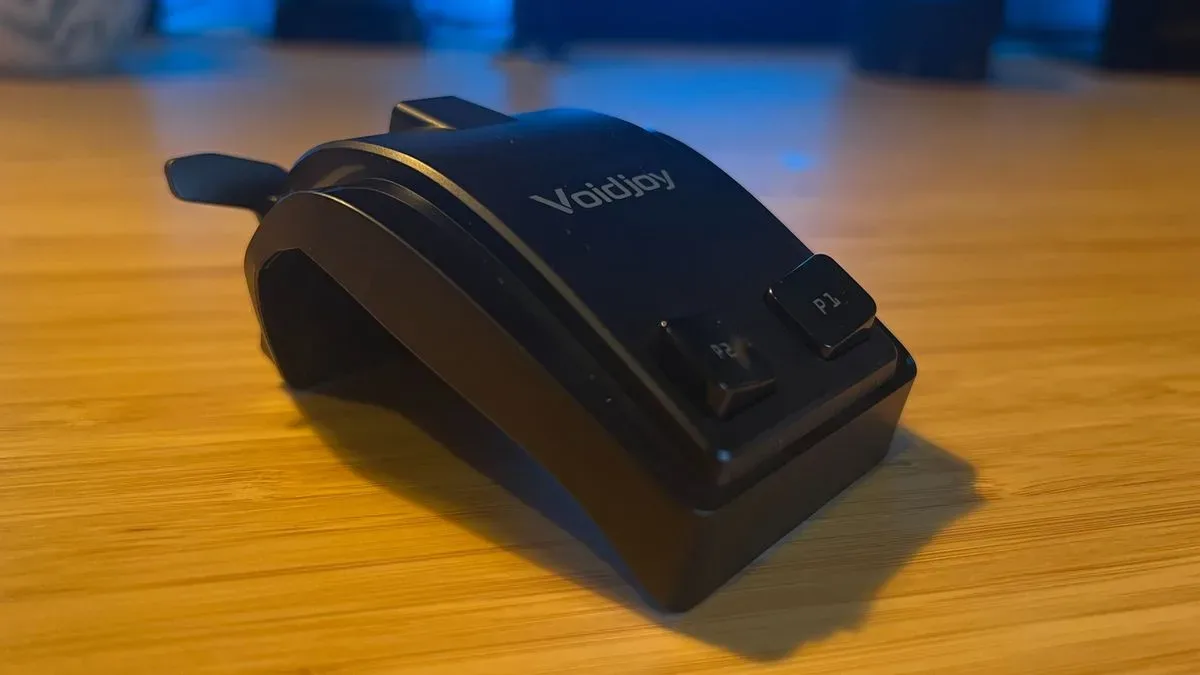
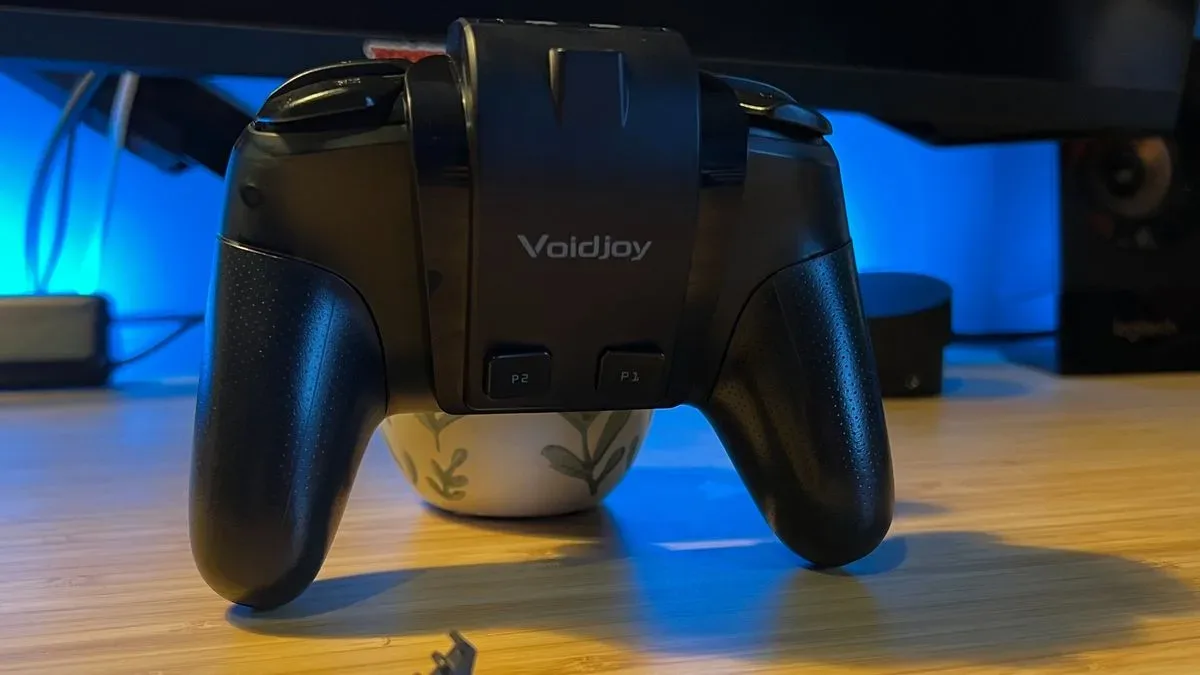
The Elite Extender is not designed to disappear into the silhouette of the Switch Pro Controller. Its black plastic housing wraps around the controller's upper area and rear shell in two distinct sections. A broad base sits against the back of the gamepad, while a raised platform above it holds the P1 and P2 rear buttons and creates access to the extra top-mounted trigger flippers.
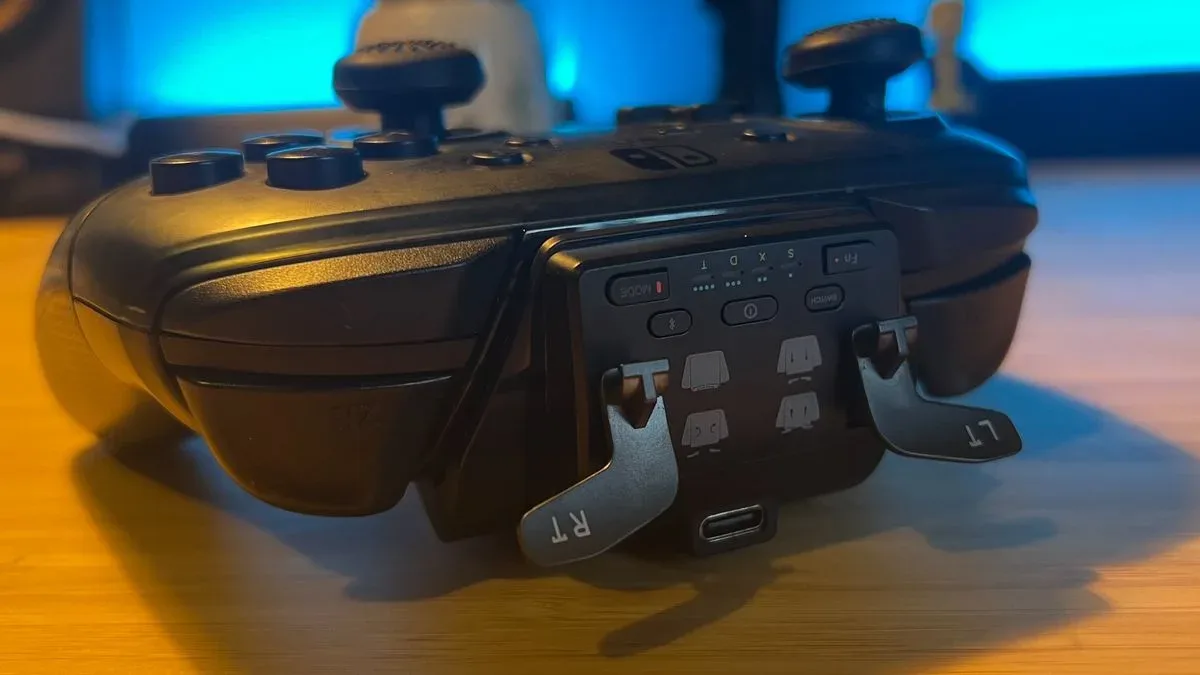
That arrangement produces a mixed result. The finish is sensibly matched to the standard black Pro Controller, combining matte surfaces with glossy accents around the main base and button area. Branding is modest and placed at the rear. The small controls along the top are clearly labeled, covering power, Bluetooth pairing, platform selection, button mapping, and other functions. The physical USB-C connection is also a strength: it fits securely and does not introduce noticeable looseness or strain on the controller port.
For useful background on this topic, read Drakong Challenger review: Hall Effect Value Without the Premium Price.
The design's biggest issue is the same feature it is built around. Rather than resting on the grips where middle fingers naturally sit, the rear buttons are elevated above the controller's usual back surface. Modern controllers with effective rear inputs generally let players squeeze or tap buttons close to the palm. Nintendo's own Switch 2 Pro Controller follows that general ergonomic logic. Voidjoy instead asks fingers to hover farther forward and higher than usual.
That means the user's natural resting position can land on the attachment's lower ledge instead of the actual P1 and P2 switches. In calm moments, that distinction is easy enough to learn. During a tense fight, quick platforming sequence, or frantic escape, it can lead to missed presses. The extender also adds weight toward the top of the controller, subtly tilting the usual grip forward. None of these problems makes the accessory unusable, but together they make it feel more like a workaround than an integrated controller upgrade.
Back buttons that work best at a slower pace
The primary reason to buy the Voidjoy Elite Extender is simple: it adds two extra inputs to an original Switch Pro Controller. Those buttons can be mapped directly through the device's function control, allowing common actions such as jumping, rolling, sprinting, or item use to move off the face buttons. For games where that extra flexibility is useful but not constantly demanded, the setup can be worthwhile after an adjustment period.
In a lengthy run through The Legend of Zelda: Ocarina of Time Remake, assigning jump and movement-related commands to P1 and P2 made the additional inputs practical in principle. The buttons could be reached consistently once hand placement was consciously maintained. Yet the elevated location and relatively firm actuation meant the inputs were less dependable whenever the grip relaxed or attention shifted fully to the action.
That limitation becomes more obvious in games that demand rapid, repeated rear-button presses. In Control: Resonant on PC, a setup built around quick back-button commands for evasive movement and secondary attacks exposed the Elite Extender's weak point. These are not light, fast paddles intended for repeated tapping. Their position is too far from the palm, and the pressure needed to trigger them is too high for comfortable spamming.
There is an important distinction here. A $39.99 attachment does not need to match the responsiveness or refinement of a premium $199.99 controller. It only needs to offer a compelling and comfortable shortcut to extra inputs. The Elite Extender falls short because its core buttons feel compromised even before the comparison reaches high-end hardware. It can help with slower, deliberate controls, but it is not a convincing solution for players who specifically want rear buttons for competitive action games or demanding movement systems.
PC triggers are the surprise highlight
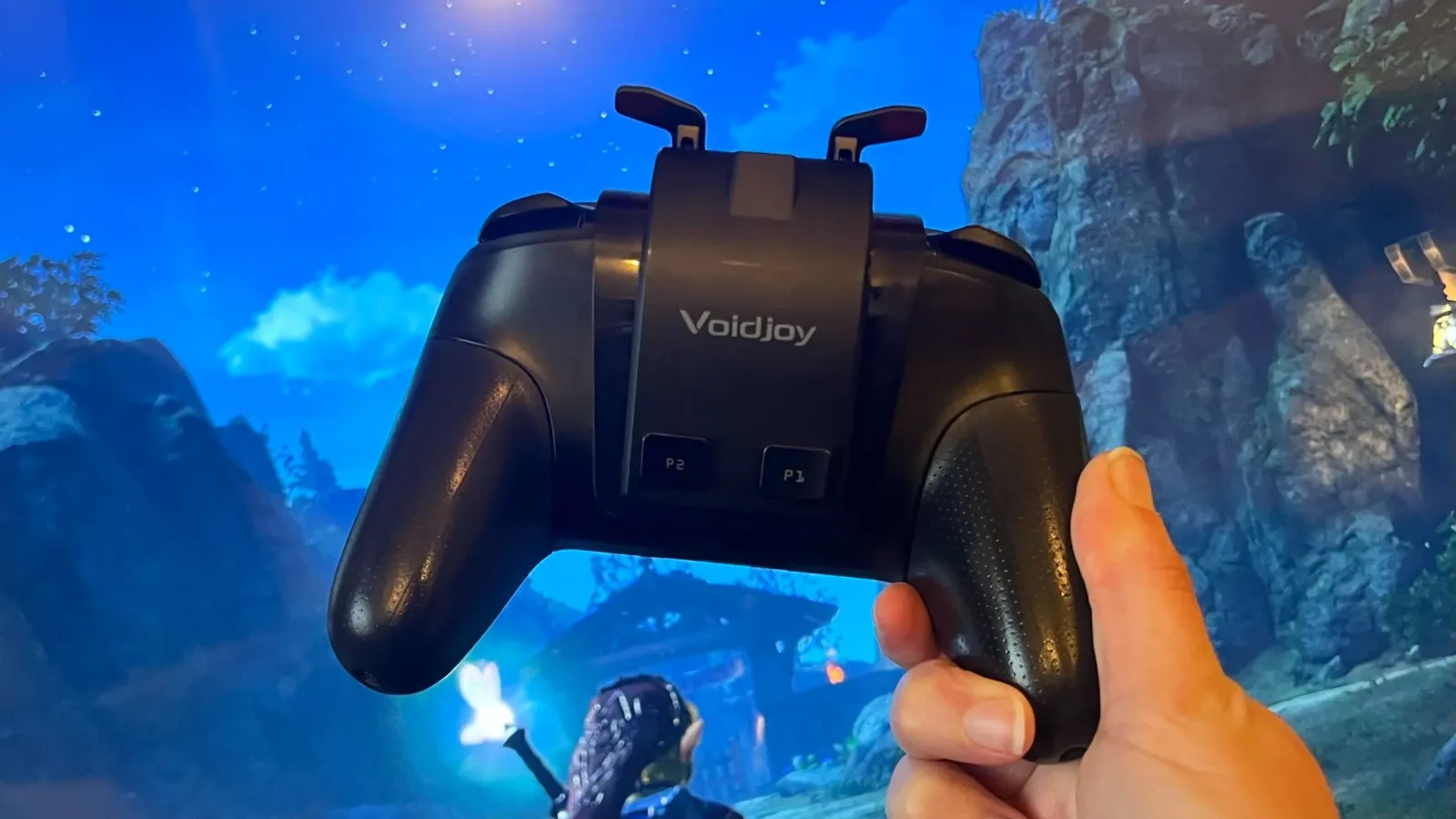
The accessory has more to offer than its two rear buttons. Its removable flipper attachments add Hall effect-style analog trigger functionality with a 1,280-step optical response. The flippers slot into the unit through sturdy prongs and can be removed when they are not needed. They can also be reversed for flatter storage, a small but genuinely thoughtful design choice.
There is a major catch: these analog triggers work on PC only. They are not available as analog triggers for Switch or Switch 2 play. That is disappointing, especially since racing games are where they shine. In Forza Horizon 6, the triggers offer a smooth downward travel after a slightly stiff initial point, making measured acceleration and braking more satisfying than a digital-button setup.
For anyone who uses the original Pro Controller on a computer, this feature adds real value. The limitation is that it does not solve the central Nintendo use case. Players purchasing the Elite Extender primarily to improve a Switch or Switch 2 setup may see the triggers as a bonus they cannot fully use on their preferred platform.
Software flexibility, with some rough edges
The Elite Extender supports Switch controller use on iOS and Android as well as PC, and Android users can access touch mapping through the KeyLinker app. The app includes dead-zone settings for the original Pro Controller sticks and the added triggers, key assignment tools, turbo controls with adjustable speed, and macros of up to 42 steps.
That is a respectable collection of options for an accessory in this price range. The app interface is not especially polished, however, and it has an odd omission: P1 and P2 are not clearly designated in the software even after firmware updates. Fortunately, mapping directly on the device is straightforward through the Fn control. The downside is that those assignments are not handled as neatly across individual games as the official Switch 2 Pro Controller's configuration approach.
The result is flexibility without the level of polish expected from a product designed to modernize an existing controller. It can be configured to suit a player's needs, but it asks for more tolerance and manual adjustment than a plug-and-play accessory should.
Who should buy the Voidjoy Elite Extender?
The strongest audience for the Elite Extender is the original Switch Pro Controller loyalist. Nintendo's older pad remains appealing because it brings together HD Rumble, NFC support, motion controls, dependable wireless connectivity, and a familiar shape. For players who want to retain all of that while gaining two extra commands, the Voidjoy attachment offers a lower-cost path than replacing the controller with Nintendo's newer $89 option.
It is also potentially useful for slower games where back buttons are a convenience rather than a high-speed necessity. Adventure games, relaxed exploration, turn-based titles, and certain single-player experiences can benefit from the extra mapping options without placing too much stress on the stiff switches.
For almost everyone else, a dedicated third-party controller makes more sense. The GameSir Super Nova, for example, has been available for around $29.99 during sales despite a $49.99 MSRP, and it includes a complete controller package with Hall effect sticks, trigger stops, rear controls, and a charging dock. The $69.99 8BitDo Ultimate 2 costs more than the Voidjoy attachment, but supplies a substantially stronger rear-button experience along with TMR sticks and additional features.
Final takeaway
The Voidjoy Elite Extender proves that adding back buttons to the original Nintendo Switch Pro Controller is possible, and it does so with a secure connection, useful remapping tools, and surprisingly capable PC trigger flippers. Unfortunately, the rear buttons are positioned too high, require too much force, and change the controller's balance in ways that limit their usefulness.
It is a practical niche accessory, not the best budget route to back buttons. Players determined to keep Nintendo's original Pro Controller at the center of their Switch or Switch 2 setup may find enough value here to justify the $39.99 cost. Those simply looking for better rear controls, though, will likely get more comfort, more features, and often a better price by choosing a complete third-party gamepad instead.
Community
Discussion
Start the conversation.
No comments have been posted yet.