


Grand Theft Auto 6 is designed to attract an enormous range of players, from longtime series veterans to people who may be arriving mainly for the setting, characters, open-world sightseeing, or story. That broad audience also means a broad range of experience levels and access needs. The game addresses some of the potential friction with a substantial set of accessibility settings available from the beginning.
These options cover several areas that can become roadblocks in a large action game: timing-based side activities, long drives to objectives, vehicle handling, firefights, and the damage sustained by cars during collisions or gunfights. Most importantly for players concerned about progression, using these settings does not disable trophies or achievements, and it does not prevent saving.
The options are not cheats that need to be unlocked through campaign progress or special conditions. They are menu settings intended to help players tailor the experience when the standard controls, challenge level, or gameplay systems make it difficult to continue. That distinction matters in a game expected to be played in very different ways by very different people.
Where to find GTA 6's accessibility controls
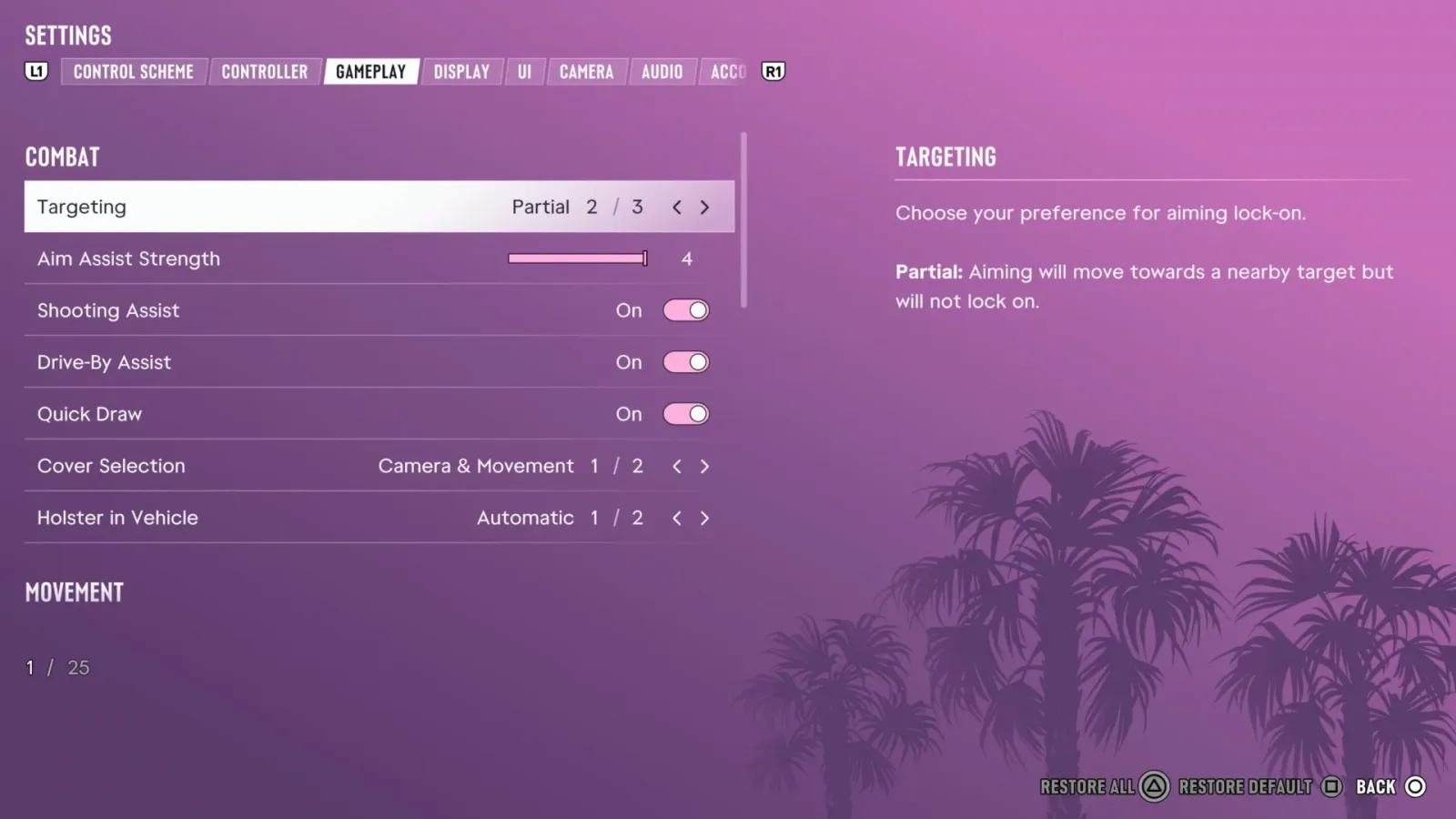
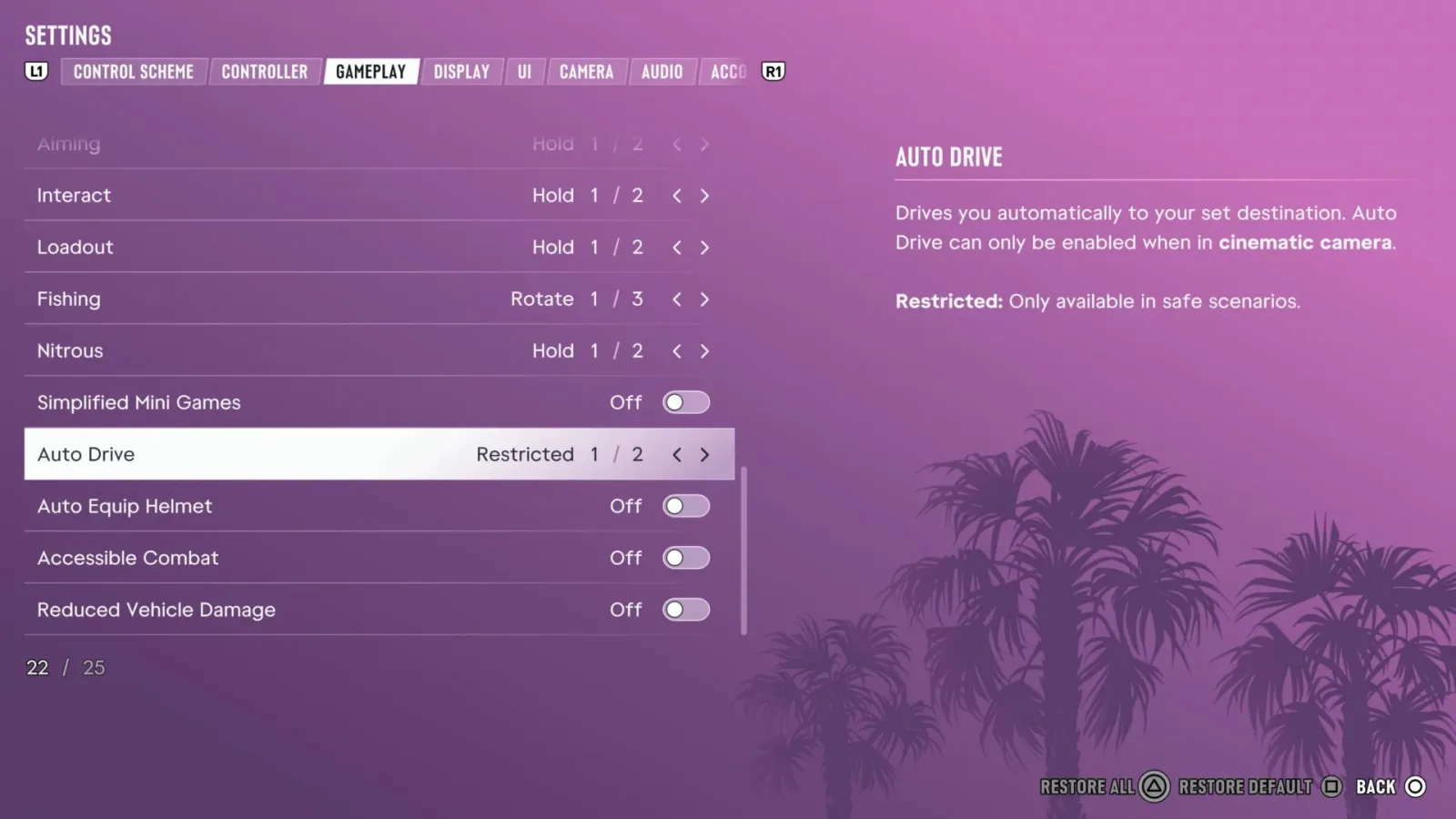
The settings can be changed at any time. Players can open the pause menu, scroll down to Settings, then use RB or R1 to move to the Gameplay section. The accessibility choices are located near the bottom of that menu under the Accessibility heading.
For useful background on this topic, read Sexyy Red Reacts After GTA 6 Dance Scene Goes Viral.
Having these features available immediately is significant. A player does not need to endure a difficult early mission, fail a challenge repeatedly, or complete the story before making adjustments. If a particular activity is frustrating from the outset, the relevant setting can be enabled and tested straight away.
Players can also revisit the menu as their needs change. Someone might be comfortable with the standard combat rules but struggle with a driving sequence, for example. Another player may only need assistance with trigger-sensitive minigames. The menu approach allows those people to make targeted adjustments rather than committing to one broad difficulty choice for the entire game.
Simplified Minigames reduce timing pressure
One of the more useful settings is Simplified Mini Games. GTA 6 features activities such as exercising, hotwiring vehicles, and shooting hoops, and some of those interactions can rely on timing or on carefully controlling the analog triggers. For players with limited dexterity, difficulty with precision inputs, or simply little interest in repeatedly practicing a timing mechanic, that kind of requirement can turn a brief diversion into an unnecessary barrier.
Activating Simplified Mini Games makes these activities easier and reduces their reliance on exact timing and trigger control. It does not remove the activities from the game's world; instead, it makes completing them more manageable. That can be especially valuable in an open-world game, where players may want to sample a wide variety of systems without feeling that one mechanical challenge is locking them out of an objective, a moment of role-playing, or a piece of the broader experience.
The setting also illustrates why accessibility cannot be reduced to a single easy-mode label. A player may be more than capable of handling driving, shooting, or exploration, while still finding rapid timing prompts inaccessible or unpleasant. Offering a separate minigame adjustment gives players a way to preserve the parts of GTA 6 they enjoy while reducing the specific interaction that causes trouble.
Auto Drive can handle routine travel and pursuits
Auto Drive is another major option, and it includes its own set of sub-options. At its most restrained, it can take care of more leisurely trips, such as traveling to a mission destination. This can help people who have trouble maintaining control during long drives, those who find navigation stressful, or players who simply prefer to focus on the destination rather than every mile of travel.
There is also an Unrestricted setting that expands the feature's use to more intense circumstances, including chases and situations in which the player is being pursued. That could make a dramatic difference for players who struggle with the combination of steering, traffic, navigation, incoming attacks, and mission-specific pressure that can define a GTA pursuit.
Auto Drive is not described as flawless autopilot. The game warns that its driving AI can still collide with scenery and other vehicles. In other words, turning it on does not guarantee a pristine route, a perfect escape, or a clean mission result. It is assistance, not a promise that the game will solve every driving-related problem without incident.
That limitation is useful context for anyone trying the feature for the first time. Players should expect the setting to lessen the burden of driving rather than eliminate all risk from the road. Still, even imperfect assistance can make a major difference when a player's alternative is repeated failure, fatigue, or abandoning a mission because the vehicle controls are too demanding.
Accessible Combat changes the balance of firefights
GTA 6's Accessible Combat option is among the settings that comes with a direct warning about its impact. The game was not built around this altered combat balance, and enabling it can make encounters substantially easier. The setting reduces enemy health while also reducing the damage inflicted on the player. Put simply, opponents go down faster and the player character is more resilient.
For a player who cannot comfortably manage aiming, movement, cover, camera control, or repeated combat failures, this could be the difference between seeing the story and being stopped by it. Action sequences often ask players to process several demands at once, especially when enemies attack from multiple directions or when a mission adds vehicles, environmental hazards, and time pressure. Lowering both enemy durability and incoming damage can reduce that overload.
There is an intentional tradeoff. Players who do not need the assistance may find that combat loses tension or becomes boring if Accessible Combat is active. The warning is not a judgment on using the feature; it is practical advice about how dramatically it can reshape the game's intended challenge. The best approach is likely to treat it as an available tool, enabling it when standard firefights become a barrier and adjusting it based on personal enjoyment.
Crucially, the setting's existence recognizes that difficulty is not the same thing for every player. One person may relish long, punishing shootouts, while another may be there primarily for the narrative, the characters, and the city. Both playstyles can be legitimate, and GTA 6's options provide room for each.
Reduced Vehicle Damage helps keep cars usable
The other prominent balance-changing option is Reduced Vehicle Damage. Driving is central to Grand Theft Auto, but it can also be a source of compounding frustration. A few collisions in traffic, a rough landing, or gunfire during a chase can leave a vehicle badly damaged or unusable. When that happens during a mission, a player may lose not just a car but also momentum, time, and a chance at completing an objective.
With Reduced Vehicle Damage enabled, cars will not take as much punishment from crashes or shootouts. The option means that a T-bone collision or two is less likely to turn a vehicle into a wreck before the player can reach the next stage of an activity. For anyone who has difficulty steering around traffic, reacting quickly to hazards, or maintaining a vehicle in a chaotic mission, that resilience can be extremely helpful.
Like Accessible Combat, Reduced Vehicle Damage carries a warning that it can significantly alter the game's balance. Vehicle vulnerability can create stakes during a chase, and lowering that vulnerability may make some situations less demanding. But preserving a harder challenge is not always the priority. If the normal damage model transforms driving into an obstacle rather than an enjoyable part of the adventure, this option provides a clear alternative.
More than a single difficulty decision
The larger value of GTA 6's accessibility suite is the ability to address individual pain points. Players are not limited to deciding whether the whole game is easy or hard. They can simplify a minigame without changing gunfights, protect their vehicle without handing over every drive to Auto Drive, or use combat assistance while retaining ordinary travel and side activities.
There are additional options intended to make actions such as boosting while driving more accommodating as well. That makes it worthwhile to check the Accessibility section whenever a control scheme or mechanic proves difficult. A setting may exist that changes the way a specific interaction works, even if it is not one of the four headline options.
For players worried that assistance comes with a punishment, GTA 6's approach removes two common concerns. Accessibility settings do not block trophy or achievement progress, and they do not interfere with saving. Players can use the tools they need without having to choose between comfort and keeping their campaign progress intact.
Ultimately, these features give GTA 6 players more control over how they experience its world. Some will leave every option at the default setting. Others may rely on one adjustment only during a particularly difficult mission, while some may keep multiple aids enabled throughout the campaign. The important point is that these choices are present from the start, can be changed through the Gameplay menu, and are there to help more people continue playing on terms that work for them.

Community
Discussion
Start the conversation.
No comments have been posted yet.