

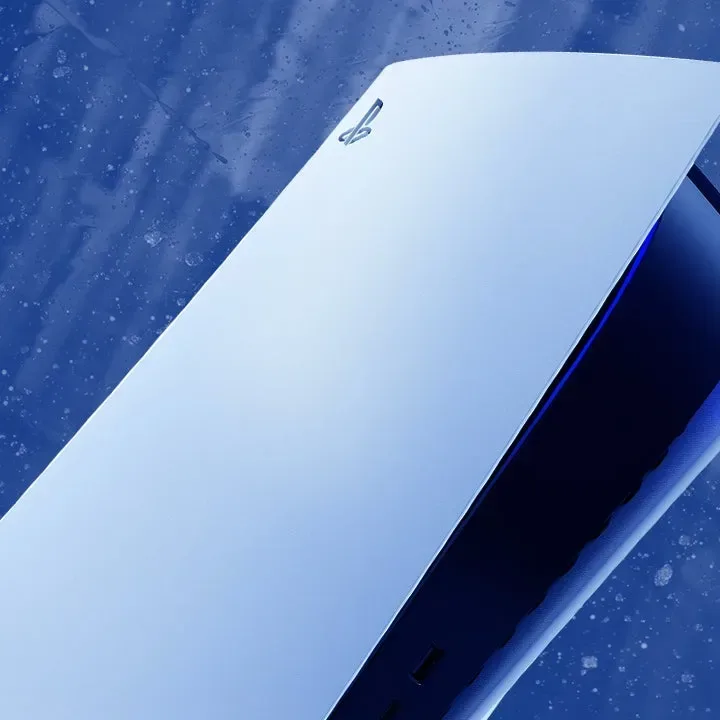
Sony has released PS5 system software version 26.06-14.00.00, delivering a mixture of image-quality changes for PS5 Pro, new voice-chat controls, and a potentially useful way to see which multiplayer games are attracting attention in each player's region. The update also includes the familiar broad improvements to system performance and stability, but its more visible additions are centered on making the console's interface more informative and customizable.
The headline feature for PS5 Pro owners is a change to Enhance PSSR Image Quality. The setting is now enabled by default after the system update is installed. It applies enhanced PlayStation Spectral Super Resolution processing even to games that supported an earlier implementation of PSSR, with the intended result being a clearer and sharper image.
Meanwhile, players using voice chat can choose to show the names of people currently speaking and decide where that speaker indicator sits on the screen. The Welcome Hub is also gaining a Community Activity widget with two rotating views: Trending Now, which spotlights multiplayer games or modes rising in popularity, and Top 10, which lists the most popular games over the past week in a player's country or region.
Enhanced PSSR is now switched on by default for PS5 Pro
PSSR has been one of PS5 Pro's defining graphics technologies, using machine-learning-based upscaling to help games target a balance between visual detail and performance. With version 26.06-14.00.00, Sony is turning on the Enhance PSSR Image Quality setting automatically for PS5 Pro users.
For useful background on this topic, read PS5 Pro Listings Climb Toward EUR1,400 in Europe as GTA 6 Interest Meets Tight Stock.
The significance is that the newer enhanced mode is not restricted only to games built around the latest version of the technology. Sony says it can also be used with games supporting the previous PSSR version. For players, that means the update could affect image presentation in an existing PS5 Pro library without a separate game patch being required for every title.
That does not mean every game will look identical after the change, or that the difference will be equally noticeable in all circumstances. Perceived image quality can vary based on a game's rendering approach, its selected visual mode, display size, viewing distance, and television settings. Still, making the option a default setting signals that Sony views the enhanced process as the preferred baseline for compatible PS5 Pro software.
Players who prefer the earlier behavior or simply want to compare results retain control. The option can be disabled through Settings > Screen and Video > Video Output > Enhance PSSR Image Quality. It is important to note that this feature is exclusive to PS5 Pro, so owners of the standard PS5 will not see this particular image-processing toggle.
Voice chat receives a clearer on-screen speaker indicator
The update's voice-chat addition is smaller in scope but could be particularly welcome in busy parties and multiplayer sessions. PS5 users can now display the name of the person currently speaking while they are in a voice chat. Rather than relying only on voice recognition, players can use the on-screen indication to quickly identify who is talking.
This has clear practical applications in cooperative games, competitive matches, and larger group conversations. A speaker label can help when several people are giving instructions at once, when players are unfamiliar with one another's voices, or when a team needs to identify a caller without pausing the action to open more detailed party controls.
The setting is managed from the voice chat card in the Control Center. Players should select More > Display Who's Speaking and enable Display Names. The update also permits users to select the position of the speaker indicator, a valuable detail for anyone concerned about covering gameplay HUD elements, subtitles, maps, or other essential on-screen information.
Custom positioning makes this feel like more than a simple visual label. Different games reserve different parts of the screen for health bars, mission objectives, inventories, and chat messages, while some players use accessibility settings that alter subtitle placement or text size. Letting users pick the indicator's location should make it easier to keep voice information visible without making the game interface harder to read.
Welcome Hub's Community Activity widget highlights active games
The most intriguing interface feature in version 26.06-14.00.00 may be the new Community Activity widget for the Welcome Hub. It offers two views designed to point players toward games with active communities, especially multiplayer titles that may be worth joining right away.
Trending Now shows 10 multiplayer games or multiplayer modes that are described as surging in popularity. Sony presents the view as a place to discover new releases as well as established games receiving large content updates. In practice, that could make the widget a quick way to notice when a seasonal event, major expansion, new mode, or free weekend has pushed a game back into wider conversation.
The second view, Top 10, shows the 10 most popular games from the previous week in the player's country or region. This differs from a conventional storefront chart because the stated goal is community discovery: players can look for games with a large population of people to play alongside.
There is an important unanswered question around the Top 10 list. Sony has not explained the precise measurement used to rank games. Popularity could theoretically be based on total players, concurrent activity, playtime, engagement across a week, or another internal metric. The company has not publicly defined the calculation, so the list should not automatically be interpreted as a sales ranking or a direct count of peak concurrent users.
Even with that caveat, a regional activity list could prove more useful than a global chart for people looking to queue into multiplayer games at favorable local times. A title can be enormously popular worldwide while having a smaller active audience in a given territory. By framing the Top 10 around a player's own country or region, the widget may help surface communities that are more immediately relevant.
The feature could also give smaller multiplayer games a short window of visibility when an update catches on. A new launch will naturally draw attention, but a game receiving a substantial patch, crossover event, balance overhaul, or fresh mode may be exactly the kind of title that benefits from appearing in Trending Now. Whether the widget becomes a regular discovery destination will depend on how consistently its lists refresh and how much useful detail the interface provides around each entry.
Bluetooth option remains intended for specialist venue use
The patch notes also reiterate a limitation affecting PS5 and PS5 Pro systems in certain countries or regions. When users go to Settings > Accessories > General > Advanced Settings and select Turn Off Bluetooth, the console will not enter Rest Mode and HDMI Device Link will not function.
Sony describes the Turn Off Bluetooth feature as a tool for managing controller connections at esports venues and similar environments, and specifically advises against using it for other purposes. That framing matters: it is not presented as a normal everyday power-saving, troubleshooting, or connectivity setting for home console owners. Anyone considering the setting should understand the Rest Mode and HDMI Device Link trade-offs before enabling it.
PS4 also receives an update, but with no major new features
The PS5 update arrived alongside a PS4 system software update, version 14.00. Its patch notes are far more limited, citing improvements to system software performance and stability. No comparable interface, social, or image-quality features were detailed for the older console.
While brief, continued PS4 maintenance is still relevant to players who keep the system connected for an existing library, use it as a secondary console, or continue to play cross-generation titles with friends. Stability-focused patches rarely change day-to-day use in obvious ways, but they remain part of keeping the platform functional over time.
How to find the new PS5 options
- Enhanced PSSR on PS5 Pro: Go to Settings, then Screen and Video, Video Output, and Enhance PSSR Image Quality. The option is enabled automatically after installing this system update, but can be turned off.
- Voice chat display names: Open the voice chat card from the Control Center, choose More, select Display Who's Speaking, then turn on Display Names. Use Position to decide where the indicator appears.
- Community Activity: Open the Welcome Hub and add or select the Community Activity widget. Switch between Trending Now and Top 10 to view the two activity-focused lists.
- Bluetooth control notice: The Turn Off Bluetooth setting is found under Settings, Accessories, General, and Advanced Settings in supported regions. It is intended for esports venues and comparable setups, not general home use.
Version 26.06-14.00.00 is not a sweeping PS5 redesign, but it makes several targeted improvements that address distinctly different kinds of players. PS5 Pro owners receive an automatic graphics-setting adjustment, party users gain a more legible way to follow conversations, and multiplayer-focused players get a new route to discovering active games in their region. The Community Activity widget, in particular, is worth watching as its lists begin to show how Sony chooses to define--and present--popularity across the PlayStation ecosystem.
Community
Discussion
Start the conversation.
No comments have been posted yet.