

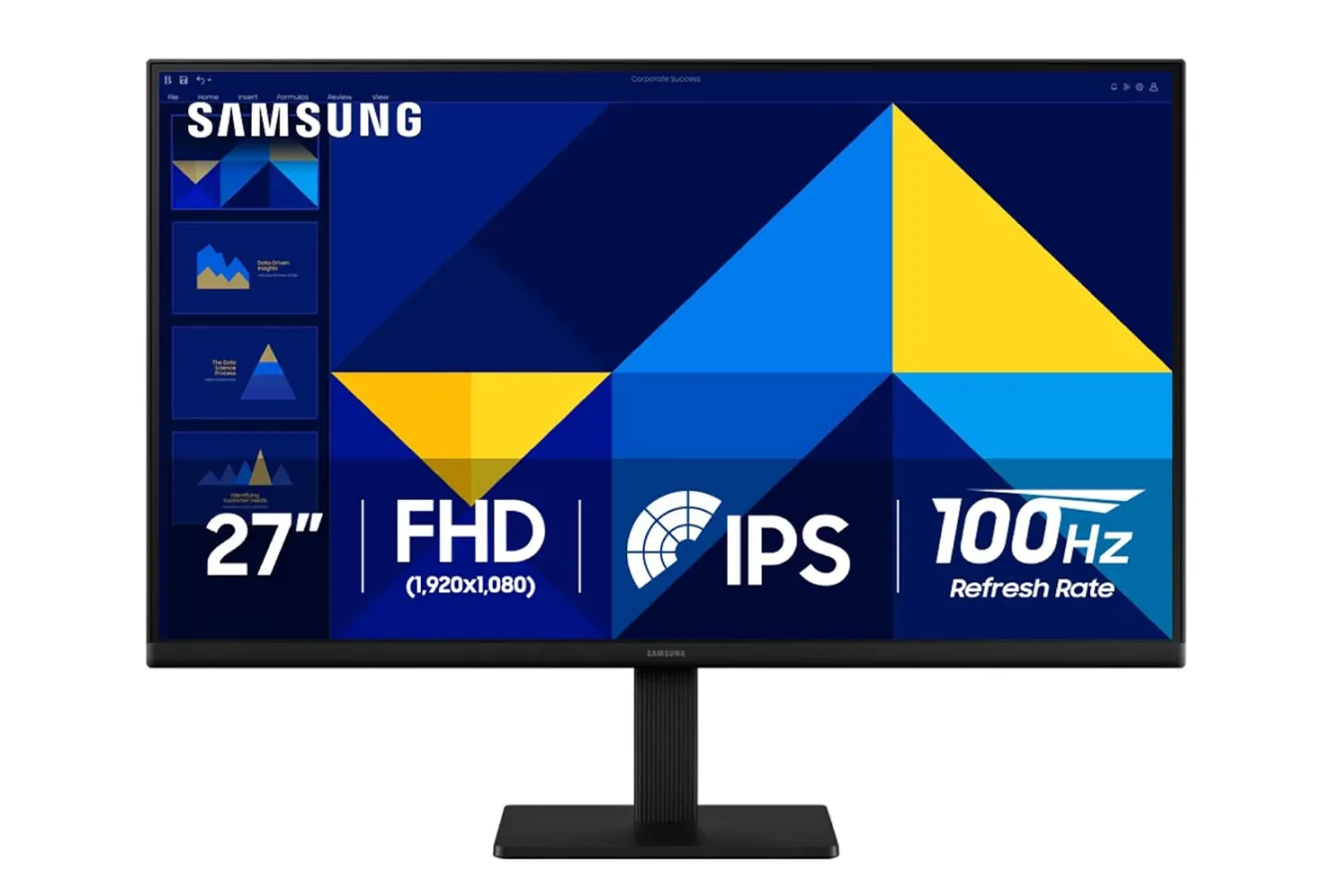
PC gaming setups can become expensive quickly, especially once a player starts considering a second display for Discord, guides, streams, capture software, or everyday work. A new deal on Samsung's 27-inch Essential S30GD monitor brings one of those potential upgrades down to a notably accessible price: Prime members can currently pick up the display for $100, reflecting a 33% reduction.
The S30GD is not being positioned as a premium competitive gaming monitor, nor is it trying to compete with high-resolution OLED screens, ultrawide panels, or displays built around extreme refresh rates. Instead, it is a straightforward entry-level model with a feature combination that should be useful for players who need more desktop space without spending heavily. Its 27-inch IPS panel runs at 1080p and reaches a 100Hz refresh rate, while HDMI and DisplayPort connections provide flexibility for a typical PC desk.
At this price, the monitor's appeal is less about chasing a single cutting-edge specification and more about offering a balanced secondary display. For someone currently playing on one screen, the S30GD could handle chat apps, browsers, video, music controls, hardware monitoring, game guides, or streaming dashboards. It could also suit a first desktop setup where a conventional 60Hz or 75Hz office display would otherwise be the likely choice.
An IPS Panel Is the Key Part of the Package
The S30GD uses an IPS panel, a meaningful point in a budget monitor category where VA and TN alternatives are common. Different panel technologies have their own strengths, but IPS displays are generally valued for maintaining more consistent color and contrast when viewed from the side. Samsung lists 178-degree viewing angles for this model.
For useful background on this topic, read Jagex Removes Dragon Slayer 2 Trailer After Generative AI Concerns.
That wider viewing behavior can matter in several ordinary situations. A secondary monitor is not always positioned directly in front of the user, and players often glance at it from an angle while keeping the main game display centered. It can also help when another person is looking at the screen from beside a desk, whether they are watching a video, following a co-op guide, or helping troubleshoot a PC issue.
For gaming, IPS is not automatically superior in every respect, and buyers looking for deep black levels, HDR performance, or very fast motion handling will want to examine higher-end models designed around those priorities. Still, at $100, the IPS panel gives the S30GD a useful advantage over many low-cost screens that can appear less consistent when the viewing position changes.
The trade-off is resolution. At 27 inches, 1920 by 1080 is serviceable rather than especially sharp. Text, UI elements, and fine visual details will not have the crispness associated with a 1440p screen of the same size. That makes the S30GD a less compelling choice for buyers who want their primary display to maximize image detail in newer games or who work extensively with dense text and visual editing tools.
But resolution is only one part of a monitor decision. For a support screen or budget-oriented first monitor, 1080p remains easy to run on a wide range of PC hardware, and it is sufficient for video playback, browsing, communications, and many games. It may also be a sensible fit for players whose graphics card is better suited to high frame rates at 1080p than to pushing a more demanding 1440p panel.
100Hz Offers a Modest Step Up for Games
The monitor's 100Hz refresh rate is another feature that separates it from a basic office display. Many affordable monitors are still limited to 75Hz or lower. The difference between 75Hz and 100Hz is not the kind of dramatic leap a player would see when moving from 60Hz to a much faster esports-focused screen, but it can still make desktop movement and supported games feel smoother.
For games that can run above 60 frames per second, the additional refresh headroom can improve the presentation of motion and reduce the blur or judder that is more noticeable during fast camera movement. Racing games, action titles, shooters, and even simply navigating a game's menus can benefit from the added smoothness. The monitor is also described as reducing tearing in fast-moving scenes without requiring extra setup.
Prospective buyers should nevertheless keep expectations aligned with the product's price and purpose. A 100Hz 1080p screen is not a replacement for a 144Hz, 165Hz, 240Hz, or higher-refresh competitive monitor. Players devoted to ranked shooters or other reaction-heavy games may still want a display that prioritizes speed and includes the broader adaptive-sync and response-time credentials they are seeking.
For less specialized use, though, 100Hz is a welcome middle ground. It is a specification that makes the S30GD more suitable for casual PC gaming than many traditional budget productivity monitors, while avoiding the price increase often attached to enthusiast-level refresh rates.
Game Mode and Eye Comfort Features Add Everyday Utility
Samsung includes a Game Mode that automatically adjusts picture settings for game content. The aim is to tune contrast and color in a way that can make darker or high-contrast scenes easier to read. This kind of setting can be useful in games with shadow-heavy environments, though its value will vary considerably depending on the title and an individual player's preferred image settings.
Some users will enable it and leave it on; others will prefer a more neutral picture mode or make their own adjustments. It is best viewed as a convenient optional tool rather than a defining reason to buy the monitor.
The S30GD also includes reduced blue light and flicker-free options intended to ease eye fatigue during long sessions. These features have become standard across much of the monitor market, but they remain relevant for anyone splitting time between games, remote work, school tasks, and video viewing on the same desk. Samsung's approach uses hardware-level implementation rather than relying solely on software filters, which can be helpful for users trying to reduce fatigue without introducing a major shift in how the entire screen looks.
Connectivity and Mounting Matter for a Second Screen
For a display likely to be used alongside another monitor, physical setup details are important. The S30GD includes both HDMI and DisplayPort inputs, covering the two connections most commonly used with modern desktop PCs. It also includes USB ports for passthrough connectivity, potentially making peripheral access more convenient depending on a user's desk arrangement.
The monitor has a slim-bezel design and a lightweight chassis, traits that can make a dual-screen configuration feel less intrusive on a smaller desk. Narrower surrounding borders are particularly useful when two displays are placed side by side, since they reduce the visual break between screens.
Its main ergonomic compromise is the included stand. It supports tilt adjustment, but does not offer height adjustment or pivot functionality. That limitation is worth considering before purchase. A second monitor often sits lower or higher than ideal when placed on a fixed stand, and a user who wants to rotate the display vertically for chat, social feeds, coding, documents, or streaming tools will not be able to do so with the standard base.
Fortunately, the S30GD supports VESA mounting. A compatible monitor arm or wall mount can provide the height, positioning, and portrait orientation missing from the bundled stand. Of course, that can add to the overall cost, so the $100 price is most attractive to buyers who are comfortable with tilt-only adjustment or who already own compatible mounting hardware.
Who Should Consider the Samsung S30GD?
The strongest case for this deal is a player who wants a practical second monitor at a low price. It is also a reasonable option for a home office display that occasionally handles games, or for a first monitor purchase where a buyer values IPS viewing angles and 100Hz operation over resolution and premium ergonomics.
It is less suited to shoppers specifically seeking sharp 1440p visuals, 4K detail, high-end HDR, exceptional black levels, a fully adjustable stand, or serious competitive refresh rates. Those features remain available elsewhere, but typically at a significant increase in cost.
For Prime members who fit the S30GD's intended use, the $100 price puts it firmly in the category of an inexpensive expansion for a PC setup. The display's limitations are clear, particularly the 1080p resolution at 27 inches and the tilt-only stand. Yet the combination of an IPS panel, 100Hz refresh rate, mainstream ports, VESA support, and a compact-looking design gives Samsung's budget Essential model a well-rounded role as a secondary gaming and productivity screen.
Community
Discussion
Start the conversation.
No comments have been posted yet.