

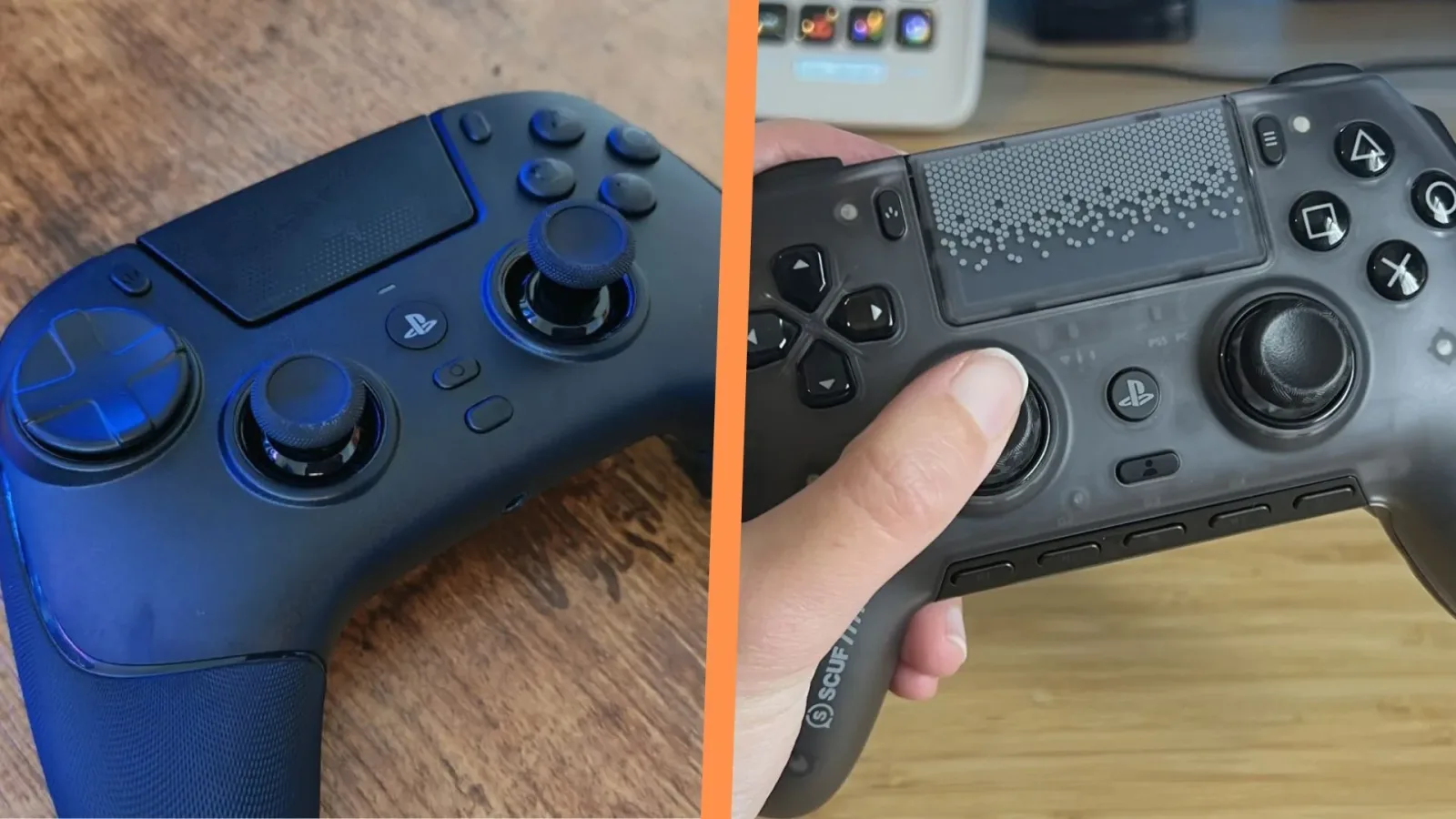
The Scuf Omega and Razer Raiju V3 Pro arrive as unusually ambitious choices in the PS5 controller market. Each is an officially licensed wireless controller built around competitive play, each includes six additional programmable controls beyond a standard PlayStation-style layout, and each provides PC software for deeper configuration. They also share TMR thumbsticks, clicky microswitch face controls, and symmetrical stick placement intended to feel familiar to longtime PlayStation players.
That makes this a far more interesting contest than a basic first-party-versus-third-party comparison. Neither controller is trying to replace the DualSense by duplicating its feature set. Instead, both target players who want more inputs under their fingers for shooters, fighting games, action titles, multiplayer games, and any situation where moving a thumb away from a stick can be a disadvantage.
There are trade-offs to that approach. Since both controllers operate under similar PlayStation licensing restrictions, neither offers haptic feedback or adaptive triggers. Buyers are therefore weighing the benefits of faster, more configurable inputs against the signature tactile features found on Sony's standard controller.
On the core specification list, it is close. In real use, though, the Razer Raiju V3 Pro has clearer advantages in several of the areas that matter most during high-pressure play. Its extra controls are easier to access without accidental presses, its rear-button arrangement is more conventional, and its thumbstick surfaces offer more confidence for precise aiming. The Scuf Omega still has an audience, particularly among people who already love Scuf's distinctive ergonomics or want its customization options, but Razer's controller is the stronger all-round recommendation.
For useful background on this topic, read Overwatch's Sombra Support Rework Drops Hack, and Blizzard Expects Pushback.
Six extra buttons, two very different implementations
The headline feature for both controllers is the same: six additional inputs. That is a major increase over a conventional PS5 pad and gives players room to move important commands away from the face buttons. Jumping, reloading, melee actions, weapon swaps, ping commands, crouching, and other frequent functions can potentially be assigned where they are reachable without interrupting aim or movement.
The difference is where those controls sit and how naturally they fit into a player's grip.
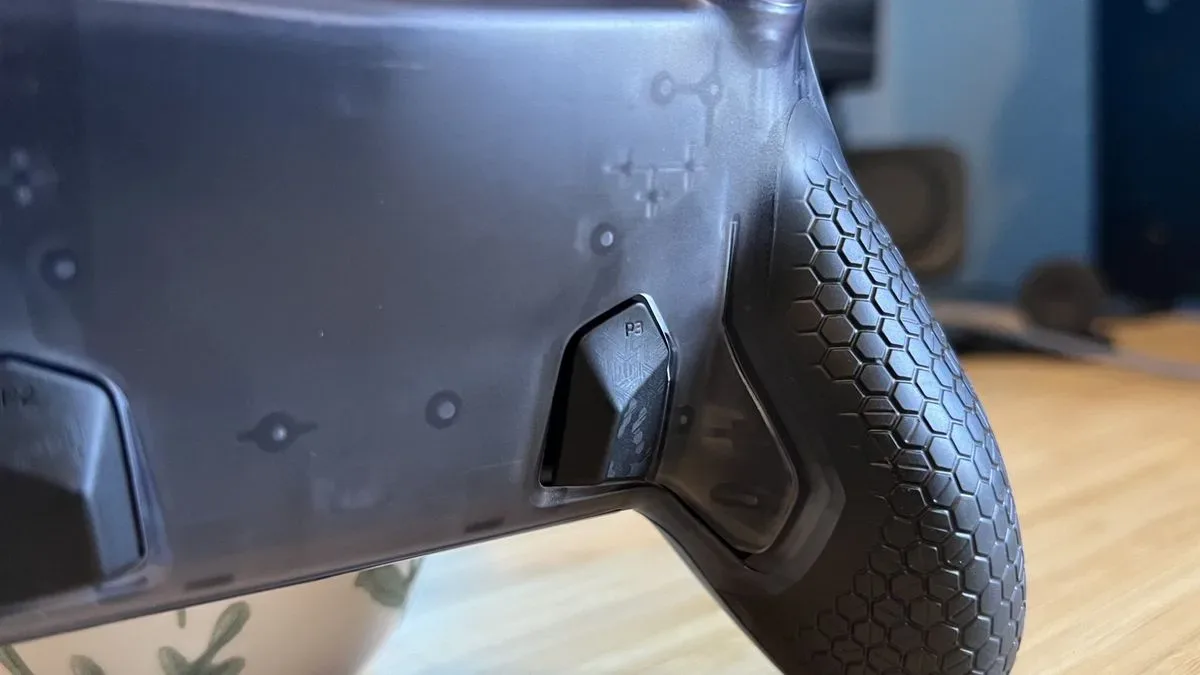
Scuf's Omega uses side bumpers, a relatively uncommon form of extra input. In principle, they are a smart idea. The buttons can be pressed with the inner part of the index fingers or knuckles, potentially giving players another pair of inputs without overloading the top edge or rear grips. For certain hand positions, that could be more useful than adding more top-mounted buttons.
The problem is the Omega's side bumpers appear too easy to trigger. Their angle and light actuation can lead to unintended inputs, and this is not simply an issue limited to one hand size or one player's habits. The same concern has also been encountered with the Scuf Envision Pro, which uses essentially the same controller body and many of the same design elements as the Omega.
An accidental press is particularly damaging on a performance controller. In a competitive match, an unwanted reload, ability use, weapon switch, or movement command can immediately turn a useful advantage into a mistake. A player may eventually adjust their grip, but a control layout that requires constant care remains a potential liability when the action becomes frantic.
Scuf includes blank covers, so owners can remove the side bumpers from the equation. That solves the accidental-input concern, but it also gives up a key part of the Omega's six-button proposition. At that point, Razer's six extra controls become substantially more compelling because they remain usable without the same concern about inadvertent activation.
Razer's rear buttons are more immediately familiar
Rear buttons are often the deciding factor for players shopping for a premium controller. They let the middle and ring fingers take on commands normally assigned to the face buttons, preserving control over both thumbsticks. For first-person shooters in particular, that can make actions such as jumping or sliding possible without giving up aim for a split second.
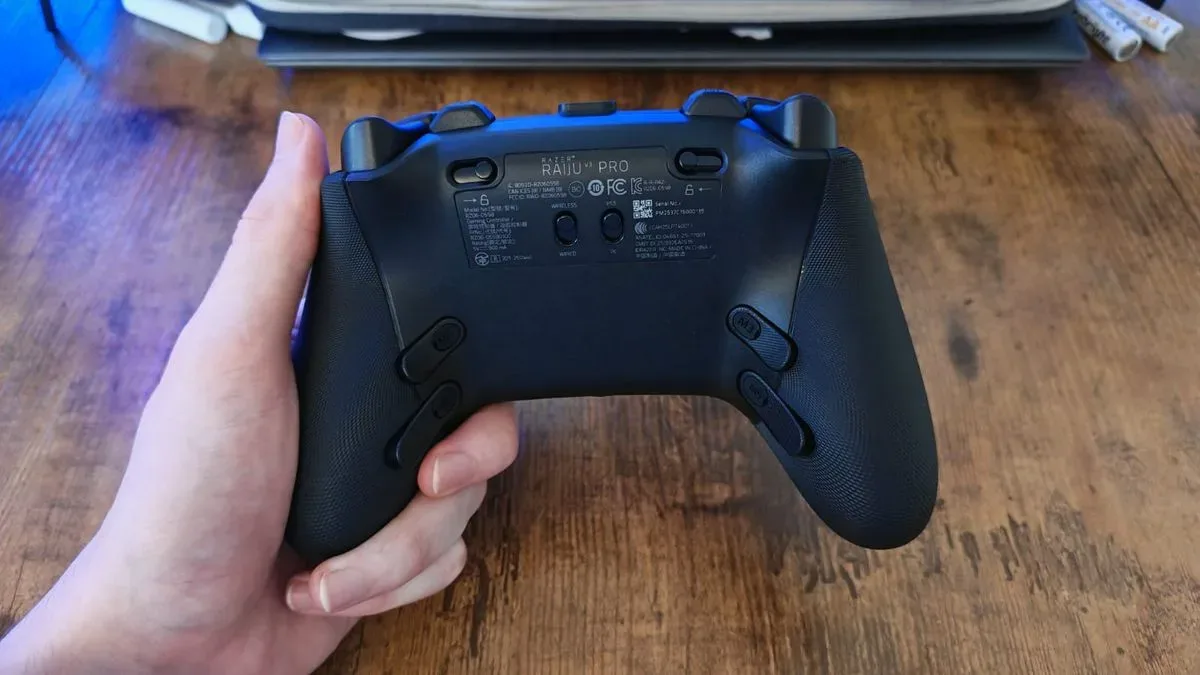
Scuf has long used a recognizable rear-button style: horizontally positioned controls that wrap around the middle-finger area on the back of the controller. It is a distinctive layout, and it will suit some players who have spent considerable time with earlier Scuf pads. However, it requires more adjustment than designs that place buttons directly along the grips.
The Raiju V3 Pro instead uses two pairs of rear buttons arranged one beneath the other. This is closer to the layout broadly adopted across the pro-controller market, where rear inputs sit where middle and ring fingers can find them naturally. The arrangement is not flawless: the two pairs are somewhat close together. Still, the positioning is generally easier to understand and adapt to than Scuf's wraparound approach.
Razer's use of speedy microswitch-style clicks is another important part of the experience. The rear buttons match the immediate, tactile response of the controller's other controls, helping them feel deliberate and responsive when a fast reaction is needed. Button feel is subjective, but consistent, crisp actuation across the pad can make learning a new layout less demanding.
Players who already know they prefer Scuf's rear-button architecture should not dismiss the Omega purely because it differs from the market norm. Familiarity counts for a lot with controllers. But for someone choosing between these two pads without that existing preference, the Raiju V3 Pro's back controls are likely to be easier to use effectively.
Thumbstick texture matters more than it sounds
Both controllers use TMR thumbsticks, a notable feature for players concerned with precision and long-term stick performance. TMR technology is a strong selling point in a premium controller category where stick behavior is under closer scrutiny than ever. Yet the sensor technology is only one part of the aiming experience. Stick shape, height, tension, and surface texture all influence how reliably a player can make small movements.
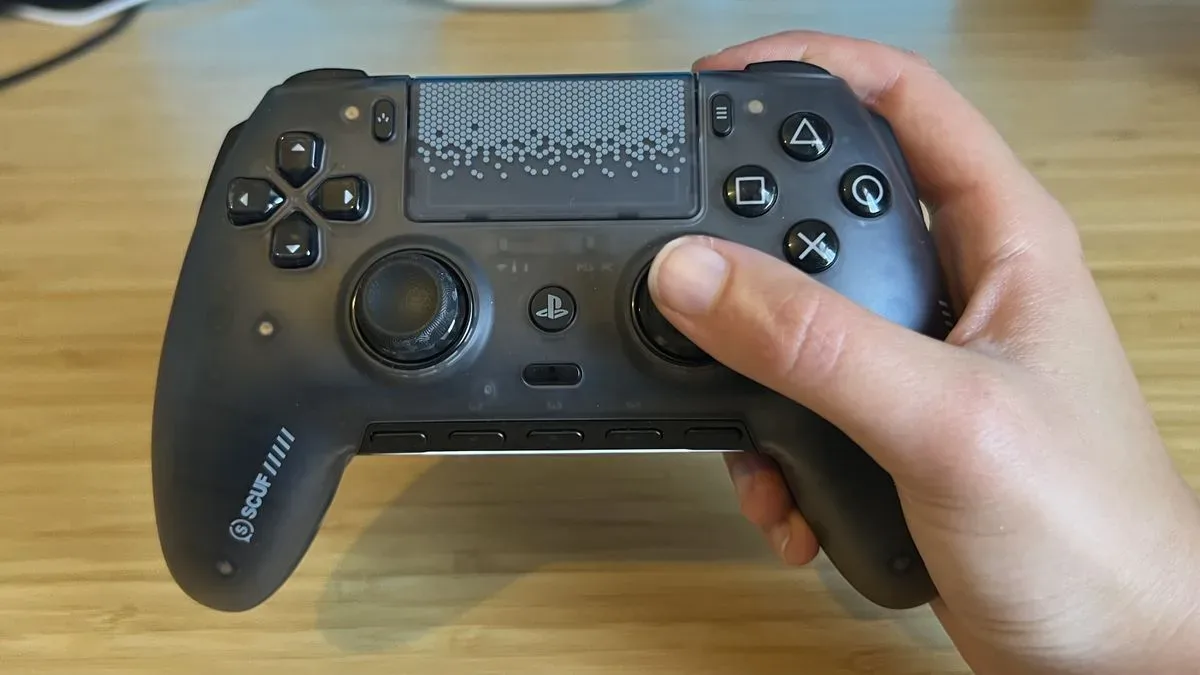
This is where the Omega has another notable drawback. Its thumbsticks have very little texture out of the box, leaving them feeling comparatively slippery. That can make it harder to maintain secure contact, particularly during subtle aim corrections. Instead of concentrating entirely on the target or movement, a player may need to press their thumbs more deliberately into the sticks to avoid losing grip.
That is an unwelcome compromise in games where fine control is essential. TMR sticks can encourage precise incremental movements, but that precision is harder to capitalize on if the thumb surface itself does not provide enough traction. The issue becomes especially relevant in competitive first-person shooters, where small tracking adjustments and snap corrections can determine an encounter.
The included interchangeable stick tops in the Omega's carrying case can improve matters to a degree, offering alternatives for players who prefer different heights or shapes. Even so, the underlying texture choice remains a weakness compared with the Raiju V3 Pro. For anyone specifically buying a controller to improve FPS performance, the more secure feel of Razer's implementation is a meaningful advantage.
Other design details widen the gap
The two controllers remain evenly matched in several major respects. Both are wireless. Both can be tailored through companion PC applications. Both retain the symmetrical analog-stick arrangement associated with PlayStation controllers, and both use microswitch buttons for a quick, clicky response.
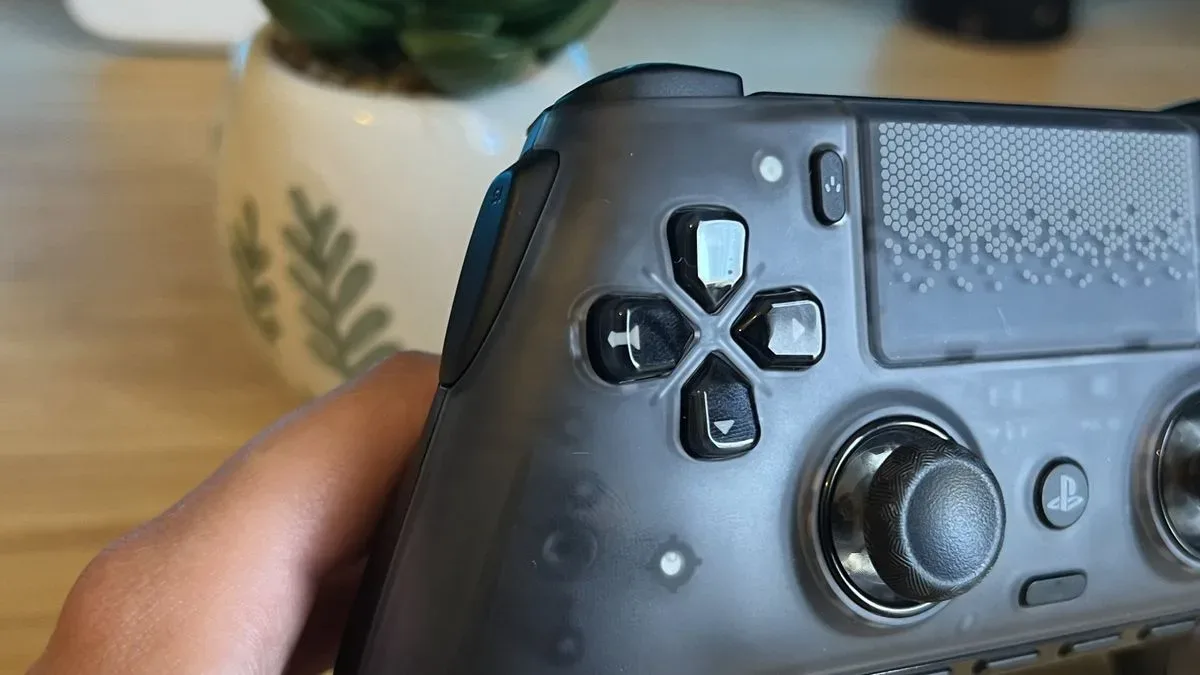
There are also smaller usability differences worth considering. The Omega's four-way D-pad has a familiar PlayStation-inspired character, but the Raiju V3 Pro's floating eight-way D-pad is more versatile for directional inputs. That may be useful for players who move between genres, including titles that demand diagonal commands or rapid D-pad sequences.
Trigger-stop design also favors Razer from a practical perspective. The Omega hides its trigger-stop switches within the triggers themselves. It is a sleek, clean-looking solution, but it is not ideal for someone who wants to change trigger travel quickly in the middle of a session. Razer places its controls in a more accessible location, making on-the-fly adjustments easier.
None of these individual points necessarily decides the purchase alone. A D-pad preference can be personal, while some players may value the Omega's tidier visual design more than quick trigger-stop access. Taken together with the side bumper, rear-button, and thumbstick concerns, however, the small decisions reinforce the Raiju V3 Pro's more practical focus.
Which controller should PS5 players buy?
The Razer Raiju V3 Pro is the better choice for most players seeking a high-end PS5 controller with extensive extra inputs. It provides six additional controls in a layout that is less prone to accidental activation, its rear buttons better fit common competitive-controller muscle memory, and its thumbsticks inspire more confidence for precise aiming. Accessible trigger stops and an eight-way floating D-pad add further everyday usability advantages.
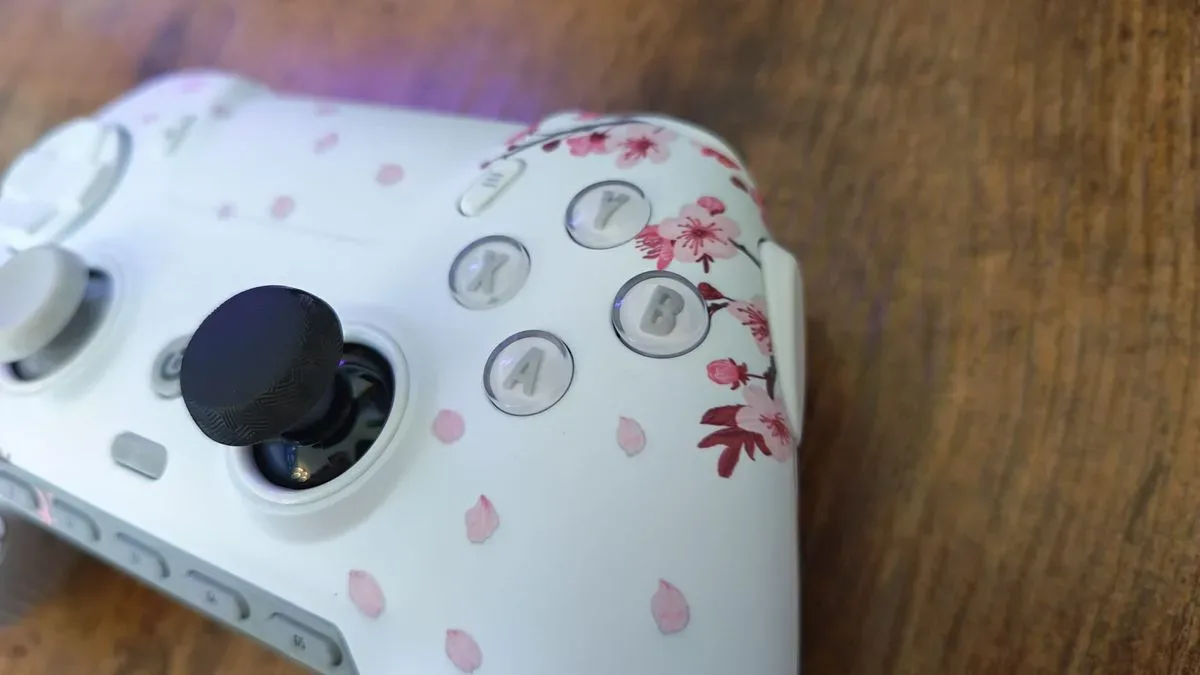
The Scuf Omega is not without appeal. Its side bumpers are an unusual concept that may click with a particular grip style, and Scuf's aesthetic customization can be a genuine reason to choose it. Players deeply accustomed to Scuf's rear-button layout may also find that familiarity outweighs the benefits of changing to Razer's design.
For a buyer starting fresh, though, the Omega asks for more adaptation while presenting more chances for accidental or less confident inputs. In a product category built around responsiveness and consistency, that is difficult to overlook. The Raiju V3 Pro delivers the more dependable balance of features, ergonomics, and competitive-minded control placement, making it the safer recommendation for PS5 players who want a controller designed to keep their thumbs on the sticks and their focus on the game.
Community
Discussion
Start the conversation.
No comments have been posted yet.