

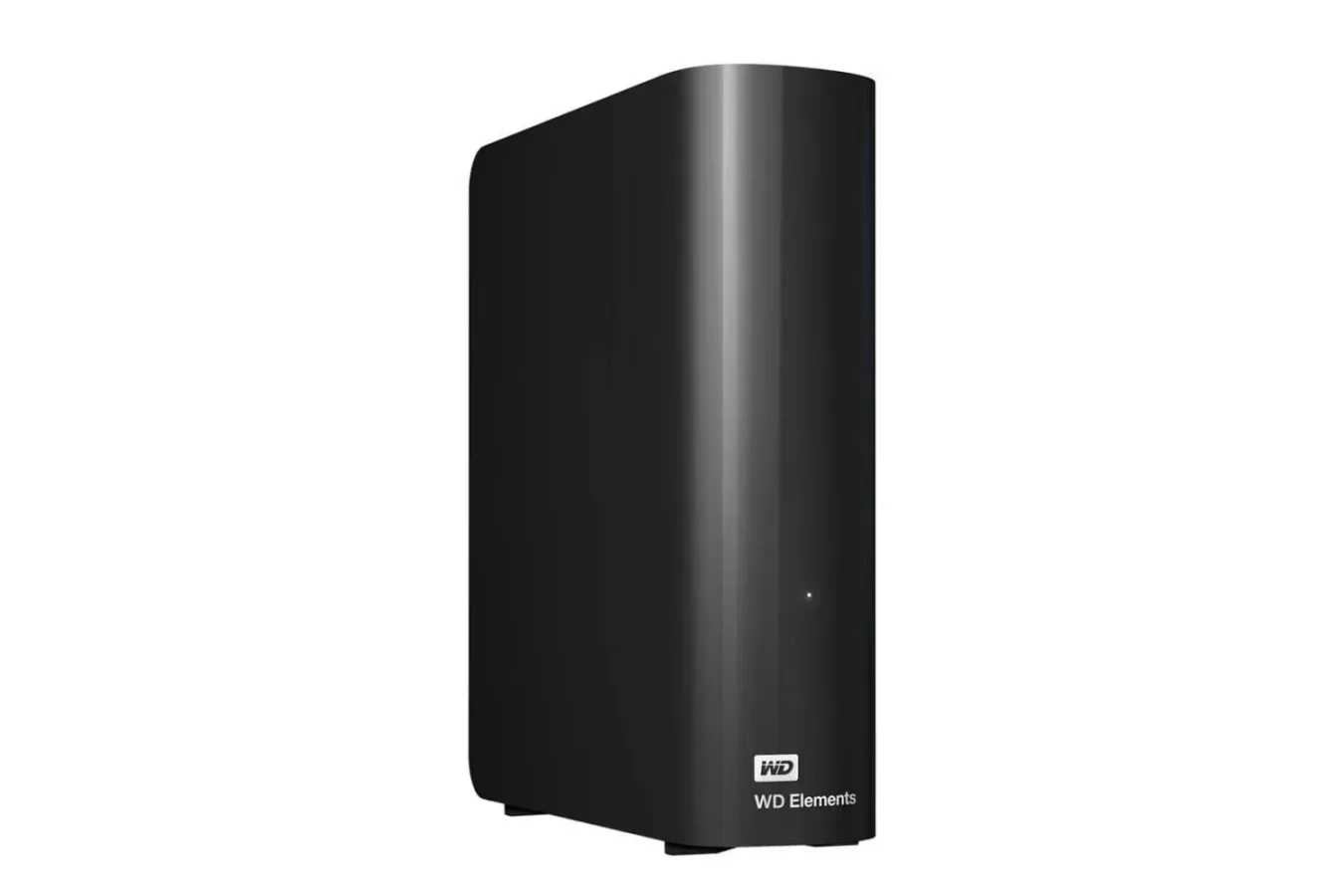
PC game libraries have become enormous, video captures fill disks faster than expected, and old project folders have a habit of becoming important again just after they have been deleted. For players, creators, and anyone managing several computers, the latest price on WD's 20TB Elements external hard drive presents a notable storage proposition: the desktop drive is listed for $550, down from an $880 list price.
The headline is not simply the $330 reduction. At the time of the deal, the 20TB version costs the same as the 12TB capacity in the same range, which is also priced at $550. Meanwhile, the 18TB model is listed at $759. With those prices in place, the 20TB option is the clear value choice for shoppers who already know they need a high-capacity external drive and can accommodate a desktop-sized, wall-powered unit.
This is not the kind of purchase that makes sense for every setup. A 20TB external hard drive is not a small pocket drive, nor is it an instant solution for dramatically reducing game loading times. But for building a long-term archive, moving files off crowded internal SSDs, keeping a sizable library of recordings, or creating local backups, the capacity-to-price comparison is difficult to overlook.
A rare situation where the largest listed capacity is the better value
Storage deals are usually evaluated with a simple question: how much does each terabyte cost? That remains useful here, but the current lineup makes the choice even easier. Buyers looking at the 12TB WD Elements model would pay $550 for 12TB, while the 20TB version is available for that exact amount. Choosing the larger model adds 8TB without increasing the stated purchase price.
For useful background on this topic, read Amazon Fire TV Soundbar Plus With Subwoofer Drops to $230 in Black Friday Deal.
There is also a substantial gap between the 20TB and 18TB listings. At $759, the 18TB option costs more while providing less capacity. Pricing changes regularly, particularly around major sales periods, so shoppers should verify the current listing before ordering. Still, based on the stated prices, there is little reason to select either lesser capacity unless the listings change or a buyer has a specific reason to avoid the larger drive.
At $550, the 20TB model works out to roughly $27.50 per terabyte before taxes. That does not mean every user should immediately buy one. It does mean that someone already shopping for 12TB or 18TB of external storage should look closely at the 20TB version first.
What 20TB means for a gaming PC
Modern PC games can occupy well over 100GB apiece, especially after patches, expansions, high-resolution texture packs, and optional language files are added. A 20TB drive can therefore hold a large collection of installed games, although players should keep expectations appropriate for a traditional external hard drive. An internal NVMe SSD or SATA SSD remains the preferable place for the games being actively played, particularly titles designed around fast storage.
That distinction does not make a high-capacity hard drive irrelevant. It gives the drive a more practical role in a broader storage plan. Players can archive games they do not currently play, retain installers and mod files, store save backups where appropriate, and keep large folders of screenshots or recorded footage away from their primary internal drive. When it is time to revisit a game, files can be moved back to faster storage rather than downloaded again.
For anyone with a slower internet connection, data caps, or a collection that spans decades of PC gaming, local storage is especially valuable. Keeping older games, patches, mod packs, emulation-related files, and personal captures on a local drive can be more convenient than relying on repeated downloads or cloud storage limits. The drive's scale also leaves room for non-gaming material such as documents, photos, music production sessions, and video projects.
Potential uses for the extra capacity
- Archive PC games that are not currently installed on an internal SSD.
- Store gameplay recordings, stream exports, screenshots, and edited video files.
- Create backups for multiple laptops or desktop PCs.
- Keep large creative projects, raw media, and older work folders available locally.
- Maintain a personal media collection without filling the main system drive.
- Move files between compatible computers while preserving a central long-term archive.
Twenty terabytes is enough space that it encourages a different approach to file management. Instead of deciding which old files must be removed every time an internal drive reaches capacity, owners can reserve this unit for material that is worth keeping but does not need the fastest possible access. That can free expensive SSD space for operating systems, current games, applications, and active projects.
Setup and connectivity
WD's Elements desktop drive uses a plug-and-play approach. The basic setup involves connecting the drive to a wall outlet, then linking it to a computer with the included cable. Once connected, it should appear in the system's file manager without requiring a complicated installation process.
Mac users should note that the drive needs to be reformatted before it can be used as intended on macOS. That is a routine first-use step rather than an indication of a hardware problem, but it is worth planning for before transferring files. Anyone moving an existing archive should also remember that reformatting erases the disk's current contents, so it is best handled before the drive is put into service.
The drive supports USB 3.2 Gen 1 and is backward compatible with USB 3.0 devices. That makes it suitable for a broad range of PCs and laptops with compatible USB connections. Compatibility does not transform it into an SSD, however. Large hard drives are designed around capacity and economical bulk storage, not the instant responsiveness associated with flash storage. Transfers of large files should be more useful than expecting top-tier performance for every workload.
Its need for external power is another important consideration. This is a desktop external drive, not a bus-powered portable model that can simply be slipped into a bag alongside a laptop. Buyers should make sure they have desk space, an available power outlet, and a use case that benefits from keeping a large storage device in one location.
Backup capacity is valuable, but it is not a complete backup strategy
A single 20TB drive can be an excellent destination for backups, but one drive alone should not be treated as the only copy of irreplaceable data. Hard drives can fail, be accidentally damaged, or be affected by theft, power issues, or other local problems. The large capacity makes this WD model useful for consolidating backups, but it does not eliminate the need for redundancy.
A practical approach is to keep important files in more than one place. For example, the WD Elements unit could hold a local archive or backup, while essential documents and photos also exist on another drive or a separate cloud service. The exact approach will depend on the files involved, how frequently they change, and how much downtime a user can tolerate if a device stops working.
A large external drive is best viewed as a major piece of a storage plan: excellent for local capacity and archives, but not a substitute for keeping important data in more than one location.
Gamers with substantial collections can use this principle for save data and personal media as well. Cloud synchronization offered by a game platform can be helpful, but it is not always comprehensive, and modded installations or manually managed save folders may need extra attention. Maintaining organized copies of meaningful files is generally easier than trying to rebuild a personal archive after a failure.
Who should consider this deal?
The most obvious audience is someone who was already prepared to spend around $550 on the 12TB WD Elements model. With the 20TB edition listed at the same price, the larger capacity is a direct upgrade with no stated cost increase. It may also appeal to video creators, streamers, photographers, home-office users, and households with several computers that need a shared pool of local backup space.
It is less compelling for people who need a compact travel drive, want the fastest storage for active games, or have only a small amount of data to manage. In those cases, a portable SSD, a lower-capacity external drive, or an internal upgrade may be a better fit. Buyers should also consider whether they need 20TB now versus whether they will realistically use the headroom over several years.
For users who have repeatedly filled 1TB, 2TB, or 4TB drives, though, the appeal is easy to understand. The 20TB WD Elements drive offers room for an extensive local archive at a price that currently overlaps with much smaller capacities in the same family. The listed $550 price represents a 38% reduction from the $880 list price, cutting $330 from the cost. Delivery is stated to be free, with no Prime subscription required.
As with any time-sensitive hardware promotion, availability and pricing can move quickly. But while the 20TB model remains at $550 alongside the 12TB version at the same price, it is the capacity tier that makes the most sense for buyers seeking a large, wall-powered external hard drive for a PC-centered storage setup.
Community
Discussion
Start the conversation.
No comments have been posted yet.