

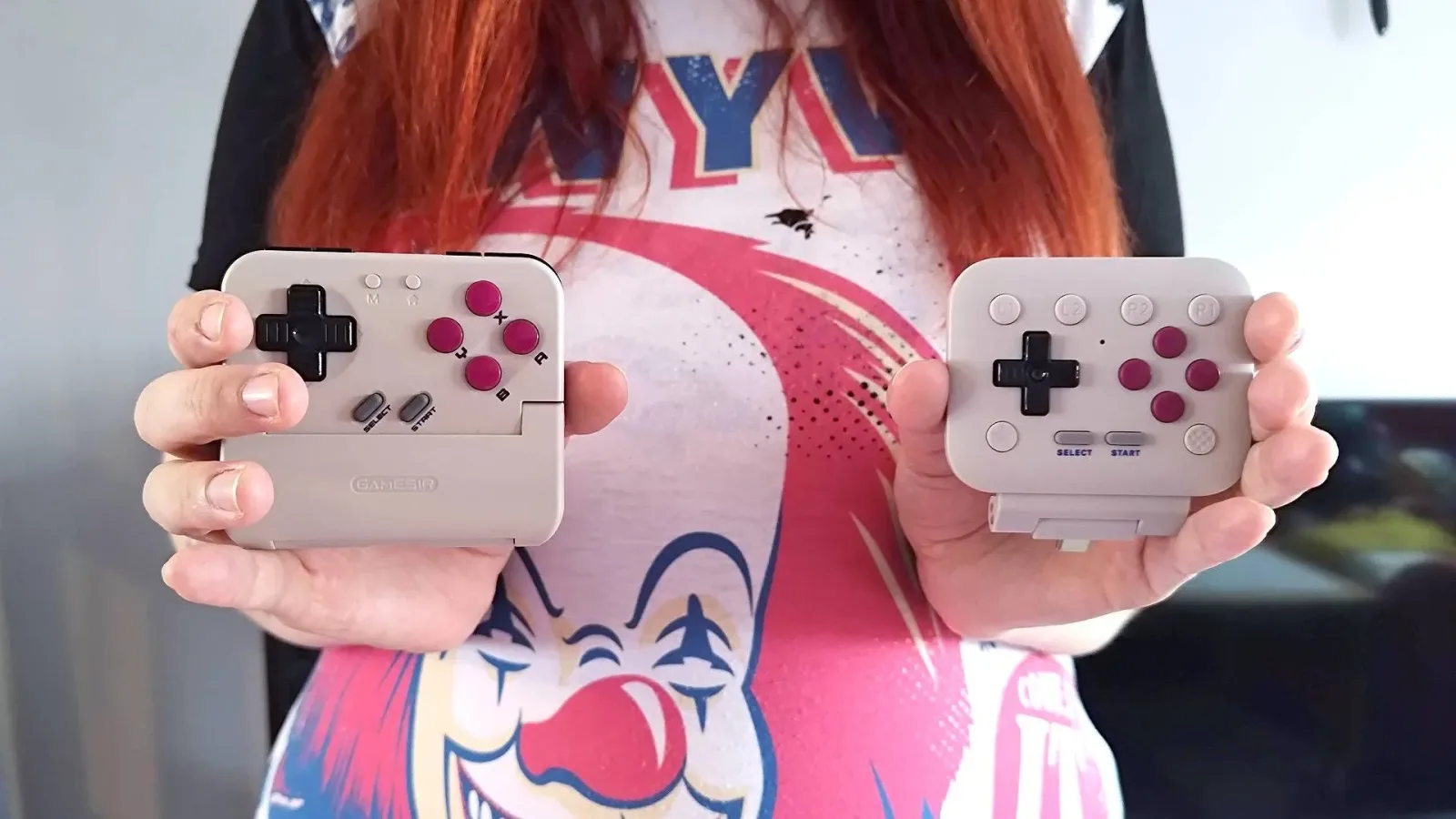
Turning a smartphone into a Game Boy-style handheld is an appealing idea for anyone who wants quick access to retro games without carrying another dedicated device. Two accessories approaching that goal from very different directions are the 8BitDo FlipPad and the GameSir Pocket Taco. Both add a D-pad and familiar Game Boy-era face buttons to a phone, but their designs, connections, and physical feel make them suited to different kinds of players.
A side-by-side session with a casual retro enthusiast offers a useful perspective beyond a conventional technical comparison. The player already owns and enjoys real Game Boy hardware, but does not routinely test controllers or handhelds. After spending time exploring Koholint Island in The Legend of Zelda: Link's Awakening on a Google Pixel 7, her preference was clear: the 8BitDo FlipPad felt better to play on. Yet that conclusion comes with an important practical limitation. Its direct USB-C connection can feel unstable depending on the phone and case being used.
That leaves no simple overall champion. The FlipPad wins points for its clean shape and crisp controls, while the Pocket Taco makes a stronger argument for stability, flexibility, and a fuller controller-style grip.
Two interpretations of a phone-sized Game Boy controller
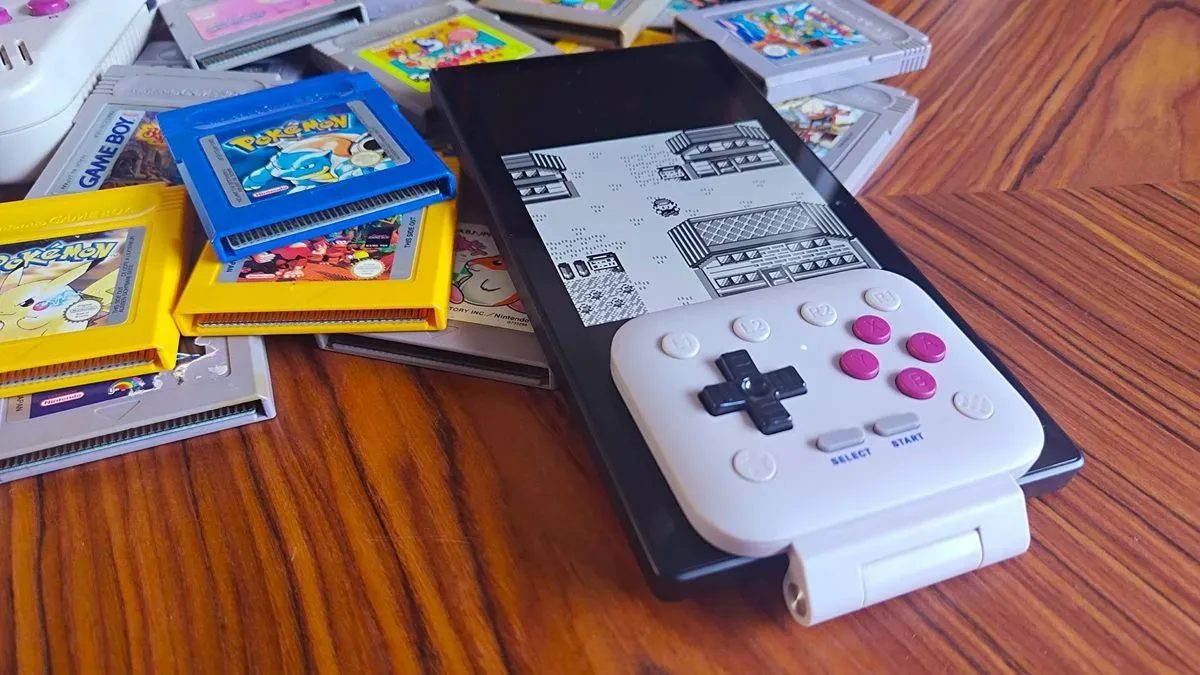
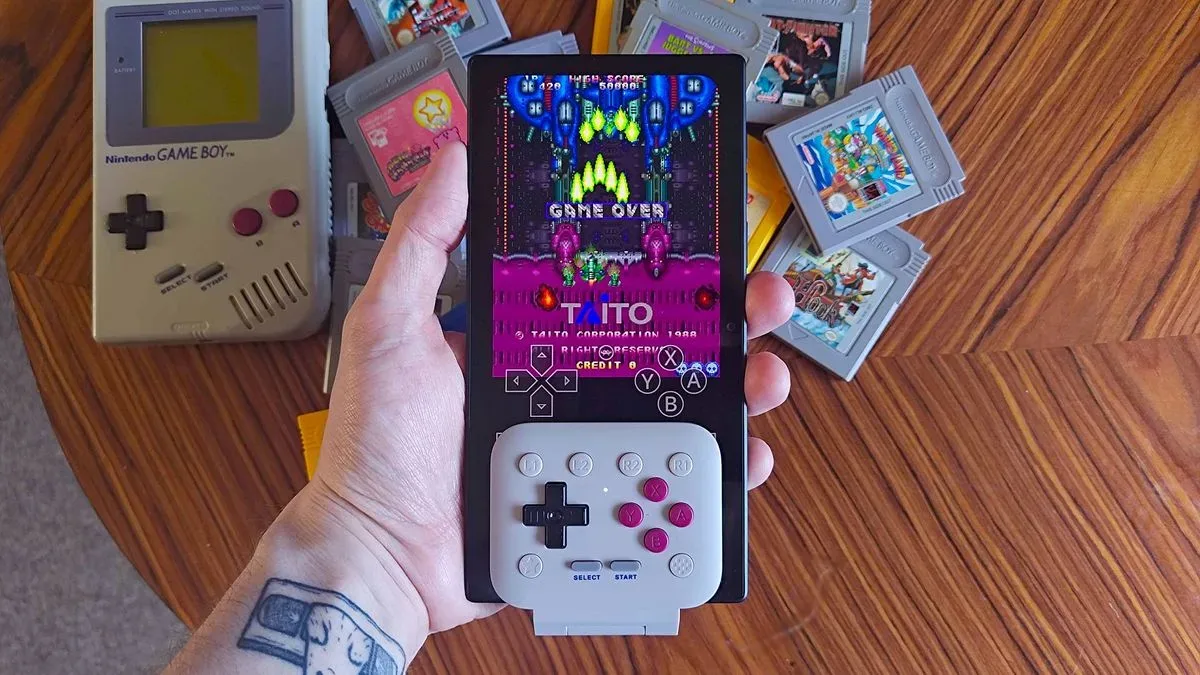
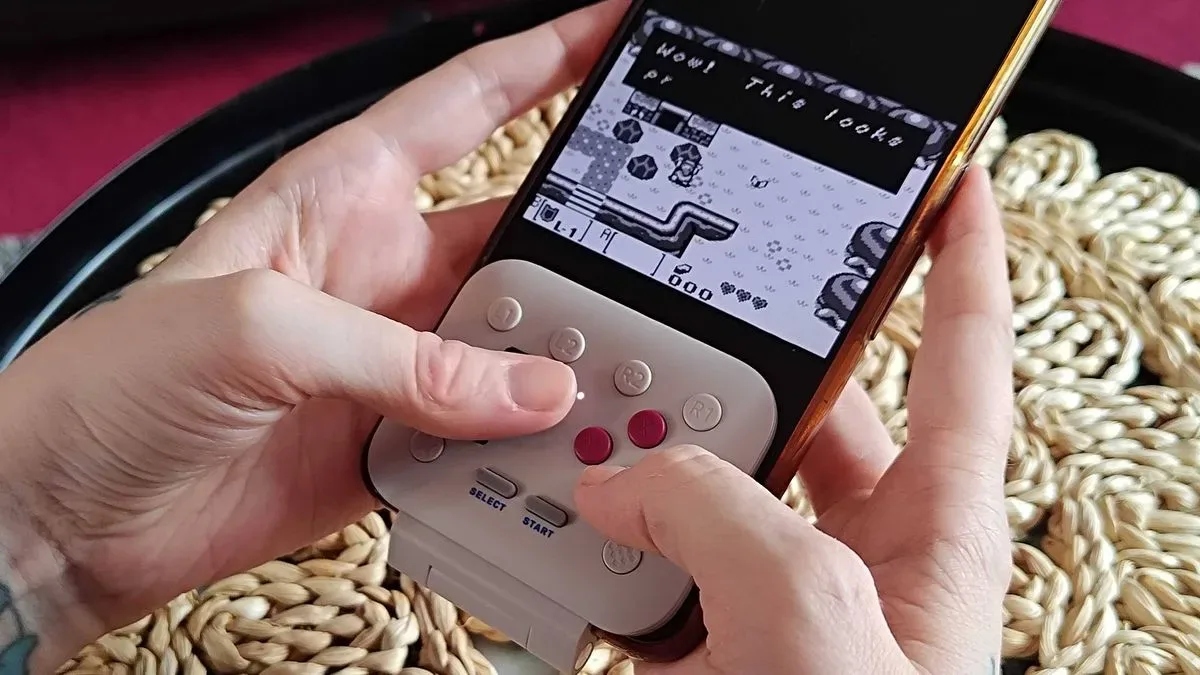
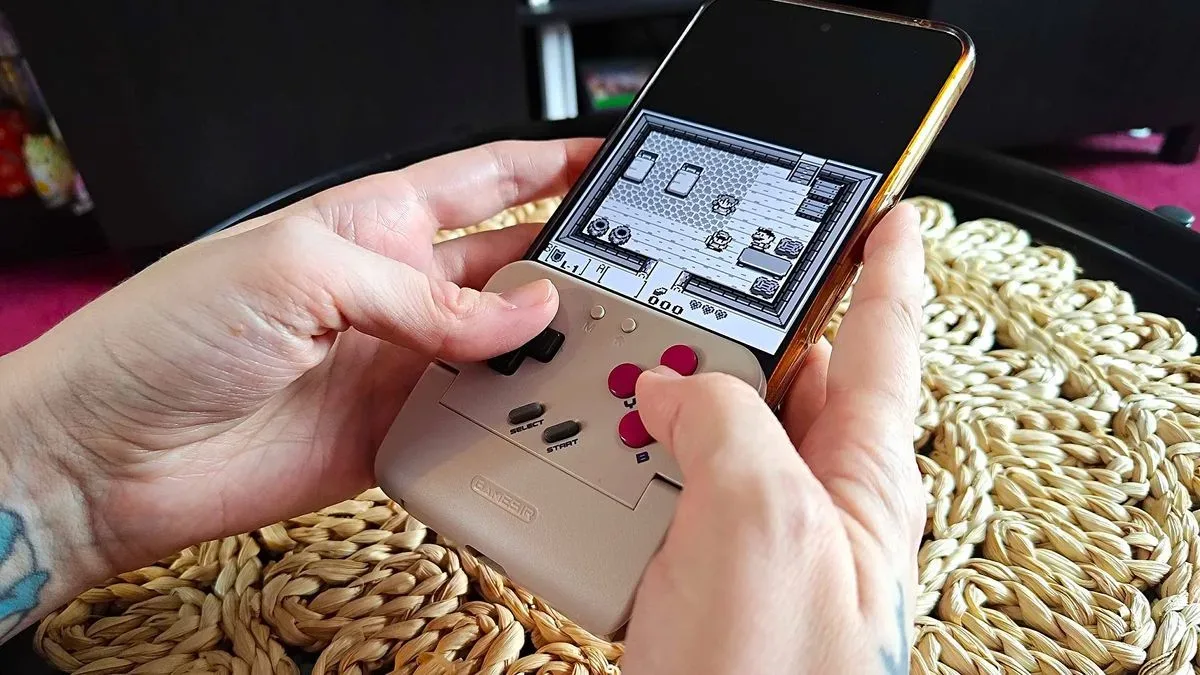
At a glance, the central difference is easy to understand. The 8BitDo FlipPad is a slim, hinged controller that plugs directly into a phone through USB-C. It is built around a compact, front-focused layout, with the controls positioned alongside the display. The idea is to make a phone resemble a very long Game Boy while avoiding the larger grips often associated with mobile controllers.
For useful background on this topic, read Jujutsu Zero Codes for September 2026: Crystals, Lumens, and Clan Rolls.
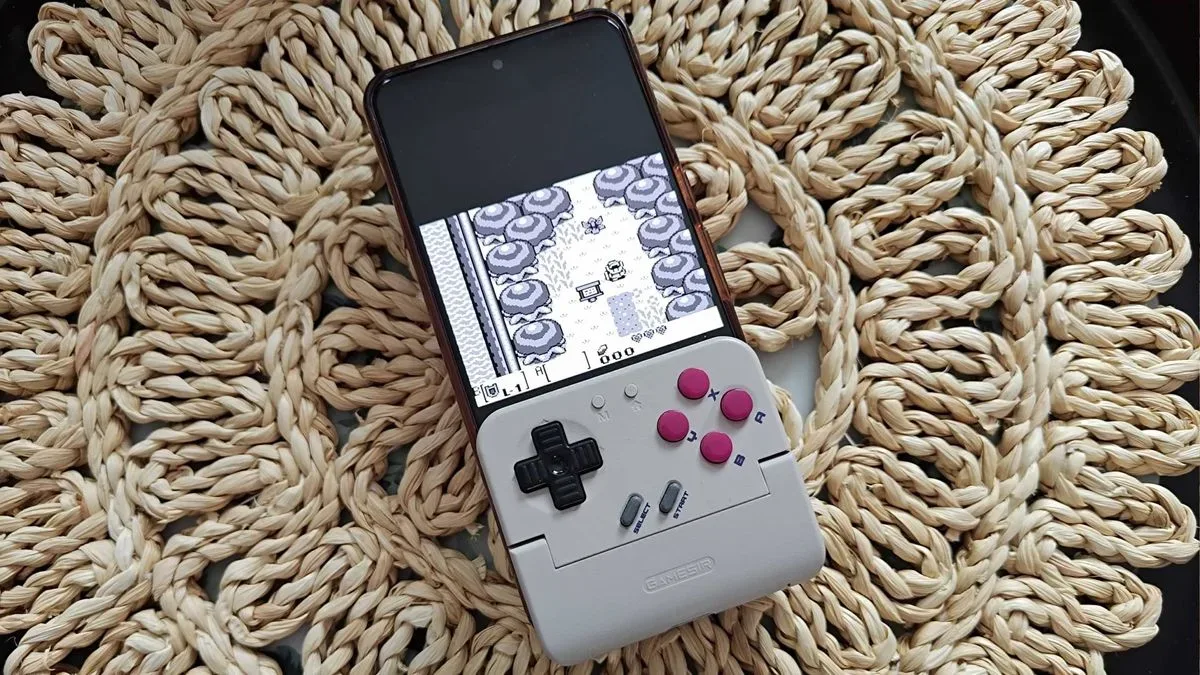
The GameSir Pocket Taco goes in the opposite direction. Its double-sided "sandwich" shell surrounds more of the phone, making the overall setup chunkier but giving it a more secure hold. Rather than relying solely on a direct USB-C connection, it supports Bluetooth as well as wired input. It also includes rear shoulder buttons, a feature the FlipPad does not offer.
Neither approach is inherently wrong. Players who want a compact accessory for slower-paced Game Boy games may value the FlipPad's minimalism. Those hoping to play a wider spread of retro systems, or simply wanting more places for their hands to rest, may see the Pocket Taco's added size as a worthwhile compromise.
Feature comparison at a glance
- 8BitDo FlipPad: $29.99, direct USB-C input, slim hinged construction, dome-switch buttons, front-facing L and R buttons, and software-based button remapping.
- GameSir Pocket Taco: $34.99, Bluetooth and wired input, thicker double-sided shell, membrane buttons, rear shoulder buttons, and app-based remapping.
On paper, the Pocket Taco is the more feature-rich option. But specifications do not always predict which device feels best in the hands, especially when the goal is recreating a simple Game Boy control layout.
Why the FlipPad made the stronger first impression
The FlipPad's biggest advantage is its profile. Compared with the Pocket Taco, it adds noticeably less plastic around a phone. That can make it feel like an extension of the device rather than a large accessory attached to it. For a controller intended to support quick retro sessions, that unobtrusive design has real value.
Its buttons also contribute heavily to the impression of quality. The FlipPad uses clicky dome switches rather than conventional membrane inputs. In practice, those controls produce a more distinct tactile response. The D-pad and face buttons feel sharper and more decisive, giving each press a clear sense of activation.
That mattered to the casual player in this comparison. Despite being familiar with original Game Boy hardware, she preferred the FlipPad's clicky D-pad to the Pocket Taco's more Game Boy-like membrane directional controls. The Pocket Taco's inputs were described as feeling "mushy," illustrating that historical similarity does not necessarily equal modern comfort. Some players want the soft feel of classic handheld buttons; others find a firmer click more enjoyable and more confidence-inspiring.
The result is particularly notable because the Pocket Taco might initially seem like the more authentic choice. Its broader shell and membrane controls suggest a design more directly inspired by older portable hardware. However, the FlipPad's tactile feedback proved more appealing during actual play. For players who prioritize button response over strict nostalgia, that may be the most important takeaway from the comparison.
The USB-C connection is the FlipPad's major caveat
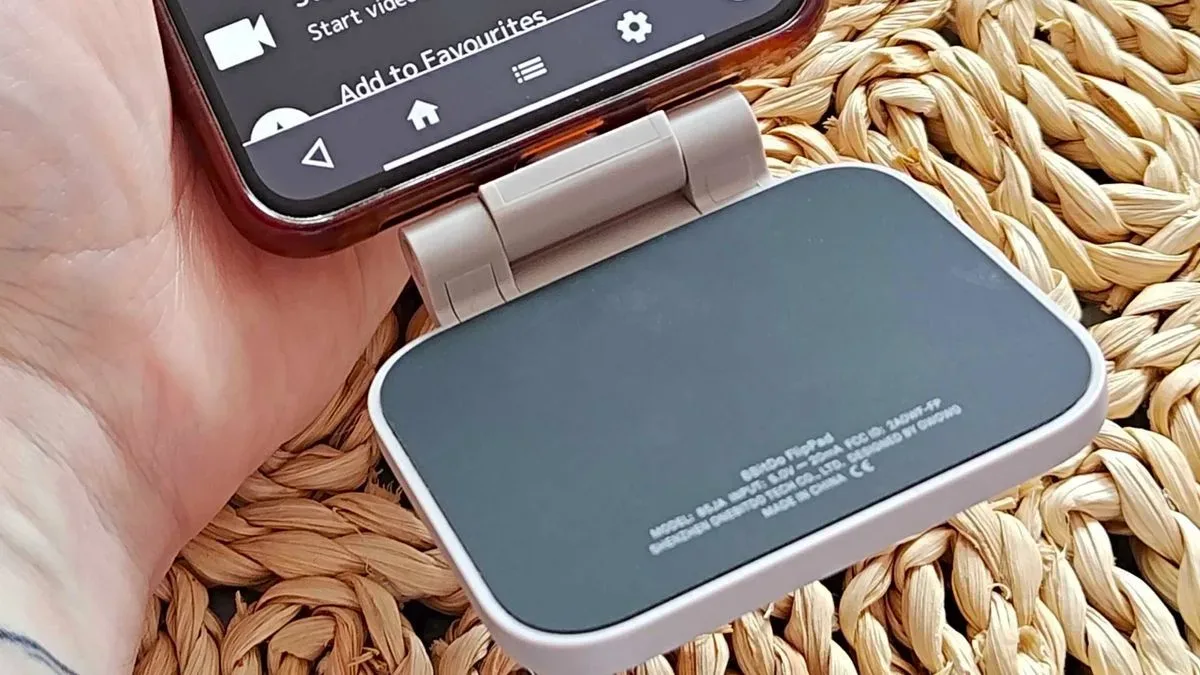
The FlipPad's slimness is directly tied to its biggest weakness. Its entire fit depends on the USB-C port at the bottom of the phone. Because the accessory is meant to work across a range of devices, it cannot create a perfectly tailored fit for every handset and every protective case.
That becomes an issue when there is extra space between the controller and the phone. A standard case with a charging-port cutout allowed the FlipPad to connect to the Google Pixel 7, but still left enough tolerance for slight side-to-side movement. The controller was usable, but its wiggle could become distracting during energetic D-pad inputs.
This is not just a cosmetic concern. In more frantic games, even small movement can make the setup feel less secure. A fast shooter such as Truxton, with constant directional adjustments, is an obvious example of a game where that instability could be especially irritating. During Link's Awakening, sudden enemy encounters and quick movements were enough to draw attention to the shifting connector.
The compatibility situation can also work in the other direction. A thicker case may prevent the FlipPad from connecting at all. In earlier testing, an Asus ROG Phone 8 Pro case was too thick for the controller's USB-C connection, while another phone-case combination had too much room. Finding the ideal setup may require a particularly specific case thickness, or playing without a case altogether.
For the casual player, this flaw was significant enough to affect what she would choose to play. Although she favored the FlipPad's feel, the connector movement would discourage her from using it for anything more demanding than a relaxed Pokémon session. That is a meaningful limitation for an accessory designed around the convenience of mobile retro gaming.
The Pocket Taco trades elegance for stability
GameSir's Pocket Taco avoids the FlipPad's single-connector problem by holding the phone in a more encompassing structure. The result is bulkier from both the front and back, but it feels steadier. That stable grip helps preserve the illusion that the phone has become a handheld system rather than a device with a controller loosely attached.
It also offers capabilities that could matter far more outside of Game Boy games. The rear shoulder buttons give players a more conventional place to rest their fingers and add useful controls for systems that need more than a D-pad and four face buttons. Bluetooth support further broadens how and where the controller can be used, while wired operation remains available as an alternative.
Those features give the Pocket Taco a stronger case as an all-purpose retro accessory. It is not merely for Pokémon, Game Boy, or Game Boy Color titles. With shoulder buttons and broader connectivity options, it has more potential for players moving through several emulated systems and genres.
Interestingly, the expected ergonomic advantage of those added grips was not decisive in this play session. The tester naturally placed her index fingers along the upper sides of the phone while using the FlipPad. She continued using a similar hand position with the Pocket Taco, even though its design theoretically offered more support. This suggests that personal habits can outweigh a controller's intended ergonomics. A rear grip is only beneficial if the player actually wants to use it.
Which Game Boy phone controller should players choose?
The 8BitDo FlipPad emerges as the preferred option in terms of button feel, D-pad response, and visual simplicity. Its small footprint is appealing, and the clicky controls can make retro games feel surprisingly premium. For a player with a phone and case combination that produces a secure fit, it could be an excellent lightweight companion for Game Boy-focused emulation.
But prospective buyers should treat case compatibility as a major part of the purchasing decision, not a minor detail. The FlipPad can be too tight for some cases and too loose with others. If the USB-C fit is not solid, the movement can break immersion and make action-heavy games less appealing.
The GameSir Pocket Taco is the safer recommendation for players who value a stable phone hold, shoulder controls, Bluetooth, and broader retro-console potential. Its membrane buttons may not be everyone's favorite, and its larger shell is less elegant than the FlipPad's, but its design makes fewer compromises around physical security.
Ultimately, the casual test reinforces that the best Game Boy controller for a phone is not determined by a feature list alone. The FlipPad can deliver the more satisfying moment-to-moment control experience, while the Pocket Taco provides the more dependable and versatile package. Players looking for a sleek, clicky Game Boy-style setup may find the FlipPad hard to resist--provided they can solve its USB-C fit. Everyone else may be better served by accepting the Pocket Taco's extra bulk in exchange for confidence that their phone will stay firmly in place.
Community
Discussion
Start the conversation.
No comments have been posted yet.