

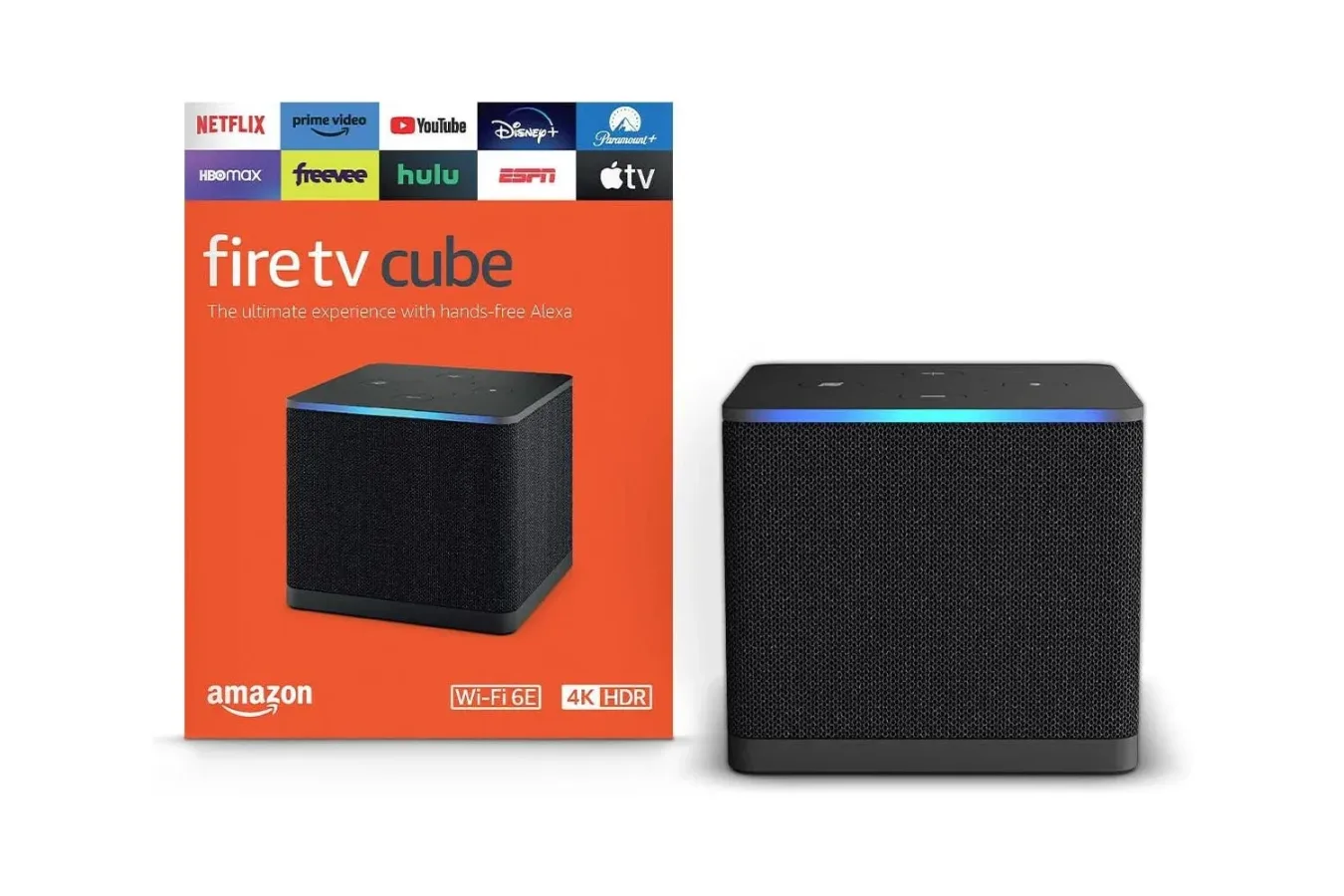
The search for something to watch can become an unexpectedly time-consuming part of a night meant for relaxing. Between deciding on a movie, remembering which subscription service carries it, jumping through app menus, and waiting for a device to respond, the process can feel more complicated than it should. Amazon's Fire TV Cube is designed as an answer to that friction, combining a streaming player, voice assistant, and smart-home controller in one compact device.
For a limited time, the Amazon Fire TV Cube is listed at $110, reflecting a 21% discount. That is a substantial reduction for one of Amazon's higher-end streaming products, particularly outside the usual major shopping events associated with deep discounts. Pricing and availability can change, so prospective buyers should confirm the current listing details before completing a purchase.
While there are plenty of inexpensive ways to add streaming apps to a television, the Fire TV Cube aims to offer more than basic access to Netflix, Prime Video, and other services. Its appeal lies in speed, connectivity, hands-free controls, and the ability to act as a central point of control for compatible entertainment equipment and smart-home devices.
A Streaming Device Built for Speed
The most obvious reason to consider a higher-powered streaming device is responsiveness. A television's built-in smart interface can be perfectly usable, but many sets slow down over time, have limited app support, or feel cumbersome to navigate. An external device such as the Fire TV Cube gives viewers a separate interface intended to load apps, move between services, and start playback quickly.
For useful background on this topic, read Logitech Creators Blue Yeti USB Microphone Drops to $100 in Limited-Time Deal.
The Fire TV Cube is positioned as one of the more powerful options in Amazon's Fire TV lineup. That matters for households that regularly switch among several apps, browse large media libraries, use voice search, or navigate between live channels and on-demand programming. Faster menus do not solve the question of what to watch, but they can reduce the waiting and repeated button presses that come with finding it.
For game players, the device may be particularly useful as part of a broader living-room setup. A console can remain the main gaming machine while the Fire TV Cube handles video apps and streaming entertainment. That division can be convenient for anyone who would rather not leave a PlayStation or Xbox running simply to watch a show, or who wants a consistent streaming interface regardless of which console is currently in use.
4K Streaming and Wi-Fi 6E Connectivity
Picture quality is another major part of the Fire TV Cube proposition. It supports 4K streaming where available, allowing compatible apps, displays, subscriptions, and internet connections to deliver higher-resolution programming. Of course, 4K support by itself is only one piece of the experience. The television needs to support the format, the selected title must be offered in 4K, and the home connection must be capable of maintaining the necessary stream.
The device also includes Wi-Fi 6E support. In the right home-network setup, that can help provide a stronger and more capable wireless connection for high-quality streaming. Users will need a compatible router to take full advantage of Wi-Fi 6E, but the feature gives the Fire TV Cube room to fit into newer network setups rather than relying solely on older wireless standards.
For homes where the television sits some distance from the router, networking can make a meaningful difference. Buffering, reduced image quality, and slow-loading apps are not always caused by the streaming hardware itself. A device with modern wireless support cannot fix every network problem, but it can be an important component for viewers trying to get stable 4K playback without running a cable across the room.
Voice Control Beyond a Standard Remote
The Fire TV Cube's other defining feature is voice control. Rather than relying only on the remote, users can ask Alexa to find programming, open supported apps, start playback, or manage compatible devices. That can be useful when a remote has disappeared into the couch cushions, but it also changes the general way users can approach the interface.
Voice search is especially helpful for people who know what they want but do not know where it is available. Instead of opening one service after another and typing a title into individual search bars, viewers can use a voice request to begin the search. Results and service availability can vary, and subscriptions are still required for paid platforms, but consolidating the first step can make the process less tedious.
The voice features extend beyond streaming. The Fire TV Cube can be used with compatible smart-home products, creating the potential to control lights and other connected devices from the television area. For someone already using Alexa-compatible equipment, the Cube can function as part of a more unified setup rather than serving solely as another HDMI accessory.
Privacy-conscious shoppers are not left without an option. The device includes a button that disconnects its microphones. That physical control is worth noting for people who appreciate hands-free features in some situations but do not want microphones active all the time. Smart speakers and voice-controlled displays are not a comfortable fit for every household, so the ability to disable listening hardware directly is an important practical consideration.
Controlling More of the Entertainment Setup
The Fire TV Cube can also help control elements of a connected television setup, including moving between a console, television, and other supported devices. That makes it more ambitious than a basic streaming stick. Instead of thinking of it strictly as an app launcher, buyers can view it as a hub intended to simplify how they interact with the hardware around their display.
This may be particularly appealing in living rooms with several HDMI devices. A current-generation console, cable or satellite box, sound system, and streaming player can turn even simple tasks into a series of remote changes and input selections. Compatibility will vary by equipment, and shoppers should review their existing hardware before treating the Fire TV Cube as a guaranteed universal replacement. Still, the possibility of reducing remote juggling is one of the product's more compelling conveniences.
For gaming households, that control layer can sit alongside an existing console rather than compete with it. The Cube is not being positioned here as a substitute for dedicated gaming hardware. Its role is closer to making the transition from a game session to a film, sports broadcast, or series episode less of a chore. If a household's television is used for everything, a device that helps coordinate those uses can be easier to justify than a streamer that only launches apps.
Who Should Consider the $110 Fire TV Cube?
At $110, the Fire TV Cube is most attractive to buyers who want premium streaming convenience and will genuinely use its additional functions. Anyone whose television already runs apps quickly, whose streaming needs are simple, and who has no interest in Alexa or smart-home integration may find a less expensive device sufficient. The Cube is not merely a low-cost route to a streaming catalog; its value rests on the combination of performance, voice control, connectivity, and device management.
It makes more sense for several kinds of users:
- Frequent streamers who move among multiple apps and want a quicker interface.
- 4K TV owners looking for a dedicated streaming device with modern wireless capabilities.
- Alexa users who want voice controls available near their television.
- Smart-home households that can benefit from another central control point.
- Console owners who want their gaming system and streaming services to coexist in a smoother entertainment setup.
Before buying, it is sensible to check a few basics. Confirm that the television has the needed HDMI connection, verify that the network setup can support the desired streaming quality, and consider whether the home's devices are compatible with the control features that matter most. Buyers should also keep in mind that the Fire TV Cube does not eliminate the ongoing cost of streaming subscriptions or unlock services that are not already included in their accounts.
A Notable Price for a Premium Streaming Hub
The Fire TV Cube's limited-time $110 price places a feature-rich streaming hub closer to the cost many shoppers might expect from a much simpler device. Its 21% reduction is meaningful because the product's strongest selling points are not just access to entertainment apps, but the way it aims to bring together 4K playback, Wi-Fi 6E connectivity, voice commands, smart-home support, and control of a broader television setup.
For viewers tired of slowly working through menus after a long day, that convenience may be the main reason to take notice. The Fire TV Cube cannot decide what to watch for every household, but it can make getting to a chosen movie, show, or app considerably more direct. With the device currently priced at $110, shoppers looking to upgrade an older smart-TV interface or consolidate living-room controls have a timely reason to consider it.
Community
Discussion
Start the conversation.
No comments have been posted yet.