

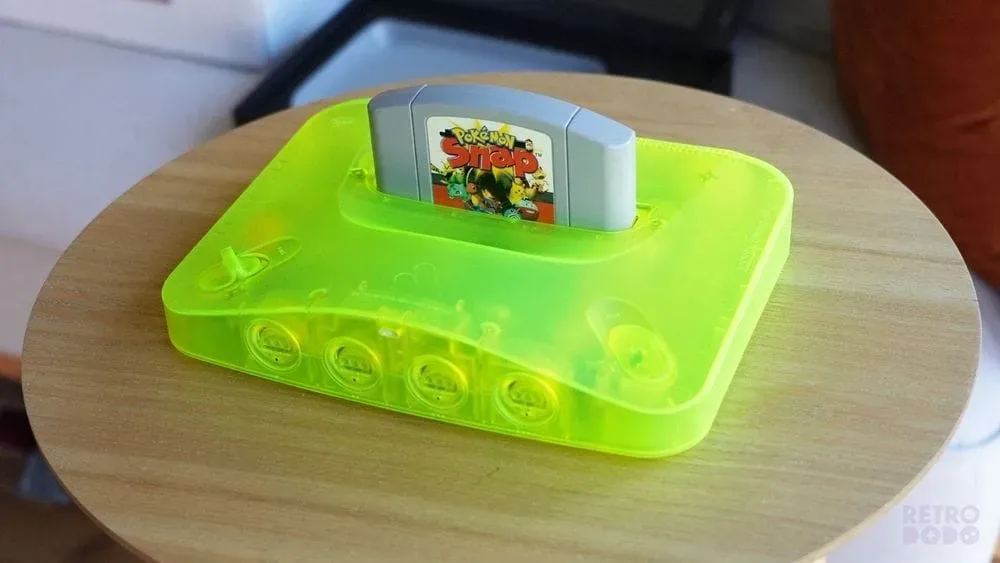
Analogue has released firmware version 1.6.0 for the Analogue 3D, delivering one of the hardware's most anticipated quality-of-life features: Wi-Fi connectivity. The update allows the N64-focused FPGA console to connect directly to wireless networks and keep its 3DOS system software current automatically, removing the need to move an SD card between the console and a computer for routine firmware updates.
For a device built around recreating the Nintendo 64 experience with modern display options and FPGA hardware, the change is less about altering how games play and more about making the system easier to own over time. Firmware updates remain important for console stability, interface refinements, compatibility improvements, and newly added features. With version 1.6.0 installed, Analogue 3D owners can manage that maintenance from the console itself rather than treating each update as a separate manual transfer process.
Wi-Fi arrives with automatic 3DOS updates
The headline addition in 3DOS 1.6.0 is support for Wi-Fi and automatic operating-system updates. The Analogue 3D supports dual-band wireless connectivity, including both 2.4GHz and 5GHz networks. The implementation also supports mixed networks and hidden networks, providing flexibility for users whose home setup does not broadcast separate network names for each wireless band or who have chosen not to publicly broadcast their SSID.
Once configured, Wi-Fi can keep 3DOS updated automatically. That means future system updates can be downloaded and applied without the familiar sequence of locating an SD card, removing it from the console, connecting it to a computer, copying over the necessary files, and then returning it to the Analogue 3D.
For useful background on this topic, read GTA 6's PC Wait Is Already Becoming a Launch-Day Dilemma.
The convenience may sound straightforward, but it is a notable development for a premium dedicated retro console. FPGA systems are often appreciated because they aim to offer highly accurate hardware behavior while maintaining a focused, appliance-like experience. At the same time, their software can continue evolving after launch. Direct network updates let owners benefit from that continued support with substantially less friction.
Wi-Fi setup begins automatically after installing the 1.6.0 update. It can also be accessed manually from Settings -> Wi-Fi. This gives existing owners a clear route to connect their consoles after updating, while leaving the network configuration menu available for anyone who needs to change connections later.
A smaller update process with a meaningful impact
Before this release, updating 3DOS required a physical SD-card workflow. That approach is common on enthusiast hardware, but it can be inconvenient, especially for a console positioned in a living-room setup rather than beside a PC. It also adds several opportunities for small but frustrating errors: placing files in the wrong location, using an outdated download, forgetting the card adapter, or simply putting off the process because it is more involved than it should be.
Version 1.6.0 turns system maintenance into something closer to the experience expected from contemporary connected hardware. The console can receive its operating-system updates over the home network, while the owner no longer has to interrupt a gaming setup to handle basic software upkeep.
That does not make the Analogue 3D any less centered on physical N64 cartridges and dedicated hardware. Instead, it helps separate the nostalgic act of playing original games from the modern administrative chores of keeping a device updated. Owners can still focus on inserting a cartridge and playing, while the console's software maintenance becomes far less visible.
Automatic date and time synchronization
Firmware 1.6.0 also uses the new connection for automatic date and time functionality. The Analogue 3D can now synchronize its clock via Wi-Fi based on the owner's selected time zone. The relevant options are located at Settings -> System -> Date & Time.
Accurate system time is an understated but useful improvement. It can support a more polished system experience, helping the console maintain correct timestamps and avoiding the need for repeated manual clock adjustments. On a device that had previously lacked network connectivity, automatic time synchronization is a natural companion feature to the addition of Wi-Fi.
The update further expands the list of regions available through the system's Set Time Zone option. While this is a modest interface-level change, it matters for owners outside of the most commonly supported regions and reinforces the broader purpose of the update: making the system feel more complete and less dependent on manual setup.
Optional anonymous analytics sharing
Another Wi-Fi-enabled option in 3DOS 1.6.0 is called Help Improve Analogue3D. It allows users to optionally share anonymous usage and analytics data through their network connection. The setting is voluntary rather than mandatory, and it can be configured under Settings -> About -> Privacy.
Providing the control in a clearly defined privacy menu is important. Some players may be happy to contribute anonymous data that can help identify common usage patterns or areas that need refinement. Others may prefer to keep the console entirely disconnected except when updating software. Firmware 1.6.0 accommodates both approaches by making the sharing setting optional.
For users who value a tightly controlled retro setup, that distinction is particularly relevant. Adding online functionality does not require turning the console into a permanently connected service device. Wi-Fi can be used for updates and clock synchronization, while the analytics option remains a separate decision.
Bug fixes and interface polish
Alongside the new network features, Analogue has included a handful of fixes and visual adjustments. One fix addresses an issue in which a game could occasionally fail to display unless the In-Game Menu was opened. Since the main purpose of the hardware is to play N64 software reliably, even a narrowly described display issue is a welcome target for correction.
The system interface also receives additional visual polish. Firmware patch notes often reserve a broad label like this for changes that may not warrant individual breakdowns but collectively improve navigation, consistency, or presentation. The expanded time-zone regions are another practical part of that system-level refinement.
A separate Library fix resolves an issue where the USA region tab was not displayed. For players using the Analogue 3D's library organization tools, restoring that tab should make regional browsing behave as intended.
- New: Dual-band Wi-Fi support for 2.4GHz, 5GHz, mixed, and hidden networks.
- New: Automatic 3DOS updates through Wi-Fi.
- New: Automatic date and time synchronization based on the selected time zone.
- New: Optional anonymous usage and analytics sharing.
- Improved: More regions for the Set Time Zone option and additional OS visual polish.
- Fixed: An occasional issue where games did not display until the In-Game Menu was opened.
- Fixed: The missing USA region tab in the Library.
What owners should do next
Analogue 3D owners who install firmware 1.6.0 should be prompted to begin Wi-Fi setup after the update. Anyone who skips that step can return to it later through the Settings menu. After connecting, users can review whether they want automatic updates enabled, confirm their time zone under the Date & Time menu, and decide whether the optional anonymous analytics setting is appropriate for their preferences.
The release is especially significant because wireless updating had become an expected feature for many owners of modern hardware, even when that hardware is designed around classic games. The Analogue 3D's appeal is rooted in bringing Nintendo 64 cartridges to a modern display environment through FPGA technology, but a streamlined firmware process is part of ensuring that experience remains easy to maintain.
Firmware 1.6.0 does not redefine what the Analogue 3D is. Rather, it addresses a long-standing convenience gap with a practical solution. Wi-Fi support, automatic 3DOS updates, clock synchronization, and a few focused fixes make the system more self-sufficient without distracting from its main purpose: providing a dedicated way to play N64 games on modern setups.
For owners who have delayed updates because of the SD-card routine, this is likely the release that makes future maintenance feel far more manageable. The console can now handle a major part of its own upkeep, leaving players with more time for the library that brought the Analogue 3D into their setup in the first place.
Community
Discussion
Start the conversation.
No comments have been posted yet.