

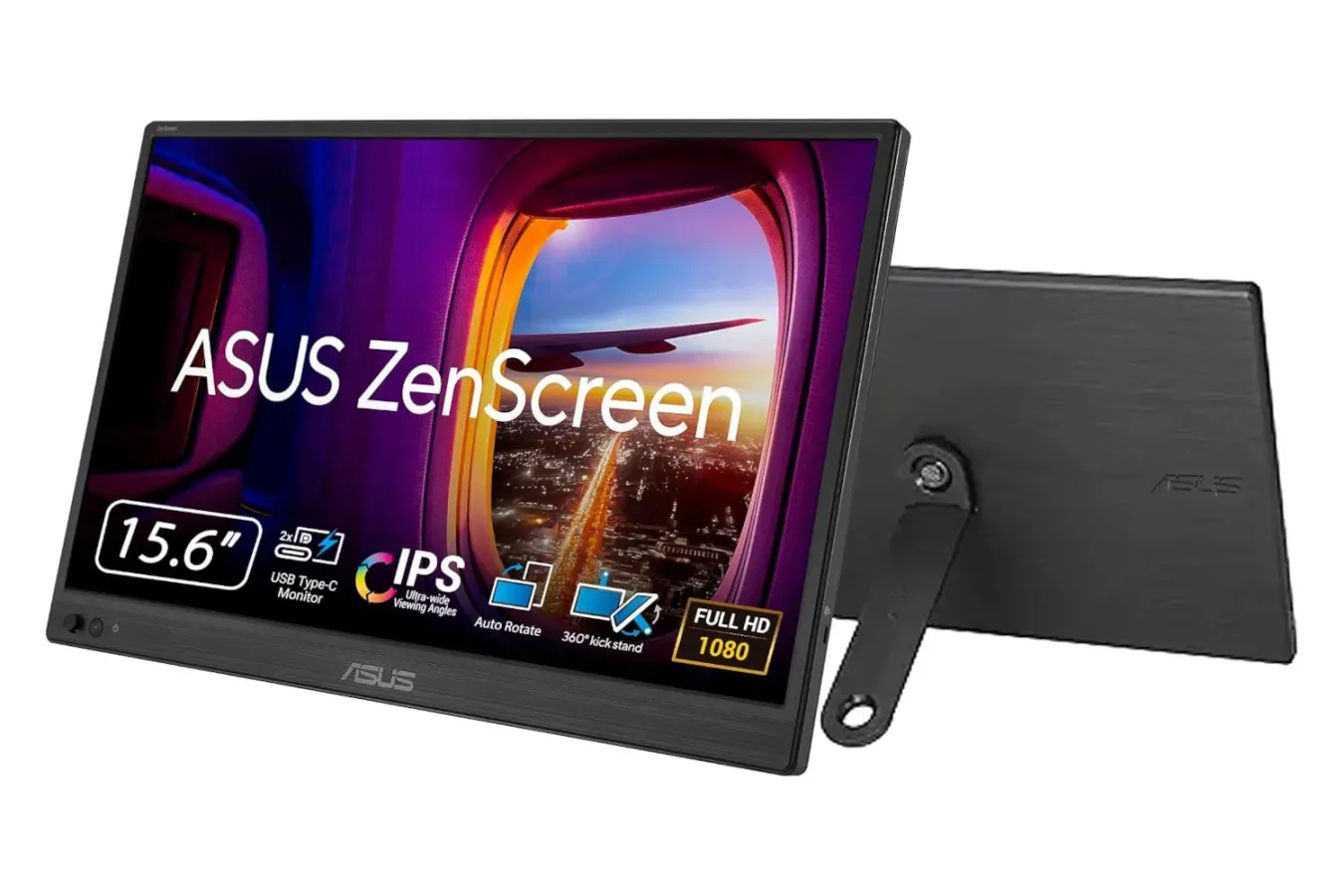
Portable monitors occupy a useful middle ground between a full desktop setup and the compromises of working, watching, or gaming entirely on a laptop display. They are not intended to replace a primary high-refresh gaming panel or a large living-room television. Instead, their appeal is flexibility: a second screen that can be packed away, brought on a trip, moved between rooms, or placed beside a laptop only when it is needed.
That flexibility is at the center of a current discount on the ASUS ZenScreen 15.6-inch Portable Monitor. The display, normally listed at $109, is available for $89, putting it under the $100 threshold. That is a modest $20 reduction, but sub-$100 pricing can make a portable display considerably easier to justify for players, students, remote workers, and anyone who wants additional screen space without committing to a permanent dual-monitor desk arrangement.
There is one detail worth keeping in mind before buying: deal listings can change quickly, and a conflicting reference to $79 has also appeared alongside the $89 figure. Shoppers should therefore check the live retailer page and final cart price before completing a purchase. The clearest stated discount is $89, while the duration of the offer has not been confirmed.
A second screen that does not need a permanent desk
The biggest reason to consider a portable monitor is simple. Laptop screens are convenient, but a single panel can become restrictive as soon as someone needs to keep multiple windows visible. That could mean a game on one screen and a guide, map, Discord conversation, stream dashboard, or hardware-monitoring app on the other. It could also mean keeping a browser, document, spreadsheet, video call, or reference material open without constantly switching tabs.
For useful background on this topic, read Glen Schofield Says The Callisto Protocol Was Released Three Months Earlier Than Planned.
A 15.6-inch panel is close to the screen size found on many mainstream laptops, which makes the ZenScreen a practical companion rather than an oversized accessory. It can sit next to a notebook for a more comfortable two-screen workspace, then be put away when desk space is needed for something else. For people whose work or play setup changes throughout the week, that temporary nature is a meaningful advantage.
Portable displays can also be helpful outside a conventional desk. Someone traveling may want a larger screen than a phone offers for watching video. A student might move between a dorm, classroom, library, and family home. A player who uses a gaming laptop may want a separate screen for chat or walkthroughs while keeping the main display focused on the game. In each case, the value comes less from raw specifications and more from having an extra display ready without carrying a conventional monitor stand and power arrangement.
USB-C connectivity keeps setup straightforward
The ZenScreen is designed around a USB-C connection, with setup described as requiring only a USB-C cable. That can reduce clutter substantially compared with a traditional monitor that needs separate video, power, and stand connections. A simpler cable arrangement is especially valuable in hotel rooms, shared spaces, small apartments, and temporary workstations where there may not be much room or many available outlets.
Compatibility still matters. Prospective buyers should make sure their laptop or intended device supports video output through the relevant USB-C connection and review the product listing for the exact connection requirements. "USB-C" describes the physical connector, but device capabilities can differ. Checking that detail before ordering is worthwhile, particularly for a display being purchased specifically for travel or a compact gaming setup.
For PC players, a second screen is often most useful as a support display rather than the primary place to play demanding games. Keeping launchers, voice chat, music controls, a stream preview, or a wiki open separately can make a gaming laptop setup feel closer to a desktop environment. It is also useful for games that benefit from reference material, such as strategy titles, simulations, MMOs, crafting-heavy games, or expansive role-playing adventures.
Landscape and portrait options broaden its use
ASUS's portable monitor supports both horizontal and vertical positioning, offering more options than a fixed landscape-only screen. Landscape is the obvious choice for video, games, browser windows, and general multitasking. Portrait orientation, meanwhile, can make sense for long documents, coding, chat feeds, social apps, lists, and vertically scrolling web pages.
That versatility can matter more than it first appears. A second screen used for a stream chat or a Discord server may be better in portrait mode because it shows more messages at once. A vertical display can also be useful for monitoring a long spreadsheet or reading an extended guide while playing. The included kickstand is intended to support the monitor in either orientation, avoiding the need to buy a separate stand for basic use.
As with any portable display, the available desk space and viewing angle will influence the experience. A compact screen is easiest to accommodate beside a laptop, but it may be less convenient in cramped seating arrangements or on an unstable surface. Buyers should consider where they expect to use it most often: at a desk, on a kitchen table, in a hotel room, or in a backpack between locations.
Built for carrying, not for replacing a high-end gaming monitor
The ZenScreen's portability is a central selling point. Despite offering HD visuals, it is described as lighter than many buyers may expect, making it easier to carry than a conventional desktop panel. That is exactly the tradeoff portable monitors are meant to make. A larger dedicated gaming display may offer more screen real estate, higher refresh rates, richer connectivity, and a sturdier permanent setup. It is also much less practical to transport.
For this ASUS model, the pitch is convenience. It is meant to be a screen that can be kept close at hand and deployed when an extra display would solve a problem. At $89, it may be particularly appealing to people who do not need a second monitor every day but would benefit from one periodically.
Gamers should set expectations accordingly. The supplied information highlights its HD image, USB-C setup, low weight, adjustable orientation, kickstand, and eye-comfort features, but does not specify refresh rate, response time, brightness, resolution beyond the HD description, or advanced gaming features. Those details are important for anyone considering it as a primary competitive-gaming display. For an auxiliary panel, however, they may be less critical than price, convenience, and compatibility.
Eye-comfort features and a software bonus
The monitor also includes features intended to help keep viewing more comfortable over longer sessions. Specific feature names and technical settings were not provided, so buyers who have particular requirements around blue-light filtering, flicker reduction, color work, or brightness should inspect the product page closely before committing.
An additional perk is a three-month Adobe Creative Cloud subscription. That may hold real value for buyers who can use Adobe's creative software for photo editing, graphics work, video projects, or school assignments. It will not be relevant to everyone, and anyone interested should verify eligibility, redemption terms, account requirements, and whether the subscription converts into a paid plan after the promotional period.
Still, it fits the ZenScreen's broader appeal. The same portable panel that works as a gaming side display could also assist with creative work on the road, provide more room for editing timelines and assets, or give someone a compact second screen for study and productivity.
Who should consider the deal?
- Gaming laptop owners who want room for Discord, guides, music, stream controls, or browsing while keeping the game on their main display.
- Frequent travelers who would like a larger screen for video and laptop work without packing a full monitor.
- Students and remote workers who need occasional dual-screen productivity but do not have space for a fixed desktop setup.
- Flexible desk users who want an extra panel that can switch between landscape and portrait orientations.
- Creative users who may be able to make use of the included three-month Adobe Creative Cloud offer.
It may be less suitable for buyers searching for a main competitive gaming screen, a large high-resolution workstation monitor, or a display with a fully detailed list of advanced specifications. The available details position it as an adaptable companion screen rather than a premium desktop centerpiece.
Check the final price and compatibility before buying
The ASUS ZenScreen 15.6-inch Portable Monitor's $89 sale price makes it an accessible option for adding a second display to a laptop-centered setup. Its USB-C-based approach, lightweight design, kickstand, and support for horizontal or vertical placement give it the kind of flexibility that makes portable monitors appealing in the first place.
Because the promotion does not have a confirmed end date--and because $79 has been mentioned separately from the stated $89 price--it is sensible to verify the current listing before ordering. Buyers should also confirm that their device can output video over the needed USB-C connection. With those checks complete, this could be a useful under-$100 upgrade for anyone who wants more screen space without making their desk, bag, or budget much heavier.
Community
Discussion
Start the conversation.
No comments have been posted yet.