

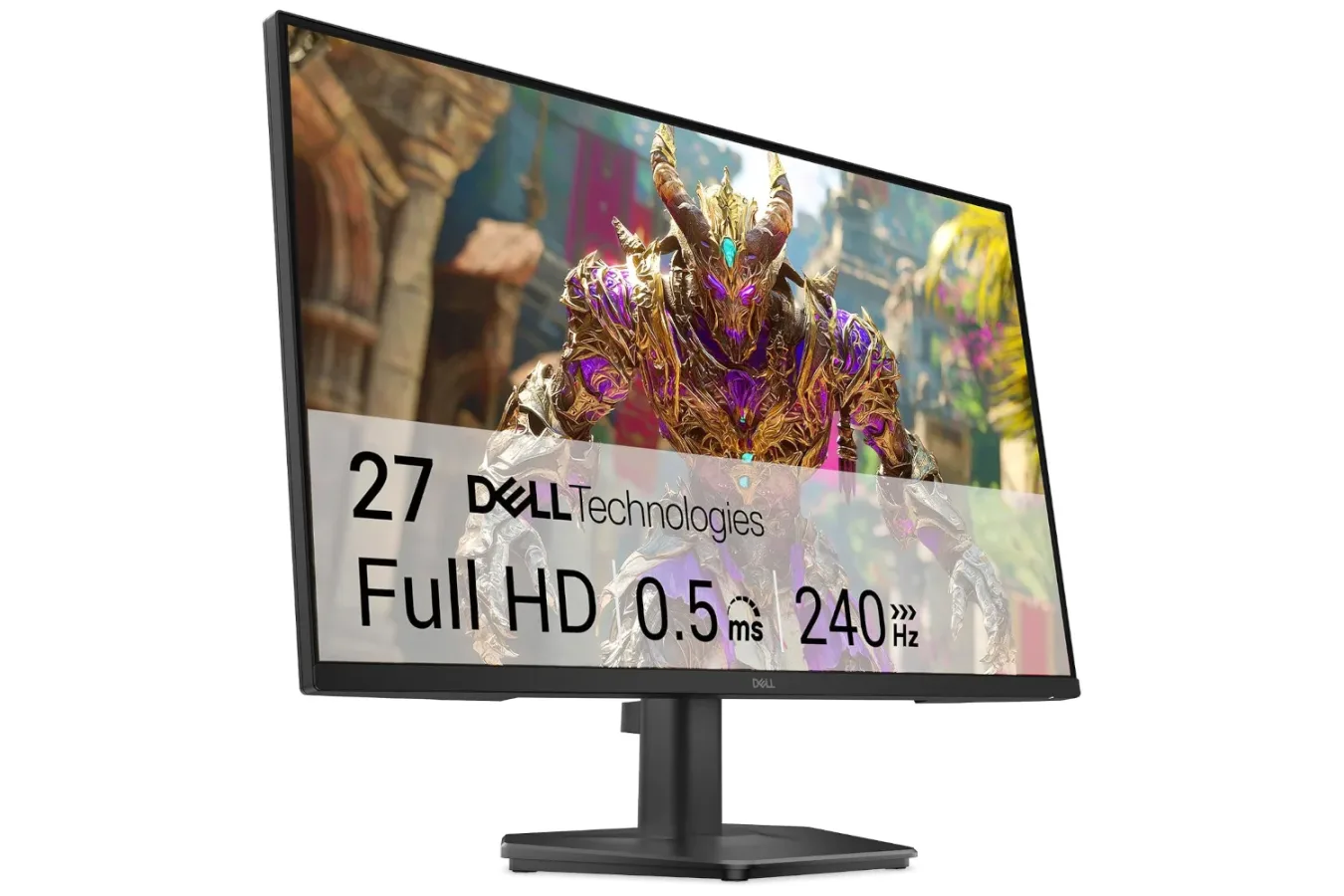
Players looking to upgrade a gaming setup without putting together a high-end display budget have a new deal to consider. Dell's 24-inch gaming monitor, equipped with a 240Hz refresh rate and a quoted 0.5ms response time, has been discounted to $85. The price is down from its usual $120, representing a 29% reduction and a new Black Friday low for the display.
At that price, the monitor's appeal is straightforward: it prioritizes speed and accessibility. A compact 24-inch screen with a Full HD resolution is a familiar format for competitive PC gaming, particularly for players who would rather direct their hardware budget toward a graphics card, processor, peripherals, or games. The presence of multiple ports also makes it a potentially useful display for a desk shared between a computer and consoles.
As always with a promotion, availability and pricing can change quickly. Shoppers interested in the $85 offer should verify the current listing price and the exact included specifications before checking out.
A budget display built around refresh rate
The headline feature is the monitor's 240Hz refresh rate. Refresh rate refers to how often a display can update the image each second. A 240Hz panel can refresh up to 240 times per second, which is substantially beyond the 60Hz standard that remains common on older monitors and televisions.
For useful background on this topic, read GTA 6 Tourist Trap: Chapter 1 Checklist Before the Point of No Return.
That does not automatically mean every game will run at 240 frames per second. The performance ultimately depends on the PC hardware, game settings, resolution, and the title itself. In demanding modern games, reaching extremely high frame rates may require reducing graphics options or relying on especially capable components. But esports-focused games and less graphically intensive competitive titles can often benefit more readily from a high-refresh panel.
For players who can produce high frame rates, the practical benefit is smoother motion. Fast camera turns, quick character movement, and rapidly changing action can appear more fluid than they do on a lower-refresh screen. That can be particularly attractive in online shooters, racing games, fighting games, sports games, and other genres where clear motion and quick visual feedback matter.
A 240Hz display cannot improve a player's reactions or solve network latency, but it can reduce one of the visual bottlenecks between the game running on a system and what appears on screen. In competitive environments, that is often the main point: a display that is designed to keep visual updates feeling immediate rather than one that chases a larger image or a higher resolution first.
0.5ms response time and why it matters
Dell also lists a 0.5ms response time for this monitor. Response-time figures generally describe how quickly pixels can transition between states. Faster transitions can help limit visible trailing or ghosting behind moving objects, although real-world results can vary depending on the measurement method, display settings, and the content being played.
The combination of a high refresh rate and a low advertised response time is the core of this monitor's gaming-focused proposition. A display needs both frequent updates and reasonably fast pixel behavior to keep fast action looking clean. If a panel refreshes rapidly but its pixels transition too slowly, motion clarity can suffer. Conversely, a fast response-time rating is less meaningful if the display refreshes at a conventional rate.
For the $85 sale price, those specifications make this Dell monitor worth a look for players coming from 60Hz or 75Hz screens. The move to 240Hz can be more immediately noticeable in the feel of desktop motion and compatible games than some upgrades that are harder to see at a glance. That said, users whose main priority is cinematic single-player visuals may weigh resolution, contrast, screen size, and HDR capabilities more heavily than maximum refresh rate.
Full HD remains a practical fit at 24 inches
The display uses a Full HD resolution on its 24-inch screen. While 1440p and 4K monitors have become increasingly popular, 1080p still has a strong place in performance-oriented setups. It is less demanding for a PC to render than higher resolutions, which can make it easier to pursue the high frame rates that a 240Hz monitor is intended to display.
That relationship between resolution and performance is especially important for anyone shopping in the budget category. Spending less on the monitor can leave room for upgrades elsewhere, while the 1080p target can be more forgiving for midrange or older PC hardware. A player does not need the newest flagship graphics card to make meaningful use of a high-refresh Full HD display.
The 24-inch size also suits a traditional desk setup. It is large enough for games, general computing, and media while keeping the screen within a comfortable field of view at close range. Competitive players often favor this general size range because it lets them take in more of the display without making large eye or head movements.
Dell describes the monitor as offering a broad color range and solid depth in darker imagery, so the focus is not solely on speed. Expectations should still be set appropriately for an aggressively priced gaming monitor. Buyers who edit color-critical work, want a huge screen for immersive games, or are specifically seeking ultra-high-resolution detail should compare this deal with displays aimed at those uses.
Considerations for PC and console setups
Multiple ports are included, opening the door for more than one device to be connected. That can be useful for a setup that switches between a gaming PC and a console, or for anyone who keeps a work machine attached alongside a dedicated game system. It also reduces the need to constantly swap a single cable when changing devices.
Before buying for a particular PlayStation, Xbox, or Nintendo system, it is important to inspect the listing's port details and supported modes. A monitor's maximum refresh rate is not necessarily available through every input or from every device. Console output options can also differ by game and system. The display may still be a good fit as a console screen, but buyers should confirm that its connections and supported refresh-rate behavior match their intended use.
PC players should make a similar check regarding their graphics card outputs and available cables. Getting the best from a 240Hz monitor means using an appropriate connection and configuring the refresh rate in the operating system and, where applicable, in-game settings. Simply connecting a high-refresh display does not always make a system select its maximum supported rate automatically.
Comfort features add value beyond matches
The monitor is also described as producing less blue light than many alternatives. Blue-light reduction features are commonly included on modern displays as a comfort-oriented option for extended screen sessions. They are not a substitute for sensible breaks, good room lighting, or adjusting brightness to a comfortable level, but they may be welcome for players who spend long evenings at a desk.
That matters because gaming monitors are rarely used exclusively for competitive matches. For many people, the same panel handles web browsing, school or office work, streaming video, chat applications, and general daily computing. A 24-inch Full HD screen is a versatile baseline for those tasks, and the high refresh rate can make ordinary cursor movement and scrolling feel smoother as well.
Who should consider the $85 deal?
This Dell monitor looks most compelling for a few specific types of shopper:
- Competitive PC players moving up from a 60Hz or 75Hz display and looking for a lower-cost path to a faster panel.
- Budget builders who want to preserve more of their spending for a PC's internal components while retaining a strong esports-oriented monitor specification.
- Students and desk-space-conscious users who prefer a compact 24-inch display that can work for games and daily tasks.
- Multi-platform players who want a monitor with multiple connections for a PC and one or more consoles, subject to checking the exact input capabilities.
It may be less suitable for those who already own a high-refresh display and are looking specifically for a leap in resolution, screen size, or premium image features. Players focused on sprawling single-player games, simulation titles, or visual showcase releases may decide that a larger 1440p or 4K panel better matches their priorities, even if it costs substantially more.
A notable low price for speed-focused gaming
At its normal $120 price, Dell's 24-inch model was already positioned as an accessible gaming monitor. At $85, its 240Hz refresh rate, 0.5ms response-time claim, Full HD presentation, and multi-port design create a particularly strong value proposition for speed-minded players.
The key is matching the monitor to the setup. Owners of a PC capable of producing high frame rates stand to gain the most, while console users should confirm the supported modes through the specific connections they plan to use. Shoppers should also keep in mind that a 24-inch 1080p display is a deliberate performance-first choice rather than an all-purpose premium visual upgrade.
For anyone who has been waiting for a straightforward, affordable entry into high-refresh gaming, though, the current Black Friday price makes this Dell display a timely option. Deals at this level can move quickly, so verifying the live price and technical details before purchasing remains the sensible final step.
Community
Discussion
Start the conversation.
No comments have been posted yet.