

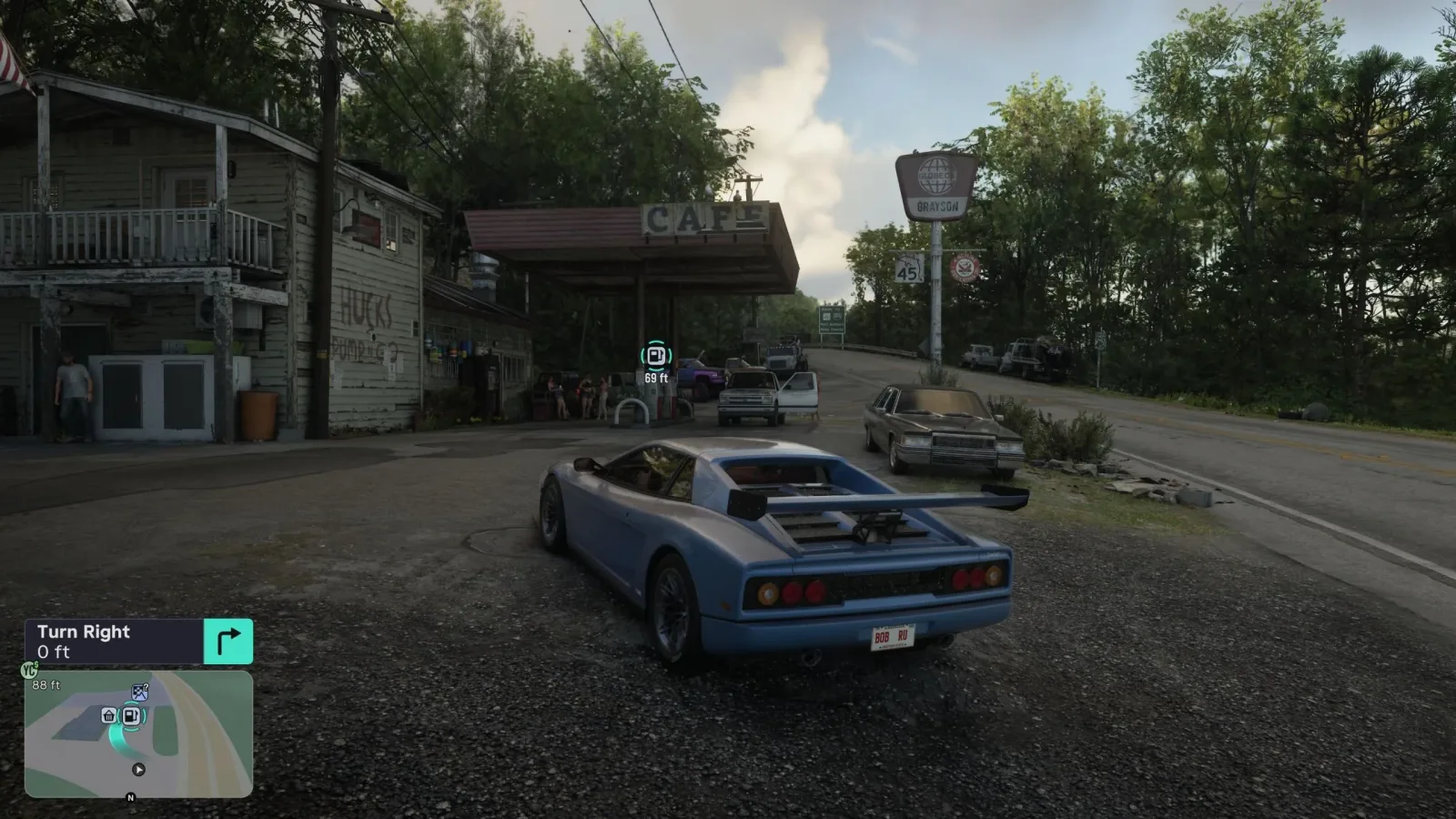
Vehicle fuel is one of the new considerations drivers will need to manage in Grand Theft Auto 6. Whether you have claimed a car for a long trip across Vice City or grabbed the nearest set of wheels during a police pursuit, the vehicle's tank is no longer something to ignore entirely. Running low can turn a clean escape into a roadside disaster, especially when the heat is already on.
The good news is that GTA 6 makes the essential fuel information available through its dynamic HUD, while gas stations and electric charging locations can be tracked through the game's Index. Refueling also appears to be a straightforward process once you reach the right pump or charger. There is even an opportunity to repair a vehicle at the same stop, making service stations an important destination for anyone trying to preserve a preferred ride.
Here is what to watch for when fuel gets low, how to identify the warning states, and how to find the appropriate location for gasoline-powered cars and electric vehicles.
How to check a vehicle's fuel in GTA 6
While driving, press Down on the D-pad to bring up GTA 6's dynamic HUD. This is where players can check the current fuel condition of the vehicle they are using. The relevant display sits between the vehicle name and the minimap, represented by a small gas-pump symbol surrounded by a circular indicator.
For useful background on this topic, read Awesome Games Done Quick 2027 schedule Brings New Releases, Dance Pad Sekiro, and 12-Player Big Walk.
The icon's color provides a quick read on the state of the tank. Rather than requiring players to study a detailed gauge while weaving through traffic, the game uses a clear green, yellow, and red warning system. That means it is worth checking the HUD whenever a journey is likely to become lengthy, or before committing to a chaotic mission, chase, or getaway.
- Green fuel icon and circle: The tank has a healthy amount of fuel remaining. You can continue driving without an immediate need to stop.
- Yellow fuel icon and circle: Fuel is running low. It is time to look for a gas station and make refueling the next priority.
- Red fuel icon and circle: The vehicle is effectively out of fuel and may shut down at any moment.
The red state is the one to avoid. A vehicle that loses power in the middle of a getaway leaves the driver exposed, and changing cars is not always convenient when the situation is already escalating. Fuel management may be a small task during relaxed free-roam driving, but it can become significantly more important once a mission or wanted-level encounter limits the time available to react.
How to refuel a gasoline car
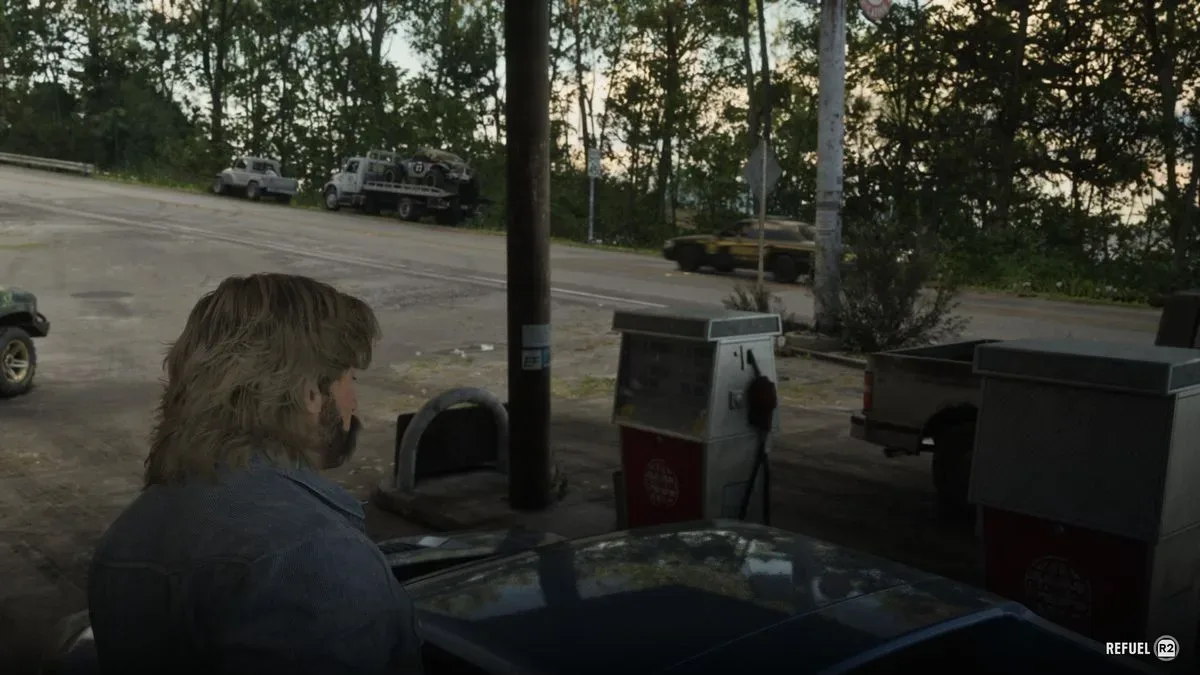
To refill a standard combustion-powered vehicle, drive to a gas station. After arriving, pull the vehicle up beside one of the pumps. A prompt should appear when the car is positioned correctly. Press X on PlayStation or A on Xbox when prompted to access the available services.
The service menu includes an option to refuel the vehicle for a small fee. The same menu can also provide car repairs, giving drivers a practical reason to visit even before fuel becomes an emergency. If a vehicle has picked up cosmetic damage or mechanical trouble during a collision, a shootout, or an aggressive escape through Vice City traffic, stopping for fuel may also be a useful chance to get it back into better shape.
It is important to approach the pump rather than simply parking anywhere inside the station. The interaction is tied to the pump area, so take a moment to line up the vehicle if no service prompt appears immediately. Once the menu is available, select the refueling service and pay the listed fee.
Why proactive refueling matters
In earlier Grand Theft Auto games, players could generally treat any working vehicle as ready for indefinite driving. GTA 6's fuel feature changes that familiar rhythm. A stolen car may be fast, stylish, or perfectly suited to the current job, but it could also be close to empty when it is taken. That possibility makes a quick HUD check valuable after entering an unfamiliar vehicle.
Drivers who find a car they want to keep using should make a habit of stopping at a gas station while the fuel status remains green or early yellow. Waiting until the indicator is red risks having the engine cut out before reaching a service location. The cost of a refuel is small, while the consequences of being stranded can be much larger.
How to find gas stations in GTA 6
Gas stations that have already been discovered can be located through the game's Index. Open the Index, move to the Vehicles tab, and scroll down to Gas Stations. From there, press Right on the D-pad to bring up the discovered locations.
The resulting list is organized by distance from the player's current position. That is especially helpful when the fuel icon has turned yellow and there is little time to waste deciding which stop is most convenient. Instead of scanning a crowded map manually, players can quickly identify the closest known station and head in that direction.
- Open the GTA 6 Index.
- Navigate to the Vehicles tab.
- Scroll to Gas Stations.
- Press Right on the D-pad.
- Review the discovered stations, which are listed by proximity to your position.
- Drive to a selected station, pull up to a pump, and use the interaction prompt.
There is one limitation worth remembering: the Index only shows gas stations that have been uncovered. Exploration therefore has a practical benefit beyond simply filling out the map. As players learn Vice City's streets and surrounding areas, they also build a more useful network of known places to refuel during future trips.
Electric vehicles use chargers instead of gas pumps
Not every vehicle will need gasoline. Drivers using an electric vehicle must seek out an Electric Vehicle Charger instead of a conventional gas station pump. The process for locating these charging points mirrors the gas-station search, but the category is different.
Open the Index, enter the Vehicles tab, and scroll to Electric Chargers. Selecting that category reveals the electric charging locations that have been discovered, again arranged based on their closeness to the player's current location. This distinction matters because an ordinary fuel pump will not be the destination an EV driver needs.
The separate categories also suggest that players should consider vehicle type before setting a route. If the fuel display indicates a problem, first establish whether the current vehicle runs on gasoline or electricity. Choosing the wrong service location could cost precious time, particularly if the car is near shutdown or the player is being chased.
Use service stops to protect your favorite vehicle
Gas stations are more than a last-minute solution for an empty tank. Because the available menu includes both fuel and repairs, they can become regular maintenance stops for a vehicle players enjoy driving. A favorite car that is battered after a long session does not have to be abandoned merely because it has been through a few collisions.
This creates a more deliberate relationship with vehicles. Instead of replacing cars solely because they have become damaged or inconvenient, players can weigh the cost and time of visiting a station against finding another ride. For a vehicle that is already nearby, has sufficient performance, or simply looks right for the occasion, a quick service stop may be the better choice.
That said, the fuel feature will likely matter most during moments where replacing a vehicle is difficult. Missions, pursuits, and other high-pressure scenarios can turn a near-empty tank into a genuine complication. Before beginning anything that may involve extended driving, checking the dynamic HUD and topping up when necessary is the safest approach.
Quick GTA 6 refueling checklist
- Press Down on the D-pad while driving to show the dynamic HUD.
- Find the circular gas-pump icon between the vehicle name and minimap.
- Green means fuel is high; yellow means fuel is low; red means the vehicle can stop soon.
- For gasoline cars, use the Index's Vehicles tab and select Gas Stations.
- For electric vehicles, select Electric Chargers in the same Vehicles tab.
- Discovered locations are listed by distance from where you are.
- At a gas station, park beside a pump and press X/A when the prompt appears.
- Use the service menu to purchase fuel and, where needed, repair the vehicle.
Fuel adds another layer to GTA 6's driving experience, but it does not need to become a constant concern. Watch the HUD, learn where services are located, and do not wait for the red warning to appear before planning a stop. A small amount of preparation should keep a routine drive from ending with an untimely engine shutdown on the streets of Vice City.
Community
Discussion
Start the conversation.
No comments have been posted yet.