

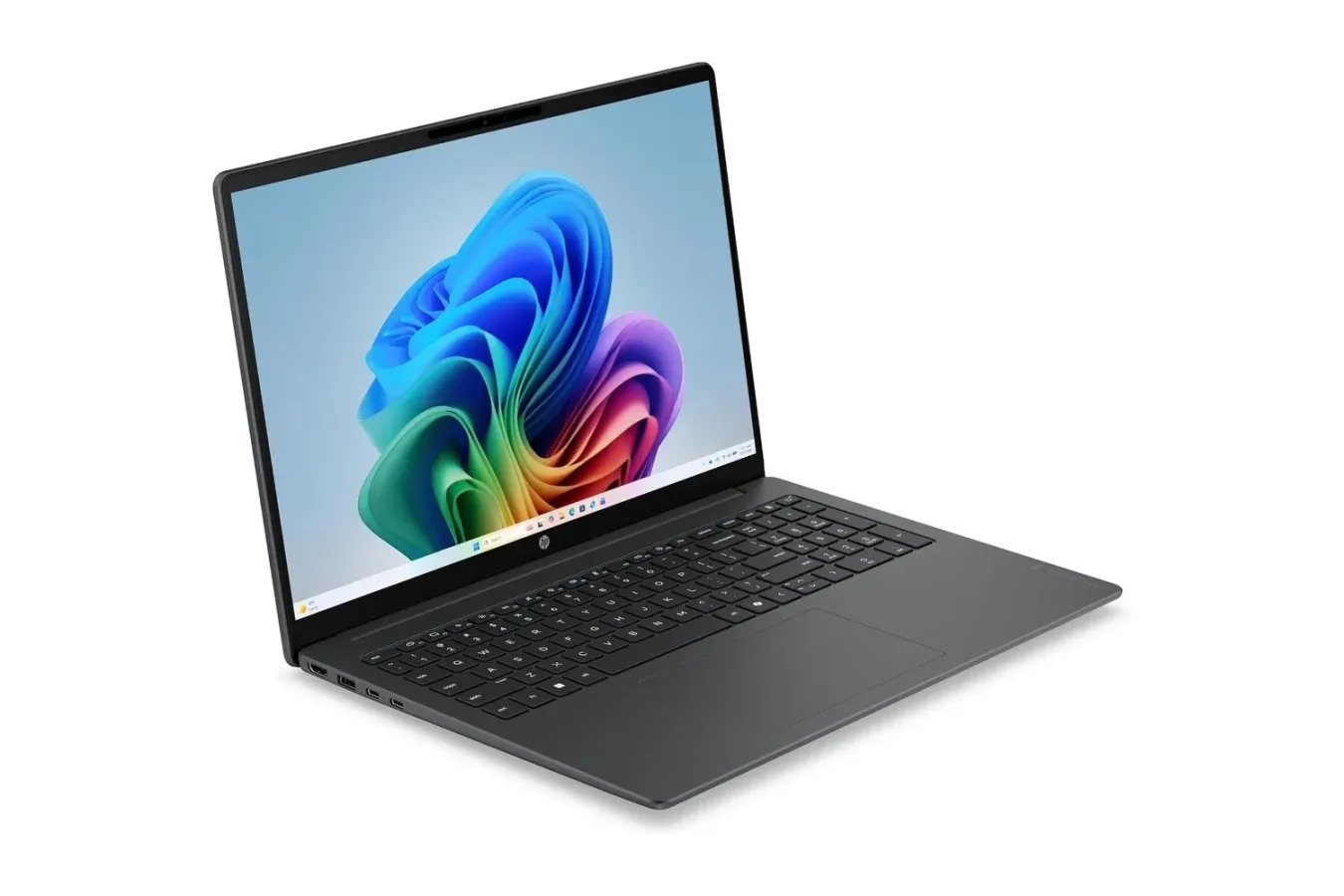
The HP OmniBook 3 is currently listed at $250, a $70 reduction from its stated $320 price. That is a 22% discount on a large-screen Windows laptop built around a Qualcomm Snapdragon C processor, a 16-inch IPS display, and a battery HP rates for up to 20 hours of locally stored 1080p video playback.
For shoppers looking for a basic second PC, a school machine, or an inexpensive laptop for web browsing, video, writing, and day-to-day household tasks, the price is the headline. A 16-inch laptop for $250 is firmly in budget territory, but the OmniBook 3 still includes some features that are especially useful at home: a 1920 x 1200 display, a full-size keyboard with a number pad, HDMI 2.1 output, USB Type-A ports, and USB Type-C connectivity.
There are important compromises, too. This configuration has 4GB of RAM and a 128GB UFS drive, placing it well below the specifications many people would want for demanding creative applications, modern PC gaming, or extensive multitasking. Its Snapdragon-based platform also means prospective buyers should consider their required Windows apps and accessories before treating it as a direct equivalent to every Intel- or AMD-powered laptop.
A budget laptop built around screen size and endurance
The OmniBook 3's most immediately noticeable feature is its 16-inch panel. It uses a 16:10 aspect ratio and a 1920 x 1200 resolution, offering more vertical room than the older 16:9 format commonly found in inexpensive laptops. That extra height can be helpful for viewing longer documents, browsing pages without as much scrolling, handling schoolwork, or keeping instructions open next to another window.
For useful background on this topic, read Steam's Reach Still Dwarfs Epic for Most Indies, but Fortnite Tie-Ins Can Rewrite the Math.
The IPS panel is rated at 300 nits and includes an anti-glare finish. Those specifications do not position it as a premium HDR display or a high-refresh gaming screen, but they are sensible inclusions for a machine intended for practical everyday use. An anti-glare coating can make a real difference in rooms with overhead lights or when working near a window, where reflections can otherwise become distracting.
At this size, the OmniBook 3 is arguably most appealing as a stationary or around-the-house computer rather than a small travel companion. Its larger screen makes split-screen use more comfortable: one side can hold a browser or video while the other contains notes, a recipe, a spreadsheet, or a document. The included numeric keypad also makes sense on a 16-inch chassis, particularly for users entering figures into budgets, invoices, lists, or other spreadsheets.
For gaming households, it could potentially serve as a utility PC rather than a native gaming powerhouse. It has enough screen space for managing game libraries, reading guides, watching streams, chatting through browser-based services, or using remote-play and cloud-gaming services where supported. However, its listed processor, 4GB of memory, and limited storage are not specifications that should be mistaken for a recommendation for playing demanding modern games locally.
Snapdragon efficiency is central to the pitch
HP's battery claim is one of the OmniBook 3's biggest selling points. The laptop contains a 41Wh battery, which is not unusually large on paper for a 16-inch notebook. The claimed runtime instead depends heavily on the power efficiency of Qualcomm's Snapdragon C processor and the specific test: HP says the system can reach up to 20 hours when playing locally stored 1080p video.
That figure should be read as a best-case manufacturer estimate rather than a promise that every task will last for 20 hours. Streaming video, a high screen brightness, many browser tabs, video calls, downloads, external peripherals, and more demanding software can all change real-world results. Still, a system designed for low power use can be attractive for someone who wants to take a laptop through a day of classes, travel, or casual use without constantly hunting for an outlet.
The Snapdragon C chip is also a reminder that this is a Windows-on-Arm device rather than a conventional x86 laptop. Modern Windows supports Arm hardware and can run many applications, including some software through emulation, but experiences vary by app, driver, accessory, and game. Buyers with a must-have program, an older printer, specialized hardware, or a favorite PC game should confirm compatibility before purchasing.
That consideration matters especially for anyone hoping to use the OmniBook 3 as an all-purpose gaming laptop. Native Arm support is not universal across PC games, and anti-cheat systems, launchers, older utilities, and peripheral software can introduce additional complications. Streaming a game from another device or using a compatible cloud service is a different use case, but it still depends on network quality and supported apps. The OmniBook 3 is better judged on its value as an efficient basic Windows machine than on expectations of broad local game compatibility.
Entry-level memory and storage define its limits
The discounted model pairs its processor with 4GB of RAM and 128GB of UFS storage. Those figures are enough for lightweight use, including a modest number of browser tabs, email, word processing, simple documents, and media playback. They also help explain how the laptop reaches its aggressive price point.
But these are capacity limits shoppers should take seriously. Memory can become constrained when several applications are open at once, when browsing heavily scripted websites, or when juggling video calls, documents, and multiple browser windows. A 128GB drive can also fill quickly after Windows updates, personal photos, downloaded media, and applications are installed. Users who keep large collections of files or routinely download games will need to manage storage carefully or rely on external and cloud storage options.
For that reason, this deal makes the most sense for a clearly defined role. It could be a household computer for bills and web access, a large-screen writing and browsing laptop, a travel machine for video playback, or an affordable device for someone whose needs are intentionally simple. It is less persuasive for users who edit video, run professional creative suites, compile code, maintain large local photo libraries, or expect to install a significant PC game collection.
The $250 price is compelling because it pairs a 16-inch 1200p display and a full keyboard with a low-power Windows design, but buyers should go in with realistic expectations about 4GB of RAM, 128GB of storage, and Arm software compatibility.
Useful ports for a low-cost desktop replacement
Port selection is another practical advantage. The OmniBook 3 has two USB Type-A ports, with one positioned on each side of the laptop. That layout can make it easier to connect a mouse, flash drive, printer, or other older peripheral without having a cable stretched awkwardly across the machine.
It also includes two USB Type-C ports on the left side, expanding options for newer accessories and docking solutions. An HDMI 2.1 port can connect the laptop to a TV or external monitor, which is particularly useful for buyers drawn to the large screen but who still want a bigger display at a desk or in a living room.
HDMI output also broadens the device's appeal as a media machine. Someone can use the 16-inch panel for personal viewing, then connect to a television for a larger screen when watching compatible video content. The same setup can be helpful for presentations, online learning, and productivity tasks that benefit from more desktop space.
Who should consider the HP OmniBook 3 at $250?
At its current price, the HP OmniBook 3 is most compelling for shoppers who prioritize display size, basic connectivity, and battery efficiency over raw performance. The combination of a 16-inch anti-glare screen, 16:10 resolution, number pad, USB-A, USB-C, and HDMI is unusually practical for a machine in this price bracket.
- A good fit for: web browsing, email, streaming, documents, spreadsheets, online classes, light household administration, and users who value a larger display.
- Potentially useful for: remote play, cloud gaming, media playback, and as a secondary computer, provided the necessary apps and services support the platform.
- Less suitable for: current AAA PC games, intensive multitasking, demanding creative work, large local game libraries, and users who require guaranteed compatibility with specialized x86 software or older accessories.
As with any promotion, the listed price and stock can change. The headline discount is straightforward: $250 rather than $320, for a savings of $70. The more important question is whether the laptop's strengths match the buyer's needs. For lightweight Windows use on a big screen, its feature set is easy to understand. For heavier workloads or local PC gaming, spending more for additional memory, storage, and a more capable processor will likely be the wiser long-term move.
Still, for shoppers who simply want an inexpensive, large-screen machine for everyday computing and long stretches away from a charger, the OmniBook 3's current reduction makes it worth a close look.
Community
Discussion
Start the conversation.
No comments have been posted yet.