

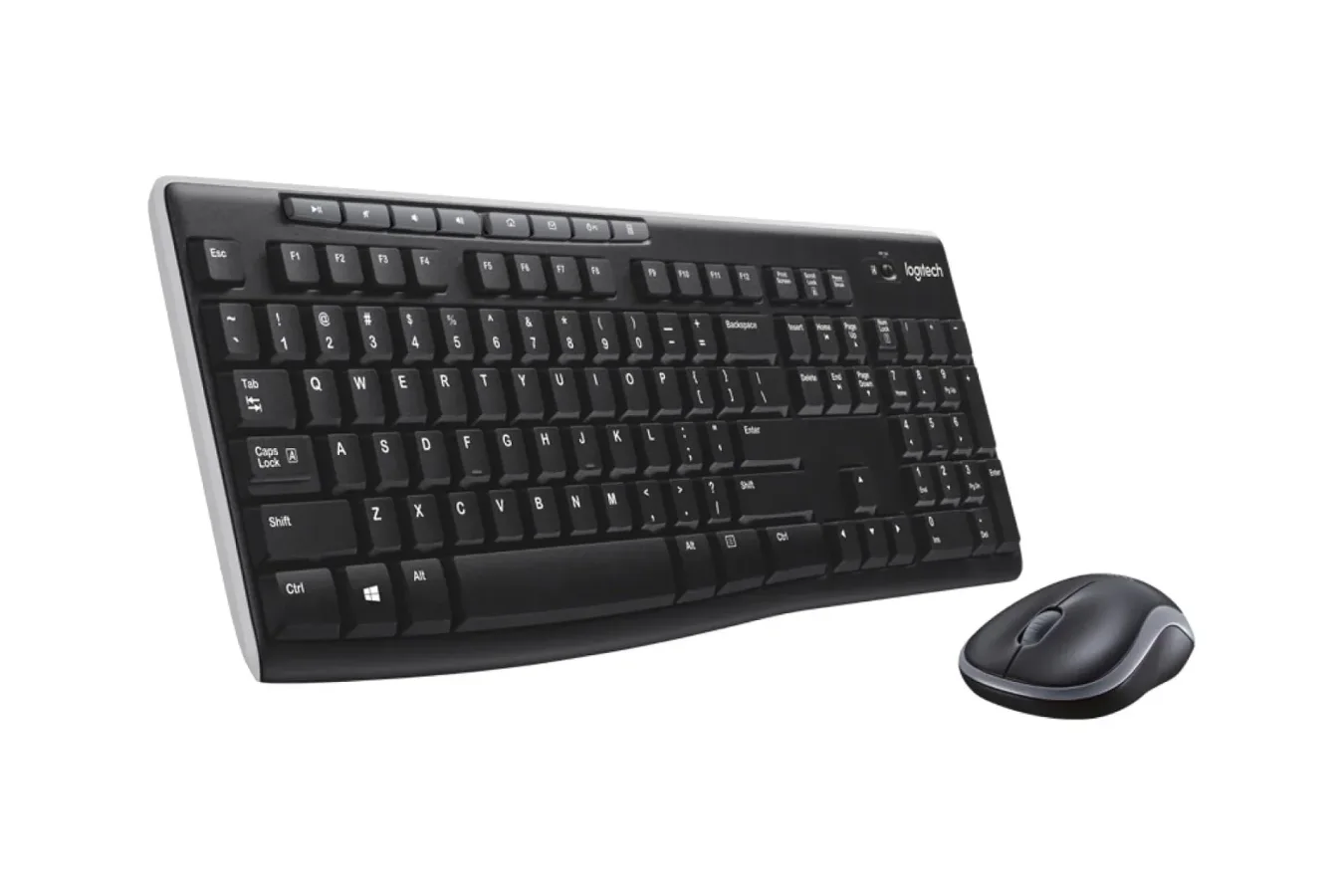
Not every PC setup needs premium mechanical switches, RGB lighting, configurable macro layers, or an ultra-light competitive mouse. For work-from-home desks, school computers, family PCs, secondary gaming stations, and anyone replacing worn-out basics, a dependable keyboard and mouse can matter more than a long feature list. Logitech's MK270 wireless keyboard and mouse combo is aimed squarely at that practical end of the accessory market, and it is currently listed for $20 for a limited time.
The bundle normally sells for $30, making the current price a $10 reduction, or roughly 33% off. That is a notably simple proposition: buyers receive a full-size wireless keyboard and a compact wireless mouse for less than the listed sale price of Logitech's standalone keyboard. The individual keyboard is discounted to $22, which means the combo costs $2 less while also including the mouse.
For PC players who want to clean up cables around a desk, or for users who simply need reliable everyday peripherals without spending heavily on enthusiast hardware, that pricing makes the MK270 worth a closer look. It is not intended to replace a specialized gaming keyboard or a mouse with a high-end sensor and programmable buttons. Instead, it focuses on familiar controls, broad usability, and lengthy advertised battery endurance.
A basic wireless desktop setup at a low entry price
The MK270 package uses a small USB receiver to connect both peripherals wirelessly to a computer. Logitech rates the connection for 2.4GHz wireless operation at up to 33 feet. Once the receiver is inserted into a compatible USB port, the keyboard and mouse are designed to begin working within seconds, with no driver installation required.
For useful background on this topic, read GMKtec Core i7 Mini PC Deal Drops Compact Windows System to $500.
That plug-and-play approach remains useful for a number of situations. A desktop PC user can free up room on the desk by removing two cables. Someone moving between a home office and a laptop dock can keep a compact accessory kit close at hand. It can also be a sensible replacement set for an aging keyboard whose keys have become unreliable, or for a mouse that has developed scrolling or click issues.
Compatibility is described for both PC and Mac use, though buyers should always check their computer's available USB ports and their preferred keyboard layout before committing. The included receiver is central to how the set works, so it is also worth keeping it in a secure place when transporting the accessories. Unlike a Bluetooth-only arrangement, this is a receiver-based wireless setup designed for quick connection rather than pairing through a system menu.
Battery claims are a major part of the appeal
Wireless peripherals are often judged by how often they need fresh batteries. Logitech says the MK270 keyboard can run for up to 36 months, while the accompanying mouse can last up to 12 months. Real-world results will naturally vary with usage habits, battery condition, distance from the receiver, and environmental factors, but those estimates suggest the bundle is built around low-maintenance use rather than frequent charging or battery swaps.
That emphasis separates this combo from rechargeable premium gear. There is no expectation here that users will connect a cable every few days or manage a charging dock. For a shared household computer or a workstation used in occasional bursts, replaceable-battery hardware with a long claimed lifespan can be particularly convenient.
It also makes the MK270 a potentially sensible option for less glamorous but important roles: a media PC, a spare desk at home, a reception computer, or a simple setup for students. In each case, the objective is usually to have familiar input devices ready when needed, not to build a showcase gaming battlestation.
Full-size layout and dedicated media controls
The keyboard uses a full-size design, a key consideration for people who regularly type documents, enter numbers, or prefer a traditional desktop layout. Smaller compact keyboards can save space, but they may omit a number pad or compress familiar key placement. The MK270 takes the more conventional route, making it easier for users who do not want to adjust to a reduced layout.
Along the top, the keyboard includes media controls for functions such as volume adjustment, playback, and pause. These shortcut-style controls can be helpful whether the system is playing music during work, streaming video, or managing audio while taking a break between games. They are not a substitute for the customizable command options available on dedicated gaming boards, but they cover the everyday media actions many users reach for most often.
For gaming specifically, expectations should be set appropriately. This is an affordable wireless combo for general PC use first. Players looking for mechanical feedback, advanced anti-ghosting features, onboard profiles, extensive remapping, or a tournament-oriented mouse will likely want to spend more on purpose-built equipment. But a casual player, someone with a modest setup, or a user who needs a backup keyboard and mouse may find the practical layout and wireless convenience more valuable than premium extras.
A compact, ambidextrous mouse is included
The mouse included in the package is designed to be compact and comfortable rather than large or aggressively sculpted. Its symmetrical shape means it can be used by either left-handed or right-handed users. That is particularly useful in shared spaces, where one set of accessories may be used by several people with different preferences.
Again, this is not positioned as a specialized gaming mouse. Buyers should not expect an array of side buttons, custom macros, adjustable weight systems, or highly detailed sensor tuning. Its value is that it is included at no effective added cost compared with the currently discounted standalone keyboard. At $20 for the full bundle, having a serviceable second input device can be more useful than it first appears.
A spare mouse is handy for travel, a laptop workstation, troubleshooting a desktop, or replacing a basic office model that has stopped working. Since the MK270's receiver handles both the keyboard and mouse, the set also avoids using separate USB ports for each peripheral, which can be welcome on systems with limited connectivity.
Three color choices are part of the same discount
The MK270 combo is available in black, off-white, and rose pink. All three color options are listed at the same 33% discount, allowing buyers to choose based on the appearance they prefer instead of being pushed toward a more expensive finish.
Black is the conventional choice for most desktop setups and should blend easily with existing monitors, towers, and accessories. The off-white version offers a distinctly retro-leaning look reminiscent of older home-computing designs from the late 1990s and early 2000s. Rose pink provides a brighter alternative for users building a more colorful workspace.
Color does not change the central feature set, but it can make a difference for anyone trying to match a desk, room, or existing peripherals. Budget hardware does not have to mean settling for only one visual option, and equal pricing across the three variants removes one of the usual compromises attached to accessory deals.
Who should consider this deal?
The Logitech MK270 is best suited to buyers who value simplicity and low cost. It makes sense for everyday typing, web browsing, schoolwork, office tasks, media playback, and casual PC use. It may also appeal to gamers who already own their primary high-performance peripherals but want an inexpensive backup set for another machine.
- Users replacing aging wired desktop accessories.
- PC owners who want fewer cables on their desk.
- Students and home-office workers seeking a full-size layout.
- Households that share one computer among multiple users.
- People who prefer an ambidextrous compact mouse.
- Buyers who want a spare keyboard and mouse without making a large investment.
On the other hand, competitive players and peripheral enthusiasts should consider whether the bundle's basic nature matches their needs. If precise high-speed input, elaborate software customization, mechanical key feel, or a tailored ergonomic mouse shape is essential, a more expensive gaming-focused option will be a better fit. The MK270's appeal is not maximum performance; it is a useful, familiar two-piece wireless setup at an unusually accessible price.
The value is in getting both devices together
The standout detail in this sale is the comparison with the keyboard sold by itself. With the standalone keyboard currently at $22 and the keyboard-and-mouse combo at $20, there is little financial reason to skip the bundle for buyers who are considering this particular Logitech layout. Even if the mouse becomes a backup accessory, the combined package remains the less expensive route.
At the listed $20 sale price, the MK270 offers a full-size keyboard, media controls, a compact ambidextrous mouse, one USB receiver for wireless use, and long claimed battery life. Availability and pricing can change, especially on limited-time promotions, so anyone interested should verify the current listing and selected color before checking out. For an uncomplicated desktop refresh, however, this is a deal built around getting the essentials without paying for features many users may never need.
Community
Discussion
Start the conversation.
No comments have been posted yet.