

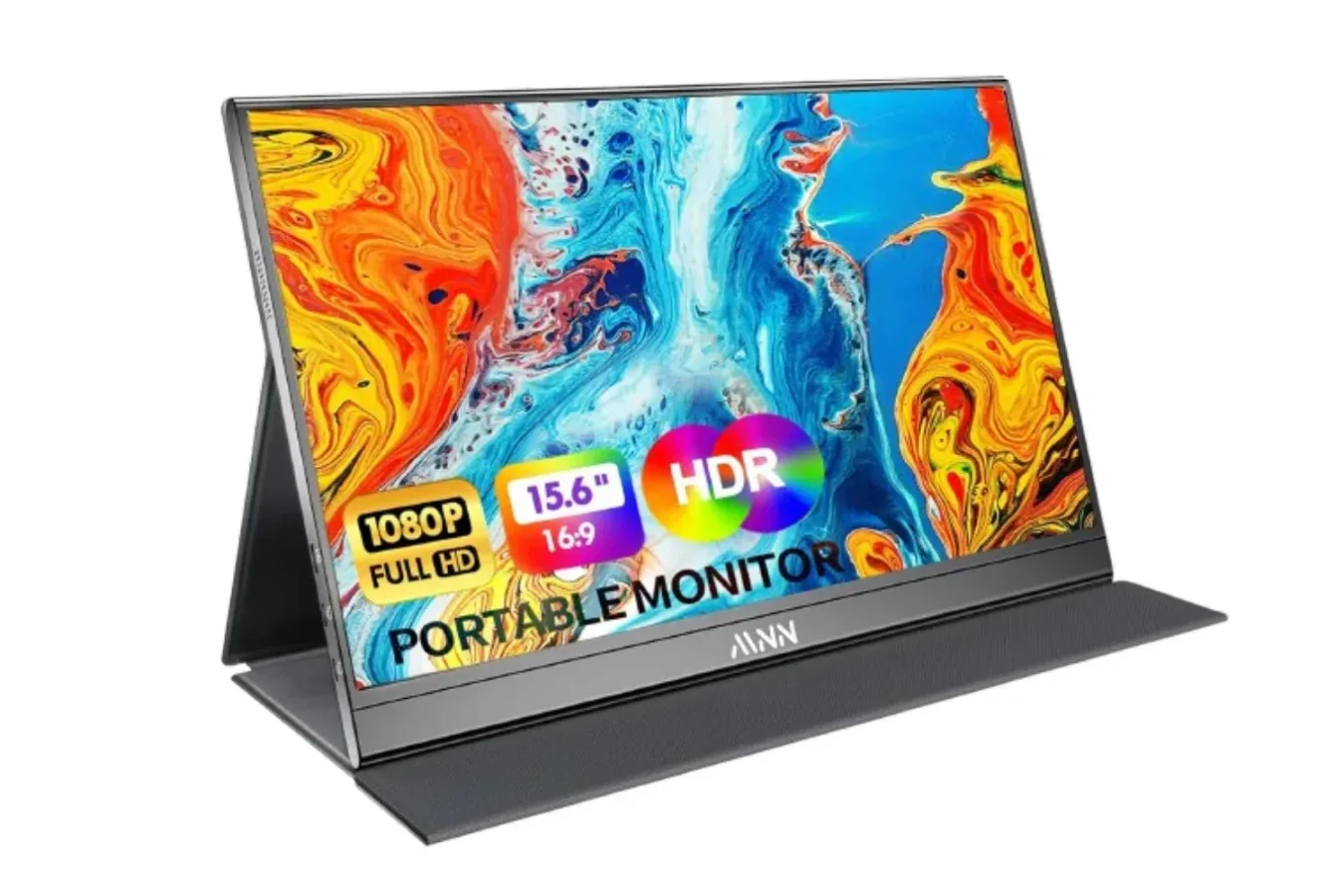
Traveling with a game console can be easy. Finding a dependable screen once you arrive is another matter entirely. Hotel televisions may have inaccessible ports, remotes that do not cooperate, input menus that are restricted, or simply too much competition from everyone else in the room. For players who want a more predictable setup away from home, a portable monitor can be a practical middle ground between relying on a television and bringing an entire desktop display.
MNN's 15.6-inch portable monitor is currently listed at $40 for Prime members in its Matte Black version. The Full HD display normally costs $50, while the stated earlier low price did not fall below $49. That makes this a notably low-priced option for people seeking a compact second display for a laptop, or a small gaming screen that can be carried in the same bag as a console and its accessories.
The offer is specifically tied to Prime membership, and shipping availability can vary by location and stock. Still, at the listed price, the monitor is positioned less as a luxury travel accessory and more as a flexible utility screen: something that can serve a console on one trip, a laptop workstation on the next, and a temporary dual-monitor setup at home in between.
A bigger option for gaming away from the living room
The MNN portable monitor uses a 15.6-inch IPS panel with a 1920 x 1080 resolution. For players accustomed to a handheld screen or a laptop display, that is a meaningful increase in viewing area without requiring the space of a conventional monitor. It is especially useful for games with small menus, detailed maps, long dialogue scenes, or split-screen play where every extra inch helps.
For useful background on this topic, read White PS5 DualSense Falls to $54 as GTA VI Arrives.
MNN lists the screen as supporting Nintendo Switch, PlayStation 5, PlayStation 4, and Xbox systems. For a Switch setup, players would generally connect through the console's dock rather than expecting the handheld itself to act as a direct video source. The monitor's HDMI input gives console owners a straightforward way to connect a dock or another HDMI-equipped device, while its slim design is intended to make that setup more portable than carrying a television.
That creates a useful alternative for a hotel room, a shared home, a friend's apartment, or any location where the main television is unavailable. A player can place the display on a desk or table, connect a console, and have a dedicated gaming screen without negotiating over what is on the larger TV. It will not replace the scale of a living-room display, but 15.6 inches is substantial enough for Mario Kart sessions, RPG grinding, indie games, and many other genres that benefit from a larger view than a handheld panel provides.
The IPS panel is rated for 178-degree viewing angles. In practical terms, that matters when more than one person is looking at the display from slightly different positions. Two players sitting beside one another should have a more consistent image than they might get from a screen with narrower viewing angles. The glossy finish is designed to make colors appear more vivid, which may suit games built around bright, stylized art, though glossy screens can also reflect surrounding light depending on where they are placed.
Built for a backpack-oriented setup
Portable monitors are most useful when they do not introduce a second bulky piece of luggage. This MNN model is intended to travel alongside a laptop, and it includes a PU leather smart cover. The cover protects the screen while packed and folds into a stand when it is time to play or work. That all-in-one approach is important for travelers because it reduces the number of separate pieces that need to be remembered, packed, and set up.
The stand can be configured for landscape or portrait orientation. Landscape is the obvious choice for console games, video, and a typical second monitor arrangement. Portrait mode is more relevant for documents, chat windows, browsing, coding, reading guides, or keeping a long feed visible beside a primary screen. For PC players, that can mean leaving a wiki, build planner, Discord conversation, or stream chat on the portable display while a game occupies the main laptop panel.
Its feature list also includes an HDR mode, intended to provide stronger highlights and richer color, plus a low blue light setting for late-night use. As with any portable monitor, players should set expectations around the hardware's price and size. HDR modes on compact budget displays will not necessarily resemble the experience of a premium television or dedicated high-end monitor. Even so, having multiple viewing options can be useful when switching between colorful games, work documents, and evening sessions in dim rooms.
USB-C flexibility matters for laptops
While the gaming use case is easy to understand, portable monitors are often bought first as laptop accessories. MNN's display supports copy, extend, and portrait modes, allowing it to function as a secondary workspace rather than merely mirroring the laptop's image. An extended desktop is particularly helpful for remote work, school assignments, video calls, spreadsheets, creative tools, and game-related multitasking.
For compatible laptops, a single USB-C cable can carry both power and video. That requires the computer to support USB-C DisplayPort Alt Mode or Thunderbolt 3, so buyers should check their specific laptop's capabilities before assuming one-cable operation will work. When supported, the benefit is clear: fewer cables, no extra power brick to bring along, and a faster setup at a desk, in a hotel, or at a temporary workspace.
The monitor has two full-featured USB-C ports and one HDMI input. That collection of connections makes it easier to move between devices, whether the screen is being used with a laptop during the day and a console later in the evening. It also means prospective buyers should think through their own cable situation. A console connection through HDMI and a laptop connection through USB-C may be simple, but different devices have different power and output requirements. Checking what cables come with the monitor and what a particular console, dock, or laptop needs remains worthwhile before a trip.
A budget display with a focused purpose
At $40, the MNN model is appealing because it addresses a specific inconvenience at a relatively low cost. It is not trying to be a giant living-room replacement, a high-refresh competitive gaming monitor, or a professional color-grading display. Its appeal is portability: a 1080p panel that can fit into a backpack, protect itself with its included cover, and provide a personal screen when a larger one is not available.
That can be valuable for Switch owners who prefer a larger display when docked, PlayStation and Xbox players who travel with a console, and PC gamers who use laptops but want an extra screen for guides or communication tools. It can also work for households where a single television is regularly contested. Instead of moving a full monitor from room to room, players can keep a lightweight screen ready for an alternate setup.
Before buying, shoppers should verify the current listing details, Prime eligibility, delivery estimate, included cables, and compatibility with the devices they plan to use. The price described applies to the Matte Black model and is listed with free returns, which may help reduce the uncertainty that comes with buying a display for a particular travel or console arrangement.
For anyone who has ever arrived somewhere with a console only to discover that the available television is unusable, a portable monitor is a simple answer. MNN's 15.6-inch display does not need to transform every trip into a full gaming station to justify itself. At the listed $40 Prime price, it only needs to make a few hotel rooms, shared spaces, laptop desks, or couch co-op sessions easier.
Community
Discussion
Start the conversation.
No comments have been posted yet.