

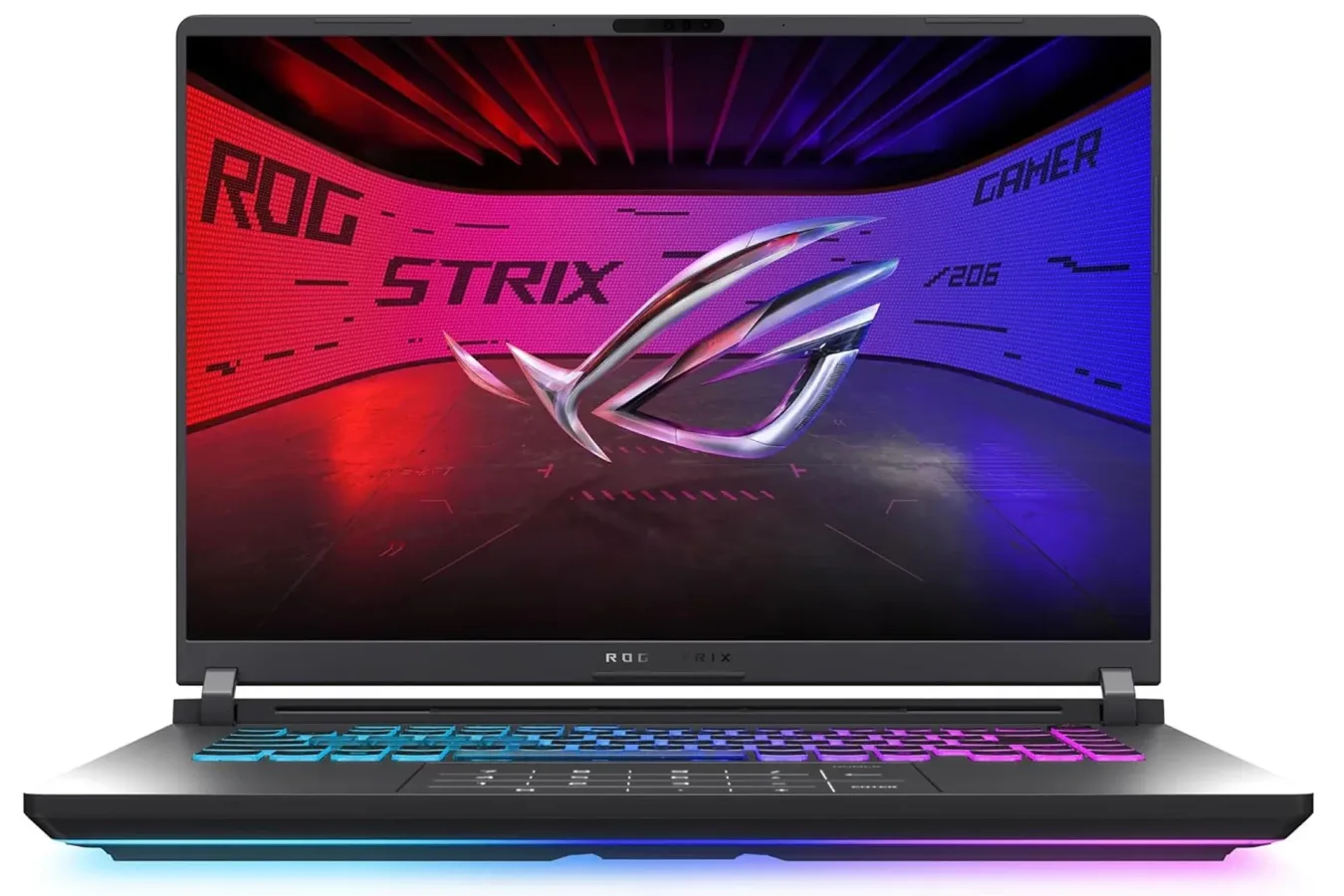
The ASUS ROG Strix G16 gaming laptop is currently listed for $1,180, down from a typical price of $1,587. That is a notable reduction for a configuration built around Nvidia's RTX 5060 Laptop GPU, a 16-inch 165Hz display, Intel's Core i7-14650HX processor, 16GB of DDR5 memory, and a 1TB PCIe Gen 4 SSD.
Gaming laptops have always required a balancing act between performance, portability, screen quality, cooling, and price. It is easy for a machine with a newer graphics processor to climb into premium territory once its manufacturer adds a high-resolution panel, expanded storage, or a more elaborate chassis. At its listed $1,180 price, the Strix G16 instead lands in a more practical performance-focused space: it is designed to target high frame rates at its native 1920 x 1200 resolution rather than trying to push a much more demanding 1440p or 4K display.
That makes the system potentially relevant to players who want a desktop-replacement-style laptop for current PC games, competitive multiplayer titles, and CPU-intensive strategy experiences, without moving to the very highest-priced mobile GPU options.
RTX 5060 Laptop GPU targets modern 1080p-class gaming
The key component is the RTX 5060 Laptop GPU. It is part of Nvidia's RTX 50-series mobile lineup and uses the company's Blackwell architecture. The GPU includes 8GB of video memory, placing it closer to the accessible end of the current RTX 50-series range than the flagship laptop chips.
For useful background on this topic, read MNN's 15.6-Inch Portable Monitor Deal Gives Switch and Console Players a Bigger Travel Screen.
For a laptop running at 1920 x 1200, however, that positioning is important. The screen's 16:10 resolution has more vertical pixels than standard 1920 x 1080, but it remains in the same general performance class as 1080p gaming. That is a far less punishing target for a mobile GPU than 2560 x 1440, especially in visually demanding games where high settings, ray tracing options, and detailed environments can quickly increase the workload.
The RTX 5060's feature set also includes support for DLSS 4. Nvidia's upscaling technology can render a game internally at a lower resolution and use AI-assisted reconstruction to produce the final image. On RTX 50-series hardware, supported games can also use Multi Frame Generation, which generates additional frames between traditionally rendered ones. Actual results will depend on the specific game, its implementation, the selected settings, and the player's tolerance for frame-generation technology, but the feature can be particularly useful when a new open-world game or effects-heavy release pushes native rendering harder than expected.
It is worth keeping expectations grounded. A mobile RTX 5060 is not intended to deliver identical performance to the most expensive desktop graphics cards, and its output can vary by laptop power limits and cooling design. Still, pairing this GPU with a 1080p-class panel gives it a sensible workload. The hardware is positioned for smooth play at high settings in many games, while DLSS options provide an additional path for maintaining performance in supported titles.
For another perspective on this story, read ASUS ROG Strix G16 With RTX 5060 Listed at $1,180.
A 165Hz 16:10 panel fits both competitive and single-player games
ASUS uses a 16-inch display with a 1920 x 1200 resolution, a 165Hz refresh rate, and a stated 3ms response time. The 165Hz specification is particularly relevant for esports and fast-action games. Titles such as Valorant and Counter-Strike 2 can benefit from frame rates above the 60fps baseline familiar to console-focused players, with more frequent screen updates making motion appear smoother and helping inputs feel more immediate.
Of course, reaching 165 frames per second is not guaranteed in every game. Newer cinematic releases and heavily demanding open-world games will frequently run below that level, particularly with the most intensive graphics options enabled. But a high-refresh panel remains useful because it gives lighter competitive games room to run at very high frame rates while allowing more demanding games to operate at whatever smooth performance level the hardware can sustain.
The 16:10 aspect ratio is also a useful addition over a conventional 16:9 laptop screen. The extra vertical room can make a difference outside of games, including when browsing, writing, editing, or working with multiple applications. In strategy titles and management games with dense menus, maps, lists, and information panels, a little additional height can be welcome. It can also make it easier to keep a chat program or browser visible beside a game during less screen-filling tasks.
ASUS also describes the panel as using an anti-reflective film intended to improve contrast and reduce glare. That will not turn every bright room into an ideal gaming setup, but glare reduction is a meaningful convenience feature for a laptop likely to be used away from a permanent desk.
Core i7-14650HX brings 16 cores for CPU-heavy workloads
Alongside the graphics hardware, the ROG Strix G16 uses an Intel Core i7-14650HX. The processor has 16 cores and can boost up to 5.2GHz. That combination matters in games that lean heavily on CPU performance rather than simply placing all of the pressure on the GPU.
Simulation games, city builders, grand strategy games, large multiplayer environments, and games with extensive AI or physics calculations can all expose processor limitations. In those scenarios, a capable CPU can help preserve steadier frame times as a save file, map, or battle becomes more complex. It also helps the system handle background tasks such as voice chat, browser windows, game launchers, and capture software while playing.
The included 16GB of DDR5-5600 memory is a solid baseline for current PC gaming. It should be enough for most mainstream use cases, though players who routinely run demanding creative applications, very heavily modded games, or numerous background programs may eventually want to investigate whether the laptop's memory can be upgraded. The listed configuration also includes a 1TB PCIe Gen 4 SSD, providing fast storage for game installs and day-to-day responsiveness.
A terabyte is a practical starting point, but it is not unlimited in an era of increasingly large game downloads. Players who keep several huge games installed at once will still need to manage storage over time. For many people, though, it is enough capacity to build a meaningful active library before uninstalling older titles becomes necessary.
Cooling could be a major part of the value proposition
Gaming laptop specifications matter, but maintaining performance during an extended session is equally important. Thin systems can look impressive on a product page while struggling to hold boost clocks once heat accumulates. ASUS is positioning cooling as one of the Strix G16's central strengths.
The laptop uses an end-to-end vapor chamber, a three-fan cooling setup, and Conductonaut Extreme liquid metal applied to the chipset. The goal is to move heat away from the processor and graphics hardware effectively enough that they can sustain higher operating clocks over longer stretches of gameplay. A cooling system cannot remove every trade-off associated with powerful portable hardware, including fan noise and heat output, but stronger thermal design is especially valuable in a performance-oriented machine.
For prospective buyers, this matters more than a single short benchmark number. A laptop that maintains its performance through a long multiplayer session, a lengthy campaign chapter, or an extended strategy-game turn cycle can feel considerably better in everyday ownership than one that only reaches its best result briefly.
RGB styling remains optional
The ROG Strix G16 retains the gaming-forward styling associated with ASUS's Republic of Gamers line. It features a 360-degree RGB light bar that can synchronize with the keyboard and other compatible ROG hardware. For players who enjoy coordinated lighting across their setup, it adds a visual customization option beyond the laptop's core performance specifications.
For users who need a less conspicuous look in a classroom, office, or shared space, ASUS includes a Stealth Mode designed to turn off the lighting. That does not change the machine's physical size or gaming-oriented design, but it offers a straightforward way to make it less visually distracting when RGB effects are not appropriate.
Who should consider this configuration?
At $1,180, this ROG Strix G16 makes the most sense for PC players looking for a current-generation gaming laptop with a balanced display and GPU pairing. Its native 1920 x 1200 screen avoids demanding the same level of graphics performance as higher-resolution alternatives, while the 165Hz refresh rate leaves room for fast competitive games to shine.
It is also an option for buyers who value a stronger processor and cooling hardware alongside the GPU. The Core i7-14650HX, 16GB of DDR5 memory, 1TB SSD, vapor chamber, triple-fan arrangement, and liquid-metal thermal material give the package a more complete performance focus than a graphics-card name alone would suggest.
Shoppers seeking the highest possible resolution, maximum ray-tracing settings without upscaling, or flagship-level performance in every new release may need to look at more expensive systems. But for 1080p-class gaming, high-refresh esports play, and a broad range of modern PC titles, the listed price makes this Strix G16 configuration a compelling value proposition on paper.
Community
Discussion
Start the conversation.
No comments have been posted yet.