

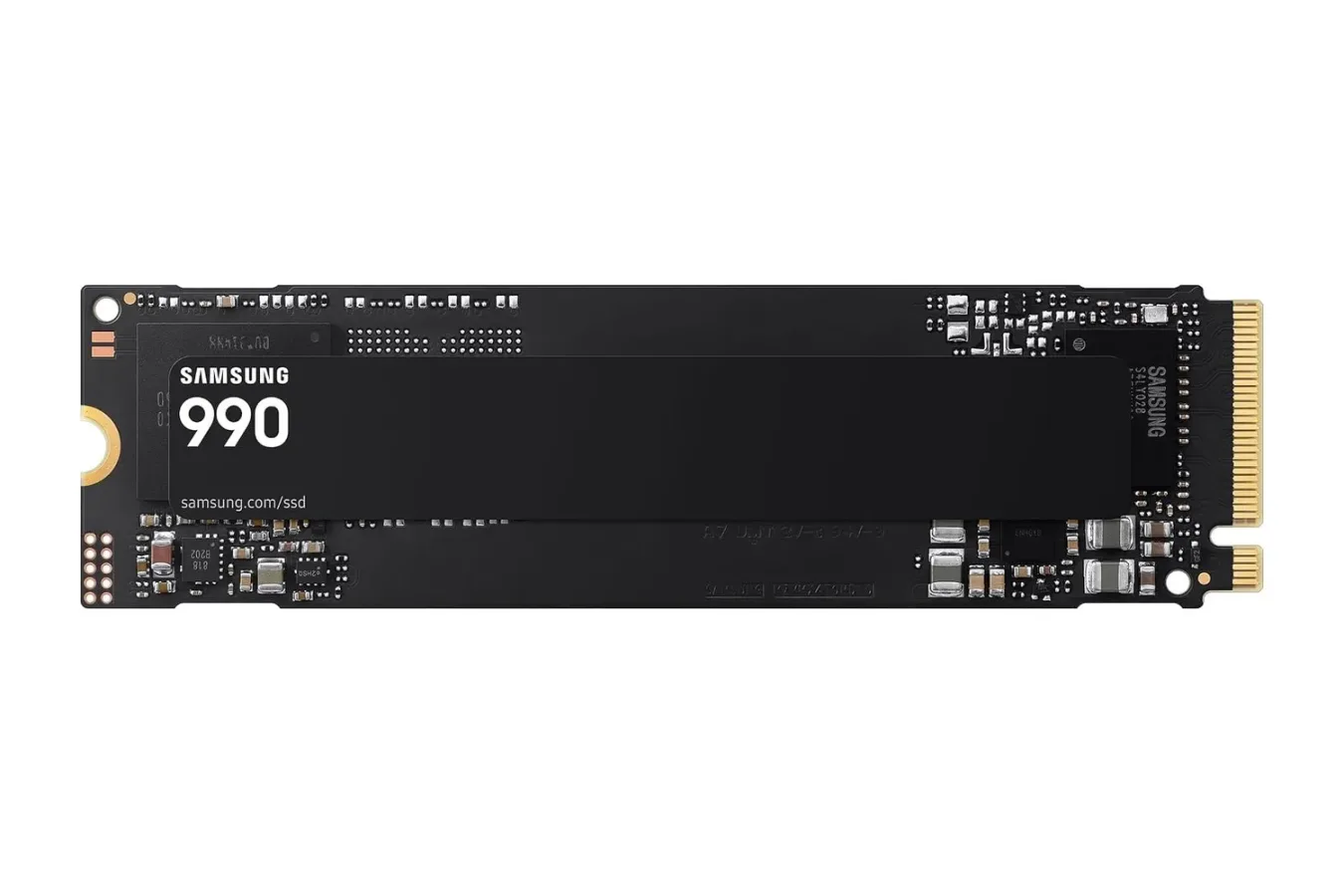
PC gamers looking to expand their high-speed storage have a notable option to consider: the Samsung 990 1TB NVMe SSD is listed at $190, down from a usual price of $230. That is a $40 difference, or roughly 17% off, for a compact PCIe 4.0 drive intended for desktops and laptops with a compatible M.2 slot.
Storage upgrades do not have the immediate visual impact of a new graphics card or monitor, but they can change how a gaming PC feels every day. A fast NVMe drive can reduce the time spent waiting at boot, loading save files, launching games, installing patches, moving captures, and opening creative applications. For players still keeping games on a mechanical hard drive, or working with an older and cramped system drive, moving frequently used software to a modern SSD can be one of the more practical upgrades available.
The 1TB Samsung 990 is positioned as a straightforward internal storage option rather than a complicated component project. It uses the familiar M.2 2280 format, the long, slim stick-shaped design found in many modern motherboards and laptops. Provided a machine has an available compatible M.2 slot, the physical installation generally involves seating the drive in the connector and securing it with the appropriate retention hardware.
What the Samsung 990 1TB brings to a gaming PC
The drive uses a PCIe 4.0 x4 NVMe 2.0 interface. Samsung rates it for sequential read speeds up to 7,150 MB/s and sequential write speeds up to 6,450 MB/s. Those figures represent the drive's peak rated performance under suitable conditions, rather than a promise that every task will reach the same number. Still, they give a useful indication of the class of storage performance buyers are considering.
For useful background on this topic, read Xbox X25 Anniversary Controller Launches With Stock Still Available in US and UK.
For gaming, the practical benefit is not simply a benchmark score. It is the cumulative effect of faster access to data. Games routinely handle substantial texture packages, audio assets, world data, updates, shaders, and saved files. A quick drive can help shorten loading screens and make a system more responsive while managing large game installations. It can also be useful for people who regularly download large releases, keep multiple live-service games installed, or record and edit gameplay footage.
The 1TB capacity offers a middle ground for a gaming-focused build. It can hold an operating system, a rotation of regularly played games, and active projects without requiring users to immediately ration every gigabyte. However, modern blockbuster games can consume a significant amount of space, especially once expansions, high-resolution texture packs, and ongoing updates are accounted for. Buyers with a very large library should think of 1TB as fast primary storage for priority games rather than limitless archival space.
Samsung also lists random performance of up to 700K read IOPS and 1,100K write IOPS on the 1TB model. IOPS, or input/output operations per second, concern the smaller, less sequential requests that occur during ordinary system activity. That type of performance can matter when launching applications, handling background processes, multitasking, and using a PC as both a gaming machine and a work system.
Compatibility matters more than the headline speed
Before buying any internal NVMe SSD, the most important step is checking the hardware already in the PC. The Samsung 990 uses the standard M.2 2280 physical size and supports PCIe 3.0 as well as PCIe 4.0. That broad interface support means it should work in many desktops and laptops, but compatibility should never be assumed solely from the presence of an M.2-shaped slot.
A PCIe 4.0-capable slot is needed to pursue the drive's top advertised throughput. In a PCIe 3.0 system, the drive may still function, but the interface becomes the limiting factor and maximum transfer rates will be lower. That does not necessarily make the upgrade pointless: moving from a hard drive to an NVMe SSD can remain a meaningful improvement, and capacity may be just as important as raw speed. But shoppers should set expectations based on their platform.
Laptop owners have a few additional details to check. Some notebooks have only one M.2 storage slot, which may mean replacing the existing drive instead of adding a second one. Others have space limitations, manufacturer-specific disassembly procedures, or warranty considerations. Desktop builders should confirm that the motherboard has an open M.2 socket and consult the manual to see whether using a particular slot affects SATA ports or lane allocation. These are normal configuration details, not necessarily problems, but it is better to discover them before the drive arrives.
It is also worth determining whether a motherboard includes an M.2 heatsink. The supplied details emphasize the 990's power efficiency, but sustained file transfers and extended workloads can still generate heat. A board-mounted heatsink, when available, can be useful. Buyers should also avoid installing an M.2 drive beneath a heatsink while leaving protective plastic film in place, a small setup mistake that can undermine the intended thermal contact.
Efficiency, design, and software features
Samsung describes the 990 as its most energy-efficient SSD to date. The drive is said to typically use around 4 watts while reading and 3.7 watts while writing. Lower power use can be valuable in a laptop, where battery life and heat are persistent concerns, and it can also help keep a desktop storage upgrade relatively restrained during long gaming sessions and major transfers.
The drive combines a custom Samsung controller with Samsung V-NAND flash memory and Host Memory Buffer technology. Host Memory Buffer, often shortened to HMB, uses a small portion of system memory as a buffer rather than relying on a separate DRAM chip on the SSD itself. For prospective buyers, the key point is that the SSD is designed to use available system resources to support responsive operation without changing its compact M.2 form factor.
Security features are included as well. Samsung lists AES 256-bit hardware-based encryption and TCG Opal support, which may be relevant to users storing personal work, game captures, documents, or other sensitive material. These functions are not likely to be the deciding factor for every gaming build, but they add to the drive's appeal as a general-purpose primary-storage option.
Samsung's Magician software is intended to help owners monitor drive status, update firmware, tune performance, and migrate data from an older drive. Migration support can be particularly useful for someone replacing a smaller boot drive. That said, cloning an existing operating system is not always the right route for every PC: a clean installation can be preferable when a system has accumulated years of unused software, driver conflicts, or general clutter. Either approach should begin with a backup of important files.
Reliability and installation expectations
Samsung rates the 1TB model for 400 terabytes written, also expressed as 400TBW, and a mean time between failures rating of 1.5 million hours. These specifications are useful indicators of the manufacturer's durability expectations, although they should not be interpreted as a guarantee that a particular drive will operate for a specific number of years. Regular backups remain essential, regardless of an SSD's endurance rating or warranty coverage.
The drive carries a three-year limited warranty. Buyers should retain order information and review the applicable warranty terms, particularly if the SSD will become the primary home for irreplaceable work or personal files. A warranty can address qualifying hardware faults, but it does not replace a backup plan for the data itself.
For a basic desktop installation, users can shut down the system, disconnect power, open the case, locate the designated M.2 socket, install the drive at an angle, press it flat, and secure it. After the system starts, the new disk may need to be initialized and formatted in the operating system before it appears as usable storage. People planning to install the operating system on the 990 will need installation media or a migration strategy ready beforehand.
Is the $190 price worth considering?
At $190 versus the cited $230 usual price, the Samsung 990 1TB offers a meaningful reduction for buyers already in the market for a PCIe 4.0 NVMe upgrade. Its appeal is clearest for a new gaming PC build, a laptop or desktop needing faster internal storage, or an existing system being moved away from slower hard-drive storage. The rated sequential speeds, strong random-access figures, compact M.2 2280 size, efficiency claims, security support, and management software create a well-rounded feature set for that role.
It is not automatically the best choice for everyone. A player who mainly needs the lowest possible cost per terabyte may prioritize higher-capacity storage. Someone with a PCIe 3.0-only platform will not receive the full benefit of the PCIe 4.0 interface. And users without an open M.2 slot may need to replace an existing drive rather than simply add this one.
But for shoppers who have confirmed compatibility and want a fast 1TB NVMe SSD from a familiar storage brand, this discount makes the Samsung 990 a compelling upgrade to evaluate. It is the kind of component that can quietly improve the daily PC experience long after the installation is finished.
Community
Discussion
Start the conversation.
No comments have been posted yet.