

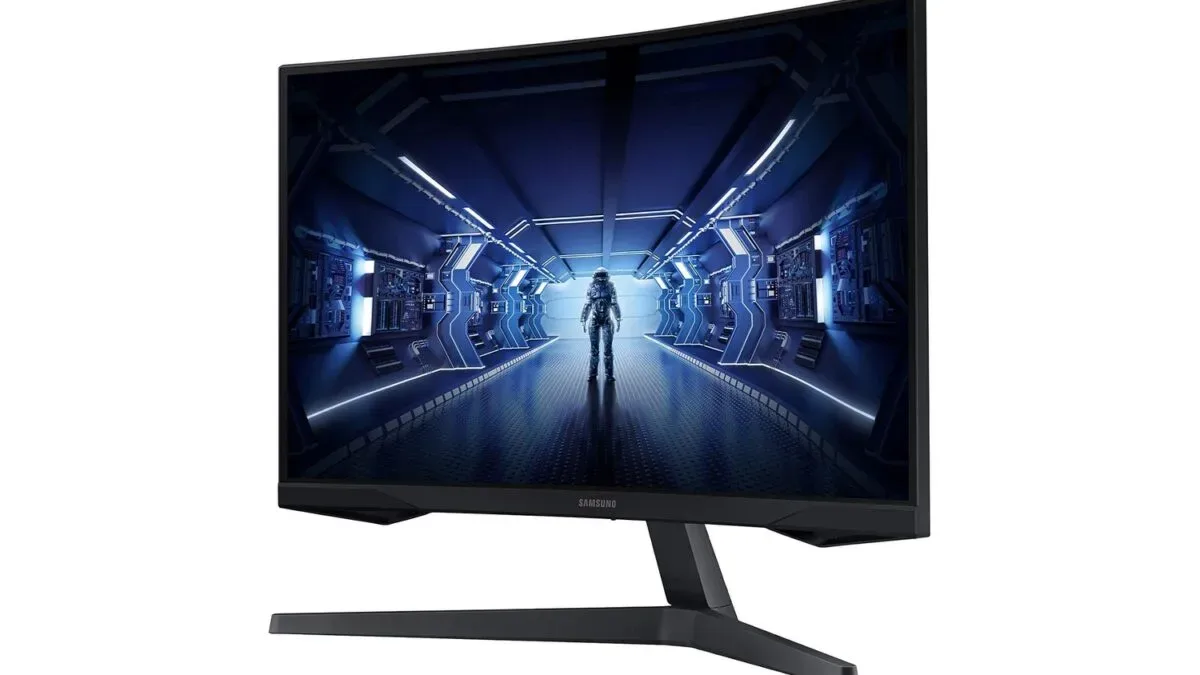
PC players considering a move beyond the familiar 16:9 monitor format have a notable Labor Day option to weigh: Samsung's 34-inch Odyssey G5 Ultra-Wide Gaming Monitor is listed at Amazon for $280. The display is normally priced at $400, making the current reduction $120, or 30% off its regular price. That returns the monitor to its stated all-time low rather than asking shoppers to wait for the larger discount events later in the year.
The Odyssey G5 is aimed at people who want a wider, more enveloping desktop setup for games, multitasking, and media. Its core specifications are a 34-inch panel, a 21:9 ultrawide aspect ratio, 3440 x 1440 resolution, 165Hz refresh rate, 1ms response time, and AMD FreeSync Premium support. It also uses a VA-type panel with a 2500:1 contrast ratio and HDR10 compatibility.
Those numbers do not automatically make one monitor right for every desk or every game, but they outline why the discounted Odyssey G5 could be compelling for PC users who value peripheral vision and additional workspace as much as sheer frame rate. The move from a standard widescreen display to a 21:9 screen changes both the way compatible games fill the player's view and how everyday desktop windows can be arranged.
A 1000R curve designed around a wide field of view
The central design feature of this Odyssey G5 is its 1000R curve. "R" refers to the radius of the curve, and 1000R is considerably more pronounced than the gentler curves used by many widescreen and ultrawide monitors. Samsung positions that curvature as being close to the shape of the human eye.
For useful background on this topic, read Kingston NV3 1TB NVMe SSD Falls to $157 in Storage Deal.
In practical terms, the goal is to keep the outer areas of a very wide screen at a more consistent viewing distance relative to the center. On a large flat panel, the far left and right edges sit farther from the viewer than the middle. A curved screen bends those edges inward, which can make a broad image feel more natural to scan from side to side. For a 34-inch ultrawide, that can be particularly relevant because the screen occupies a substantial portion of a player's horizontal vision when used at a typical desk distance.
The effect will be most appealing to players who like the sensation of being surrounded by the game world. Racing games, driving simulators, flight sims, space games, sports titles, and open-world adventures are natural fits for an ultrawide format because additional width can reveal more of the scene without requiring players to constantly pan the camera. In a racing game, for example, added peripheral information can make the track, nearby cars, and corner entry easier to follow. In flight or space simulators, the expanded view can better emphasize cockpits, dashboards, and distant terrain.
Support still matters. Many modern PC games handle 21:9 resolutions well, but implementation varies. Some games offer an excellent native ultrawide view, while others may have interface scaling quirks, pre-rendered scenes with black bars, or a more limited field-of-view presentation. Competitive players should also check a game's specific rules and support, since not every title treats ultrawide displays identically.
3440 x 1440 provides room for games and work
The monitor's 3440 x 1440 resolution is often called ultrawide 1440p. It delivers substantially more horizontal desktop space than a conventional 2560 x 1440 monitor while retaining the same vertical pixel count. Compared with typical 1440p dimensions, it offers roughly 34% more pixels overall.
That increase has two major benefits. First, games that properly support the format can display a broader image. Second, the desktop becomes much more flexible outside games. Two full-sized application windows can sit side by side without the cramped feeling that frequently comes with splitting a narrower display. A player can keep a game guide, chat app, music controls, a browser, or recording software visible next to a game window. For productivity, the extra width is useful for spreadsheets, video-editing timelines, programming environments, and document comparison.
There is a performance consideration, however. Rendering 3440 x 1440 requires more graphics horsepower than standard 2560 x 1440 because the GPU must drive more pixels. It is still less demanding than 4K, but users hoping to reach extremely high frame rates in demanding new releases may need to adjust graphics settings or use upscaling technologies where available. The monitor's 165Hz ceiling is most valuable when a system can consistently produce high frame rates, especially in esports games and older or less demanding titles.
165Hz refresh rate and adaptive sync for smoother motion
The Odyssey G5's 165Hz refresh rate is a major step beyond the 60Hz level common on basic office displays. A higher refresh rate allows the monitor to update its image more frequently, which can make camera movement, scrolling, and fast action appear smoother. The difference is often immediately noticeable in shooters, racing games, fighting games, and competitive multiplayer titles, though it can also make ordinary desktop use feel more responsive.
Refresh rate is only one side of motion clarity. The display is rated for a 1ms response time, a figure intended to indicate that pixels can transition quickly enough to limit visible trailing behind fast-moving objects. Real-world results can vary with panel tuning and settings, but the combination of a high refresh rate and low advertised response time is designed for players who want reduced blur and fewer distracting artifacts during rapid action.
AMD FreeSync Premium is included to help synchronize the monitor's refresh behavior with a compatible graphics card's frame output. When a game's frame rate fluctuates, adaptive-sync technology can reduce screen tearing and make uneven performance feel smoother than it would with a fixed refresh rate. It is especially helpful in graphically demanding games where frame rates do not remain locked to one number.
For buyers, it is worth confirming their PC's graphics hardware, cable setup, and preferred resolution settings before making a purchase. High-refresh ultrawide gaming can place meaningful demands on both the GPU and the connection between PC and display. A system that runs games well at 1080p or conventional 1440p may need reduced settings to sustain similarly high frame rates at 3440 x 1440.
VA contrast and HDR10 support
Samsung uses a VA-type panel in this model, and the listed 2500:1 contrast ratio is one of its important visual traits. VA panels are generally associated with stronger contrast than typical IPS panels, meaning dark sections of an image can appear deeper while retaining visible detail. That characteristic can benefit atmospheric games built around caves, nighttime environments, shadowy corridors, or space scenes.
Contrast is not just about making black areas look darker. It helps distinguish objects and environmental details within dim scenes. In a stealth game or horror game, visual separation in dark portions of the screen can improve the readability of the environment. In cinematic single-player games, it can also give lighting and scenery a greater sense of depth.
The Odyssey G5 additionally supports HDR10. HDR content is designed to expand the range of color and brightness information in an image, potentially improving highlights and shadow detail when a game, video, and system configuration all support it. As with HDR on any monitor, the final experience depends on the content and the display's broader brightness capabilities, so shoppers should treat HDR10 support as one part of the monitor's feature set rather than the only reason to buy it.
Who should consider this Labor Day price?
At $280, the Samsung Odyssey G5 is most attractive to PC users who specifically want the advantages of a curved 21:9 display. It is a strong fit for players building a more immersive single-monitor setup, sim enthusiasts, and people who use one screen for a mix of gaming and desktop work. The 165Hz refresh rate means it is not solely a productivity display, while the 3440 x 1440 resolution provides much more room than standard widescreen alternatives.
It may be less suitable for someone who exclusively plays games with inconsistent ultrawide support, has a GPU that already struggles at conventional 1440p, or prefers the color characteristics and viewing angles often associated with IPS displays. Desk space is another consideration: while it is one monitor rather than a multi-display array, a 34-inch ultrawide has a noticeably broad footprint and its curvature is a personal preference.
Still, the current $120 reduction makes the feature set more accessible than its standard $400 price. For PC gamers ready to adopt an ultrawide format, Samsung's 34-inch Odyssey G5 combines a tight 1000R curve, 165Hz refresh capability, adaptive sync, and a high-contrast VA panel in a display intended to handle both expansive game worlds and crowded desktops.
Community
Discussion
Start the conversation.
No comments have been posted yet.