

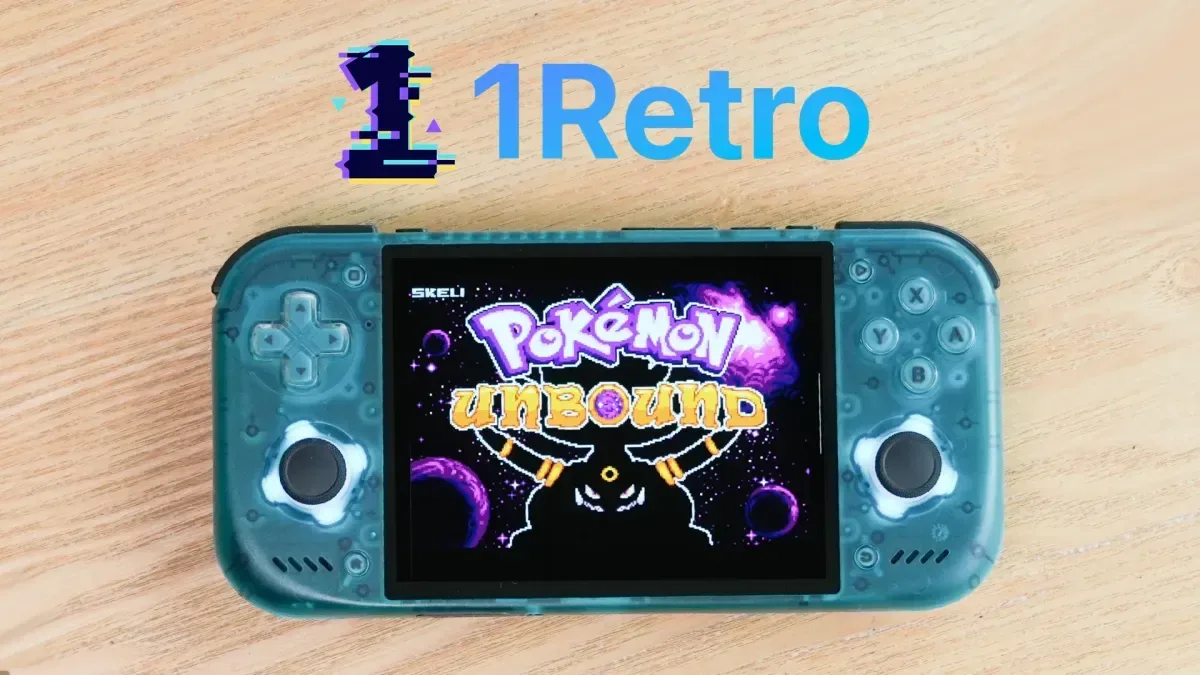
Anyone who plays retro games through emulation across more than one device is likely familiar with a frustrating routine: start a long RPG on one handheld, move to a PC or another portable, then discover that the newest save is still sitting on an old microSD card. It is an inconvenience at best, and a serious preservation problem at worst. A failed card, misplaced folder, accidental overwrite, or poorly timed device upgrade can erase dozens of hours of progress.
1Retro, a software platform developed by Hans Larsen, is built around solving that particular problem. The service is intended to back up and synchronize save files and save states between multiple emulation devices, reducing the manual file copying that has long been part of maintaining a multi-device retro setup. Rather than treating saves as an afterthought buried in emulator directories, 1Retro puts them at the center of its experience.
The platform has been available since mid-2026, though it is now drawing attention as a potential answer for players who regularly move among handheld emulators, desktop computers, Android devices, FPGA hardware, and physical cartridges. Its broad ambition is straightforward: a player should be able to continue their game without having to remember where a particular save file was last stored.
A cloud layer for a fragmented emulation hobby
Emulation has never lacked options. There are standalone emulators, all-in-one front ends, Linux-based handheld operating systems, Android applications, desktop installations, and specialized FPGA solutions. That flexibility is one of retro gaming's great strengths, but it also means that save management can become fragmented remarkably quickly.
For useful background on this topic, read Pokémon Battlegrounds Ranked beta Brings Real-Time Online Battles to the Browser.
A single player may have one set of saves on a Windows PC, another on a Mac laptop, another on an Android handheld, and more data on removable cards used in dedicated retro devices. Save states complicate the situation further. They can be especially useful for games with difficult sections or limited in-game saving, yet they are often tied closely to an emulator's expected folder structure and may not be as portable as conventional battery-backed saves.
1Retro's goal is to make the process less visible to the player. Larsen describes the project as having begun as a backup tool for a single emulator before developing into a desktop application and eventually a broader synchronization platform. The core philosophy, he says, has remained the same: players should be able to focus on playing while the service handles the organization and protection of their progress.
That is a meaningful promise for a hobby where file naming, save locations, emulator versions, and storage media can all vary from device to device. The service is presented as supporting retro gaming platforms broadly, with compatibility across macOS, Windows, and Linux.
Support extends beyond desktop computers
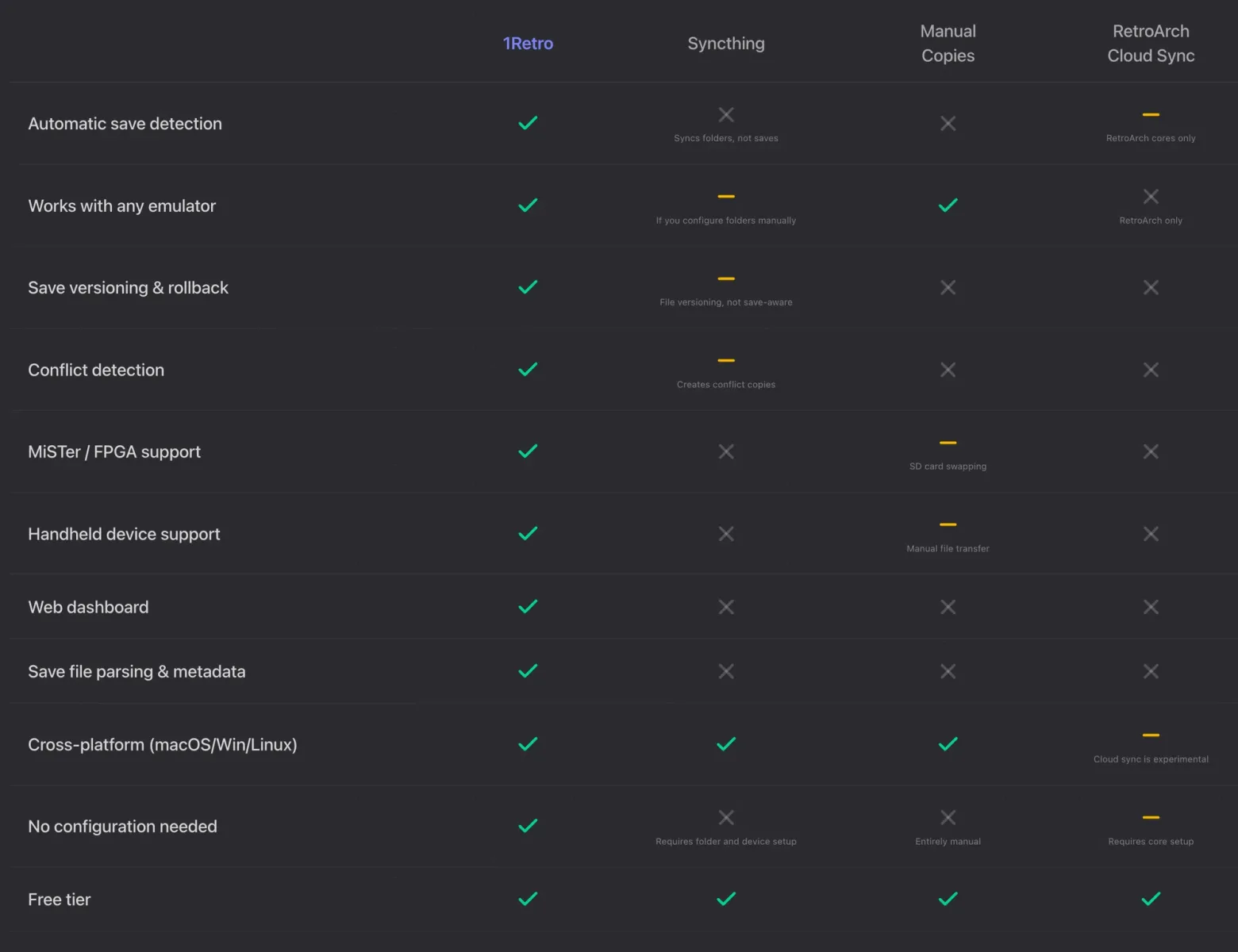
Desktop support is only part of 1Retro's appeal. The platform can also be used with Android hardware and a range of operating systems commonly found on emulation handhelds. The listed examples include muOS, NextUI, and OnionOS, giving the service relevance to players using compact devices rather than traditional computers alone.
This is particularly useful for the increasingly common setup where a player owns several handhelds for different purposes: perhaps a small device for Game Boy and 8-bit titles, a more powerful system for later consoles, and a PC for larger-screen play. In those circumstances, transferring a save can otherwise mean powering down a device, removing a card, locating the correct file, copying it to the right directory, and hoping both systems recognize the same format.
1Retro is also described as working with MiSTer FPGA, the hardware platform known for recreating classic systems through FPGA cores. MiSTer users often value accuracy and preservation, so centralized save handling could fit naturally into a setup that already spans original-style controllers, displays, cores, and storage configurations.
The practical result is not necessarily that every file will behave identically in every emulator. Compatibility between save states can still depend on the emulator and version involved. But keeping a current, backed-up collection of save data accessible across devices addresses a major piece of the larger problem, especially for standard save files that can travel between compatible applications.
Bridging emulation and physical cartridges
One of 1Retro's more notable use cases involves the Epilogue GB Operator. The GB Operator is a device that can work with Game Boy cartridges, allowing users to access cartridge data through a computer. With 1Retro, a player can take a save from a physical cartridge and store it in the cloud, then bring that save into an emulator.
The workflow can also go in the opposite direction. A save created through emulation can be moved back onto a physical cartridge. For players who alternate between original Game Boy hardware and modern emulation devices, this could help keep a single adventure moving forward rather than splitting it into separate timelines.
That kind of bridge has a preservation angle as well as a convenience angle. Cartridge batteries eventually fail, and original saves can be vulnerable simply because the media is decades old. A cloud-backed copy gives players another layer of protection for progress that may have personal significance, whether it is a completed Pokédex, a carefully built RPG party, a speedrun route, or a long-running save shared within a family.
It is also an example of why save preservation matters independently of game preservation. A game ROM or cartridge can be replaced more easily than the record of an individual player's time with that game. Save files are small, but they can hold years of memories and effort.
A simple interface centered on games and devices
1Retro's user experience is described as fairly basic, though that simplicity may be intentional. Instead of asking users to navigate a dense collection of folders, the software presents stored data in a more game-focused manner, including artwork for the title associated with the save and information about the device where it was stored.
For many users, that approach could make a technical task feel more approachable. Save files often have cryptic extensions and inconsistent filenames; seeing a recognizable game image and a device label is much clearer than sorting through a directory full of abbreviations. It also makes it easier to understand where a file originated when several platforms are synchronizing with one account.
The service can refresh data across devices so users can locate the most recent saves. That is the central feature for anyone with a changing collection of handhelds. Instead of leaving a finished session trapped on a microSD card, the aim is for the latest progress to be available when the player next uses another supported system.
There are still sensible habits worth maintaining. Before replacing or merging save files, players should consider retaining local copies, particularly when using different emulators or transferring data to original cartridges. Cloud synchronization is valuable, but save formats and timestamps deserve care. A backup system is most useful when it complements, rather than replaces, a player's own cautious archive.
Free storage and paid plans
1Retro is free to begin using and includes 20MB of storage. The service estimates that amount can hold roughly 5,000 save states across different games and emulators. Because most traditional save files are extremely small, that entry tier may be sufficient for a large number of players, especially those primarily looking to protect cartridge-style saves and a curated selection of states.
Paid subscriptions are available at $2, $5, and $10 per month. These plans provide additional storage, while premium features include the ability to use the service on as many as 10 devices. The available tiers create a relatively low-cost route for users with larger libraries, frequent device changes, or more demanding save-state habits.
The value proposition will depend on how a person plays. Someone using one handheld and a single PC may be satisfied with manual backups. But a collector with several handheld operating systems, computers in different rooms, an Android device, MiSTer hardware, and a GB Operator has considerably more moving parts to manage. For that player, a dedicated sync service could remove one of the least enjoyable parts of the emulation experience.
Why save syncing matters now
The retro handheld market has made it easier than ever to play old games almost anywhere, but it has also made it easier to scatter progress across several devices. New hardware can be exciting, yet moving to it should not mean abandoning an ongoing game or risking data stored on aging removable media.
1Retro is positioned as a practical solution to that challenge. Its combination of cloud backup, cross-device synchronization, support for desktop and handheld-oriented environments, MiSTer compatibility, and physical cartridge transfer through the GB Operator gives it a scope that reaches beyond a conventional emulator backup utility.
For players who have ever restarted a game simply because the old save was stuck on another system, the pitch is easy to understand. Progress should follow the player, not remain tied to whichever handheld happened to be in use last.
Community
Discussion
Start the conversation.
No comments have been posted yet.