

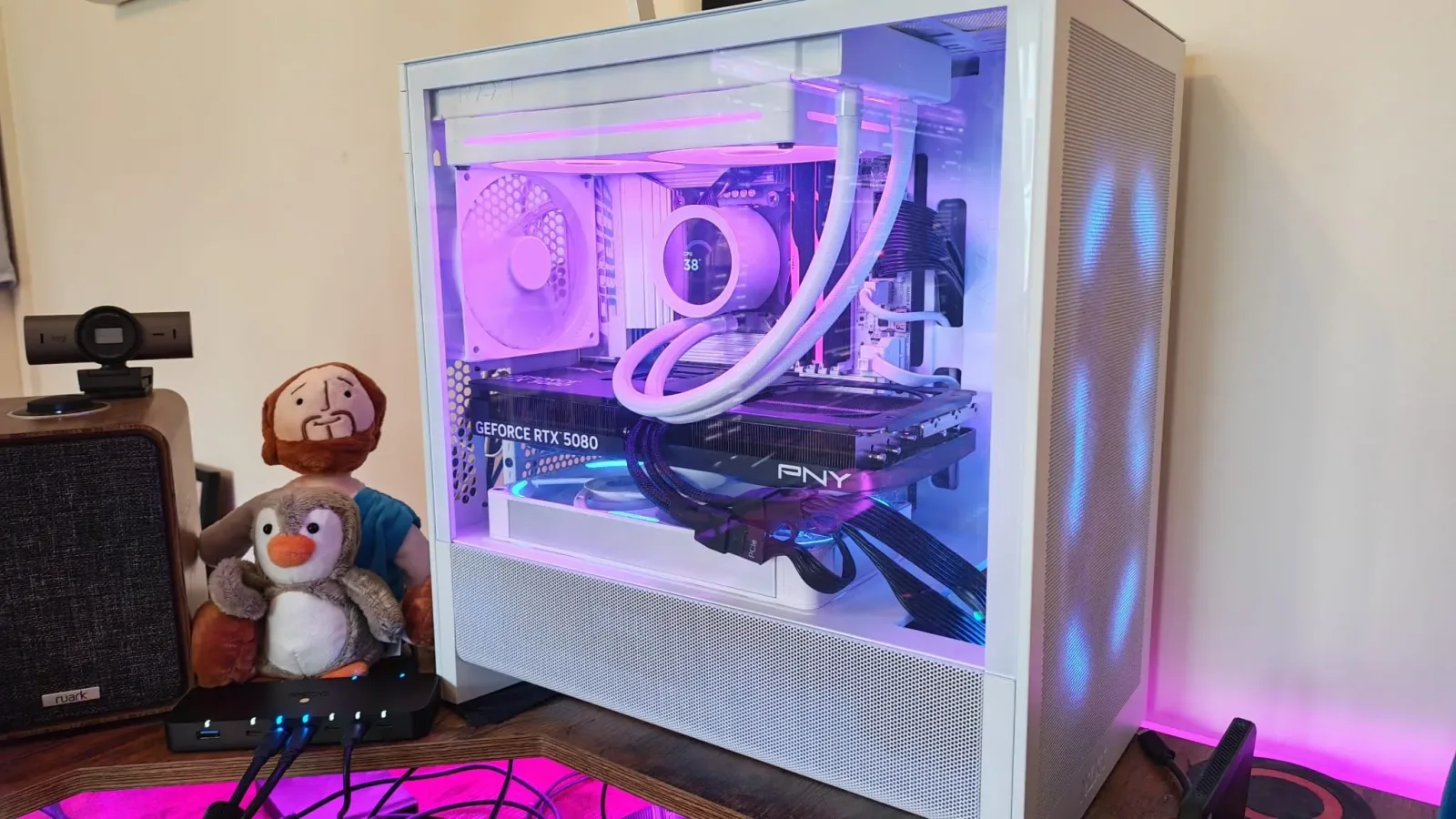
Few things are more alarming after rebuilding a gaming PC than seeing it repeatedly crash, refuse to boot cleanly, or lose BIOS settings whenever the usual collection of USB hardware is connected. Those symptoms point immediately toward the nightmare scenarios: a motherboard installed incorrectly, a bad standoff touching the board, an errant screw, a defective component, or damage from a power issue.
In one particularly unusual case, however, the apparent motherboard fault was traced not to the physical PC rebuild but to a highly specific interaction between a desktop motherboard and the RodeCaster Duo audio production interface. The eventual workaround was surprisingly straightforward: connect the audio device through a sufficiently fast external USB hub rather than directly to the PC.
It is a useful reminder for PC gamers, streamers, and creators with unusually crowded desk setups. USB is normally treated as a simple plug-and-play standard, but devices that transfer substantial data, draw power, provide power, or maintain multiple connections can create edge cases that are much harder to diagnose than a typical peripheral problem.
The symptoms looked like a botched motherboard installation
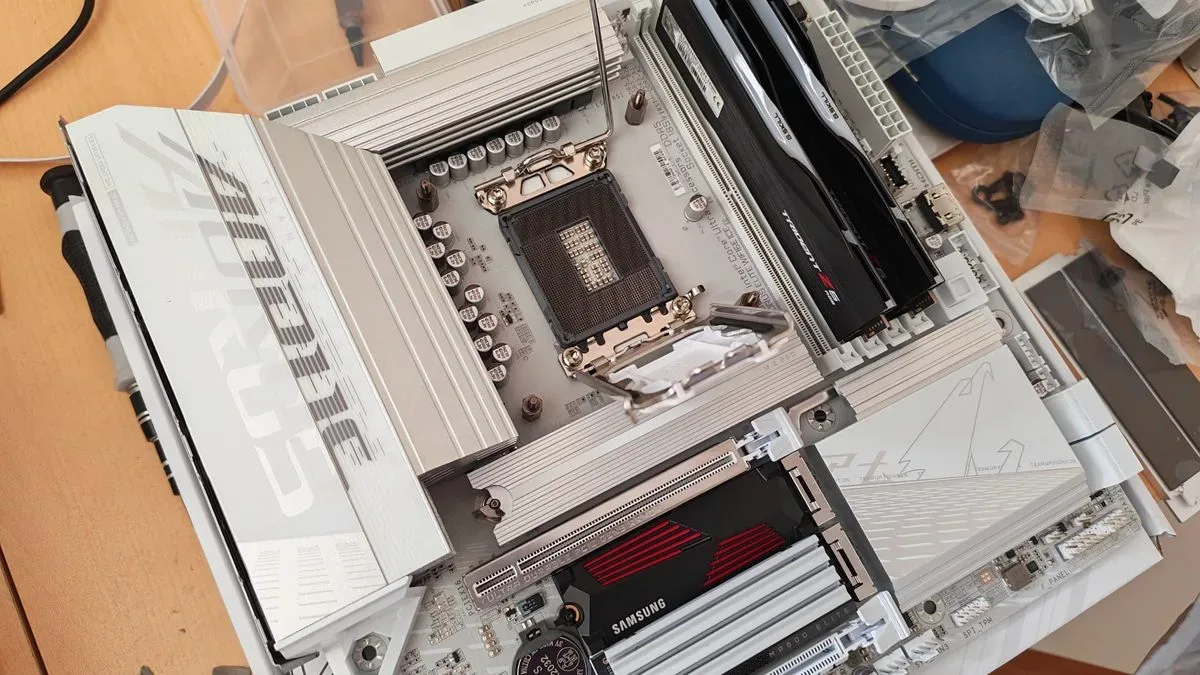
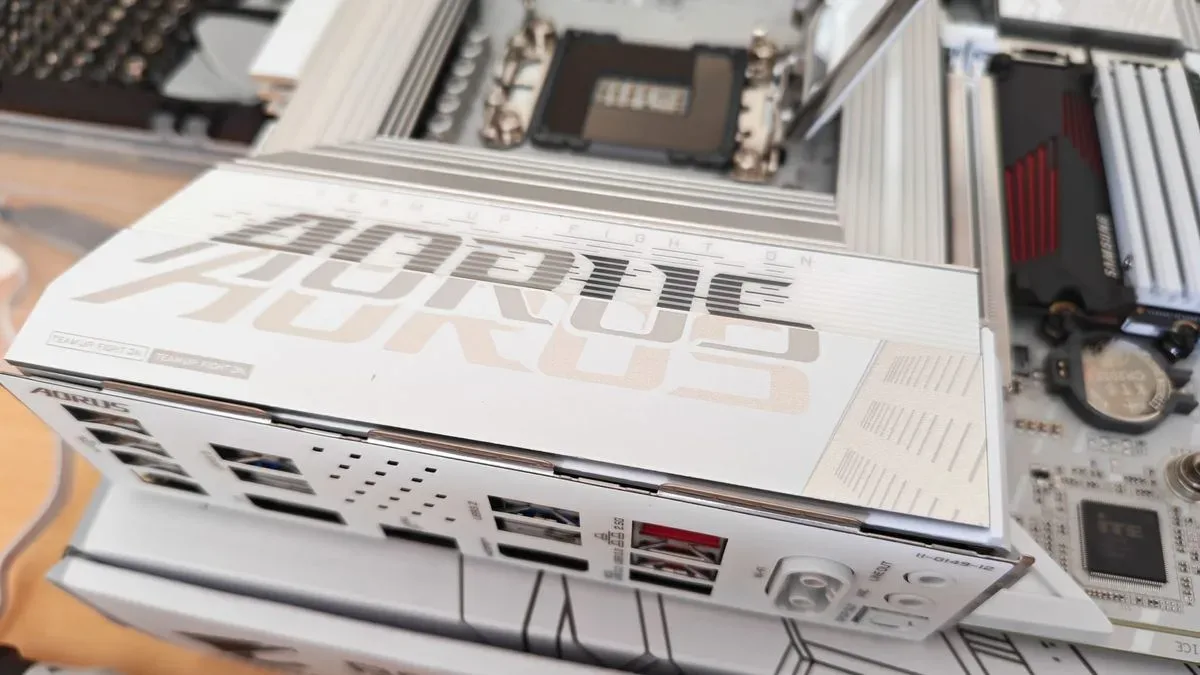
The PC had been rebuilt at the beginning of summer to move on from an ITX motherboard limited to Intel Raptor Lake processors. The replacement was a white, micro-ATX Gigabyte B860M AORUS Elite WIFI6E ICE model intended for Intel Core Ultra processors, DDR5 memory, and Gen 5 SSD support. Its compact board size suited the existing case, while features such as tool-free M.2 catches, diagnostic indicators, RGB customization, and the board's overall layout made it an attractive upgrade.
For useful background on this topic, read Death at Fleming Manor Brings Forensic Detective Work to Steam.
Once the system was assembled, though, a serious issue emerged whenever the full USB setup was attached. This was not merely a mouse or keyboard problem. The connected hardware included a mouse, keyboard, controllers, a Stream Deck+, and the RodeCaster Duo, which was connected twice over USB to make use of its separate audio-channel functionality.
With everything attached, the PC could crash, fall into a boot loop, or clear CMOS settings and reset BIOS configuration. Those failures naturally sent troubleshooting toward the rebuild itself. A misplaced screw or wrongly positioned motherboard standoff can create a short against the case, and a faulty board is always possible. When the machine behaves as though it has a hardware-level electrical problem, checking the physical installation is the rational first move.
But the pattern eventually suggested something more complicated. The issue appeared tied to USB connections, and specifically to the RodeCaster Duo's behavior. The interface had worked without trouble with an older and less capable motherboard, making the situation even more confusing. The same device was now implicated in a system-wide failure that looked far more severe than a peripheral compatibility quirk.
Why the RodeCaster Duo can be an unusual USB device
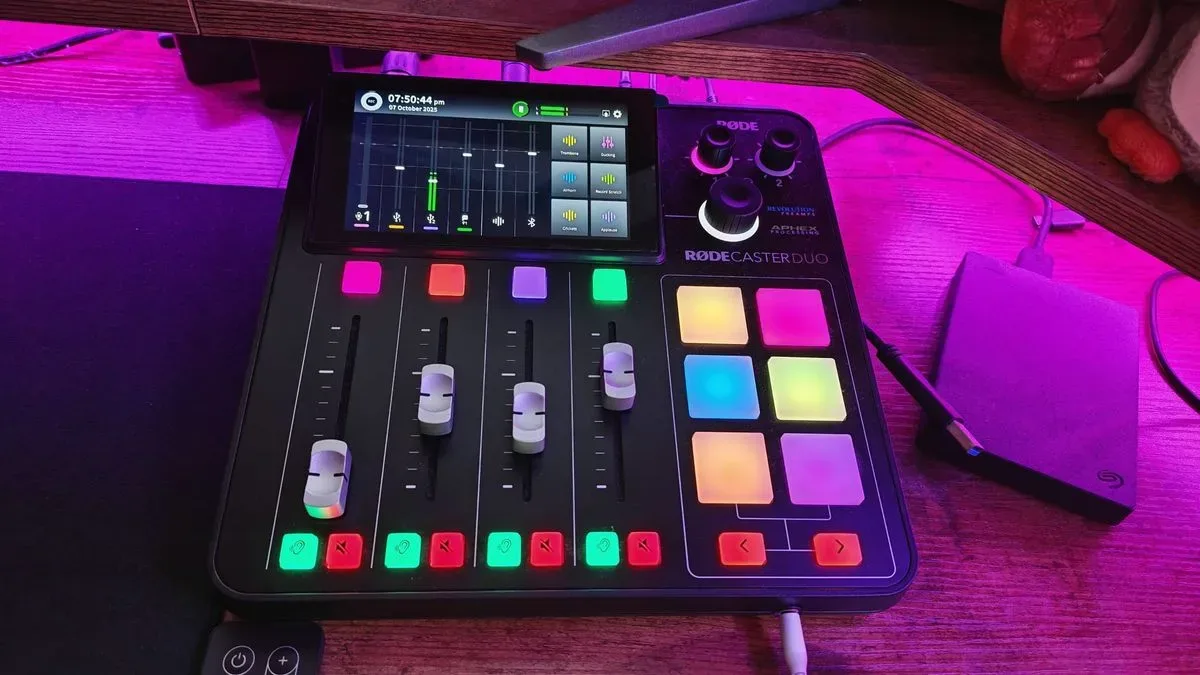
The RodeCaster Duo is designed as more than a basic USB microphone or conventional audio interface. Its dual USB connectivity can be used to split audio sources and route them to separate faders, a useful capability for recording, streaming, and other creator workflows. One of its USB connections also has an uncommon bidirectional power role.
That USB-C path can supply power to an external accessory, such as a USB microphone or storage device, while the RodeCaster Duo can also operate as a connected data device. In practical terms, it can both send and receive power depending on what is connected and how the device-detection process proceeds.
Rode support explained that the interface negotiates over USB when it is connected to establish what sits at the other end of the cable. Part of that process involves sending a 5V power output in case an attached external device needs power. Certain motherboards may struggle with that negotiation, potentially resulting in boot failures, unexpected shutdowns, or other components drawing power through the USB connection.
"When plugged into a USB port, the interface will negotiate over USB in order to ascertain what it is connected to. This process includes sending 5V power output with a view to powering up an external device if one is connected."
That explanation turns a baffling PC-wide problem into a narrowly defined compatibility conflict. The motherboard and audio interface were not necessarily defective. Instead, they could not reliably settle the question of how power should be handled across that particular USB connection.
It is important not to generalize too aggressively from one unusual setup. The RodeCaster Duo has a specialized feature set, and the conditions described here involve a particular motherboard, a dual-USB interface configuration, and a broader assortment of connected equipment. Most USB devices will never create this sort of behavior, and most users of either product are unlikely to encounter it. Still, the consequences were disruptive enough that the discovery is worth understanding.
Temporary workarounds made the problem manageable, not solved
Before the cause was identified, avoiding the fault required a cumbersome shutdown routine. Residual power had to be cleared from the motherboard after the system was shut down. That meant switching off the PSU, holding the PC's power button, and waiting for internal lighting to briefly come back on before going dark.
The shutdown order also mattered. Powering down the RodeCaster Duo before the computer reduced the chances of an awkward power cycle persisting into the next boot. Conversely, turning on the audio interface before powering up the PC appeared to make the fault less likely. These kinds of rituals can sometimes help isolate a hardware issue, but they are obviously not an acceptable long-term solution for a desktop used for regular work, gaming, or content creation.
The RodeCaster Duo later developed a separate boot issue, becoming stuck near the end of its startup loading bar. After several reset and troubleshooting attempts, leaving it entirely unplugged for 24 hours restored normal operation. That issue may be distinct from the motherboard interaction, but the timing understandably made the larger diagnosis feel even more urgent.
A high-speed USB hub acted as the intermediary
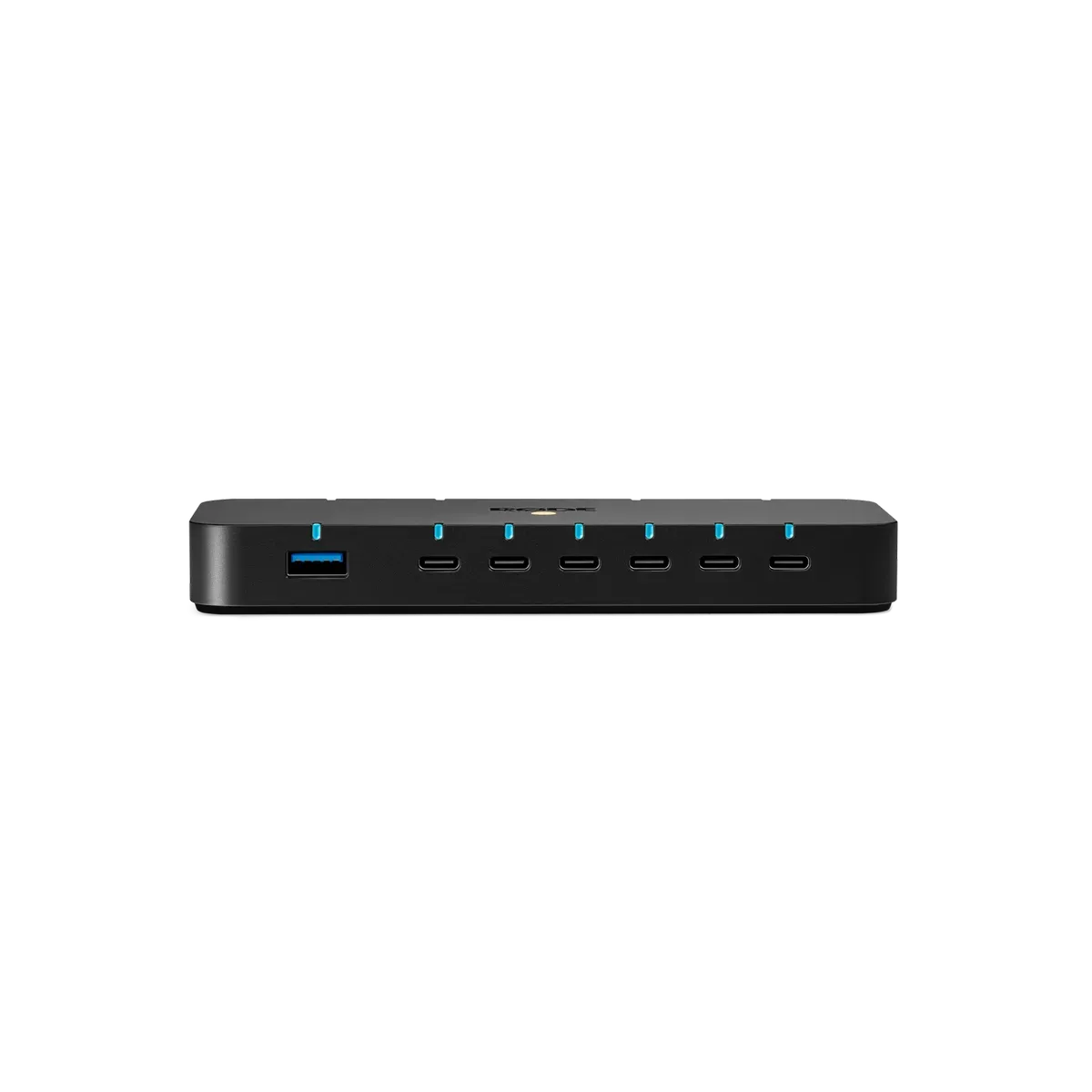
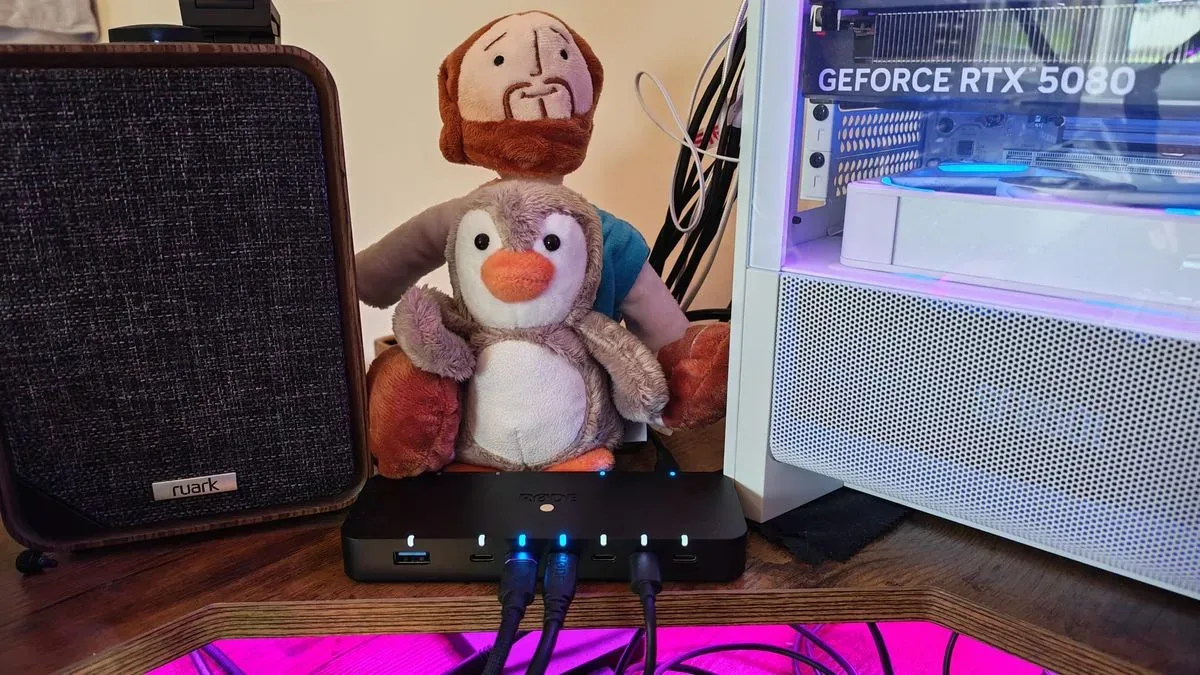
The recommended workaround from Rode support was to place an external USB hub between the PC and the audio interface. At first glance, adding another device into an already troublesome signal path may seem counterintuitive. It can also be risky for advanced audio hardware if the hub does not offer the bandwidth needed for its connection mode.
In this case, speed mattered. The RodeCaster Duo had previously shown sensitivity when its USB-C cables were connected to ports that did not meet the appropriate speed requirements. The solution therefore was not simply any inexpensive expansion hub pulled from a drawer. It needed to be a hub capable of handling the device correctly.
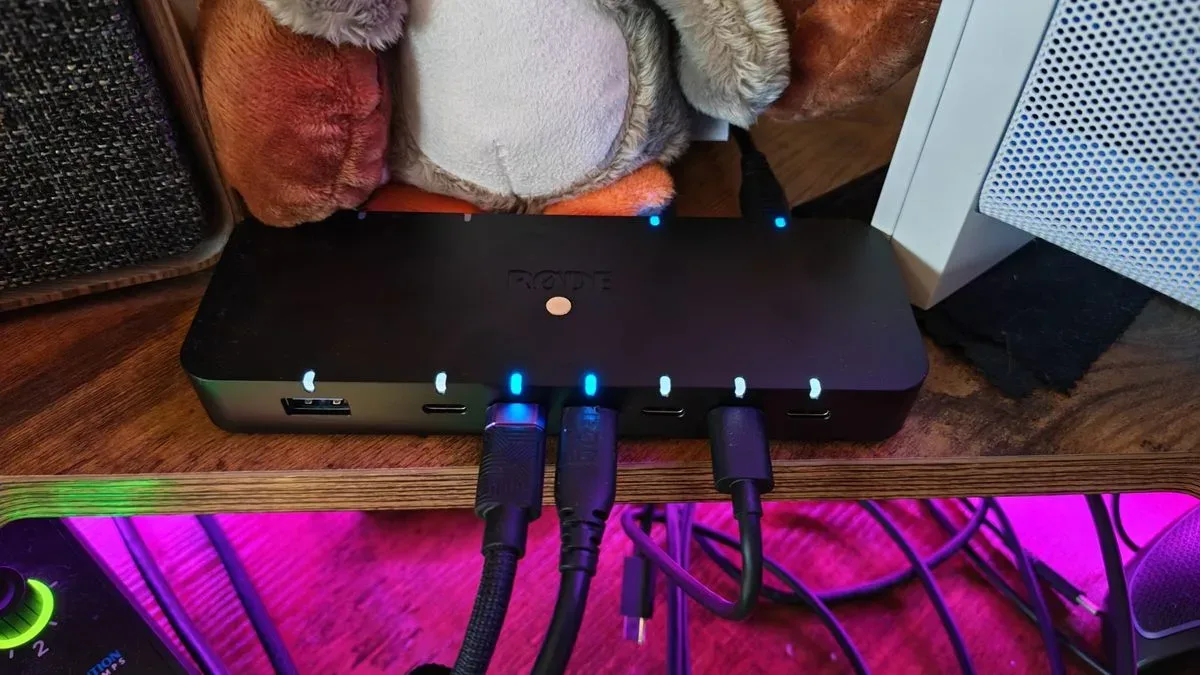
Testing with Rode's own high-speed USB hub resolved the PC's failures when both USB-C connections from the RodeCaster Duo were routed through it. The hub effectively separated the audio interface's 5V output behavior from the motherboard's detection process. With that intermediary in place, the previous crashes, looping boots, and BIOS resets no longer occurred.
The specific hub used is a premium model priced at $149/£149, and that is difficult to justify if the only goal is adding a few USB ports. There may be less expensive hubs with comparable transfer specifications. However, the tested model has practical appeal for creator desks: it has a weighty chassis that is less likely to shift when thick cables pull against it, and it includes mounting options that can help keep a production setup organized.
What gamers and creators should take from this
This is not an argument that every unexplained PC crash is caused by USB power negotiation. Far from it. A new build that will not start correctly should still be inspected carefully for common physical causes. Check motherboard standoffs, loose screws, CPU power cables, memory seating, graphics card connections, front-panel wiring, and the possibility of an actual defective part. If there are signs of electrical damage, burning smells, or visible component damage, stop powering the machine and seek qualified assistance.
But USB should be part of the troubleshooting list, particularly for users with capture hardware, audio interfaces, docks, charging-capable accessories, external storage, VR hardware, RGB controllers, and multiple high-bandwidth devices. An effective test is to boot with nonessential USB equipment disconnected, then reconnect devices one at a time. If the problem only returns with a certain peripheral or cable arrangement, the PC rebuild itself may not be at fault.
- Disconnect all nonessential USB hardware and test for stable booting.
- Reconnect peripherals individually rather than all at once.
- Try alternate motherboard USB ports, while observing each port's speed and power capabilities.
- For advanced USB-C devices, consult the manufacturer's documentation on supported port types and cable requirements.
- Consider a quality powered or high-speed hub when a device needs isolation or more reliable connectivity.
- Record unusual power-on and shutdown behavior, including whether device order changes the outcome.
- Contact the peripheral manufacturer before assuming a motherboard must be replaced.
The biggest lesson is diagnostic patience. A PC that seems to be shorting after a motherboard replacement can create instant panic, especially when BIOS settings disappear and boot loops begin. Yet even severe-looking symptoms can arise from a rare compatibility issue at the edge of the USB specification and a device's specialized power features.
For the small group of RodeCaster Duo owners who run dual USB connections into a desktop PC, a capable external hub may be more than a convenience accessory. In the right circumstances, it can be the missing layer that keeps a sophisticated audio workflow from destabilizing the entire machine.
Community
Discussion
Start the conversation.
No comments have been posted yet.