

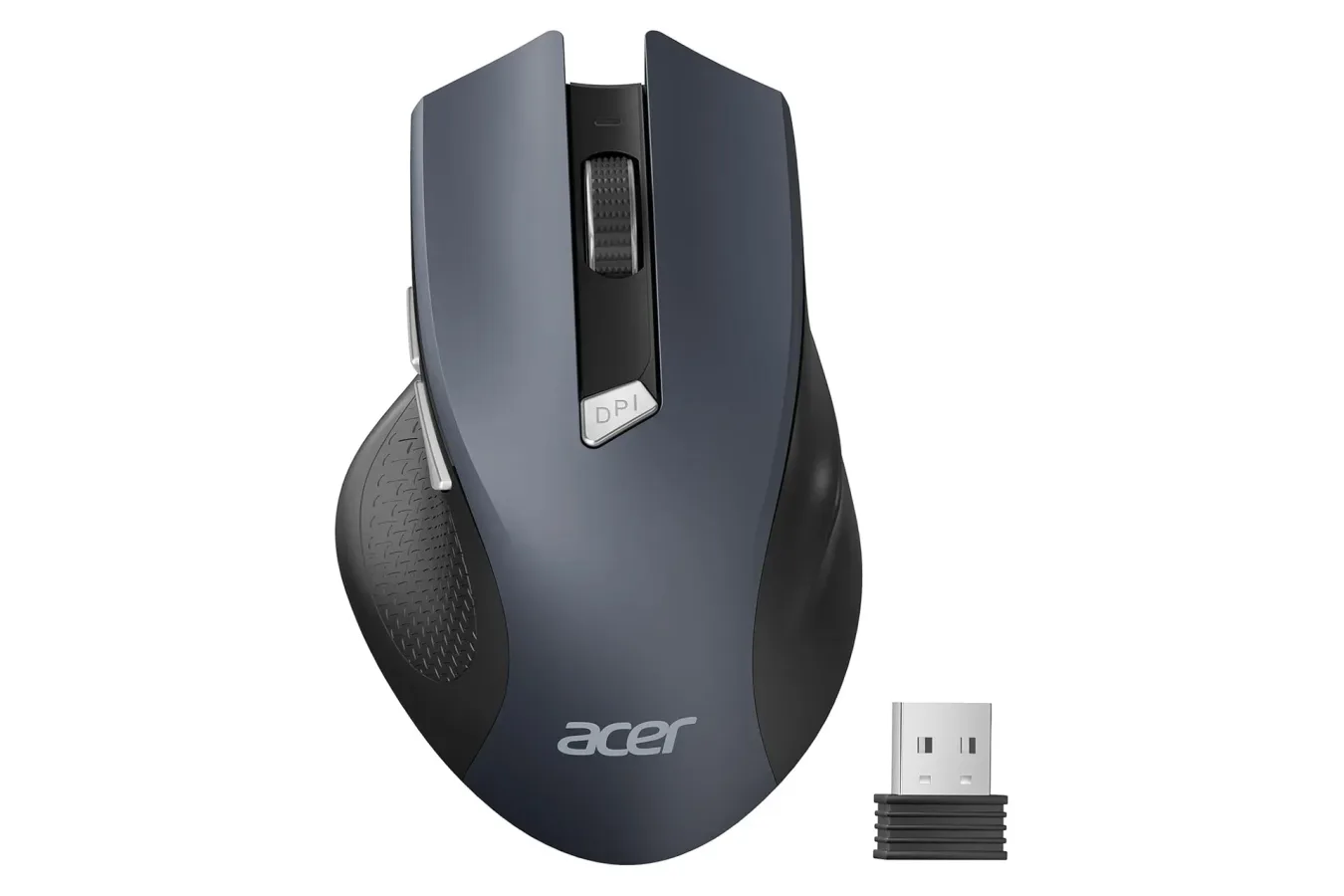
PC gaming setups can become expensive quickly, especially once a build moves beyond the tower itself. A monitor, keyboard, headset, controller, desk mat, speakers, webcam, and mouse can add a surprising amount to the final total. While premium peripherals can offer specialized sensors, extensive customization software, lightweight shells, and extra buttons, plenty of players and everyday PC users simply need a reliable way to navigate a desktop, manage schoolwork, browse the web, or control a computer connected to a television.
For those shoppers, an Acer wireless mouse is currently available for $10 for a limited time. The discount applies to the black color option only. Its regular listed price is $12, making this a 17% reduction rather than a massive price collapse, but it puts a functional full-size wireless mouse into near impulse-buy territory. Other available colors are listed at $15, so buyers who prefer a brighter look will need to decide whether the extra $5 is worth it.
This is not positioned as a feature-packed competitive gaming mouse, and it should not be mistaken for one. Instead, it is a basic plug-and-play accessory intended for home, office, and school use. That modest goal is part of the appeal: users who do not require high-end hardware may find that the essentials are enough, particularly at a $10 price point.
A simple option for everyday PC use
The Acer wireless mouse uses a 2.4GHz wireless connection and includes a USB-A receiver. Setup is designed to be uncomplicated. Plug the receiver into a compatible laptop or desktop computer, and the mouse is meant to work without requiring a separate driver installation process. For people setting up a family PC, a school laptop, or a workstation where they would rather avoid extra software, that simplicity can be useful.
For useful background on this topic, read GTA 6's Miami Marketing Push Grows With Vice City Sports Events, Stadium Ads and a Blimp.
The mouse runs on AAA batteries, rather than relying on a rechargeable internal battery. That means users will need to keep spare batteries nearby, but it also means there is no charging cable to connect when power runs low. For an inexpensive mouse that might be used occasionally, stored as a backup, or kept with a travel setup, replaceable batteries can be a practical trade-off.
Acer says the mouse has been engineered for a lifespan of up to 10 million clicks. As with any durability claim, real-world results can vary depending on usage patterns, handling, and the environment in which the peripheral is used. Still, the stated figure suggests the mouse is intended to withstand far more than short-term emergency duty. At this price, it could serve as a replacement for an aging office mouse, a secondary device for a laptop bag, or a no-frills living-room PC controller.
Wireless range could suit a TV-connected computer
The listed wireless range reaches up to 32 feet, with the connection intended to remain interference-free within that distance. The practical result will depend on obstacles, nearby wireless devices, receiver placement, and the room itself, but the range gives the mouse some flexibility beyond a conventional desk setup.
That is especially relevant for a PC connected to a living-room TV. A user sitting on a couch may want to open a launcher, select a video, adjust a setting, or browse a storefront without getting up. A wireless mouse is not a replacement for a controller in every game, of course, but it can be helpful for desktop navigation and games designed around pointer input. The 32-foot specification suggests that Acer's model could comfortably fit this kind of use case when the receiver has a clear enough connection to the seating area.
For standard desktop use, the absence of a cable can also make a workspace feel less cluttered. Users who are tired of dragging a mouse cord around a laptop stand or across a small desk may appreciate the convenience, even if this is not a premium peripheral. The included receiver does occupy a USB-A port, so owners of machines with only USB-C ports will need an appropriate adapter or dock.
Three DPI levels and additional navigation buttons
The Acer mouse includes three adjustable DPI settings: 800, 1200, and 1600 DPI. DPI, or dots per inch, is commonly used to describe how far the on-screen pointer moves in response to physical mouse movement. Lower settings generally favor slower, more controlled cursor movement, while higher settings move the pointer farther with the same hand motion.
At 800 DPI, the mouse may feel more deliberate and can be useful for detail-oriented tasks such as selecting small interface elements or working across a compact display. The 1200 DPI setting provides a middle ground for routine browsing and productivity. At 1600 DPI, users may be able to move across a larger monitor more quickly. These settings are changed through a DPI button located on the mouse itself, allowing users to cycle between them without opening a software utility.
For gaming, the available sensitivity range is modest compared with specialized models aimed at competitive play. Players who need extremely high DPI options, custom polling-rate controls, programmable macros, ultra-lightweight construction, or dedicated configuration software will likely want to spend more. However, casual games, slower-paced strategy titles, point-and-click adventures, and general computer use do not necessarily demand those higher-end features. The ability to change sensitivity on the fly remains a welcome inclusion at this level.
There are also two buttons on the left side where a right-handed user's thumb rests. They are set up as forward and back controls for browser navigation. That makes it easier to move between pages without shifting to on-screen controls, and the buttons may also prove convenient when moving through files or folders. They are not presented as fully programmable gaming inputs, but their inclusion adds a bit more functionality than a basic two-button-and-scroll-wheel design.
Fit, colors, and the key deal limitation
Acer describes the mouse as being designed for medium to large hands, with an emphasis on comfortable all-day use. Hand size and grip preference are personal, so prospective buyers with smaller hands or a preference for compact travel mice should keep that in mind. Ergonomics can matter more than a feature list during extended use, whether the task is remote work, study, browsing, or a lengthy gaming session.
The mouse is available in several colors: black, green, grey, red, blue, dark, and purple. However, the $10 deal is specifically restricted to black. The other colors are listed at $15. That distinction is important because product pages with multiple color variants can make it easy to assume every option has the same price. Shoppers who are focused on the discount should confirm that black remains selected before checking out.
At $15, the alternative shades are still relatively inexpensive, and color preference can be a meaningful factor for a desk setup. A green, red, blue, or purple accessory may fit a themed battlestation better than a plain black mouse. But when the core hardware is otherwise the same, the black option is clearly the value pick while the temporary $10 pricing remains available.
Who should consider this Acer mouse?
This deal makes the most sense for users seeking a low-cost, uncomplicated peripheral rather than a major gaming upgrade. It is a sensible option for someone who needs a spare mouse after an older one fails, wants a wireless device for a laptop, or needs an easy navigation tool for a desktop PC attached to a TV. The plug-and-play USB-A receiver, adjustable 800/1200/1600 DPI levels, side navigation buttons, and claimed 10-million-click durability cover the fundamentals without inflating the price.
- Good fit: home office users, students, casual PC players, living-room PC owners, and anyone in need of a backup mouse.
- Less ideal: competitive players looking for advanced sensors, deep button remapping, very light construction, or high-end customization.
- Important check: the $10 price is for the black version and is described as limited-time pricing.
There is no need for every PC accessory purchase to become a premium investment. The Acer wireless mouse does not promise cutting-edge competitive performance, but it does offer a conventional wireless connection, simple setup, selectable sensitivity, and a few practical extras at a very low cost. For shoppers comfortable with the black finish and AAA battery operation, the current $10 price makes it an affordable way to cover a basic PC input need before the limited discount ends.
Community
Discussion
Start the conversation.
No comments have been posted yet.