

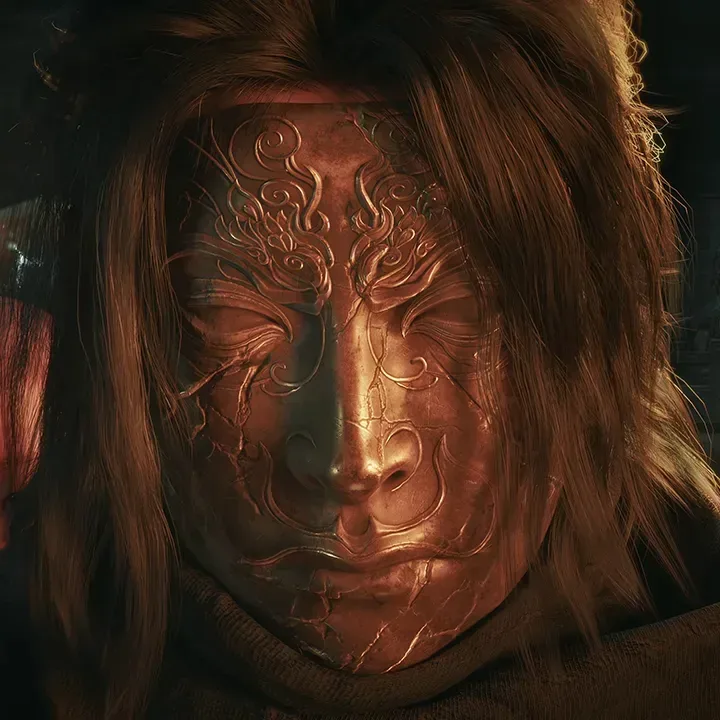
Phantom Blade Zero has arrived with a substantial day-one update that players are being urged to install before beginning the game. The patch addresses a range of bugs while focusing heavily on visual performance across PC and PlayStation 5, particularly in the game's ray-traced and path-traced lighting modes.
The update is approximately 5 GB on PC. On PS5, it is roughly 2 GB and appears as version 1.301.524. Players who pre-loaded the game will need to download the patch separately before launching. Anyone downloading the game for the first time should receive the updated build automatically.
It is an important opening-day update for a visually ambitious action game, and it arrives as Phantom Blade Zero has quickly climbed Steam's most-played rankings. S-Game says the work is not limited to high-end visual settings, either: the studio has also spent time improving the rasterized presentation used when ray tracing is switched off.
What Phantom Blade Zero's launch patch changes
The central aim of the update is improved performance for both ray tracing and path tracing. These rendering features can produce more convincing light, reflections, shadows, and environmental depth, but they are also among the most demanding options available in modern PC and console games.
For useful background on this topic, read Final Fantasy 14's Keyboard Brawler Is Off to a Chaotic Start With Difficult Words and Cheating Concerns.
By refining those modes at launch, S-Game is attempting to make Phantom Blade Zero's dramatic real-time lighting look better while running more efficiently. For players with capable hardware, that could mean smoother performance in visually dense locations without having to give up the atmosphere created by the game's shadows and lighting effects.
Just as notably, the patch improves rasterized visuals. Rasterization is the conventional method games use to turn three-dimensional scenes into the images displayed in real time. It remains the standard rendering approach for many systems because it is substantially less demanding than full ray tracing or path tracing.
S-Game's stated goal is to retain the intended visual identity of each environment even when advanced lighting options are disabled. That matters for a game whose presentation leans strongly on stylized martial-arts action, moody scenery, and carefully composed combat spaces. Players on mid-range systems should not have to feel that choosing more practical graphics settings means losing the look that defines the game.
Bug fixes accompany the performance work
Alongside the rendering improvements, the day-one update contains multiple bug fixes. S-Game has not provided a complete public breakdown of every issue addressed in the information available so far, so players should avoid assuming a particular quest, boss, interface, or controller problem has been corrected unless they can confirm it after installing the patch.
Still, launch-day fixes can be especially valuable in a fast-paced action title. Phantom Blade Zero places major emphasis on responsive combat and demanding encounters, which means technical disruptions can have an outsized effect on the experience. A bug that interrupts input responsiveness, visual feedback, progression, or a difficult fight can be far more frustrating than it would be in a slower-paced game.
The recommended approach is straightforward: install the update in full, then start playing. Those who already pre-loaded should check that their client has completed the additional download rather than assuming the pre-load itself contains the final launch version.
Nvidia driver 621.01 has a specific warning
PC players using Nvidia graphics cards should pay especially close attention to S-Game's driver guidance. The developer says it identified unstable performance behavior with Nvidia's latest driver, version 621.01, while testing Phantom Blade Zero.
For the best current experience, the studio recommends reverting to Nvidia driver 617.42. Players who have installed any driver later than 617.42 are advised to roll back to that version and select the clean installation option during the process.
A clean installation generally removes existing Nvidia driver components and settings before applying the selected version. That can help avoid conflicts caused by remnants of newer installations, although it can also reset certain driver-level preferences. Anyone using custom Nvidia Control Panel settings, display profiles, or game-specific settings may want to note those down before making the change.
S-Game's advice is temporary rather than a blanket condemnation of all newer Nvidia drivers. The developer expects Nvidia to issue another driver update soon and has asked players to remain on 617.42 until that happens. As with any GPU driver rollback, users should consider how the change may affect other games or applications they regularly use.
S-Game says Phantom Blade Zero performs best at present with Nvidia driver 617.42 after observing instability on version 621.01.
Players who are not encountering major problems may still prefer to test their current configuration after installing the game patch. However, anyone seeing inconsistent frame times, unusual stuttering, crashes, or other performance fluctuations on an Nvidia system has a clear troubleshooting step available: move back to 617.42 and use a clean installation.
Mid-range PCs and handheld testing are encouraging signs
Although much of the patch discussion centers on advanced lighting technology, S-Game says it has extensively tested Phantom Blade Zero on mid-range and lower-end PCs as well as handheld hardware. That testing is significant because the game's high-fidelity combat and cinematic art direction could easily lead players to assume it is best reserved for powerful desktop rigs.
The studio is encouraging users on more modest systems to try the game, with the improved rasterized mode serving as a key part of that message. Disabling ray tracing is often the most meaningful setting change for improving performance, and the developer's effort to preserve the visual style without it should make that compromise more appealing.
Handheld users have reason for cautious optimism, too. Phantom Blade Zero has not yet received Valve's Steam Deck Verified status, so buyers should not treat handheld support as a formal Steam Deck compatibility guarantee. Nevertheless, S-Game says handheld devices have been extensively tested. That suggests the team has considered the performance limits and control needs of portable PC hardware during development.
There is a meaningful distinction between testing and verification. Valve's verification program examines whether a game meets a particular set of Steam Deck requirements, including interface legibility, controller support, launcher behavior, and performance expectations. Until Phantom Blade Zero has an official designation, users should expect that settings adjustments may be necessary and that results can vary among different handheld devices.
A practical setup checklist before entering the Phantom World
For players preparing to jump in, the launch guidance can be reduced to a few useful steps:
- Install the day-one patch before starting the game, especially if it was pre-loaded.
- Check the download size: the update is about 5 GB on PC and 2 GB on PS5.
- On PS5, look for version 1.301.524 to confirm the update is present.
- On Nvidia PC systems, watch for instability with driver 621.01.
- If problems occur, roll back to Nvidia 617.42 and use the clean-install option recommended by S-Game.
- Adjust ray tracing settings to suit the hardware; the revised rasterized visuals are intended to maintain the art direction when those features are disabled.
- For handheld play, begin with conservative settings and remember that Steam Deck verification has not yet been issued.
A polished start will matter for Phantom Blade Zero
Phantom Blade Zero enters launch with considerable attention around its combat, boss encounters, and unmistakably stylish presentation. Its protagonist performance has also been a point of discussion, with Roger Craig Smith taking the lead role for the final release after the game's original protagonist actor was replaced.
For S-Game, the immediate priority is ensuring that the technical foundation supports that momentum. The day-one patch is built around exactly the areas players notice first in a visually demanding action game: image quality, frame consistency, stability, and whether the game still looks striking on hardware that cannot comfortably run every premium graphics feature.
The Nvidia advisory is the one caveat PC users should not overlook. Driver problems can be difficult to diagnose because they may resemble ordinary game optimization issues, but the developer has provided an unusually direct workaround in naming both the problematic version and the recommended rollback target.
With the launch patch installed and the appropriate settings selected, Phantom Blade Zero players on PC, PS5, and tested handheld hardware should be in a better position to experience the game as intended. For Nvidia users affected by instability, keeping an eye on the next driver release will be the next important step.
Community
Discussion
Start the conversation.
No comments have been posted yet.