

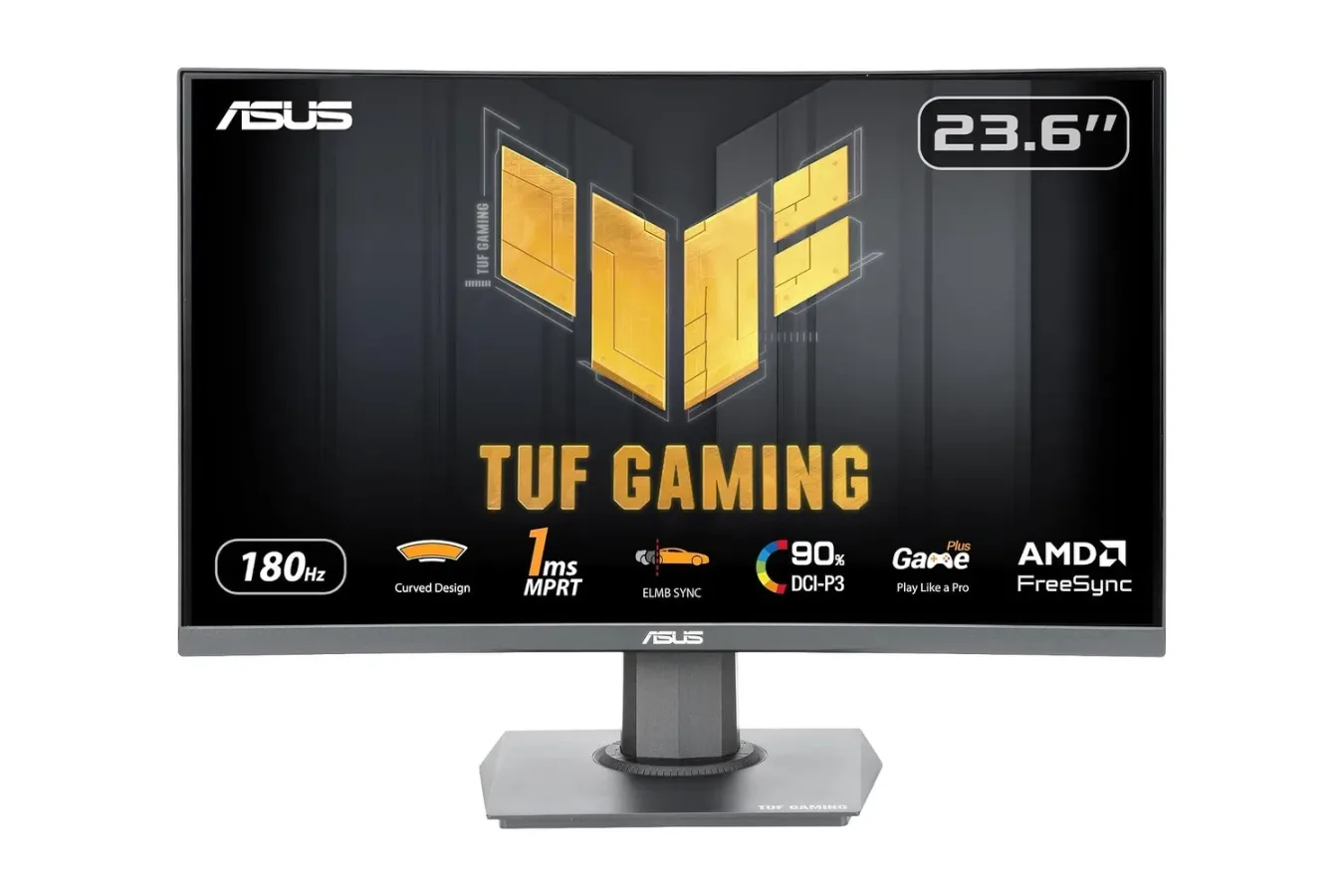
Gamers shopping for a low-cost upgrade from a conventional 60Hz display have a new monitor deal to consider. The ASUS TUF Gaming VG24VQER, a curved 23.6-inch Full HD gaming monitor with a 180Hz refresh rate, is currently listed at $99. The price is down from $129, a reduction of $30 or roughly 23%.
That price positions the monitor squarely in the entry-level gaming-display market, but its specification sheet reaches beyond the basics. ASUS pairs a 1920 x 1080 resolution with a VA panel, a 1500R curve, AMD FreeSync support, a quoted 1ms MPRT response time, and its Extreme Low Motion Blur Sync feature. It also has connections suited to a desk shared by a PC and consoles: two HDMI 2.0 ports, one DisplayPort 1.2 port, and a headphone jack.
For players whose current screen is limited to 60Hz or 75Hz, the appeal is easy to understand. A display capable of refreshing at 180Hz can show substantially more updates per second when the system and game can deliver the necessary frame rate. That does not automatically make every title run faster, but it can make supported fast-paced games feel more immediate and visually continuous than they do on a lower-refresh screen.
What the ASUS TUF VG24VQER offers
The VG24VQER is marketed as a 24-inch-class monitor, though its viewable screen size is 23.6 inches. It uses a Full HD 1080p resolution. At this size, 1080p remains a practical fit for competitive games and modest gaming hardware: it is less demanding to drive than 1440p or 4K, making high frame rates more attainable on a wider range of PCs.
For useful background on this topic, read Steam Users Report 'Loading User Data' Loop as Store and Launcher Problems Spread.
The headline specification is the 180Hz refresh rate. In games such as shooters, racers, sports titles, and other genres where rapid camera movement and quick reactions matter, higher refresh can improve the sense of motion while reducing the interval between visible frames. The benefit is strongest when frame rates are high and stable, but desktop use can also feel smoother when navigating windows and scrolling through pages.
ASUS quotes a 1ms MPRT, or Moving Picture Response Time. This measurement is intended to describe motion clarity rather than the pixel-transition figure commonly advertised as gray-to-gray response time. In practical terms, the feature set is designed to limit the appearance of blur and ghost trails during fast action. As with any monitor specification, visible results can depend on game settings, refresh rate, and the selected display mode.
The panel is curved at 1500R. On a compact 23.6-inch screen, the curve is not about recreating an ultrawide-style wraparound setup. Instead, it brings the outer edges slightly closer to the viewer's natural viewing distance. Some players prefer this presentation for single-screen gaming, particularly in first-person and driving games, while others may still favor a flat panel for productivity or color-sensitive work. It is ultimately a preference-driven feature, but it is notable at this price point.
FreeSync and ELMB Sync target smoother motion
The monitor supports AMD FreeSync over both HDMI and DisplayPort. Variable refresh rate technology is meant to keep the display refresh in step with a compatible system's output, reducing visible tearing and helping avoid the uneven motion that can occur when frame delivery fluctuates. That makes the monitor potentially useful for a gaming PC as well as compatible console setups using its HDMI inputs.
ASUS also includes ELMB Sync, short for Extreme Low Motion Blur Sync. The company says this mode allows ELMB and FreeSync to be used together, with the goal of maintaining sharper moving images without giving up tear-reduction technology. This is a meaningful inclusion because motion-blur reduction modes and adaptive-sync modes do not always operate simultaneously on budget displays.
Buyers should still treat display modes as settings worth testing rather than one-button solutions. Motion-clarity options can change brightness and the subjective look of a game, while variable refresh behavior depends on the connected hardware and software. The advantage here is flexibility: players can experiment with FreeSync, ELMB Sync, refresh limits, and in-game settings to find the combination that looks best to them.
VA contrast, expanded color, and Shadow Boost
The VG24VQER uses a VA panel with a stated 3000:1 contrast ratio. VA technology is often chosen for deeper blacks and stronger contrast than many entry-level IPS alternatives, though each panel type comes with tradeoffs. For games that spend time in dim environments, the ability to render darker scenes with more separation can be especially welcome.
ASUS rates the display for 90% coverage of the DCI-P3 color gamut. That figure suggests a more vivid presentation than the narrow color ranges associated with older office-oriented displays. It is not, by itself, a guarantee of professional color accuracy, and the monitor is clearly intended first for gaming. Still, broader color coverage can help environments, effects, and stylized art stand out more strongly.
There is also an ASUS Shadow Boost setting, which lifts visibility in darker image areas without broadly brightening the rest of the screen. In a competitive multiplayer game, this can make it easier to distinguish details in poorly lit corners, interiors, or night maps. Its usefulness will vary by title and player preference, since excessive shadow lifting can change a game's intended atmosphere. For people who value visibility over cinematic darkness, however, it is a practical tool to have available.
Ports and setup flexibility for a shared gaming desk
Connectivity is another area where the monitor has a sensible budget-gaming layout. The two HDMI 2.0 ports allow more than one HDMI device to remain connected, while the DisplayPort 1.2 input provides a standard PC connection. A player could, for example, keep a desktop connected through DisplayPort and use the HDMI ports for consoles or another computer without continually swapping cables.
The included headphone jack can be useful when a headset is more conveniently connected at the monitor than at a distant console or PC. The display also supports FreeSync through either HDMI or DisplayPort, which broadens connection options for users planning around variable refresh capabilities.
For physical positioning, the stand supports tilt from -5 degrees to 23 degrees. That is a more limited adjustment range than a fully ergonomic stand with height, swivel, and pivot controls, so desk height and seating position remain important considerations. However, the monitor includes 100 x 100mm VESA mounting support. A compatible wall mount or monitor arm can add the flexibility missing from the bundled stand and may be particularly useful in multi-monitor configurations.
Extras aimed at longer sessions and competitive play
ASUS includes its Eye Care Plus suite, featuring flicker-free technology and low-blue-light filtering. These features are designed to make extended viewing more comfortable, though they are not substitutes for sensible breaks, good room lighting, and an appropriately positioned display. Users who play for long sessions may appreciate having multiple ways to adjust the screen's presentation.
The monitor also carries GamePlus overlays, including options such as crosshairs and timers. These on-screen tools are aimed at players who want quick visual aids without relying on game-specific interfaces. Settings can be adjusted through ASUS's DisplayWidget Center software using a mouse, which may be more convenient than navigating physical monitor controls for users who frequently change profiles or image settings.
ASUS backs the VG24VQER with a three-year warranty. For a display that may become a central part of a gaming setup, warranty coverage is worth factoring into the overall value rather than focusing solely on the headline price.
Who should consider the $99 monitor deal?
At $99, the TUF Gaming VG24VQER makes the most sense for players prioritizing speed, contrast, and affordability over resolution or screen size. It is a particularly straightforward upgrade for anyone still playing on a 60Hz monitor, as long as their PC can produce higher frame rates in the games they play. Competitive-focused players with modest GPUs may also find that 1080p is the right resolution for chasing consistently high performance.
It is less suited to shoppers specifically seeking 1440p detail, 4K sharpness, USB-C connectivity, a large ultrawide format, or an extensively adjustable stock stand. Those features generally belong to more expensive monitor tiers. Similarly, players should verify the capabilities of their individual PC, console, cable, and preferred games before assuming they will access every refresh-rate or variable-refresh feature available on the display.
Still, the core proposition is unusually clear. The ASUS TUF Gaming VG24VQER combines a curved 1080p VA panel, 180Hz refresh rate, FreeSync, ELMB Sync, dark-scene visibility tools, and multi-device connectivity in a monitor currently listed below $100. For a budget setup focused on responsive play rather than maximum resolution, that collection of features makes it a compelling option while the $99 price remains available.
Community
Discussion
Start the conversation.
No comments have been posted yet.