

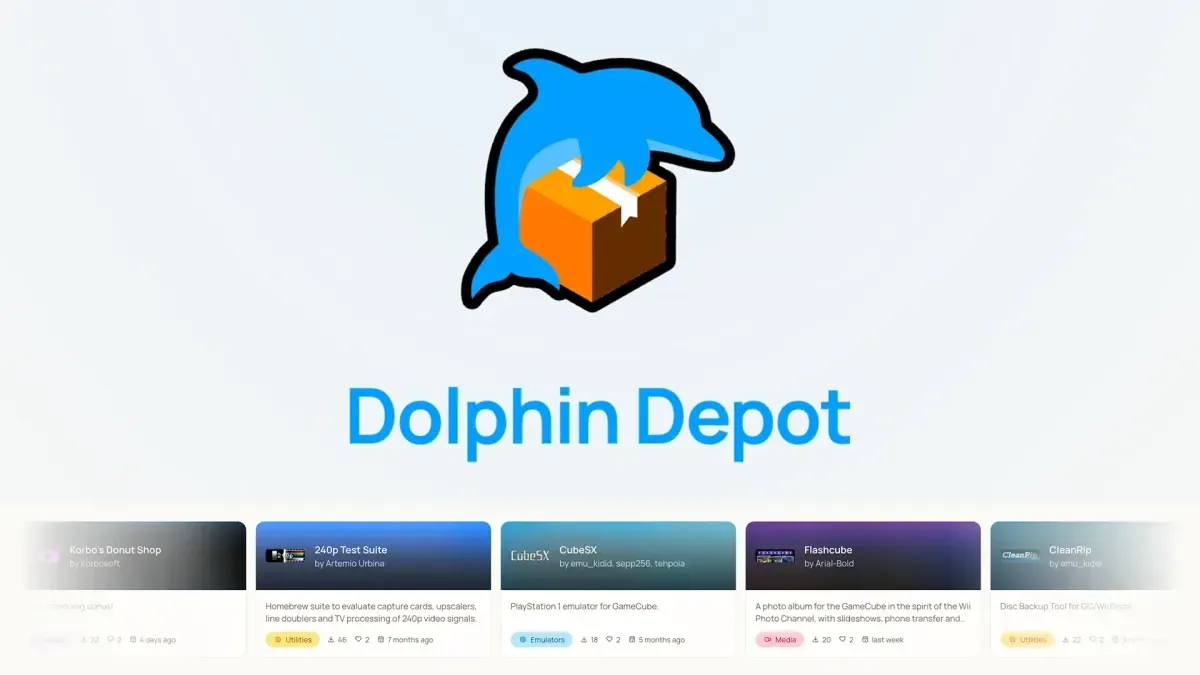
The Nintendo GameCube's homebrew community has gained a major new convenience feature with the arrival of Dolphin Depot, a beta application designed to act as an app store on original GameCube hardware. Rather than requiring players to track down individual projects across assorted websites, community posts and file repositories, the new tool provides a central catalogue where compatible users can browse and download software directly to their console.
It is an especially notable development for a machine that launched in 2001, long before console digital storefronts became an expected part of the platform experience. The GameCube did receive network hardware during its commercial life, but it never had a mainstream online marketplace comparable to later services. Dolphin Depot effectively gives the system a modern-style software discovery hub, built not by Nintendo but by the enthusiasts still extending the console's capabilities decades later.
The project was started in February by developer webhdx, who describes themself as a GameCube and Wii enthusiast, aspiring hardware hacker and electrical engineer. Development has continued with input and work from the broader GameCube homebrew community. Dolphin Depot is now available for users to try, although its beta status means that bugs and rough edges may still be encountered.
A storefront for an increasingly active GameCube scene
Homebrew on legacy consoles has often involved a fragmented process. Players may hear about a new game, emulator or utility through social media, a forum, a video demonstration or a community discussion, then need to locate the proper build, determine which version is current and move it manually onto supported storage. That approach remains familiar to experienced users, but it can be intimidating for newcomers and inconvenient even for long-time hobbyists.
For useful background on this topic, read Supper Mario Broth Vows to Keep Sharing Mario Facts Despite Heart Failure Diagnosis.
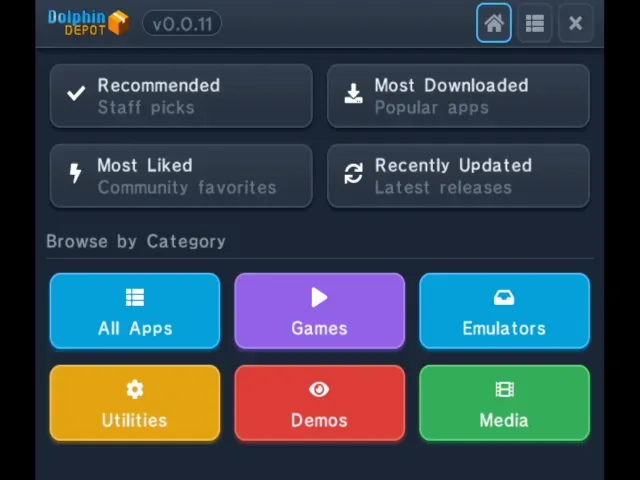
Dolphin Depot aims to simplify the discovery and installation side of that process. Once running on a suitably configured GameCube, users can explore the available catalogue and download supported homebrew applications straight to their storage device. The result is closer to the experience of opening a digital shop on a newer console, while still operating within the technical realities of a heavily modified retro machine.
This matters because GameCube homebrew is no longer limited to a handful of technical demonstrations. The scene includes original games, ports, media and system tools, as well as emulation projects that turn Nintendo's compact purple console into a broader retro-gaming device. A curated-looking central interface can make those projects easier to find and potentially lower the barrier for people who have already taken the steps needed to run unsigned software.
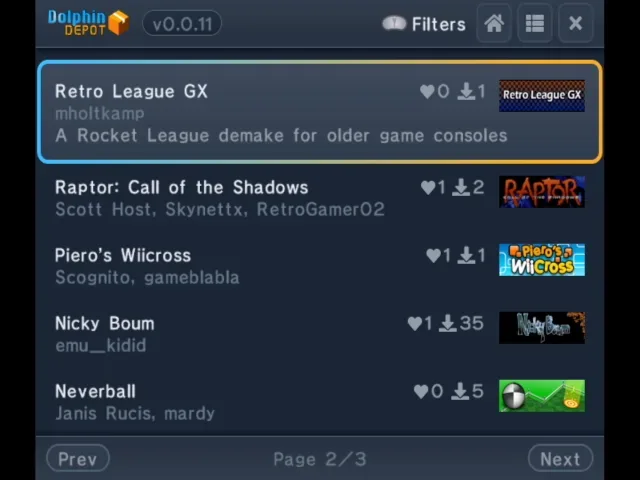
The available selection includes Retro League GX, a Rocket League-inspired demake, alongside Game Boy emulators, a PlayStation emulator and the vertical shooter Raptor: Call of the Shadows. Those examples illustrate the variety Dolphin Depot is intended to support: users are not only downloading one type of program, but gaining a route into games, emulation and other community-created software.
What a GameCube needs to run Dolphin Depot
Dolphin Depot is not a plug-and-play service for an untouched retail GameCube. The console must first be able to launch unsigned code, it needs compatible network access, and it needs a supported storage option for downloaded files. For users already familiar with GameCube modification, these requirements will be recognizable. For everyone else, they are an important reminder that the app store sits on top of an existing homebrew setup rather than replacing one.
1. A homebrew-capable console
The GameCube needs a method of running unsigned code. Common approaches include game save exploits, modchips such as PicoBoot or PicoLoader, and optical drive emulators, often shortened to ODEs. Supported examples in that category include GC Loader and FlippyDrive.
Each route has its own installation process, compatibility considerations and level of technical effort. A save exploit can be an appealing option for people who prefer not to alter hardware permanently, while modchips and drive-replacement-style solutions can offer different conveniences. Dolphin Depot does not remove the need to select an appropriate route for a particular console; it becomes useful after that homebrew foundation is already in place.
2. Compatible network hardware
Because the catalogue and downloads are delivered online, a network adapter is also required. Users can connect with Nintendo's official Broadband Adapter or a modern alternative such as ETH2GC.
Not every GameCube networking accessory is supported. The Nintendo Modem Adapter is not compatible with Dolphin Depot, and neither is the FlippyDrive Ethernet Adapter. That distinction is worth checking before planning a setup, particularly as retro hardware names and accessories can sound similar while offering very different functions. The original Broadband Adapter is a sought-after piece of GameCube hardware, while newer alternatives may be more practical for users building a network-ready machine today.
3. Supported storage for downloaded software
Finally, Dolphin Depot needs somewhere to write downloaded applications. Supported storage solutions include SD2SP2, SD Gecko and MMCE, each used with an appropriately sized SD card. The best choice can depend on a user's existing modifications and the way their GameCube is configured, but the basic purpose is the same: downloaded homebrew must be stored somewhere accessible to the console.
- Homebrew launch method: A save exploit, compatible modchip or ODE is needed to execute unsigned code.
- Network adapter: Nintendo's Broadband Adapter or ETH2GC can provide the required connection.
- Storage: SD2SP2, SD Gecko or MMCE with a suitable SD card can hold downloaded applications.
- Unsupported adapters: The Nintendo Modem Adapter and FlippyDrive Ethernet Adapter are not supported for Dolphin Depot.
Why this is a meaningful retro-console milestone
The appeal of Dolphin Depot is not simply that it downloads files. Homebrew communities thrive on preservation, experimentation and accessibility, but those goals can clash when software is scattered across many locations or when links become outdated. A dedicated application store can provide a more approachable front door to the GameCube scene, helping users see what exists without relying entirely on word of mouth.
It also highlights how much life remains in the GameCube ecosystem. Official support for the console ended long ago, yet developers and hardware makers continue to produce new accessories, new loading methods and entirely new software. The GameCube's homebrew environment has expanded through the efforts of programmers, modders and players who have kept investigating what the hardware can do.
A direct-download catalogue will not make the GameCube as effortless as a current console. Users still need the correct hardware, a compatible mod setup and some familiarity with the risks of running community software. They should also expect that a beta application can change as testing continues. But for people with a prepared system, Dolphin Depot can reduce the friction between hearing about a project and actually trying it.
Beta status leaves room for growth
As a beta release, Dolphin Depot should be approached with reasonable expectations. Interface improvements, catalogue changes, compatibility updates and bug fixes are all possible as the project matures. The range of available apps may evolve as developers submit or update their own work, and the precise experience could vary depending on a user's network hardware, storage configuration and chosen homebrew boot method.
That early state is also part of what makes the project interesting. A digital distribution tool for original GameCube hardware is the sort of concept that once would have seemed out of place for the platform. Now, it is a practical community-built solution for a console whose online ambitions were relatively limited in its retail era.
For GameCube owners who already have compatible hardware in place, Dolphin Depot offers a convenient way to investigate an expanding library of homebrew projects from the console itself. For the wider retro scene, it is another sign that legacy platforms can continue gaining new experiences long after their official commercial cycles have ended.
Community
Discussion
Start the conversation.
No comments have been posted yet.