

Grand Theft Auto 6 preloading has begun, meaning PS5 and Xbox Series X owners can start preparing their systems for Rockstar's enormous new open-world release before it becomes playable on November 19. There is one immediate complication: the download weighs in at a substantial 212GB.
That figure makes GTA 6 one of the largest games many console players will attempt to install this generation. On a machine with a crowded internal drive, it is enough to turn an exciting preload into a lengthy exercise in deciding which favorites stay installed and which ones have to go. For players who already expanded their PS5 storage before current price increases, the arrival of such a large game may be manageable. For everyone else, the instinct may be to buy more SSD capacity immediately.
But purchasing a high-capacity internal SSD is not necessarily the smartest response, particularly for players whose libraries include plenty of PS4 games alongside current-generation releases. A little storage triage, plus an external hard drive in the right role, can preserve a library while avoiding a far more expensive upgrade.
A 212GB install changes the storage conversation
A 212GB preload is not just another large download. It represents a major portion of the usable space available on many consoles, especially after the operating system and existing games are accounted for. Even players with a reasonably organized library can find themselves short on room when several huge multiplayer games, open-world adventures, or long-running live-service titles are installed at once.
For useful background on this topic, read PlayStation Receives Consumer 'Hall of Shame' Award Over Digital Ownership Concerns.
The practical issue is not simply getting GTA 6 downloaded today. It is making sure there is space for updates, patches, downloadable content, save-data management, and whatever else a player may want to play over the coming weeks. Deleting a game is always an option, but it can be frustrating when the deleted title is something with an enormous download that may take hours to retrieve again.
That is why the immediate temptation to expand internal storage is understandable. A larger SSD means fewer compromises and keeps more current games ready to launch. Yet SSD pricing makes that convenience costly at the moment.
Internal PS5 SSD capacity remains an expensive fix
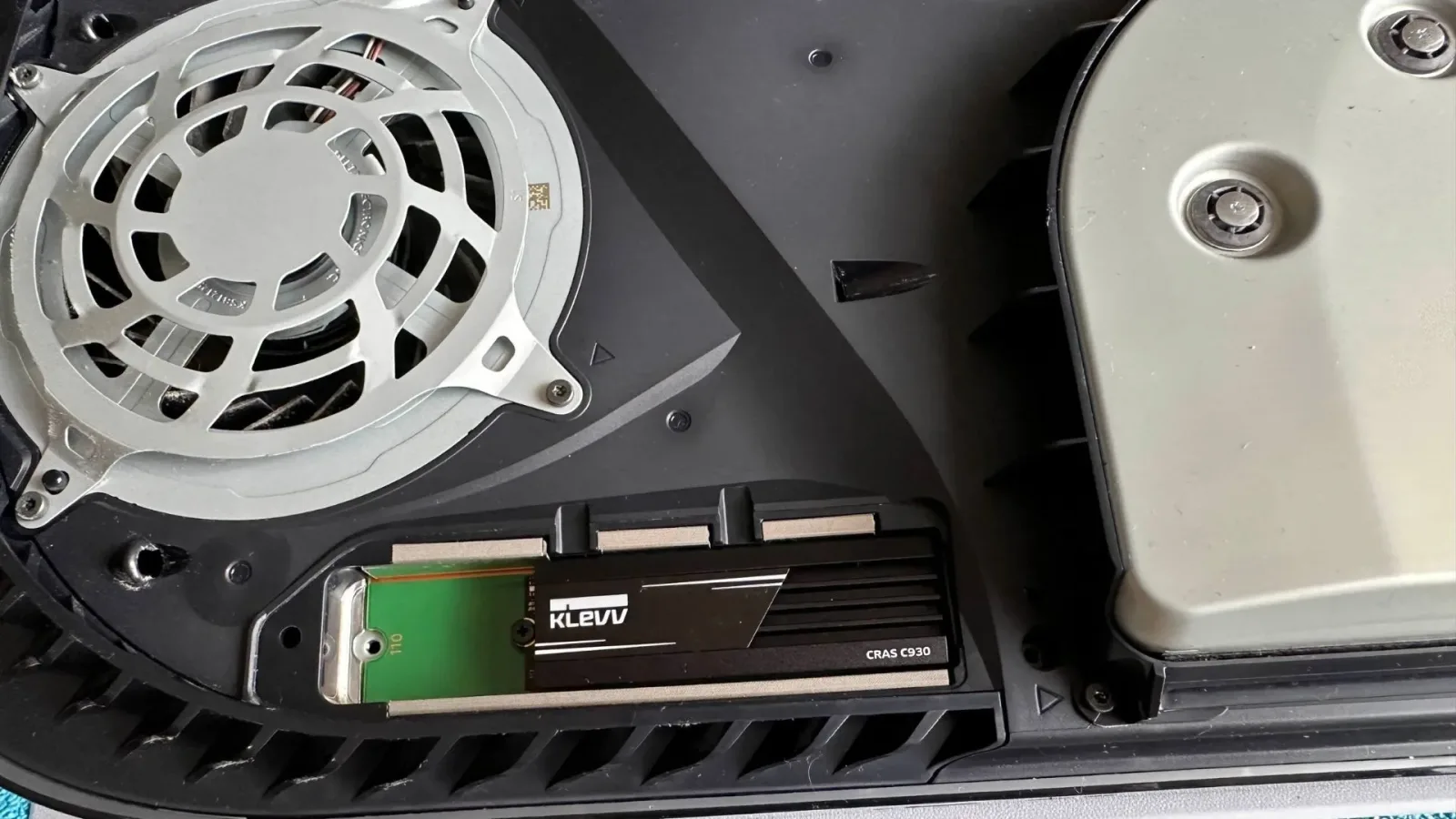
High-performance PS5-compatible SSDs are still a premium purchase. A 2TB Samsung 9100 Pro, for example, has been seen discounted to $399.99 from $679.99 at Newegg. While that reduction is notable in isolation, it still illustrates how much money a player can spend to keep every game on fast internal storage.
A look at the first ten 2TB SSD results at Newegg puts the average price at roughly $316. For somebody who genuinely needs an upgrade immediately, a 2TB drive around the $250 to $300 mark is a more sensible target than paying substantially beyond that range. Even then, it is worth distinguishing between wanting more permanent space and needing it for GTA 6 right now.
For many PS5 owners, the answer is that a full SSD upgrade can wait. The reason comes down to how different game generations use external storage.
PS4 games are the key to a cheaper storage plan
The PS5 can play PS4 games directly from an external hard drive. That makes an external drive a particularly useful home for an older-generation collection: it frees precious internal SSD space without turning those PS4 titles into inaccessible archives. They remain available to launch from the connected drive whenever the mood strikes.
PS5 games work differently. They can be stored on an external hard drive, but they cannot be played from it. To run a PS5 game, it needs to be on the console's internal storage or on a compatible internal SSD expansion. This distinction is important, but it does not make an external drive useless for PS5 owners. Instead, it makes it a focused tool for managing a mixed-generation library.
If a console contains a stack of PS4 games, moving those titles off the main drive can produce a meaningful amount of room for GTA 6 and other current-generation software. Since PS4 games do not require PS5 SSD speeds, leaving them on premium internal storage is often an inefficient use of the fastest and most expensive capacity in the system.
In other words, the goal is not necessarily to own enough SSD space for every game ever played. The goal is to reserve that fast space for the games that actually depend on it.
External hard drives offer a less costly alternative
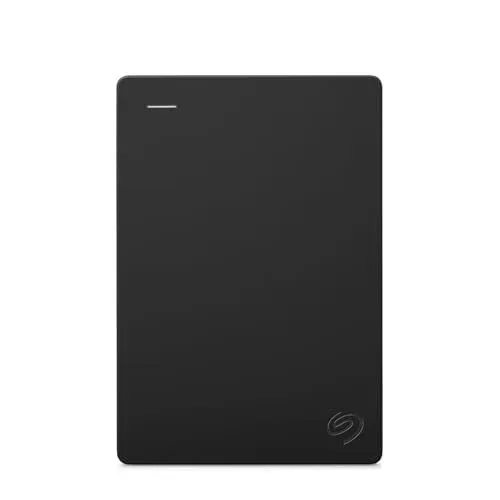
External hard-drive prices have not climbed in the same way as SSD pricing, making them a dramatically cheaper way to reorganize a collection. A product such as a Seagate Portable external hard drive can function as a dedicated PS4 library, keeping installed games close at hand while clearing the internal drive for PS5 software.
The savings can be considerable. Compared with spending roughly $250 to $300 on a 2TB SSD upgrade, taking the external-storage route can cut about $200 from the immediate cost of solving a space problem. That money may matter more to players who only need to make room for one major release rather than permanently expand their high-speed storage.
There is a trade-off, of course. Traditional external hard drives are slower than SSDs, and the PS5's limitations mean current-generation games cannot run from them. But for a PS4 backlog, a library of older favorites, or a holding area for PS5 games that are not currently being played, the compromise can be entirely reasonable.
It is also a more flexible approach than blindly deleting large games. Instead of deciding whether a favorite must be removed, players can move it to another storage device and retain it locally.
Moving games can be better than downloading them again
Transfers take time, but they are often much less painful than deleting a game and downloading it again later. This is especially true for large titles such as Call of Duty, where reinstalling can mean waiting through a huge download before even considering patches and additional content packs.
For PS5 games, external storage can be used as a parking space. A game that is not being played at the moment can be moved from the internal SSD to the external drive. When it is time to return, it must be transferred back before play, but that process is generally preferable to retrieving the entire game from the internet again.
That makes an external drive useful even for a player with few or no PS4 games. It cannot replace an internal SSD for active PS5 play, but it can reduce the pressure to uninstall games completely. For players with slower internet connections, data caps, or simply little patience for repeated massive downloads, that archive role has real value.
How to prepare for GTA 6 without overspending
With the preload underway, the best approach is to review what is on the console before making a hardware purchase. Start by identifying games that must remain instantly playable. Those are the titles that deserve internal SSD space. Then look for PS4 games that can be shifted to external storage without any loss of functionality on PS5.
- Keep active PS5 games on internal storage: They need it to run.
- Move installed PS4 games to an external hard drive: They can still be played directly from it on PS5.
- Archive inactive PS5 games externally when necessary: They will need transferring back to play, but they do not need to be redownloaded.
- Check the real amount of free space: A 212GB game may require more planning than its headline install size suggests once updates and existing games are considered.
- Buy an SSD only if the shortage is ongoing: If the problem recurs constantly, a 2TB expansion at around $250 to $300 may be worth pursuing.
Xbox Series X players facing the GTA 6 download will likewise want to assess their installed libraries carefully, because 212GB is a significant demand on any console's available capacity. The storage features and expansion choices differ by platform, so it is important not to assume that PS5 external-drive behavior applies identically elsewhere. The broader lesson remains the same: a major launch is a good reason to prioritize which games need the fastest storage and which can be moved or removed for now.
Save the premium space for Vice City
GTA 6 is precisely the kind of blockbuster release that makes fast console storage valuable. Its 212GB footprint demands attention, but it does not automatically demand a pricey SSD purchase. Players with mixed PS4 and PS5 libraries have a practical, less expensive way to clear room: move older games to an external hard drive and let the internal SSD focus on the software that needs it.
That approach requires a bit of organization and, occasionally, a wait while files transfer. In return, it can keep an existing collection intact, avoid repeat downloads, and save a significant amount of money while storage prices remain high. Ahead of November 19, that may be the most sensible way to make GTA 6 fit without letting one enormous install force an equally enormous hardware bill.
Community
Discussion
Start the conversation.
No comments have been posted yet.