

Arcade emulation can recreate an enormous amount of what made coin-op games special: the attract screens, the cabinet artwork, the score chases, the sharp difficulty curves, and the unmistakable audio of machines designed to pull players in from across a room. There is one small part of the experience that usually disappears when those games move to a desktop, mini cabinet, or living-room emulator box, however: the act of feeding a machine a coin.
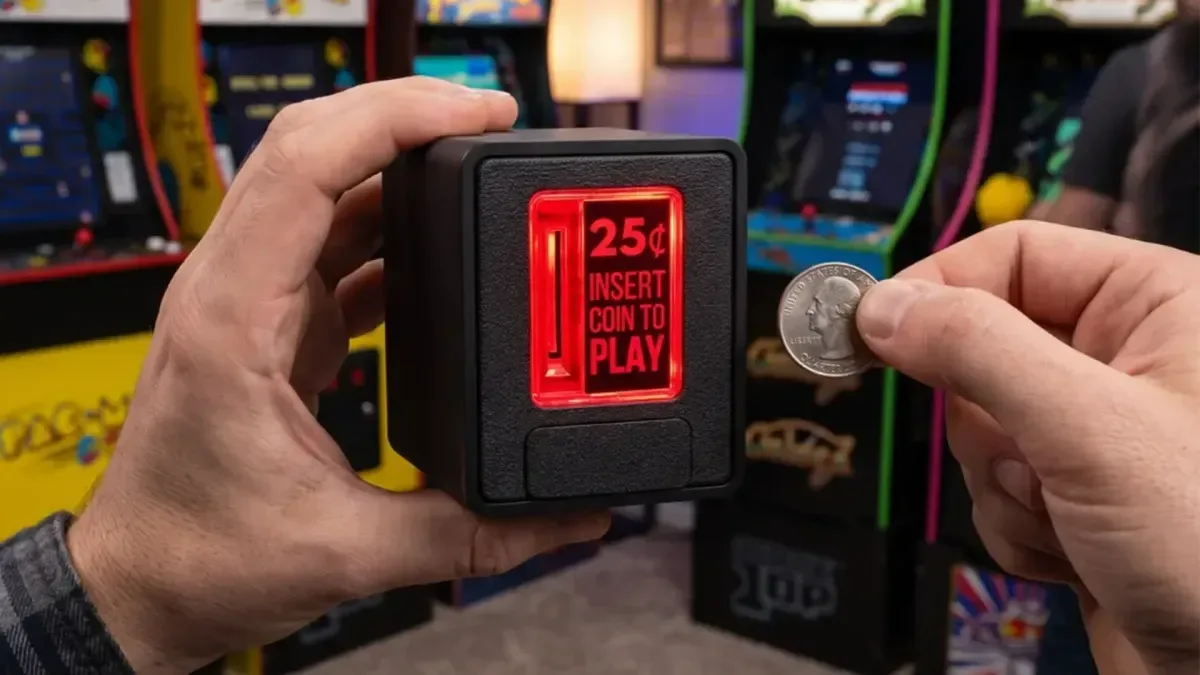
The Insert Coin Cube from Chronic Concepts is a compact accessory built around that particular piece of arcade nostalgia. It is a physical, USB-connected coin slot designed to accept quarters and send a configurable input to an emulator or other compatible software. Rather than reaching for a keyboard key or controller button to add a credit, a player can insert a coin into a glowing desktop device that looks and behaves much more like an old arcade cabinet's coin mechanism.
It is a deliberately focused piece of hardware. The Cube is not attempting to be a complete arcade control panel, a fight stick, or an emulation machine in its own right. Its job is to provide one tactile interaction: insert a quarter, trigger an input, and begin--or continue--a game. For enthusiasts trying to add a little more ceremony to a MAME setup, RetroPie build, or dedicated arcade corner, that narrow purpose may be exactly the appeal.
A real quarter for a virtual credit
The central concept is simple. The Insert Coin Cube is styled after the coin-entry hardware associated with traditional arcade machines. Players place a quarter into its slot, and the device can be configured so that action corresponds with the command used to add a credit in an emulator. In practical terms, it works like assigning a single controller button, except the button is activated by physically inserting money.
For useful background on this topic, read Sous Raccoon Leaves Early Access on Steam October 1 With Four-Player Online Co-op.
That makes it particularly suitable for arcade games whose original rhythm was structured around credits. A group can sit around a cabinet-style display, hand a player a coin after a game over, or use quarters to make a home high-score competition feel more deliberate. The coins are not described as payment for any online service or digital purchase; they are part of the physical interaction. The accessory can hold up to five quarters at a time, so users do not need to empty it after every session.
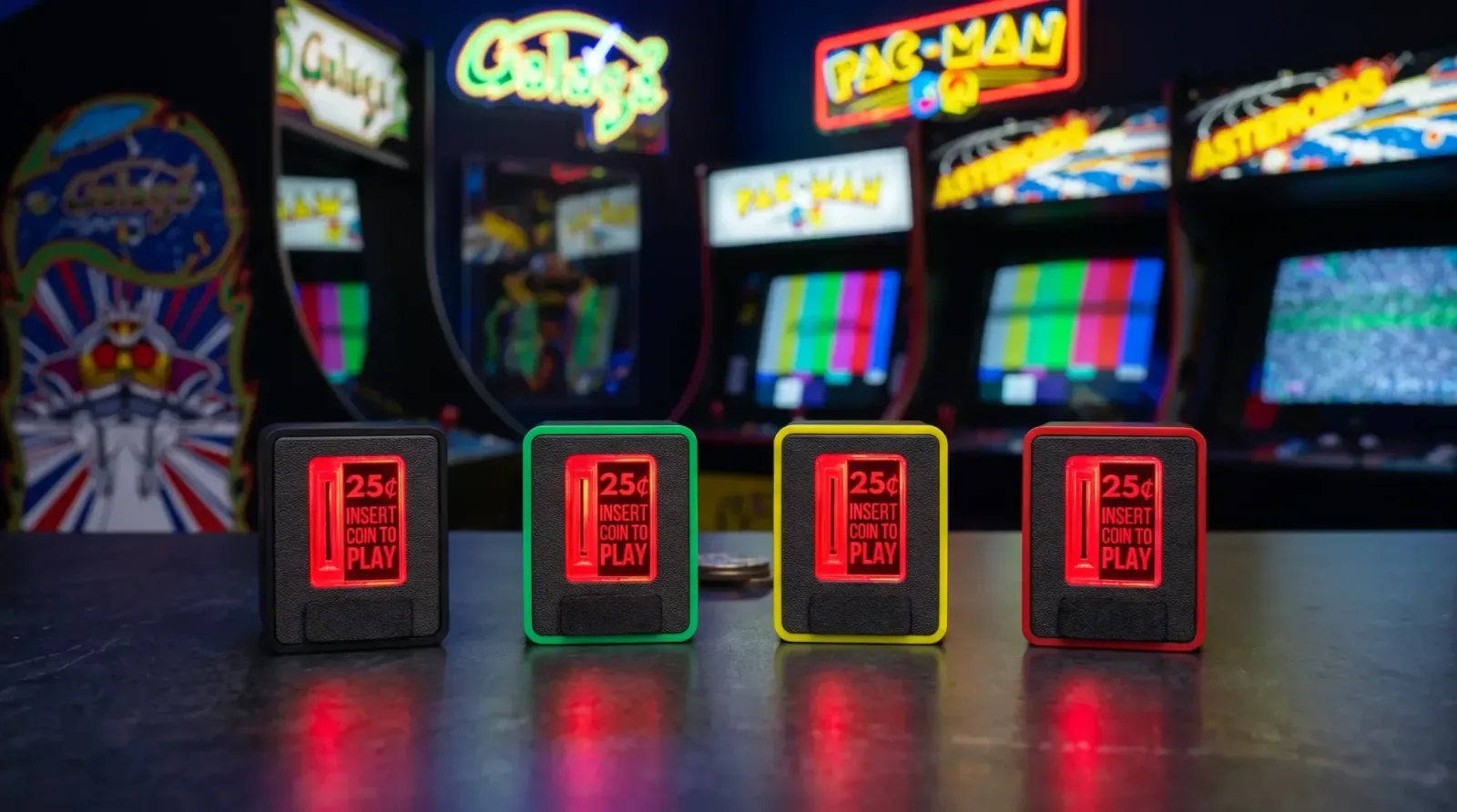
The Cube's body uses injection-moulded plastic, and its coin area includes a transparent, pressable door with illumination. That combination is meant to evoke the visual language of an arcade coin door while keeping the unit small enough for a desk, a custom cabinet, or a console-style emulation station. Chronic Concepts has described this version as the second generation of the Coin Cube, with refined technology, additional colour options, and a higher-quality outer shell.
USB keyboard compatibility keeps the setup flexible
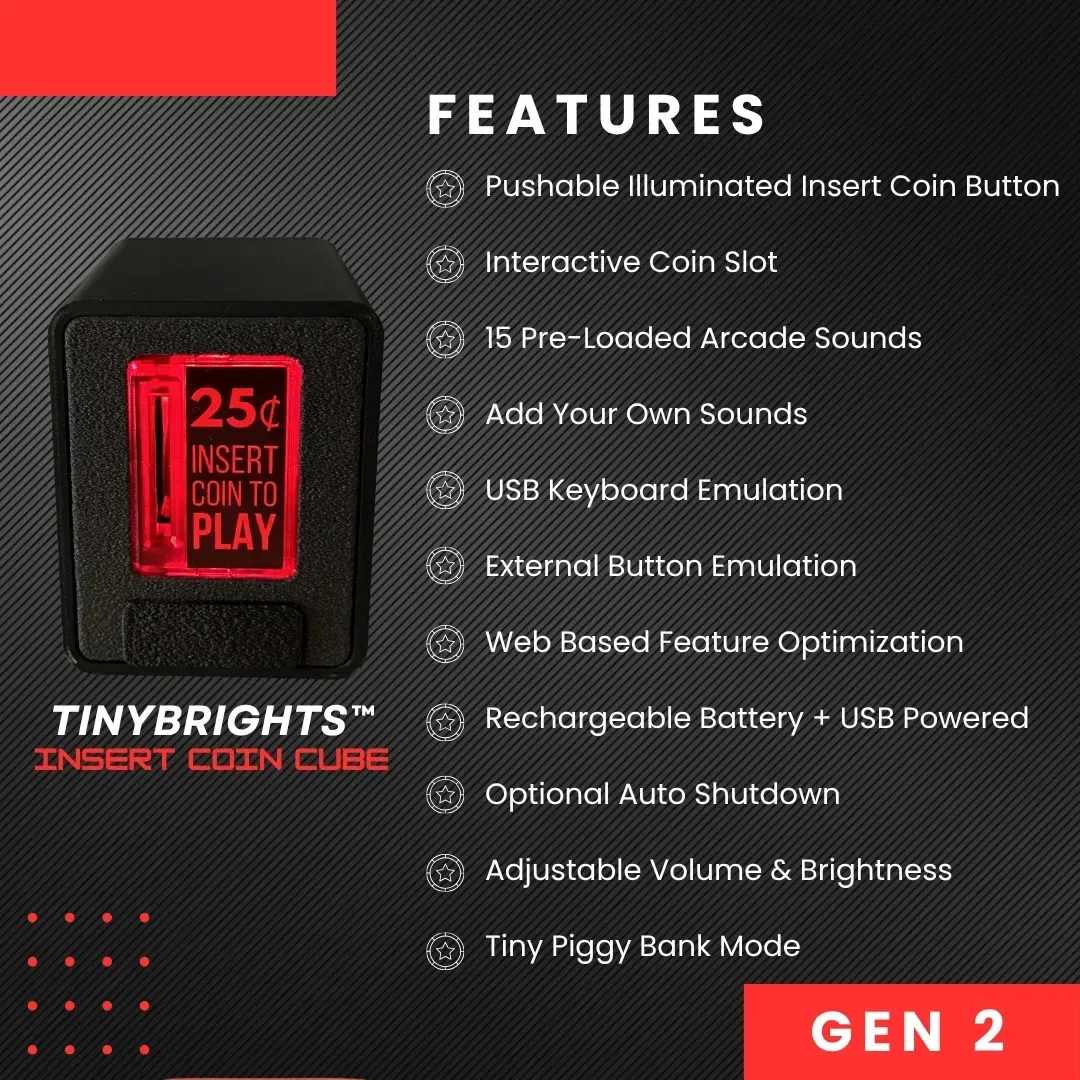
The most important technical detail is that the Insert Coin Cube functions as a USB HID keyboard device. HID, or Human Interface Device, is the standard category used by common peripherals such as keyboards and mice. As a result, the Cube can send a keyboard-style input that software can recognize and map to an action.
That approach avoids the need for a proprietary emulator integration. If a program or operating system lets users assign a keyboard key to an action, the Cube can potentially be set up to trigger that action. For arcade emulation, the likely use is binding its coin-insert event to the emulator command that adds a player credit. Once the mapping is in place, a quarter dropped into the accessory can perform the same task as pressing the selected key.
Chronic Concepts lists compatibility with Linux, Windows, Mac, RetroPie, and MAME, while also noting that the device should work with most systems and software that support USB keyboards. That wording is useful for hobbyists because it places the Cube within a broad ecosystem rather than limiting it to one front end or one emulator package. It could fit a traditional PC build, a Linux-based arcade project, or a Mac setup, provided the relevant software allows keyboard mapping.
Users should still treat compatibility as something to verify for their individual configuration. Emulator interfaces, operating-system permissions, controller profiles, and front-end software can all handle inputs differently. The key point is not that every game automatically understands a coin slot, but that the Cube presents itself in a familiar USB keyboard format, making custom binding possible in many common setups.
Configurable sounds, lighting, and power behaviour
A physical quarter dropping through a slot supplies some of the sensation on its own, but the Insert Coin Cube adds sound as well. It includes an internal speaker with up to 15 available sounds that can play when a coin is inserted. Those effects can help the unit feel more like an arcade fixture rather than a basic input box.
For users who have a very specific sound in mind, the device also supports custom audio through its configuration tool. That opens the door to a variety of home-arcade themes, whether somebody wants a more traditional coin-drop effect, a tailored startup sound, or a noise that better matches the atmosphere of a custom cabinet. The appeal is not purely functional; a substantial part of the product is letting players shape the presentation of their personal retro setup.
The same configuration process includes options intended to manage battery life. Chronic Concepts says users can enable automatic shutdown and choose activation behaviour linked to coin insertion. These options could be especially handy for people who keep an arcade arrangement assembled for occasional use rather than running it continuously. A unit that can conserve power while sitting idle is a more practical fit for a desk display or a hobby cabinet used during game nights.
Configuration without a cloud account
Setup is handled through a web application. The company says players connect the Cube to a PC, Mac, or Linux device by USB cable and open the configuration page to adjust the accessory's settings. Beyond assigning its behavior for an emulator, users can customize features such as audio and power-related options.
One notable part of the design is that the configuration page is described as a static web page rather than a cloud-based service. Chronic Concepts says it can be downloaded for offline use permanently, with no requirement for an internet connection or ongoing website dependency. For retro hardware enthusiasts, that can be an especially welcome detail. Small accessories sometimes become difficult to configure years later if their companion apps disappear, servers are shut down, or account systems change.
An offline-capable tool does not eliminate every long-term concern--operating systems and browsers can evolve--but it gives owners a more direct path to retaining control over the product. It also suits the general spirit of emulation and preservation communities, where self-contained setups and reduced reliance on online services are often valued.
A small addition with a big nostalgia factor
The Insert Coin Cube is unlikely to be a necessity for most players. Pressing a keyboard key to add a credit remains faster, cheaper, and perfectly adequate. But arcade culture has always been about more than raw convenience. The physical cabinet, the buttons, the joystick tension, the marquee art, and the clink of a coin all contribute to the memory of playing.
That is where the Cube has its clearest role. It offers a way to reconnect a modern emulation setup with one of the simplest rituals of the arcade era. For a single player, inserting a quarter can make launching a session feel more intentional. For families, friends, or visitors, it can make the rules of a game-night challenge instantly understandable: you get a coin, you get a run, and the next person waits for their turn.
It may also appeal to builders of custom arcade cabinets who want a coin-operated look without restoring or wiring an original mechanism. Full-size arcade parts can require more involved installation and may not be ideal for small projects. A standalone USB accessory offers a more approachable route, especially when its input can be configured like a one-button wireless-style controller command.
Price, colours, and availability
The Insert Coin Cube is priced at $29.99 through Chronic Concepts' official store. It is available in multiple colours and is shipping now. At that price, it is positioned as a modest add-on rather than a major hardware investment, which makes sense for an accessory centered on a single nostalgic function.
For players who want their emulator library to feel a little less like software running on a modern computer and a little more like the arcade experience they remember, the idea is easy to understand. Plug in the Cube, map its input, load a game, and insert a quarter. It is a tiny step between a digital recreation and a physical ritual, but for arcade fans, that sound and motion may be the part that brings the whole setup together.
Community
Discussion
Start the conversation.
No comments have been posted yet.