

Storage has become one of the more frustrating parts of a PC upgrade in 2026. Fast NVMe drives were once an easy recommendation for anyone trying to expand a game library, speed up loading times, or replace an aging boot drive. That equation has become considerably tougher as broader memory pricing pressure has pushed solid-state storage upward alongside RAM. A 1TB PCIe 4.0 SSD that would normally be an uncomplicated purchase can now cost enough to make buyers rethink the entire upgrade.
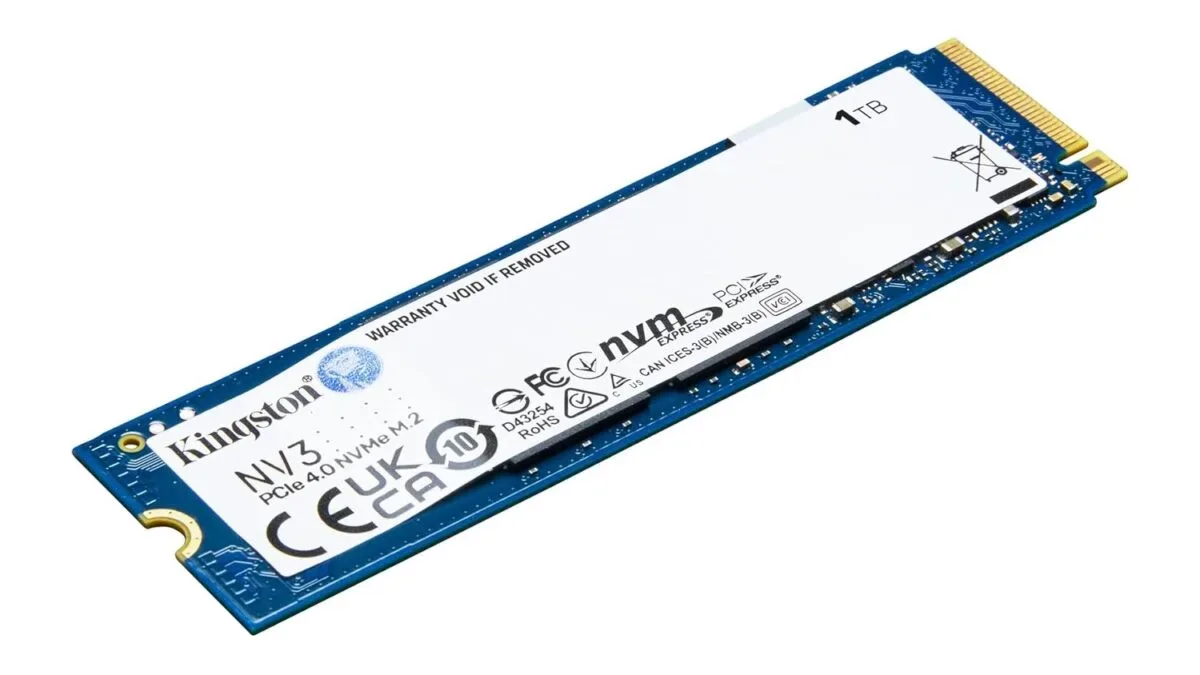
For players who need space but do not want to pay flagship-drive money, Kingston's 1TB NV3 is one of the more notable Black Friday week discounts currently available. The drive is listed at $139, down from a stated $215 list price, a reduction of 35%. It is still not a throwaway purchase in a market where storage costs have climbed, but it is substantially below the roughly $200 to $250 being asked for some comparable 1TB Gen 4 Samsung models even after their own seasonal reductions.
The Kingston NV3 is not designed to win every synthetic benchmark or displace premium products such as the Samsung 990 PRO. Instead, it occupies the mainstream end of PCIe 4.0 storage: a drive intended to provide the responsiveness modern games benefit from without forcing buyers to spend at the top of the SSD market. For a gaming machine, that distinction matters. The practical difference between a capable Gen 4 drive and an elite one is often much less obvious in daily play than the difference on the receipt.
A 1TB upgrade for increasingly oversized games
Modern game installations make even a seemingly generous boot drive disappear quickly. Call of Duty can consume well over 100GB by itself, while major open-world releases, high-resolution texture packs, patches, expansions, and shader caches steadily add to the total. A 500GB system drive can become cramped after Windows, applications, and only a few large games are installed. Players who rotate among multiplayer games, sprawling RPGs, and new releases can find themselves deleting something every time they want to download another title.
For useful background on this topic, read AMD Ryzen 7 9800X3D Falls to $399 With Coupon in Major Gaming CPU Deal.
That is where a separate 1TB game drive can make a meaningful difference. Rather than treating storage as a constant juggling act, users can keep more of their active library installed. It is a modest capacity compared with the 2TB and 4TB drives many enthusiasts now prefer, but 1TB remains a practical step up for systems that have only a small primary SSD or a nearly full older drive.
For many PC owners, adding the NV3 as a secondary installation drive is likely the simplest path. Games can be placed on it through the storage-management tools in services such as Steam, Xbox on PC, Epic Games Store, Battle.net, and other launchers. This avoids the effort of moving an operating system while still freeing the main drive from the burden of hosting every large game.
Those who would rather make the NV3 their main drive have another option. Kingston includes Acronis cloning software, intended to transfer an existing Windows installation, settings, files, and installed games to the new SSD. Cloning is not necessarily essential for every upgrade, and users should ensure their current data will fit on the new drive before beginning. Still, it can be useful for anyone who wants to replace a cramped boot SSD without setting aside time for a completely fresh Windows setup and a long round of downloads.
What the Kingston NV3 offers
The 1TB NV3 uses a PCIe 4.0 x4 connection and is rated for sequential read speeds of up to 6,000MB/s and sequential write speeds of up to 4,000MB/s. Those quoted figures are not the only measure of how a drive feels in ordinary use, but they place it firmly in modern Gen 4 territory. Compared with a traditional hard drive, the change in game loading and file handling can be dramatic. It is also a significant step beyond older SATA-based SSDs, which operate under far tighter interface limits.
In games, faster storage can shorten the time spent waiting for levels, worlds, and assets to load. Results naturally vary between engines and individual titles, and SSD speed does not replace the need for a capable CPU, graphics card, or sufficient system memory. But moving from a hard drive, or from a severely capacity-constrained older SATA drive, to a PCIe 4.0 NVMe model is one of the more immediately noticeable quality-of-life upgrades available for a gaming PC.
The NV3 uses the common M.2 2280 form factor. That makes it broadly compatible with recent desktop motherboards and with many gaming laptops that offer an open M.2 slot. Buyers should still check the specifications of their particular device before purchasing. Some laptops have room for only one SSD, while others may support a second M.2 drive only in a different physical size or with particular interface limitations. Desktop users should also consult their motherboard manual, as using certain M.2 slots can sometimes affect the availability of SATA ports or PCIe lanes on specific boards.
Its low-profile physical design and low-power characteristics are especially relevant to laptop upgrades. Portable systems have less space for cooling than desktop PCs, and any component that avoids adding excess heat or power draw is useful. The NV3's slim form factor means it can be a sensible candidate for compatible notebooks, though access to the internal storage bay and warranty policies differ from one laptop manufacturer to another.
The DRAM-less trade-off
Kingston keeps costs down with a DRAM-less design. That description may sound alarming to shoppers accustomed to seeing DRAM cache cited as a premium SSD feature, but it is a trade-off rather than an automatic disqualification. A DRAM-equipped high-end drive can offer stronger sustained performance and may be better suited to heavy workstation tasks, frequent large-file transfers, or users chasing the best possible benchmark results.
For a drive primarily meant to store and launch games, however, the value proposition is different. Most players are not continuously writing huge professional video files or running enterprise-style workloads. They want their library to fit, their games to load promptly, and their upgrade budget to remain manageable. A mainstream DRAM-less PCIe 4.0 SSD can address those priorities well, particularly when competing 1TB Gen 4 options have risen so sharply in price.
The important expectation to set is that the NV3 should be judged as a practical game-storage upgrade, not as a no-compromise performance showcase. Players with workloads that routinely involve enormous transfers, content creation, or sustained disk activity may still find more expensive models worth the premium. For the much more common situation of needing somewhere to install several large games, the performance gap can be difficult to justify at current prices.
PS5 expansion is possible, with one important addition
The NV3's stated maximum read speed also clears Sony's 5,500MB/s recommendation for PlayStation 5 internal expansion storage. That makes the drive a potential option for players looking to expand a PS5 library rather than a PC. The console's internal M.2 slot is particularly useful for keeping PS5 games ready to play without relying solely on the built-in storage.
There is one important caveat: the NV3 does not include a heatsink. Anyone planning to install it in a PS5 should add a compatible heatsink before putting it in the console. Heat management is part of Sony's M.2 expansion guidance, and a bare drive should not simply be installed without addressing that requirement. Shoppers should also verify the heatsink's dimensions and ensure the combined drive and heatsink fit within the PS5 expansion bay.
PC builders may also want to consider cooling, although the answer will depend on the motherboard and system layout. Many current motherboards include M.2 covers or heatsinks, while lower-cost boards and laptops may not. The NV3's lower-power approach helps, but it is still worthwhile to review the hardware already present in a system rather than assume every M.2 slot is configured the same way.
A relatively restrained deal in an inflated storage market
At $139, Kingston's 1TB NV3 is not being positioned as an unbelievable bargain from the era when SSD prices were at their lowest. The unusual part is that it remains comparatively reasonable while 1TB PCIe 4.0 pricing has become far less friendly. The discount gives PC players and PS5 owners a way to add meaningful capacity without stepping into the price range now occupied by some higher-end alternatives.
Before buying, users should confirm that they have an available M.2 slot, that their platform supports the drive as intended, and, for PS5 installation, that they have a suitable heatsink. They should also decide whether 1TB is enough for their habits. For someone who mainly needs room for several current games and wants to stop constantly uninstalling titles, it can be a substantial improvement. For a player maintaining a massive always-installed collection, saving toward a larger capacity model may still be the better long-term choice.
Still, in a year when storage upgrades have become unexpectedly expensive, the NV3's Black Friday week price gives mainstream gaming systems a credible expansion option. It delivers modern PCIe 4.0 speeds, a familiar M.2 2280 fit, an option for cloning an existing installation, and enough capacity to make a crowded library feel less restrictive.
Community
Discussion
Start the conversation.
No comments have been posted yet.