

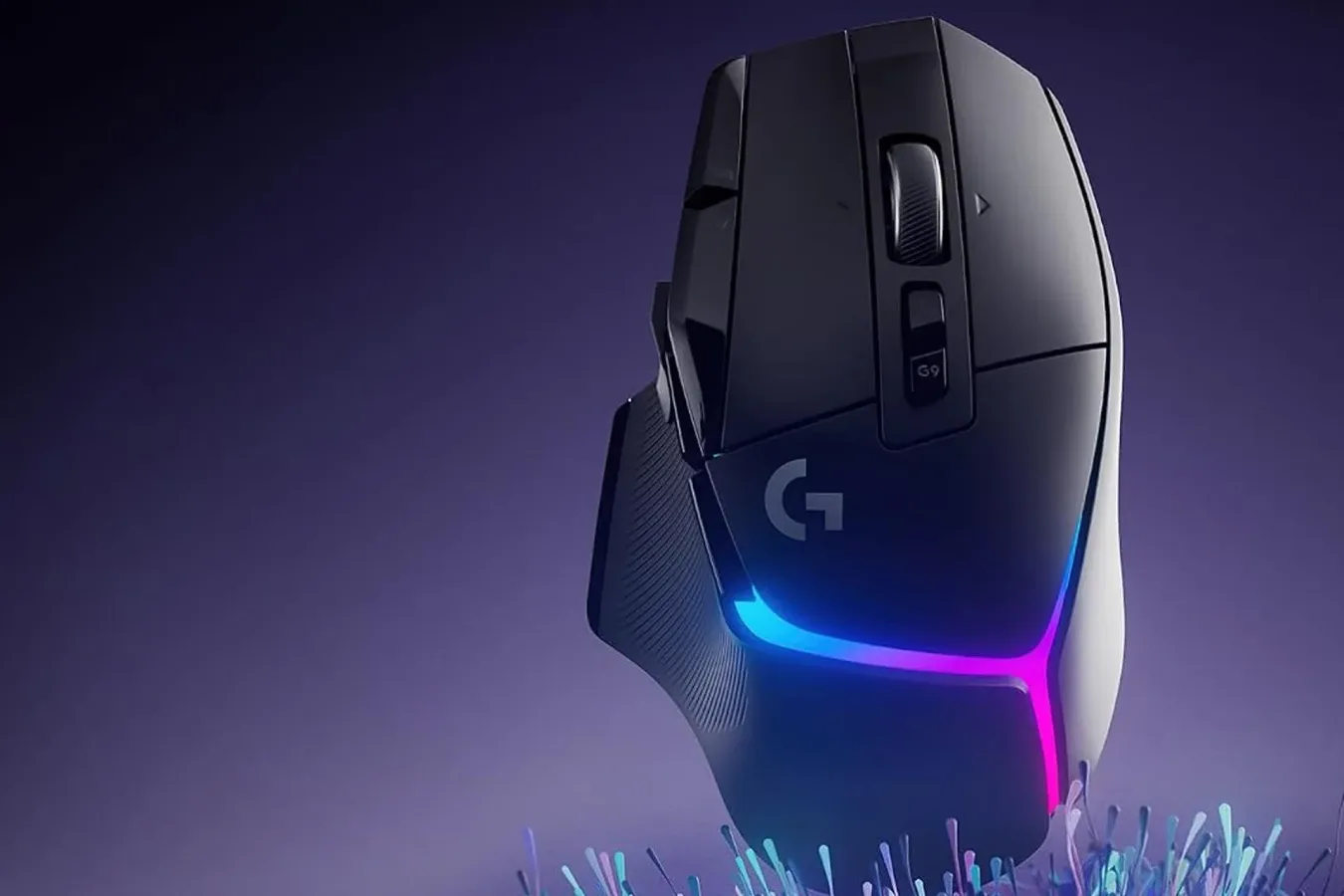
PC players looking to upgrade one of the most frequently used pieces of their setup may want to take a look at Logitech's G502 X Plus wireless gaming mouse. The model is currently listed at $128, a $32 reduction from its usual $160 price. That represents a 20% discount, and the offer applies to both the black and white versions of the mouse at the time of writing.
The G502 family has long been one of Logitech's better-known gaming mouse lines, particularly among players who prefer a more substantial, feature-heavy design over extremely light minimalist mice. The G502 X Plus continues that approach with wireless connectivity, programmable controls, RGB lighting, a high-end sensor, and a shape designed around a right-handed grip.
For anyone still relying on a basic office mouse for games, a dedicated gaming peripheral can be a meaningful quality-of-life change. That does not automatically make a premium mouse essential for every player, of course. But responsiveness, button placement, glide, comfort, and battery behavior all matter over long sessions--whether the game is a competitive shooter, a sprawling strategy title, an MMO, or a single-player action game with frequent camera control.
A $32 saving on Logitech's RGB G502 X Plus
The current price takes the Logitech G502 X Plus from $160 to $128. Deals on gaming accessories can change quickly, and availability may differ by color or inventory level, so prospective buyers should confirm the final price before completing an order. Still, a $32 reduction is a substantial cut for a wireless model positioned toward the upper end of Logitech's gaming lineup.
For useful background on this topic, read Mighty Mike Plays' $118,000 Ad-Spend Story Sparks Viral Debate.
Both color options are part of the promotion. That is useful for players building a desk setup around a particular theme, especially because the G502 X Plus is available in conventional black as well as white. The latter can be harder to find at identical pricing when peripherals go on sale, so having a choice without sacrificing the discount adds a little flexibility.
The "Plus" in the name distinguishes this version from other mice in the broader G502 X range. This is the wireless RGB-equipped option, aimed at users who want Logitech's performance features without a cable running across the desk. As with any wireless mouse purchase, it is worth considering the rest of a setup: players who already use a crowded USB arrangement, have limited charging access, or prefer the certainty of a permanently wired connection may favor a different configuration. For others, removing cable drag can be a welcome upgrade.
Lightforce switches are central to the design
One of the G502 X Plus' headline features is Logitech's Lightforce switch technology. These are optical-mechanical hybrid switches intended to combine the tactile sensation associated with mechanical mouse clicks with the speed and reliability benefits of optical actuation.
In practical terms, switch feel is highly personal. Some players want clicks that are light and rapid for repeated inputs, while others prefer more pronounced feedback so every press feels deliberate. The G502 X Plus is positioned for the latter audience as well as players who want a crisp, responsive click during competitive play. Button feel may sound like a small consideration on a spec sheet, but it becomes very noticeable in games that require frequent firing, ability activation, selection commands, or rapid inventory management.
The mouse also belongs to a product family known for offering more functionality than a standard two-button design. Extra inputs can be useful in games where keeping fingers on movement keys is important. A programmable side button can handle push-to-talk, melee, a map, a weapon swap, a ping, or another regularly used command. In slower genres, additional mouse buttons can make menus, build commands, and ability rotations easier to access.
That versatility does not mean every player will want the same layout. Fans of ultralight esports mice often prefer fewer buttons and the lowest possible weight, while G502 users tend to value a fuller feature set and a more pronounced physical profile. The G502 X Plus is therefore best viewed as a premium all-round gaming mouse rather than a one-size-fits-all competitive option.
Hero 25K sensor and adjustable sensitivity
The G502 X Plus uses Logitech's Hero 25K sensor, designed for high-precision tracking. Logitech describes the sensor as offering 1:1 accuracy at the sub-micron level without smoothing, filtering, or acceleration. Those terms are particularly relevant for players who want cursor movement to correspond directly to physical mouse movement rather than being altered by software behavior.
Precise tracking matters most in first-person shooters, third-person action games, tactical titles, and anything else where aiming is a constant activity. It can also be useful for creative work and general desktop use, though a strong sensor alone will not replace good sensitivity settings, proper posture, or a mousepad with enough room for a player's preferred aiming style.
Sensitivity can be adjusted through Logitech's G Hub software, with five selectable sensitivity levels available. Multiple DPI settings are useful for players who move between games with very different demands. A lower setting may suit controlled aiming in a shooter, while a higher setting can make sense for quickly crossing a large desktop, navigating strategy interfaces, or playing games that benefit from rapid cursor travel.
There is no universal "correct" sensitivity. Some players use very low DPI and large arm movements, while others play at higher sensitivity with smaller wrist movements. The important factor is consistency and comfort. A mouse that permits quick switching between several preferred settings can make it easier to adapt without rebuilding a profile from scratch every time.
PTFE feet aim for smooth movement
On its underside, the G502 X Plus uses PTFE feet. PTFE is a familiar material in gaming mice because it is intended to reduce friction as the mouse moves across a pad. Smooth glide can make a difference in both large tracking movements and subtle aim corrections, particularly when a player uses a quality cloth or hard-surface mousepad.
Glide is not simply about making a mouse feel as slippery as possible. Too little resistance can feel imprecise to some players, while too much friction can make quick movement tiring or inconsistent. Logitech says the feet use a surface area intended to balance easy movement with control. The result will still depend on the pad beneath it, the cleanliness of the feet, desk conditions, and personal preference.
For potential buyers, that is another reason to think about the mouse as part of a wider setup. A new sensor and fresh feet can improve the experience, but an old, uneven, or dirty mousepad can limit the benefit. Players making a peripheral upgrade may want to inspect the surface they use every day as well.
Battery life changes significantly with RGB enabled
The G502 X Plus is rated for up to 120 hours of use on a charge, though that figure drops to up to 37 hours with RGB lighting enabled. The difference is substantial, and it illustrates the usual trade-off that comes with illuminated wireless peripherals: visual customization uses more power.
For players who care most about reducing charging frequency, turning off the lighting is the clear practical choice. A 120-hour estimate can potentially stretch across many sessions before the mouse needs attention. For users who enjoy synchronized desk lighting and want the full RGB look, 37 hours is still a usable figure, but it calls for more regular charging.
RGB is often divisive in PC gaming gear. Some consider it an essential part of a personalized battlestation, while others would rather preserve battery life and keep their hardware visually understated. The useful part is having the option. Buyers can decide whether lighting is worth the power cost instead of being locked into one approach.
The mouse's G Hub support also means settings can be adjusted through Logitech's software ecosystem. Players who already use compatible Logitech keyboards, headsets, or other accessories may appreciate managing device options in one place. Conversely, anyone who prefers to install as little peripheral software as possible should keep in mind that advanced configuration typically relies on the companion application.
Who should consider the G502 X Plus?
At $128, the Logitech G502 X Plus is still a premium purchase rather than a budget recommendation. It makes the most sense for PC players who specifically want a wireless mouse with customizable controls, RGB lighting, strong sensor specifications, and a more robust shape than the featherweight models dominating parts of the competitive market.
It may be especially appealing to players who rotate through several genres. The extra flexibility is useful when a setup has to handle shooters one night, role-playing games the next, and everyday work in between. Its mix of sensor performance, programmable functionality, and battery options gives it broad utility beyond a single kind of game.
Those who prioritize the absolute lightest possible mouse, dislike larger ergonomic designs, or never use additional buttons may be happier comparing alternatives before buying. Comfort remains the most important factor in a mouse purchase, and no feature list can guarantee that a particular shape will suit every hand size or grip style.
Still, for shoppers already interested in Logitech's G502 X Plus, the current $128 listing provides a notable opportunity to buy below the typical $160 price. With the black and white models included in the 20% discount, the decision can come down to preferred aesthetics, grip preferences, and whether the combination of wireless performance and RGB customization fits the desk setup.
Community
Discussion
Start the conversation.
No comments have been posted yet.