

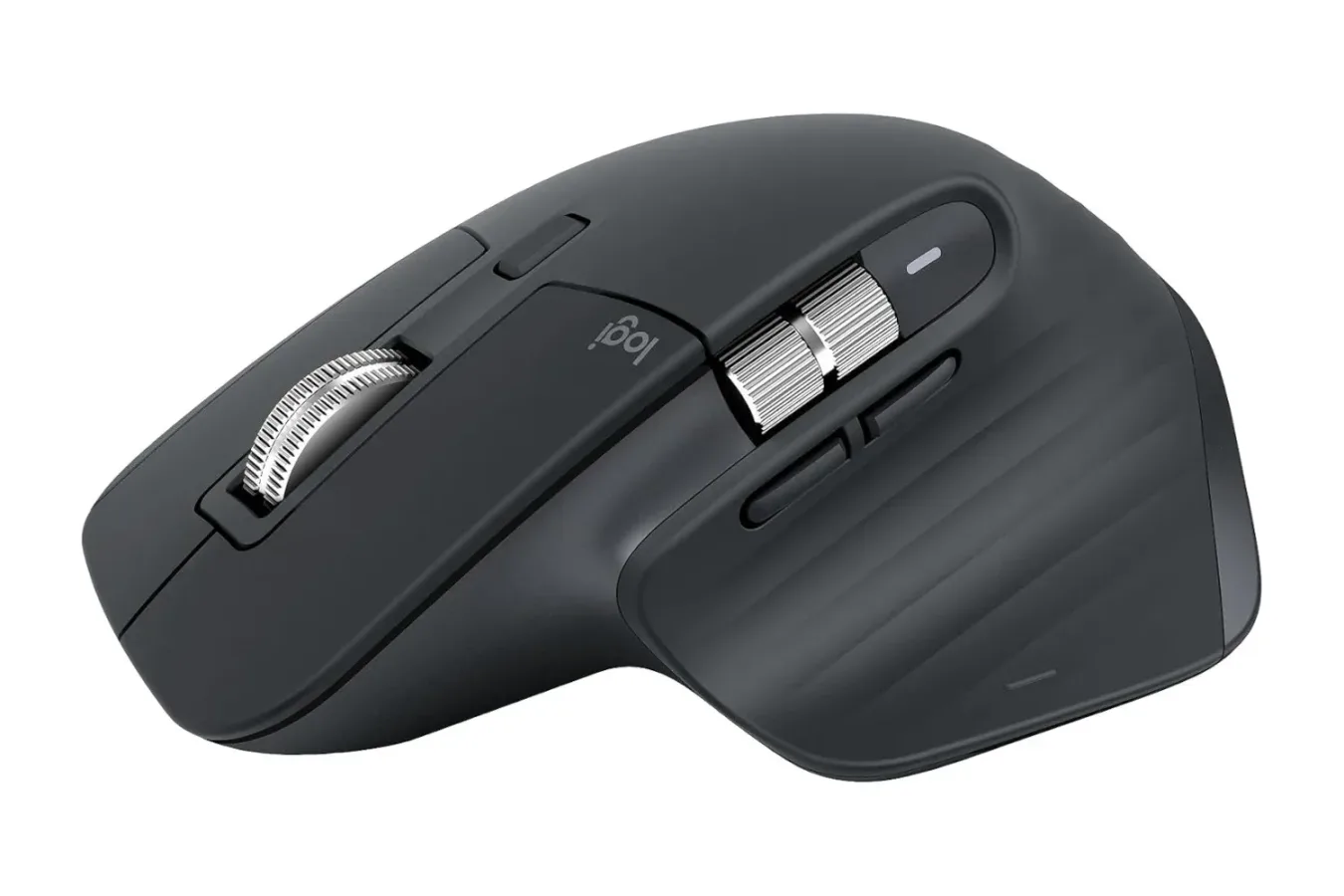
The Logitech MX Master 3S is currently available for $80, reducing the usual $100 price of the wireless Bluetooth mouse by 20%. That puts the model back at a notable low price point, making this a potentially useful moment for PC players, creators, and home-office users who have been waiting to upgrade an everyday mouse without paying full price.
While gaming mice often dominate accessory conversations with ultra-light shells, huge DPI numbers, and aggressive styling, the MX Master 3S approaches the category from a different direction. It is built as an all-purpose premium mouse that prioritizes ergonomics, quiet operation, multi-device convenience, and extensive customization. Those traits can be particularly appealing for people who spend long stretches at a desktop switching between work, browsing, editing, and games.
The $80 price is described as a limited-time offer. Discounts on the MX Master 3S do appear from time to time, but dropping from its standard $100 cost to this level makes it one of the better opportunities to pick up Logitech's productivity-focused flagship mouse for less. As always with short-term accessory offers, availability and pricing can change before a shopper has a chance to check out.
A Comfort-First Alternative to a Dedicated Gaming Mouse
The defining feature of the MX Master 3S is its sculpted shape. Rather than trying to disappear under the hand with a symmetrical, lightweight design, it uses a substantial contoured body intended to support a comfortable palm-oriented grip. For someone who uses a computer throughout the day, that distinction may matter more than a marginal improvement in speed or weight.
For useful background on this topic, read Modern Warfare 4 Honors Call of Duty Co-Creator Vince Zampella in Campaign Credits.
Comfort is inherently personal, and hand size, grip style, desk height, and posture all affect whether a mouse feels right. Still, the MX Master 3S has a reputation for being suited to extended use because of its ergonomic form. Users moving from a basic compact mouse may especially notice the difference in how the device fills the hand and positions the thumb. A wrist rest can remain useful in a long desk setup, but the mouse itself is designed to make sustained navigation less taxing than a flatter, smaller option.
For PC gaming, that means it is best understood as a versatile companion rather than a direct replacement for every competitive esports mouse. Players who demand an extremely light body, a wired connection, or specialized shooter-focused button layouts may still prefer a model designed specifically around those priorities. But for strategy games, role-playing games, simulation titles, casual play, and general PC use, the MX Master 3S offers a combination of comfort and control that can be more valuable than a purpose-built competitive design.
Up to 8,000 DPI for Everyday Precision
The MX Master 3S supports sensitivity settings up to 8,000 DPI. That figure does not chase the most extreme specifications found in dedicated gaming hardware, but it is plenty for most desktop tasks and a broad range of games. Higher DPI settings allow cursor movement across a display with less physical mouse movement, which can be helpful on large monitors or multi-screen desks.
DPI alone does not determine how a mouse feels in a game. Sensor behavior, surface, in-game sensitivity, grip, comfort, and a player's personal habits all contribute to the final experience. Even so, the 8,000 DPI ceiling gives the MX Master 3S a capable range for people who want to tune cursor speed rather than settle for a single basic setting. It also supports its role as a device that can move between productivity tasks and entertainment without feeling underpowered.
That flexibility is important for a mouse positioned around mixed use. A PC setup may be used for spreadsheets during the day, image or video work in the evening, and a few hours of gaming afterward. Buying separate devices for each activity can make sense for enthusiasts with highly specific needs, but an all-rounder such as the MX Master 3S is aimed at people who would rather keep one familiar mouse at hand.
Quiet Clicks for Shared Spaces and Late Sessions
Another major part of the MX Master 3S appeal is its quieter operation. Mechanical keyboards have made audible switches a popular feature among PC enthusiasts, but constant mouse clicking is not always welcome. Quiet buttons can be useful in shared rooms, during calls, while working near sleeping family members, or in late-night sessions when every click carries farther than expected.
The benefit is practical rather than flashy. A quieter mouse does not radically change a game's visuals or make a work task finish faster, but it can make a desk more pleasant to use every day. This is one of those features that may be easy to overlook when comparing specification lists, yet it becomes noticeable when a device is in use for hours at a time.
For streamers, remote workers, and players who communicate over voice chat, reducing incidental clicking may also help maintain a cleaner environment around a microphone. Results will naturally depend on mic placement and settings, but a less noisy peripheral is a sensible starting point for anyone trying to minimize desktop sounds.
Bluetooth and Multi-System Utility
The MX Master 3S uses Bluetooth connectivity and is designed to work across different systems. That matters for users with more than one machine on a desk, whether the combination is a gaming PC and work laptop, a desktop and a secondary computer, or multiple systems used for different creative tasks.
Its cross-device capability extends beyond simply pairing with more than one machine. The mouse can be used to move between systems and supports transferring text and files across them when configured for that workflow. For someone constantly moving screenshots, notes, documents, asset lists, or small project files between computers, that functionality can eliminate some repetitive friction.
It is also the sort of feature that will not be equally important to everyone. A player with one desktop may care much more about the shape, sensitivity, and quiet clicks. Someone managing a personal PC alongside a work computer, however, may see the multi-system tools as the MX Master 3S's strongest selling point. The broader lesson is that this mouse is trying to solve desk-management problems as much as it is trying to control a cursor.
Options+ Customization Adds More Flexibility
Logitech's Options+ app provides the software side of the MX Master 3S experience, allowing users to customize functions to better match their own habits. Extra controls can be assigned around specific tasks, helping users tailor navigation and commands instead of relying entirely on default behavior.
This can be especially helpful for users whose PC time is split across multiple applications. Video editors, artists, writers, spreadsheet users, and developers often repeat particular commands throughout the day. Setting up shortcuts on a mouse can reduce trips back to the keyboard, while gamers may appreciate the ability to tune controls for the kinds of titles they play most often.
Customization software is not a requirement to use the mouse, and some people prefer to keep peripheral settings simple. Still, having the option to adjust functionality means the MX Master 3S can be set up as a straightforward comfortable mouse or made into a more personalized tool for a complicated multi-app workflow.
Who Should Consider the $80 Price?
At $80, the MX Master 3S is most compelling for PC users who value comfort and versatility over the narrow focus of a competitive gaming mouse. It makes sense for anyone upgrading from an entry-level wireless mouse, building out a work-and-play desk, or looking for a quieter peripheral that does not feel like a compromise in daily use.
- Good fit: PC users who want a premium ergonomic shape for long sessions.
- Good fit: People who regularly switch between computers and can benefit from cross-device functionality.
- Good fit: Players of slower-paced or varied game genres who also use their mouse for work and creative tasks.
- Good fit: Anyone who wants quieter clicks in a shared space or during late-night use.
- Consider alternatives: Competitive players who prioritize the lightest possible design or features aimed specifically at high-intensity esports play.
The discount does not change what the MX Master 3S is: a premium productivity-led wireless mouse with gaming versatility, not a conventional dedicated gaming model. But lowering the cost from $100 to $80 makes that proposition easier to recommend for people who were already interested in its design and feature set.
For shoppers who have been waiting for a better price, the current reduction is worth considering before it expires. The MX Master 3S combines a comfortable contoured body, up to 8,000 DPI sensitivity, Bluetooth connectivity, quiet buttons, Options+ customization, and useful multi-system controls in one package. At its limited-time $80 price, it is a strong upgrade for a PC desk that has to handle much more than gaming alone.
Community
Discussion
Start the conversation.
No comments have been posted yet.