

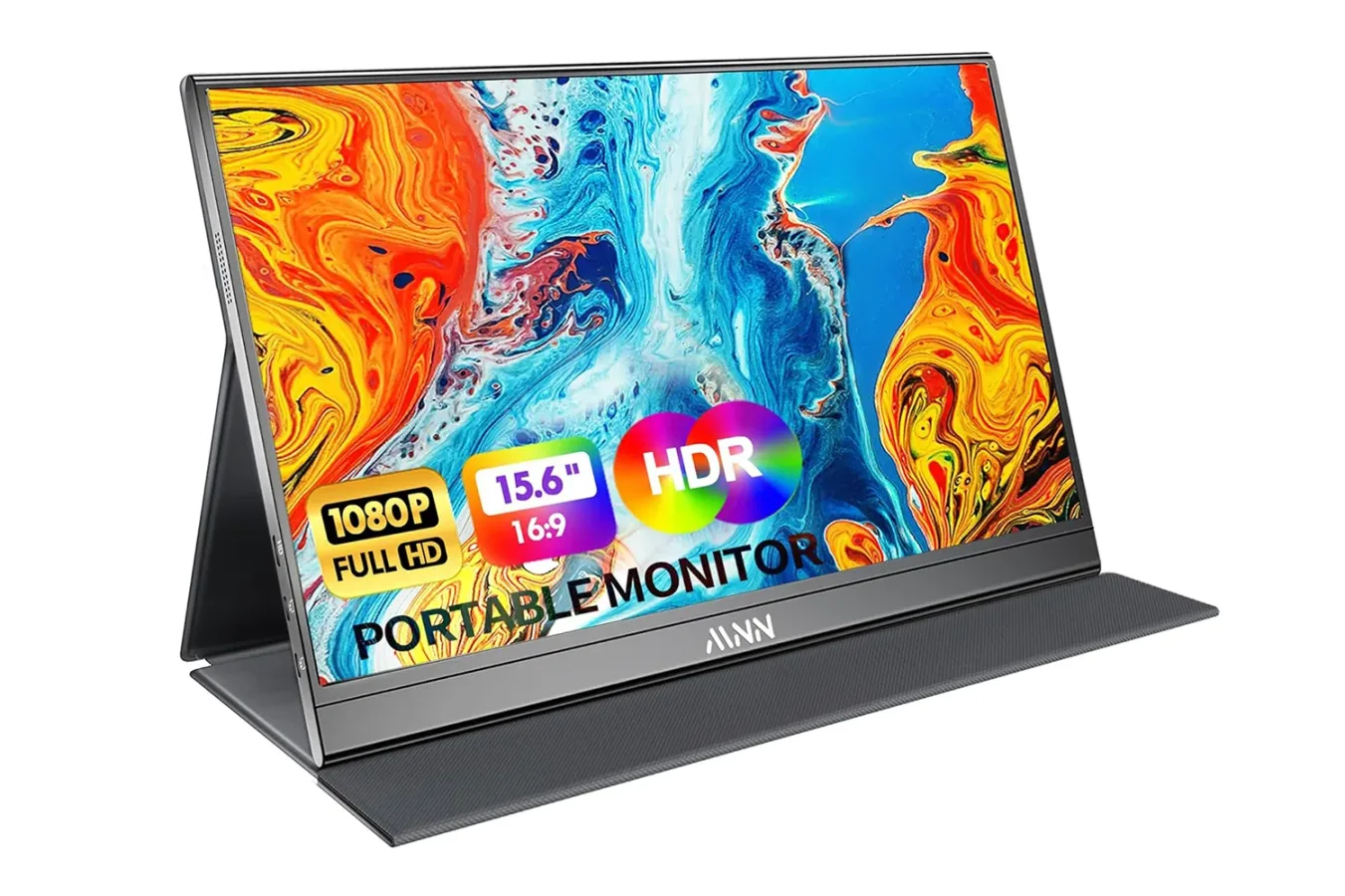
Players who want a larger or more flexible setup without hauling around a television may want to take a look at the MNN 15.6-inch portable monitor. The 1080p display is currently listed for $39 for Amazon Prime members, reduced from $49. That is described as the lowest price the monitor has reached, and it puts a full-size travel display below the cost of many newly released games.
The deal is especially notable because portable monitors can fill several roles at once. It can function as a second screen for a laptop while working or studying, a compact display for a console in a hotel or dorm, or an external screen for compatible phones. At 15.6 inches, it is close to the screen size found on many mainstream laptops, making it substantially more practical for everyday use than the smaller accessory displays often marketed for travel.
As always with retailer promotions, the listed price and Prime eligibility can change. Buyers should confirm the current price, membership requirements, and device compatibility before completing an order.
A second screen designed for travel
The MNN model uses a 15.6-inch IPS panel with a 1920 x 1080 resolution. Full HD remains a sensible target for a monitor of this size: text, menus, videos, and game interfaces should have plenty of room without demanding the kind of hardware performance associated with higher-resolution displays.
For useful background on this topic, read Hollow Knight: Silksong's Sea of Sorrow DLC Sets December 11 Release Date.
Its IPS panel is specified with 178-degree viewing angles. That matters for a portable screen that may be positioned at an angle on a small desk, used in a cramped room, or viewed by more than one person. IPS displays are generally chosen for their stronger color and image consistency when viewed off-center, rather than the more dramatic brightness shifts that can occur on some other panel types.
The monitor has a glossy finish. Glossy panels can make an image appear vivid, particularly in controlled indoor lighting, though they can also show reflections more readily than matte screens. For gaming in a hotel room, a bedroom, or a dorm environment, the trade-off may be perfectly acceptable. Anyone intending to work outdoors or beside a bright window should keep that characteristic in mind.
MNN also lists flicker-free operation and a low blue light setting. Those features may be useful for extended document work, late-night sessions, or long stretches of browsing and gaming. They should not be treated as a substitute for taking breaks or setting sensible brightness levels, but they are welcome options on an inexpensive display intended to travel frequently.
USB-C convenience, with HDMI for broader support
The key feature for many buyers will be connectivity. The portable monitor includes two full-featured USB-C ports, and a supported device can send both video and power over a single USB-C cable. That creates a notably cleaner setup than a traditional monitor, where a separate power lead and video cable are usually required.
There is an important compatibility detail, however. A laptop or phone needs USB-C video output support, such as DisplayPort Alt Mode or Thunderbolt 3, for a one-cable connection to work. Many newer MacBooks and a wide range of modern Windows laptops meet that requirement, but USB-C is not a guarantee on its own. Some USB-C ports provide charging or data only. Checking a specific device's specifications before buying is essential.
For devices that cannot send display output through USB-C, the monitor also provides an HDMI input. That broadens its usefulness considerably, particularly for game consoles and other hardware that relies on HDMI. Depending on the device and cable arrangement, power may still need to be supplied separately, so shoppers should consider their intended setup rather than assuming every device will use the same single-cable configuration.
This mix of USB-C and HDMI makes the screen more than a laptop accessory. A player can keep it in a backpack and use it where a conventional monitor or television would be inconvenient: on a desk during travel, in a temporary living space, or at a friend's house where a second display is useful but permanent hardware is not an option.
A compact option for console and handheld play
MNN says the monitor works with PlayStation and Xbox consoles as well as Nintendo Switch. A 15.6-inch 1080p display is not meant to replace a large living-room television, but it can be a useful personal screen for players who need a portable setup. It can also provide an alternative when the main TV is unavailable.
For Nintendo Switch owners, the appeal is straightforward: a small external display can make tabletop or docked play easier to manage away from home. For PlayStation and Xbox users, HDMI support allows the monitor to serve as a travel display without requiring a hotel television to have the right ports or settings available.
The display includes an HDR mode. At this price, prospective buyers should view HDR as an extra feature rather than the central reason to choose this model. High-quality HDR presentation depends on factors including brightness, contrast, and panel performance, and budget portable monitors have practical limits compared with premium televisions and monitors. Still, having the mode available may be useful for those who want to test it with compatible games or media.
Mobile users may also find a use for the monitor if their phone supports video output over USB-C. That could make it possible to view compatible phone content on a much larger screen while retaining a highly portable footprint. As with laptops, though, phone support varies significantly by model, so compatibility should be confirmed before purchase.
Useful beyond games
While the low price makes the monitor attractive for gaming, a portable second display can be equally valuable for school and work. The simplest use is desktop extension: move messaging apps, music controls, reference material, or a video call window onto the external panel while keeping the main laptop display clear for the primary task.
Screen mirroring is another option for presentations and meetings. A small group can look at a shared document or slide deck without crowding around a laptop's built-in screen. The compact size also means the display can be set aside quickly when desk space is limited.
Portrait orientation is potentially one of the monitor's most useful capabilities. Turning a secondary screen vertically can make long web pages, code, documents, chat feeds, and writing projects easier to follow with less scrolling. Anyone who has worked from a single laptop display knows how quickly space disappears when a browser, communication tool, and document all need to remain visible. A vertical secondary panel is a straightforward solution.
Cover and stand included
The monitor ships with a PU leather smart cover. It is designed to protect the screen during transport and fold into a desk stand, meaning buyers do not need to budget immediately for a separate case or stand. That inclusion adds to the monitor's travel appeal, since an accessory screen is far more useful when it can be packed and deployed without additional hardware.
Its slim design is intended to fit alongside a laptop in a sleeve or backpack. That does not eliminate the need to pack cables, and console players will still need to plan around their system's power requirements, but it keeps the core display portion of the setup manageable.
Who should consider the $39 deal?
At $39 for Prime members, the MNN 15.6-inch portable monitor makes the most sense for buyers who value flexibility over premium specifications. It is a compelling option for students moving between dorms and classrooms, remote workers who want a second screen on the road, and players who need a compact display for a Switch, PlayStation, or Xbox setup.
It is also worth considering for laptop owners whose productivity is limited by a single display. The ability to attach a 1080p IPS screen through USB-C can transform a temporary desk into a more comfortable workspace, provided the laptop supports DisplayPort Alt Mode or Thunderbolt 3.
Buyers seeking high-end HDR, a high refresh rate, or a large desktop monitor should look elsewhere. But for a basic portable display with USB-C and HDMI inputs, a protective stand cover, and broad potential use across laptops, compatible phones, and consoles, the current $39 price makes this a notably inexpensive way to add screen space.
Community
Discussion
Start the conversation.
No comments have been posted yet.