

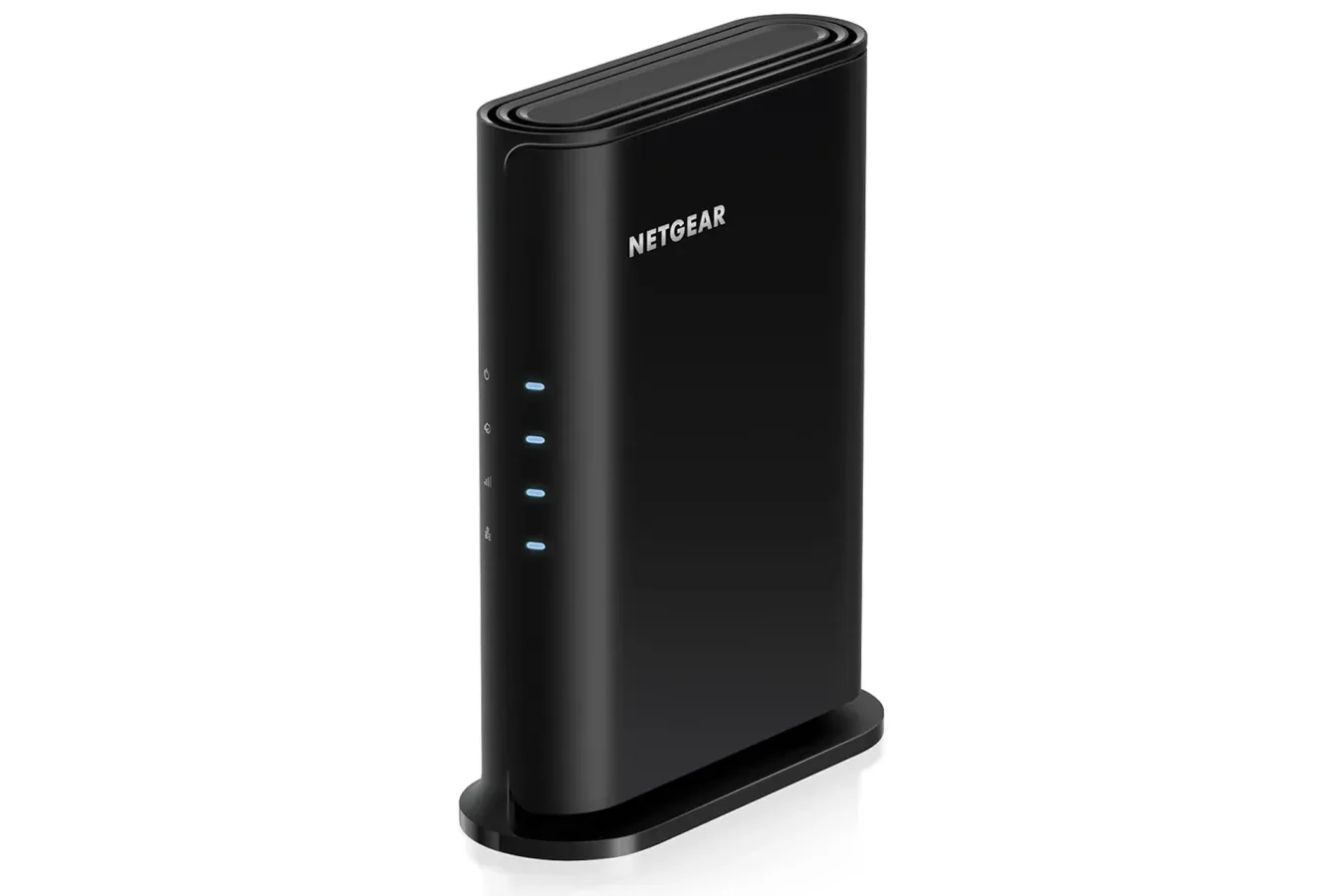
Home-network hardware may not be the most glamorous Black Friday purchase, but it can be one of the upgrades that has the broadest effect on how games, downloads, streams, and connected devices feel day to day. A NETGEAR Nighthawk Wi-Fi 6 router is currently available for $45, down 25% from its usual $60 price. That is a $15 reduction ahead of Black Friday for buyers who are looking to replace an older router or improve coverage in a smaller home.
The model is a dual-band Wi-Fi 6 router rated for combined speeds of up to 1.8 Gbps across the 2.4GHz and 5GHz bands. NETGEAR says it can cover up to 1,500 square feet and handle as many as 20 connected devices. It also includes a 1 Gig Ethernet LAN port for a wired device. For gaming households, those specifications make the deal potentially relevant not just to one console or PC, but to the increasingly crowded collection of phones, handhelds, smart TVs, tablets, and other Wi-Fi gear sharing the same connection.
What the Nighthawk deal includes
At its discounted price, the Nighthawk is positioned as an accessible Wi-Fi 6 option rather than a top-end networking setup. Wi-Fi 6 is the consumer name for the 802.11ax wireless standard, which was designed to improve performance and efficiency when many devices are active at once. That distinction matters in homes where a game update is downloading while someone else is watching high-resolution video, making video calls, scrolling social media, or streaming a game from a PC or console.
The listed 1.8 Gbps figure is a theoretical maximum across both wireless bands, not a promise that every individual device will receive that speed. Real-world results depend on the internet plan, the modem, a device's own wireless hardware, walls and furniture, neighboring wireless networks, distance from the router, and the type of activity taking place. Still, moving from an aging router to a modern Wi-Fi 6 model can be meaningful if the existing equipment is the weak point in a home network.
For useful background on this topic, read Cyberpunk 2077's V Is Designed to Challenge Your Headcanon, Quest Lead Explains.
The router's 2.4GHz band is generally useful for devices farther from the router and for equipment that does not need the highest wireless throughput. The 5GHz band is commonly the preferable option for nearby gaming systems, PCs, phones, and streaming devices because it can offer more bandwidth, though its signal can be more affected by distance and obstacles. A dual-band router gives a household flexibility to spread devices across those bands instead of forcing everything through the same wireless lane.
Why it could matter for gaming
Internet speed is often discussed as if it alone determines online gaming quality. In practice, online play is also heavily influenced by latency, packet loss, signal stability, local network congestion, and the game's servers. A faster internet subscription will not automatically solve every multiplayer problem, and no router can repair an issue occurring at a provider or game-server level. But a reliable local connection can reduce avoidable problems caused by weak Wi-Fi coverage or a router struggling with too many simultaneous connections.
That is where the Nighthawk's Ethernet port is especially notable. A wired connection remains the straightforward choice for a stationary gaming PC or console when it is practical to run a cable. Ethernet can avoid much of the interference and variability inherent to wireless networking. Players who compete online, stream gameplay, or regularly download large games may find that a wired setup gives them the most consistent experience from the internet service they already pay for.
The single 1 Gig Ethernet LAN port should also be considered before buying. It is convenient for directly wiring one device, but households intending to connect multiple PCs, consoles, or other wired devices may need additional networking hardware, such as an Ethernet switch. Buyers should look at their existing setup and decide whether one wired port meets their needs. For some, it will be ideal for a primary PC, PlayStation, Xbox, or Nintendo Switch dock. For others, it may be a limitation compared with routers that include several LAN ports.
Wireless flexibility remains valuable for the hardware that cannot realistically stay tethered. Handheld systems, phones, tablets, laptops, and portable PCs all rely on Wi-Fi. Better coverage in bedrooms, offices, or living rooms can make digital storefront browsing, cloud saves, remote-play features, patch downloads, and game streaming more dependable. The stated 1,500-square-foot coverage target suggests this router is most naturally suited to apartments, condos, and many modest-sized homes, although layout and construction materials can make a major difference.
Twenty devices can add up quickly
The 20-device figure may sound excessive for a small household until every connected product is counted. A setup can include a desktop PC, a work laptop, a console, a handheld, two or more phones, a television, a streaming box, speakers, smart-home devices, cameras, and appliances. Add visitors or roommates and the total rises rapidly. Wi-Fi 6 is built with these busy environments in mind, aiming to make simultaneous device use more efficient than older wireless standards.
That does not mean every connected item needs the latest protocol to benefit. Older Wi-Fi devices can still be part of the network, although their individual capabilities do not change simply because the router has been upgraded. To take full advantage of Wi-Fi 6 features, a client device also needs Wi-Fi 6 support. Even so, newer router hardware can be a sensible replacement if an old unit has limited range, unreliable connections, outdated software support, or insufficient capacity for the number of devices now in use.
Setup is handled through the Nighthawk app
NETGEAR directs users to its free Nighthawk app for setup. The app is available on iOS and Android, and it walks users through connecting the router and configuring the network. App-led setup is useful for buyers who do not want to spend time navigating a traditional router administration page from a computer, although those accustomed to advanced networking controls may still want to review the device's available settings before committing to a purchase.
The package also includes a 30-day trial of NETGEAR Armor, the company's security service intended to help protect connected devices against threats including malware and identity theft. As with any trial attached to a hardware purchase, it is worth checking the terms, what happens when the trial period ends, and whether a continued subscription is needed for features a buyer expects to use. The core router remains useful without treating an optional security service as the reason to buy it.
Things to check before replacing a router
A new router is not always a complete answer to a home-network issue. Buyers should first identify whether they have a separate modem and router, or a combined gateway provided by their internet company. Compatibility and setup requirements can differ. Some provider-supplied gateways can be placed in a mode that allows a separate router to take over wireless networking, while other installations may need a different configuration.
- Internet plan: Speeds delivered to the home set the upper limit for internet activity. A router cannot create bandwidth that is not included in the service plan.
- Home size and layout: The advertised 1,500-square-foot coverage will be affected by thick walls, multiple floors, metal structures, and router placement.
- Device support: Wi-Fi 6-capable phones, PCs, and consoles can make better use of the newer standard, but older devices should remain compatible.
- Wired needs: One Gigabit LAN port is helpful for a main gaming machine, but multiple wired systems may require a switch or a router with more ports.
- Placement: Positioning a router centrally and out in the open can have a larger impact than placing it inside a cabinet or in a far corner of a house.
A budget-minded upgrade before the holiday sales rush
At $45, this NETGEAR Nighthawk Wi-Fi 6 router lands in budget territory for anyone whose current network equipment is becoming a frustration. Its mix of dual-band Wi-Fi 6, up to 1.8 Gbps of stated combined wireless performance, coverage rated up to 1,500 square feet, support for up to 20 devices, and one Gigabit Ethernet LAN connection gives it a practical feature set for smaller homes and gaming-focused setups.
It is not a universal solution for expansive properties, demanding multi-gigabit wired networks, or households that need several Ethernet-connected devices without adding extra equipment. But for a player trying to get a more stable signal to a console, a PC user who can take advantage of the wired port, or a household whose older router is being overwhelmed by everyday traffic, the early Black Friday price makes it a deal worth considering. As with many seasonal promotions, the $45 price is listed as limited-time, so buyers should verify the current price and product details before ordering.
Community
Discussion
Start the conversation.
No comments have been posted yet.