

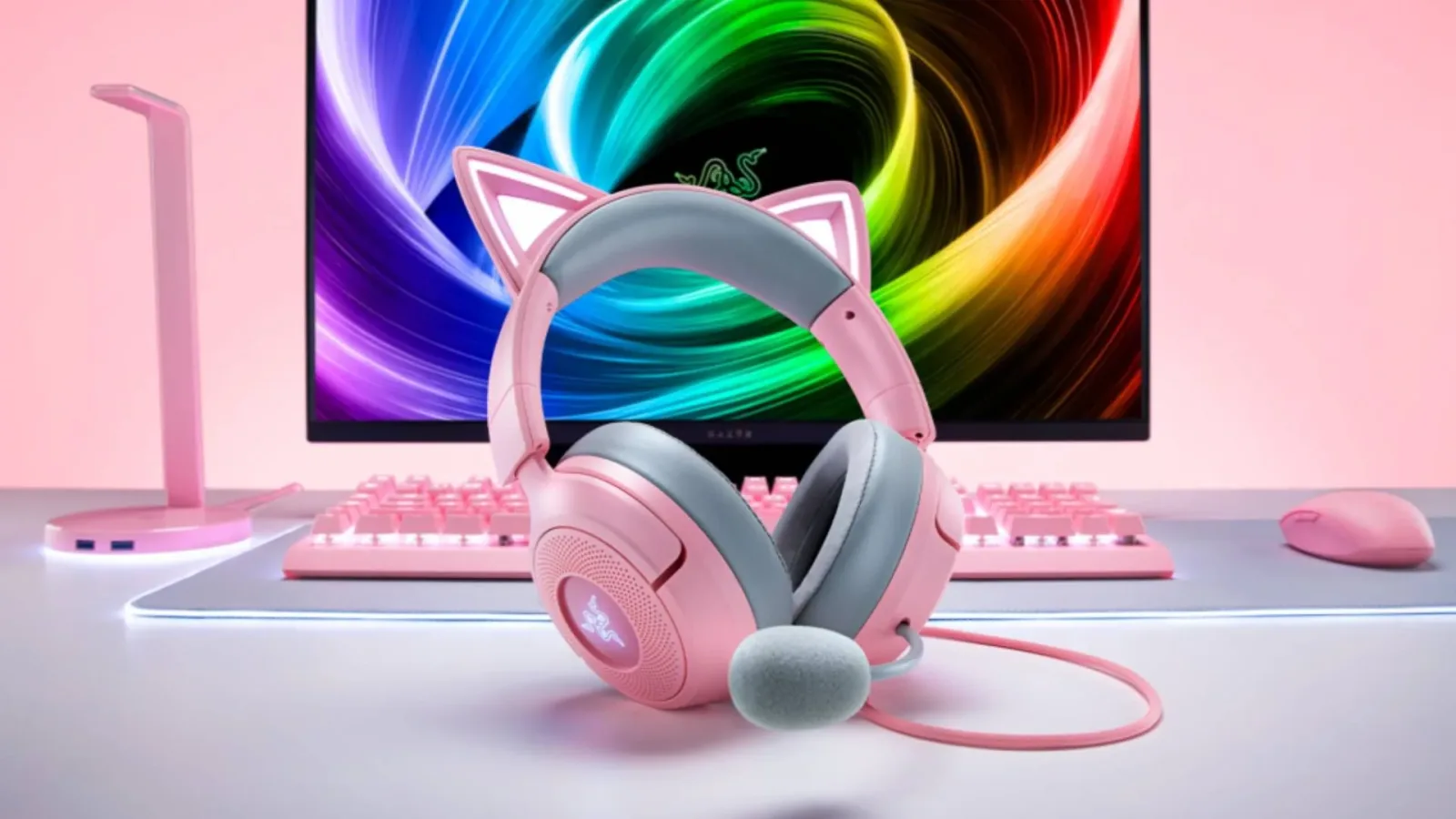
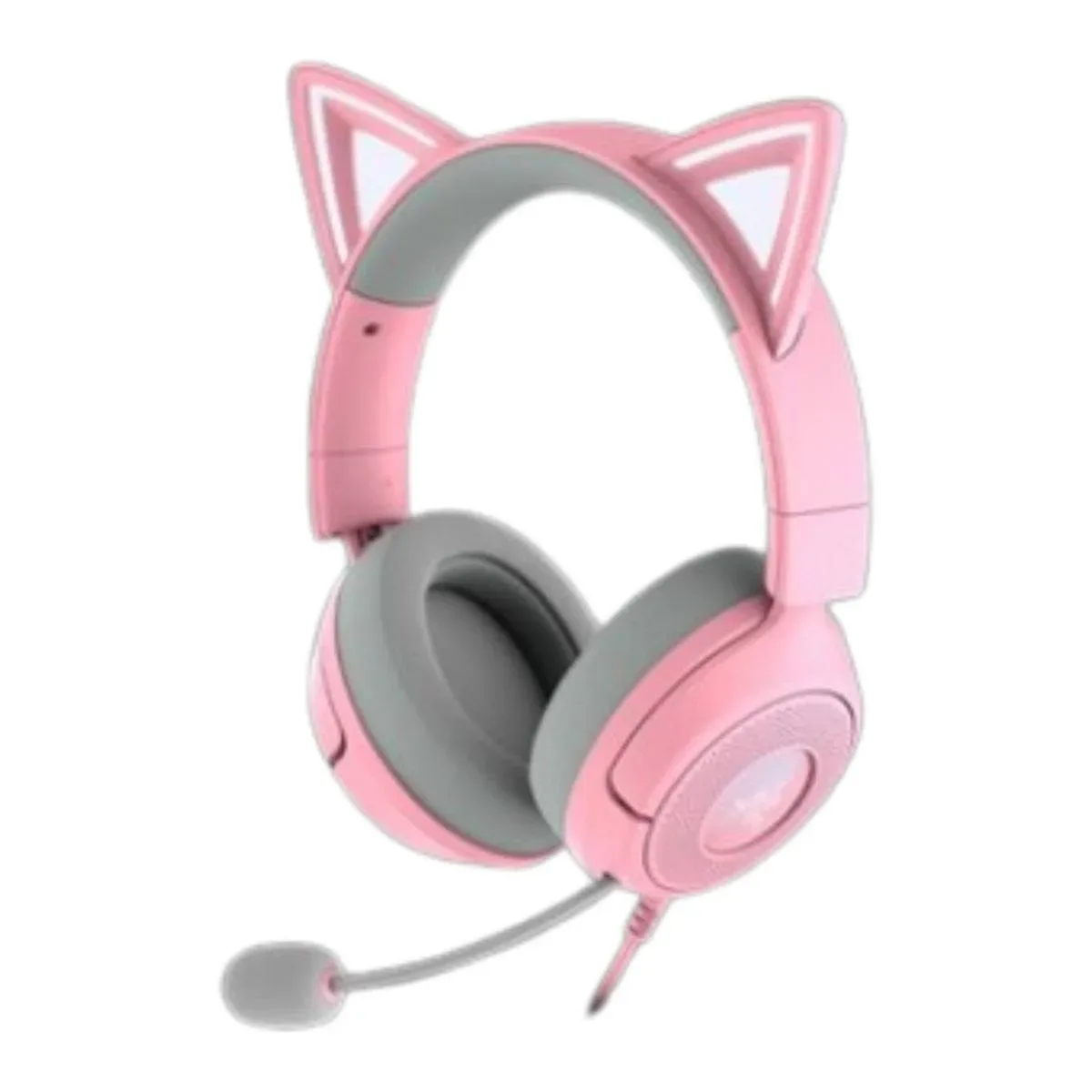
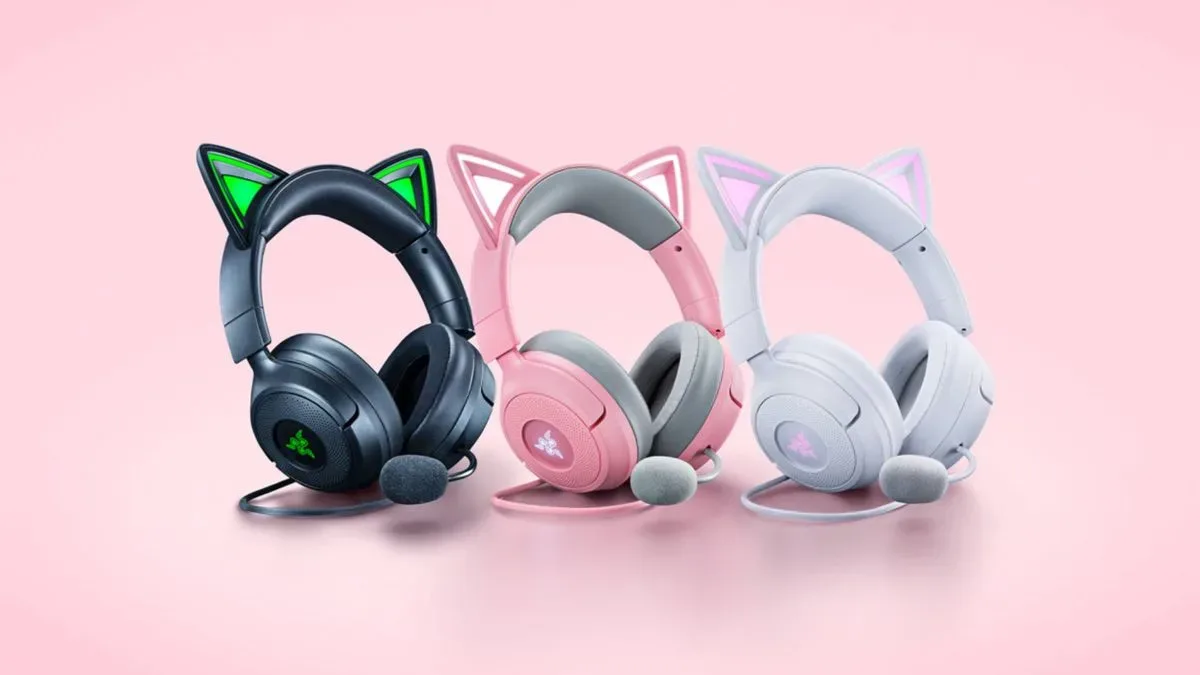
Razer has expanded its distinctive cat-ear headset range with the Kraken Kitty V3, a $99 model built with streaming setups, RGB customization, and cosplay-minded users in mind. Its headline addition is a feature called Cosplay Mode, which lets owners connect the headset's USB-C cable to a power bank and keep its lighting on away from a desktop setup.
That is an immediately understandable idea for a product line whose visual design has long been part of its appeal. RGB cat ears make sense on camera, in personal photos, and alongside costumes that lean into gaming, anime, or virtual-creator aesthetics. But taking an illuminated gaming headset into a crowded convention hall is not quite as straightforward as the feature name suggests. The Kraken Kitty V3 may be designed to travel from a streaming desk to a cosplay look, but expensive electronics remain vulnerable in environments full of queues, crowds, bags, costume pieces, food, changing weather, and long days on foot.
For prospective buyers, the important distinction is between a headset that can be used at an event and one that is necessarily the most practical choice for every convention. The Kraken Kitty V3 has plenty of appeal as a gaming and streaming accessory. Whether it is worth wearing for hours through a packed show floor is a more personal calculation.
Cosplay Mode is built around portable RGB lighting
The central feature of the Kraken Kitty V3 is its ability to remain illuminated when it is disconnected from a conventional computer setup. Rather than requiring the headset to stay connected to a PC, Cosplay Mode uses the USB-C cable and a power bank to supply power to its lighting. That means the headset can function as an active RGB costume accessory at conventions, cosplay gatherings, community events, or smaller social meet-ups.
For useful background on this topic, read Warhorse Studios Confirms Cyberattack Affecting Company Systems and Data.
It is a sensible extension of what the Kraken Kitty family already represents. These are not understated headphones intended to disappear into a work-from-home desk arrangement. Their ears, lighting, and styling are meant to be seen. For streamers, that visual identity can become part of a channel's look; for cosplayers, it can potentially complement an outfit without needing to construct light-up headphone props from scratch.
There is also a useful creative advantage in using a real headset for photos or videos at home. A creator can coordinate the lighting with other compatible Razer gear, film content in a controlled environment, and then put the equipment safely away. In that scenario, Cosplay Mode is less about surviving a full convention day and more about making the headset adaptable for shoots, short appearances, and informal gatherings.
A $99 headset is still a costly cosplay component
The Kraken Kitty V3 is currently available through Razer's online store for $99. It may take some time before the model becomes widely stocked by other retailers in the US and UK, as has happened with other entries in the Kitty range. At that price, it sits below the Kraken Kitty V3 Pro, which costs $179.99 / £179.99.
Even at the lower price, the practical concern is clear: cosplay already has a habit of accumulating costs. Wigs, fabrics, foam, paints, shoes, accessories, travel, tickets, storage, repairs, and photography can all add up fast. Introducing a $100 electronic accessory into the equation means accepting that a loss, accident, or cosmetic break could become an expensive problem.
Convention floors are often unpredictable. Someone can catch a cable while moving through a crowd. A bag can be put down and briefly left unattended. Drinks and food can be nearby. Costume parts can snag, and crowded spaces can make it difficult to notice a bump or scrape when it happens. None of that means a Kraken Kitty V3 will inevitably be damaged or stolen. Many attendees take cameras, phones, handheld consoles, and other valuable possessions to events without incident. It does mean that an owner should make the decision with realistic expectations rather than assuming that a gaming headset is as replaceable as a foam prop.
For costumes that call for headphones, a low-cost stand-in may remain the safer option. Foam construction, decorative attachments, inactive props, or inexpensive wireless headphones can provide the silhouette of a character's gear without exposing a daily-use gaming device to the same level of risk. This can be especially helpful for elaborate builds where the headset is only one small part of the look.
Comfort could matter as much as durability
The other major consideration is wearability. Razer lists the Kraken Kitty V3 at 315g. That is not an extraordinary number for a gaming headset, but convention conditions are different from sitting at a desk for a few hours. A wearer may spend much of the day standing, walking, posing for photos, navigating lines, and managing a backpack or other costume parts.
Add a substantial wig, hair clips, a headpiece, glasses, makeup, or a costume with a high collar, and a headset can become considerably more noticeable over time. Weight that seems acceptable during an evening gaming session can feel very different after hours of event activity. The pressure from a headband and earcups may also complicate carefully styled wigs or makeup, particularly if the headset needs to come off and go back on repeatedly.
Power management is another element to plan around. Cosplay Mode enables lighting through a connected power bank, but that also introduces a cable and another device to carry. A secure pocket, pouch, or bag route matters. A dangling cable may interfere with costume details or create something that can snag in a dense crowd. Anyone planning to use the feature outside should test the full setup before an event: headset placement, cable length, power-bank position, movement, and how easily the arrangement can be removed.
Gaming and streaming hardware remains the Kraken Kitty V3's main strength
None of these cautions diminish the fact that the Kraken Kitty V3 is still intended to be a functional gaming headset rather than merely a costume item. Razer has equipped it with 40mm TriForce audio drivers and a HyperClear cardioid microphone. Those specifications make it relevant for users who want one piece of hardware for gaming sessions, voice chat, livestreaming, and on-camera content.
The headset is also Chroma-powered, allowing owners to use Razer's Chroma app to coordinate its RGB effects with other compatible Razer devices. For a PC streamer with a lighting-heavy desk, that is a meaningful part of the package. Matching the headset to keyboards, mice, lighting, or other peripherals can create a consistent visual presentation without requiring separate color settings for each device.
Its visual identity may also be valuable to people who do not attend conventions at all. The cat-ear design and lighting can be part of a streaming persona, a room setup, a casual video call backdrop, or a home cosplay shoot. In those contexts, the risks associated with crowds, transit, and extended day-long wear are much easier to control.
How to use a convention headset more carefully
For people who do decide that the Kraken Kitty V3 belongs in their convention kit, preparation can reduce some of the avoidable problems. The goal is not to make a busy event completely risk-free, but to prevent a stylish accessory from becoming a stressful responsibility.
- Test Cosplay Mode at home: Check how the USB-C cable and power bank sit with the full costume before the day of the event.
- Plan cable routing: Keep the cable close to the costume and away from loose accessories, bag straps, and areas where other attendees could catch it.
- Bring a protective case or padded bag: A headset should have a safe place to go when eating, using a restroom, or taking a break.
- Do not leave it unattended: Treat it like a phone, camera, or any other valuable personal electronic.
- Consider event duration: A brief meet-up, photo session, or small gathering may be more comfortable than wearing it continuously across an all-day convention.
- Have a backup look: If the headset becomes uncomfortable, loses power, or needs to be packed away, the costume should still feel complete without it.
There is no universal rule that expensive gaming equipment must stay home. Some cosplayers will be happy to use the Kraken Kitty V3 as intended, and a carefully managed setup may work well. Yet the most practical approach is to view Cosplay Mode as an option rather than an obligation. The feature gives owners flexibility; it does not eliminate the physical and financial risks of taking electronics into an extremely busy public venue.
Best suited to controlled cosplay and creator setups
The Razer Kraken Kitty V3 is a compellingly focused product: a recognizable cat-ear gaming headset with customizable Chroma RGB lighting, a cardioid microphone, 40mm audio drivers, and a portable illumination option for cosplay. At $99, it is notably less expensive than the Kraken Kitty V3 Pro while still carrying the visual character that draws people to the line.
Its strongest use case may be a mix of PC gaming, streaming, home content creation, and smaller cosplay occasions with friends. Those environments allow owners to enjoy the headset's lights and styling without constantly worrying about crowd pressure, security, comfort, or possible damage. Larger conventions can still be viable, but they call for a more cautious mindset--and perhaps a less precious backup prop for anyone who would rather focus on the event than safeguard a headset all day.
Community
Discussion
Start the conversation.
No comments have been posted yet.