

A gaming monitor upgrade can be one of the most noticeable ways to change a setup, but it is also an area where prices can climb quickly. Displays sit at the center of everything players do, whether that means chasing smoother performance in competitive games, enjoying sharper image quality in single-player releases, or simply making room for a PC and console on the same desk. That makes a substantial discount on a feature-packed screen worth a closer look.
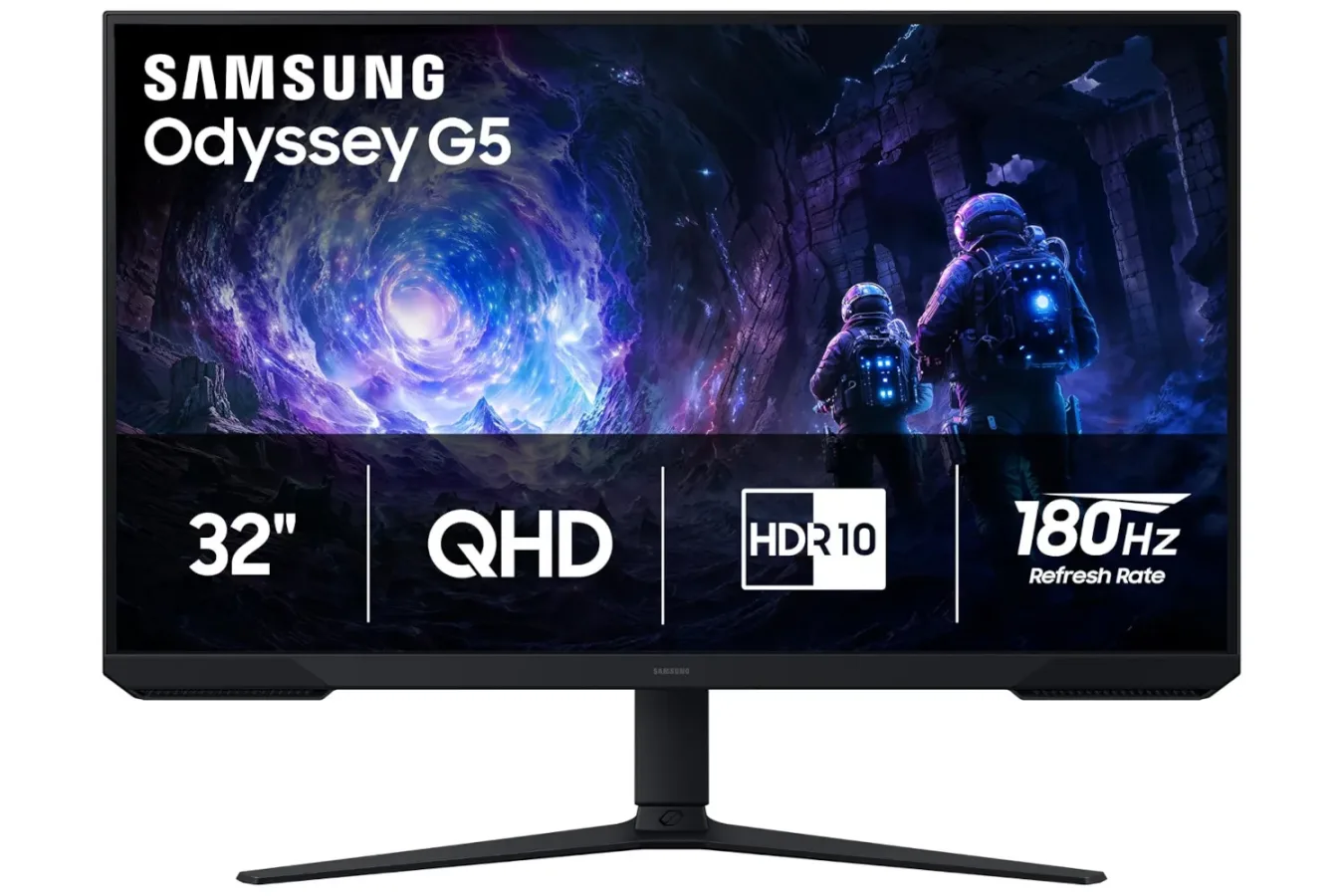
Samsung's 32-inch Odyssey G5 gaming monitor is currently available for $180, down from its usual $300 price. The reduction amounts to 40% off, or a $120 saving. At that price, the display offers a combination of QHD resolution, a 180Hz refresh rate, AMD FreeSync support, adjustable positioning, and an Auto Source Switch feature designed for people using more than one device.
The deal is framed as a stock-clearing offer, which means it may not remain available for long. As with most technology discounts, shoppers should check the current listing price and availability before making a purchase, especially if they are considering the monitor for a specific upcoming game, system upgrade, or holiday setup change.
A 32-inch screen built around QHD gaming
The Odyssey G5's main image specification is its QHD, or 1440p, resolution. That places it above standard 1080p displays in pixel count, providing a sharper image and additional screen space. For PC players moving up from a Full HD monitor, the difference can be particularly apparent in game environments, text clarity, interface elements, and desktop work outside of games.
For useful background on this topic, read Former BioWare Lead Says a New Mass Effect Could Cost Far Less Than $200 Million.
QHD has become a popular middle ground for gaming displays because it asks less of a graphics card than 4K while still providing a meaningful visual step up from 1080p. It can be an appealing target for players who want a clearer picture but also care about maintaining high frame rates. Of course, actual performance will still depend on the game's settings, the power of the PC, and the graphics hardware in use.
At 32 inches, this is not a small desktop display. The larger panel can make games feel more expansive and can be useful for players who prefer a bigger viewing area without moving to a television-sized screen. It may also suit mixed-use desks where the monitor handles gaming, video, browsing, streaming, and productivity tasks. Buyers should nevertheless consider their desk depth and usual seating distance: a 32-inch screen takes up considerably more visual and physical space than a common 24- or 27-inch gaming monitor.
180Hz refresh rate targets smoother action
Resolution is only part of a gaming monitor's appeal. Samsung lists the Odyssey G5 with a 180Hz refresh rate, meaning the display can update its image as many as 180 times per second when the connected hardware and game can deliver the necessary frame rate.
Higher refresh rates are most valuable in games where quick movement, rapid camera turns, and fast reactions are central to the experience. Competitive shooters, racing games, action titles, and sports games can all benefit from a smoother presentation when frame rates are high enough. Even outside of games, navigating a desktop at a higher refresh rate can make cursor movement and scrolling appear more fluid.
A 180Hz specification does not guarantee that every game will run at 180 frames per second. Modern releases can be demanding, particularly at 1440p, and results vary dramatically between hardware configurations and graphics settings. Players looking to make the most of the monitor's refresh rate may need to adjust visual options in certain games, while older or less demanding titles could be better positioned to reach higher frame rates.
That does not reduce the monitor to a niche competitive option. A high-refresh panel still provides flexibility. Players can prioritize visual settings in cinematic games, then lower settings or choose performance-focused presets in faster titles when they want to pursue a higher frame rate. The point is not that every game must hit the maximum; it is that the display has room to accommodate games and systems that can go beyond the more familiar 60Hz range.
AMD FreeSync aims to keep frames in step
The Odyssey G5 also includes AMD FreeSync. Variable refresh technology is intended to coordinate the monitor's refresh behavior with the output of a compatible graphics processor. When it is working as intended, that synchronization can help reduce screen tearing and make changes in frame rate look smoother.
This is especially relevant because game performance is rarely perfectly consistent. A title may run quickly in an indoor scene, then slow down when it reaches a larger area filled with effects, characters, or detailed scenery. Rather than treating the monitor's refresh rate as entirely separate from the system's changing performance, FreeSync is designed to better align the two.
Players should keep expectations grounded around their own hardware and game library. Display features can improve the presentation of changing frame rates, but they cannot solve every technical issue in a game or compensate for hardware that cannot meet a desired performance level. Optimization, driver support, in-game options, and the capabilities of the connected device remain important parts of the experience.
Useful for a PC-and-console desk
One of the more practical inclusions is Auto Source Switch. The feature is designed to detect a newly active input signal and change the monitor to that source. For someone who alternates between a gaming PC and a console, it can reduce the number of manual input changes needed during the day.
That convenience matters more than it might initially sound. Many gaming spaces now serve several purposes: a PC setup during the week, a console station in the evening, and a general entertainment display at other times. A monitor that can respond when another connected device becomes active may make that arrangement feel less cumbersome.
The display's adjustability is another consideration for shared or unusual desk configurations. Monitor ergonomics are often overlooked until a player spends a long session trying to see a large panel at an awkward angle or height. Being able to tune the monitor's position can help accommodate a keyboard-and-mouse setup, a controller-focused chair position, or a desk that has to fit several devices.
Console players should still verify the video output options of their own hardware and the settings they plan to use. A monitor's headline resolution and refresh specifications describe its capabilities, but the experience available from a specific console can depend on that platform's supported output modes and the game being played. PC owners should similarly confirm that their graphics card and connection setup are appropriate for the resolution and refresh rate they want to use.
Who should consider the $180 offer?
At $180, the 32-inch Odyssey G5 looks most compelling for players who want to move into a larger QHD, high-refresh display without paying its standard $300 price. It may be particularly attractive to people still using an older 1080p screen, a 60Hz monitor, or a setup that requires frequent switching between devices.
- PC players looking for a 1440p display with a 180Hz refresh rate may see the clearest potential upgrade path.
- Competitive players who value smoother motion can benefit from the higher refresh ceiling, provided their system can supply high frame rates.
- Single-player fans may appreciate the added detail of QHD and the larger 32-inch presentation.
- Multi-device households could find Auto Source Switch convenient for moving between a PC and console.
- Desk users with flexible needs may value the monitor's adjustable setup options.
On the other hand, it is worth taking a moment to assess the practical fit. A 32-inch monitor is a major piece of desk hardware, and some players may prefer a smaller screen for close-range competitive play. Anyone upgrading specifically for high frame rates should also take a realistic look at their GPU performance at 1440p. A monitor can provide the capability, but it cannot independently create the frames required to reach its upper refresh range.
A notable markdown for a broad gaming feature set
The current $180 price is the key reason to pay attention to this particular Odyssey G5 listing. The monitor combines specs that address both picture quality and motion performance: QHD resolution for increased sharpness, 180Hz refresh support for smoother output, AMD FreeSync for variable-refresh synchronization, and source switching for multi-device convenience.
At its normal $300 price, buyers may spend more time comparing it with a wider range of alternatives. With $120 removed from the cost, the calculation changes for anyone who has already been planning a display upgrade. It is still sensible to measure the available desk space, review the connected hardware, and confirm the present price before checking out. But for shoppers seeking a larger 1440p gaming monitor with a high refresh rate, this is a meaningful discount rather than a minor price adjustment.
Stock-clearing promotions can change quickly, so interested buyers should not assume the 40% reduction will remain in place indefinitely. For the moment, the Samsung 32-inch Odyssey G5 offers a comparatively accessible route to a larger, faster QHD gaming setup at $180.
Community
Discussion
Start the conversation.
No comments have been posted yet.