

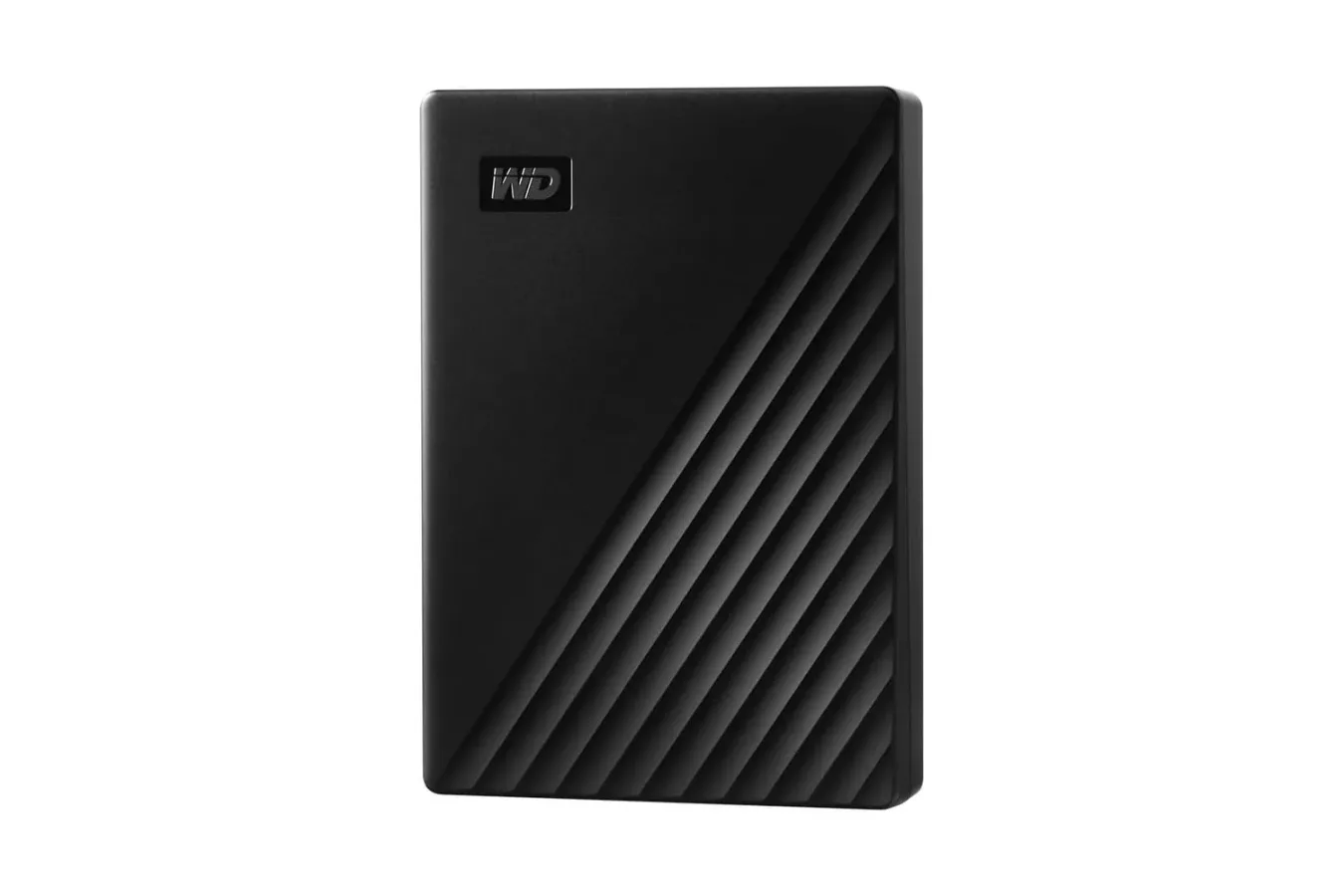
Storage has a habit of disappearing faster than expected. A modern game library can consume hundreds of gigabytes in a hurry, while captured footage, screenshots, mods, save backups, music, schoolwork, and personal media add up alongside it. For players who need a straightforward way to archive files or expand the amount of data they can carry between machines, Amazon has reduced the WD 5TB My Passport Portable External Hard Drive to $227.
The listed price is down from $285, representing a $58 reduction, or 20% off. It is described as a record-low price for this 5TB model. The deal applies to a compact black My Passport drive designed for portable storage, with a textured exterior and a single-cable setup that does not need a separate wall power adapter.
For gaming audiences, the appeal is simple: 5TB is a substantial amount of room for keeping older installs, preserving a PC game archive, moving large files, or maintaining backups outside a computer's internal storage. It is not an SSD, so buyers looking for the fastest possible game-loading performance should keep that distinction in mind. But as a portable hard drive intended for capacity and convenience, the My Passport offers a practical place to put data that does not need to live permanently on a primary drive.
What the WD My Passport 5TB includes
The 5TB My Passport uses USB 3.2 Gen 1, a connection standard also commonly known as USB 3.0. Western Digital rates the interface at transfer speeds of up to 5Gbps. Real-world copying performance will vary based on the computer, port, cable, file types, and the hard drive's mechanical nature, but USB 3.2 Gen 1 provides far more bandwidth than older USB 2.0 connections.
For useful background on this topic, read Shokz OpenFit 2 Open-Ear Earbuds Drop to $140 With a Free Case Cover Offer.
The drive is also backward compatible with USB 2.0 ports. That can be useful for older computers, although transfers over USB 2.0 will naturally be much slower. Since the drive receives power through USB, it is especially convenient for laptop users and anyone who does not want to bring an extra power brick when travelling.
- Capacity: 5TB of external storage.
- Connection: USB 3.2 Gen 1, with compatibility for USB 2.0 ports.
- Portability: A compact, lightweight design powered through its USB connection.
- Security: 256-bit AES hardware encryption and password protection.
- Backup features: Included backup software with scheduled backup options.
- Mac support: Can be used with Apple Time Machine as part of a Mac backup setup.
- Warranty: A three-year limited warranty from Western Digital.
Its security tools are a notable inclusion for a portable drive. Through Western Digital's software, owners can set a password and use the drive's 256-bit AES hardware encryption to help protect stored files. That does not remove the need for sensible security habits, especially with important data, but it is useful for people carrying documents, media, project files, or backups between home, school, work, and travel destinations.
How 5TB can help a game library
A 5TB drive is less about turning every game into an instant-load experience and more about giving a collection room to breathe. Large current games can take up well over 100GB each, and a player who regularly rotates between a few multiplayer titles, lengthy RPGs, older favorites, and mod-heavy installations can quickly exhaust a laptop or desktop's internal capacity.
On PC, an external drive can serve several useful roles. It can hold installers, game captures, mod archives, screenshots, save-file backups, emulator-related files, and games that are not being played constantly. It can also make moving a library to a new system less cumbersome than repeatedly downloading every title. Players should still check the requirements of their launcher and individual games before deciding where to install or run them, particularly when a game benefits from an SSD.
For console owners, external storage can likewise be valuable for keeping a larger game collection in one place and moving titles back when needed. Exact support, installation behavior, and playability depend on the console generation, system software, and the game involved. Buyers should verify the storage rules for their own PlayStation or Xbox hardware before purchase, rather than assuming that every title can be launched directly from any external USB hard drive.
That caveat matters because external hard drives and modern console storage policies are not identical across platforms. Some systems can use USB storage for certain games or media while requiring internal storage or approved expansion solutions for others. The My Passport's capacity remains useful for archiving compatible content and reducing the need to delete files permanently, but compatibility should be confirmed before treating it as a universal console expansion option.
Backup is the less exciting, more important feature
Gaming storage discussions often focus on install size, but backup capability may be the bigger long-term benefit here. Screenshots can be replaced, but personal photos, videos, coursework, creative projects, documents, and locally stored save data may be much harder--or impossible--to recover after a hardware failure, accidental deletion, or system problem.
The included software can schedule automated backups, making the process less dependent on remembering to manually copy files. Mac users can instead incorporate the drive into a Time Machine routine. Neither approach should be mistaken for a guarantee against all data loss: a portable drive can still be misplaced, damaged, or fail like any other piece of hardware. Still, keeping a separate copy of important files is a meaningful improvement over having them exist only on one computer.
A sensible approach is to identify the data that would be most difficult to recreate and back that up first. This could include documents, captured video, family media, creative work, configuration files, and saved projects. Players who keep local game saves may also want to confirm whether their preferred games use cloud synchronization, local saves, or a mix of both. Cloud saving is helpful, but it does not always cover every title, version, mod setup, or file type.
Portable does not mean indestructible
My Passport's small form factor and textured finish make it easy to put in a backpack, camera bag, or laptop sleeve, but portability also means it may be moved around more frequently. As a mechanical hard drive, it is wise to avoid drops, impacts, and disconnecting it while files are actively being written. Safely ejecting the drive before unplugging it is a small habit that can help prevent file corruption.
Password protection also deserves careful handling. Owners should store password details securely and make sure they understand the recovery options available through the manufacturer's software. Encryption is valuable precisely because it limits access, so losing credentials can create a serious problem for the person who set them.
Who should consider this deal?
The WD 5TB My Passport makes the most sense for buyers who prioritize capacity, portability, and backup features over the speed advantages of an external SSD. It could suit students with years of files, photographers and video creators managing media libraries, PC players archiving large downloads, and console players seeking additional room for compatible storage tasks.
It may be less ideal for someone whose top priority is running the newest games at the fastest possible loading speeds. In that case, an SSD-based solution may be the better fit, though usually at a higher cost per terabyte. Buyers should also consider whether they need ruggedized protection, multiple-device formatting support, or a specific connector type for their setup.
At $227, the 5TB WD My Passport offers a sizable storage pool in a USB-powered package, plus security and scheduled-backup tools that make it more than a basic file dump. The price reduction brings the drive $58 below its $285 list price, making it worth consideration for anyone who has reached the point where deleting games and files is becoming a routine part of managing their digital space.
Community
Discussion
Start the conversation.
No comments have been posted yet.