

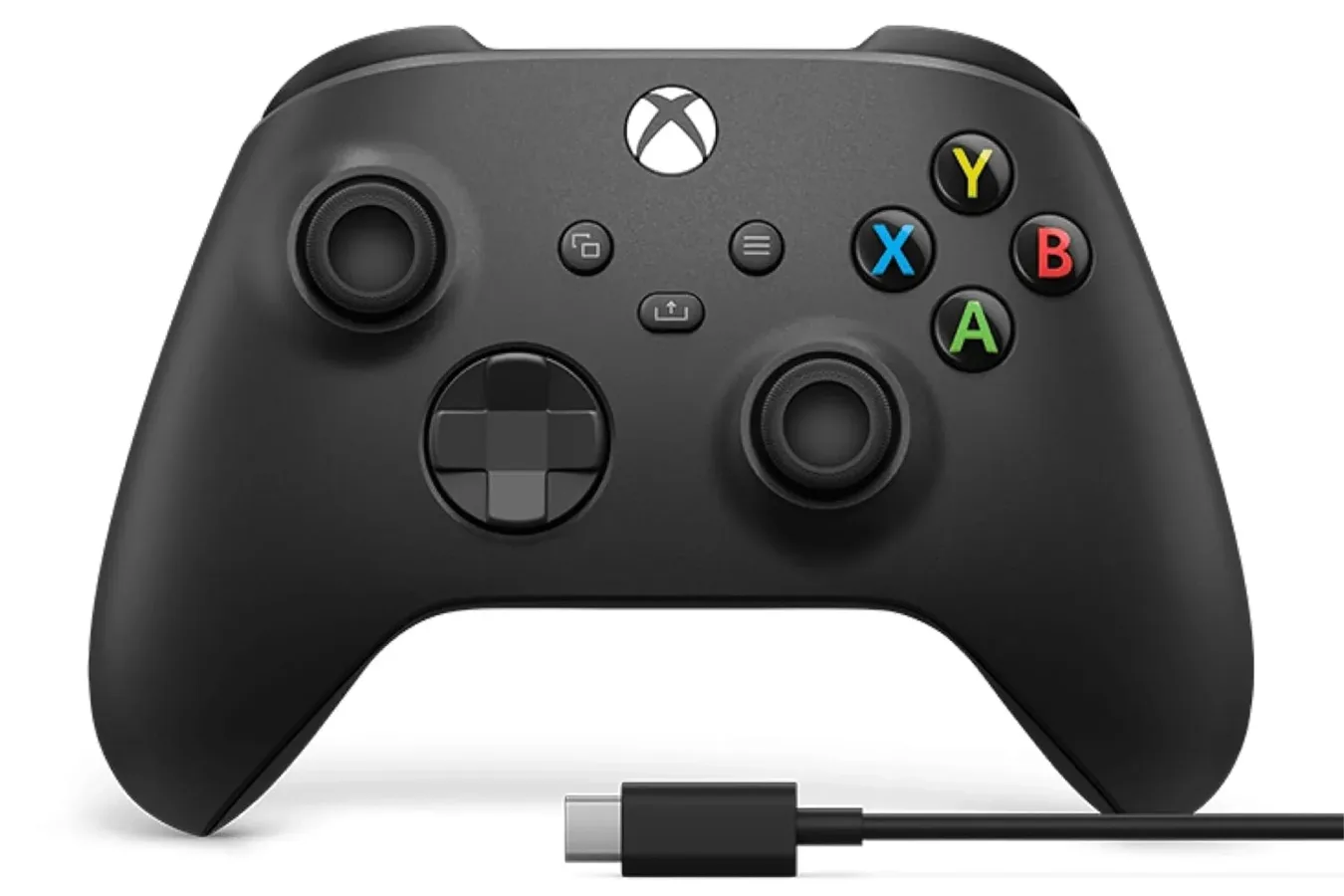
Xbox players looking to replace an aging controller, add a second pad for local multiplayer, or simply keep a spare within reach have a notable discount to consider. Microsoft's Xbox Wireless Controller in Carbon Black is listed at $43 on Amazon, down from its $65 suggested retail price. That represents a 34% reduction and places the standard Xbox controller below the discounted price of Sony's DualSense during the same period.
The timing is especially relevant following the Thursday launch of Grand Theft Auto VI on Xbox Series X|S. A huge open-world release does not necessarily require multiple controllers, of course, but major games tend to bring friends and family into the living room. For anyone whose existing pad has stick drift, softened buttons, damaged grips, or an increasingly unreliable connection, a replacement at this price may be more attractive than waiting for another hardware sale.
Carbon Black is the conventional all-black version of Microsoft's current controller, and the deal is for the standard wireless model rather than an Elite controller or a specialized limited edition. Its appeal is less about novelty than flexibility. The same controller can cover current Xbox console play, Windows PC use, and mobile cloud gaming, making it a practical purchase for players who move between screens.
A Familiar Design Built for Long Sessions
Microsoft has refined the basic Xbox controller shape over many years, and this version continues that incremental approach. The handles and overall geometry are designed to sit comfortably in a range of hand sizes, while the controller adds textured surfaces in areas that matter during extended sessions. Texture appears on the rear grips as well as the triggers and bumpers, helping the pad remain secure when hands become warm during a competitive match or a long night of missions.
For useful background on this topic, read ASUS ROG Strix G16 Gaming Laptop Drops to $1,180 With RTX 5060.
It is a subtle feature, but it addresses one of the most common realities of controller use: comfort can become just as important as button placement after several hours. A controller does not need elaborate extra paddles or premium materials to feel dependable. For many players, a conventional layout, recognizable controls, and a secure hold are precisely what they want from a new pad.
The face buttons, analog sticks, triggers, and bumpers retain the arrangement that has become a familiar standard across Xbox systems and Windows games. This is helpful for players returning from older Xbox hardware, but it is also significant on PC. Many modern Windows releases display Xbox-style button prompts by default when a controller is connected, so the on-screen labels generally match what is printed on the device.
The Hybrid D-Pad Is More Than a Minor Revision
One of the controller's most distinctive physical features is its hybrid D-pad. Instead of relying solely on a classic plus-shaped cross or a completely separated-button design, it combines the recognizable directional structure with a more rounded, faceted surface intended to make diagonal inputs easier to find.
For another perspective on this story, read Xbox Wireless Controller in Carbon Black Is Listed at $43, With PC and Xbox Flexibility in Focus.
That matters most in genres where directional precision is central. Fighting-game players can benefit from cleaner diagonal movement when performing special moves, while retro-inspired platformers and action games often feel better with a D-pad than an analog stick. Menu-heavy titles, puzzle games, and 2D games can also be more comfortable to navigate with responsive digital directions.
No D-pad can eliminate the need for practice in a demanding fighting game, and personal preference remains a major factor. Some players will always favor alternative layouts. Still, the hybrid design is a meaningful improvement over treating the D-pad as an afterthought, particularly on a controller intended to serve such a wide variety of games.
Xbox, Windows, and Bluetooth Options
The Xbox Wireless Controller's broad compatibility is a large part of its value. On Xbox Series X|S, it serves as the expected first-party control option. On PC, players can connect it through USB-C for a direct wired setup or pair it through Bluetooth for cable-free play. Windows recognition is straightforward, which is one reason Xbox controllers have remained a common choice for PC gaming setups.
Wired USB-C play can be the simplest route for players seated at a desk, especially if they do not want to think about batteries or wireless pairing. Bluetooth is useful for a living-room PC connected to a television, where a cable running across the room is less appealing. The controller also supports Xbox Wireless, providing another connection method for compatible Xbox and PC setups.
For households with both a console and a gaming PC, this versatility reduces the need to buy different controller models for different devices. A single pad can serve a Series X|S in one room and a Windows machine in another, depending on the connection setup. That kind of flexibility is particularly useful for anyone building a small local multiplayer collection without committing to multiple hardware ecosystems.
Share Button, Headset Jack, and Custom Controls
The dedicated Share button offers a quick way to capture screenshots or game clips. It is a small convenience, but it can be useful when something unexpected happens: a spectacular racing finish, a strange physics bug, a difficult boss victory, or a memorable moment in Grand Theft Auto VI. Rather than interrupting play to hunt through menus, players can use the centered button to preserve the moment.
There is also a 3.5 mm headset jack for compatible wired headsets. That remains a practical inclusion for online play, as it lets users plug in a headset without needing a separate wireless audio accessory. It will not replace the convenience of every premium wireless headset, but it gives players a direct voice-chat option using hardware they may already own.
Microsoft's Xbox Accessories app adds another layer of personalization. Buttons can be remapped, and users can save customized profiles. This can be valuable for accessibility, for adapting controls to an individual player's preferences, or simply for making a specific game feel more natural. A player who prefers switching stick-click functions, moving an often-used command, or tailoring controls to a particular genre can do so without modifying the controller itself.
Mobile Cloud Gaming Extends Its Use
The controller is not limited to televisions and desktop monitors. It can also be used with cloud gaming on Android and iOS devices, allowing a phone or tablet to function as a portable screen for supported streamed Game Pass titles. Bluetooth support is the key piece here, though the overall experience will still depend heavily on network quality, device compatibility, and the game being streamed.
For players who already use cloud gaming, a full-sized controller can make a phone or tablet setup substantially more comfortable than touch controls. It is not the same as owning a dedicated handheld system, but it gives the controller another role beyond the console. That added utility helps explain why the standard Xbox pad has become a frequent all-purpose recommendation for players with mixed Xbox, PC, and mobile habits.
Who This Deal Makes Sense For
At $43, the Carbon Black Xbox Wireless Controller is best suited to players seeking a straightforward, official controller with wide compatibility rather than a feature-heavy competitive model. It is a sensible choice for Xbox Series X|S owners whose included controller is wearing down, for PC players who want reliable Xbox-style support, and for anyone planning more local multiplayer sessions.
- Xbox Series X|S players: A lower-cost way to add another official controller or replace a heavily used one.
- PC players: USB-C, Bluetooth, and Xbox Wireless support provide several setup options.
- Cloud gaming users: Bluetooth compatibility makes it suitable for Android and iOS gaming setups.
- Fighting and 2D game fans: The hybrid D-pad may be a welcome feature for directional inputs.
- Players with wired headsets: The 3.5 mm jack offers an easy path into voice chat.
It is worth remembering that the standard controller remains a conventional consumer pad. Players who need rear paddles, adjustable-stick tension, specialized accessibility hardware, rechargeable battery integration, or tournament-focused customization may want to look at more expensive alternatives. Likewise, buyers should verify the listing price at checkout, since retailer promotions can change.
For everyone else, the appeal is clear. Microsoft's controller combines a familiar layout, tactile grips, a capable D-pad, capture controls, wired headset support, remapping options, and support across Xbox, PC, and mobile use cases. With the Carbon Black model listed at $43, it is an unusually accessible time to pick up a dependable extra controller for the next big Xbox session.
Community
Discussion
Start the conversation.
No comments have been posted yet.