

DigiBitPlay has released its V4 update, bringing substantial new platform support and a long list of presentation, organisation and usability improvements to the retro-gaming frontend. The release adds Super Nintendo Entertainment System, Nintendo 64 and Xbox 360 support, while also introducing the first Steam Deck build.
The frontend is aimed at players who want their ROM libraries to feel more like physical game collections than conventional file browsers. Rather than simply presenting a grid of cover images, DigiBitPlay places a major emphasis on cartridges, discs, boxes, manuals, shelves and console customisation. Its interface is built around the idea that selecting a game can recreate some of the ritual associated with choosing a title from a real collection.
V4 is available to both free and paid members through DigiBitPlay's Patreon distribution. The update particularly broadens the possibilities for Android users with large multi-system libraries, although the arrival of a Steam Deck version means the project is beginning to reach beyond its original mobile-focused audience.
Three more systems join the DigiBitPlay library
The headline additions in V4 are SNES, Nintendo 64 and Xbox 360. SNES and Nintendo 64 support opens the frontend to two of Nintendo's most important cartridge-based systems, making them especially well suited to DigiBitPlay's collector-oriented visual style.
For useful background on this topic, read SkyGBA Aims to Bring Skyrim's World to Game Boy Advance.
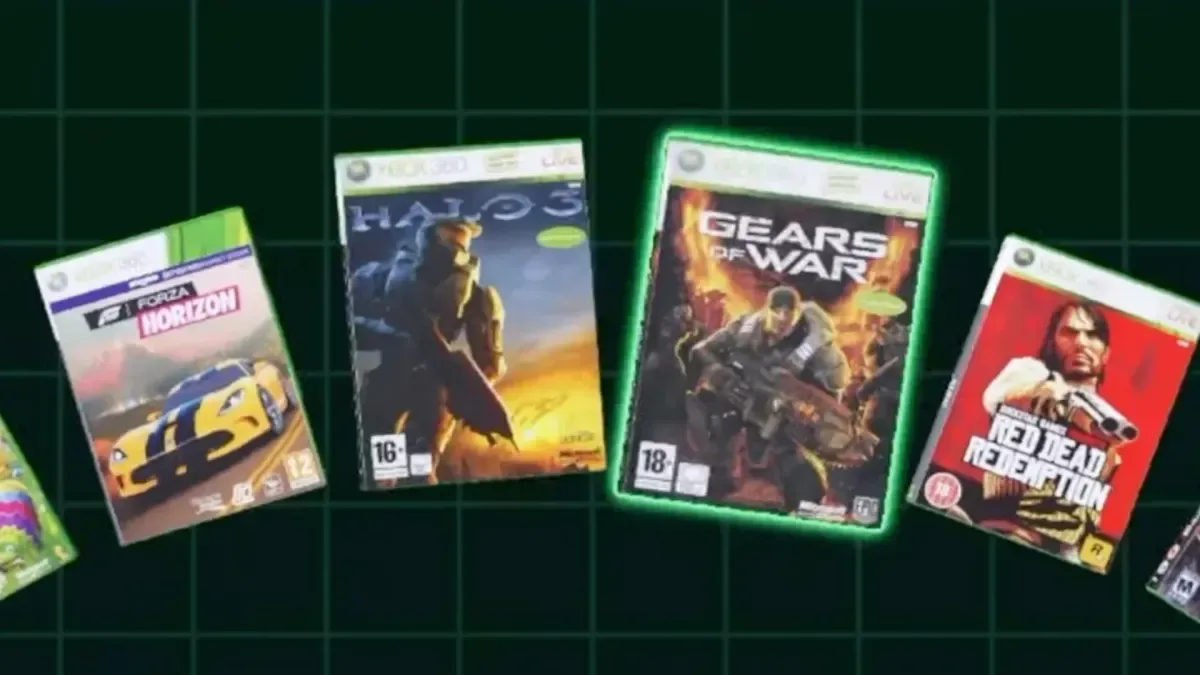
Xbox 360 support is also included, complete with 3D game boxes and manuals. That addition has an important caveat for players hoping to use it on Android: Xbox 360 emulation on the platform remains inconsistent. Support in the frontend does not guarantee that every game will run well, or at all, through the available Android emulation options. Still, the ability to catalogue Xbox 360 titles with modeled boxes and manual material gives collectors another way to organise and display their libraries as emulation compatibility develops.
The update's new per-game emulator settings should be useful across all supported platforms. Instead of applying one emulator choice to an entire system, users can specify a preferred emulation program for individual games. That flexibility is valuable where one title works best in a particular standalone emulator while another benefits from a different core or app.
There is also a RetroArch-specific fix. Previously, RetroArch could open without loading existing settings, resulting in fresh configurations rather than a player's established saves and controller arrangements. V4 is intended to preserve and load those existing configurations correctly, reducing one of the more frustrating points of friction in a multi-emulator setup.
Steam Deck gets its first build
DigiBitPlay's first Steam Deck build is now available as part of V4. The announcement does not detail the full scope of the handheld version or identify which features may differ from Android, but its arrival is a notable step for the project.
The Steam Deck is a natural fit for an interface that prioritises browsing, collecting and a more physical-feeling presentation. A portable PC can house libraries spanning classic cartridges, CD-based machines and more modern systems, and DigiBitPlay's shelf, case and manual tools are designed to make navigating those libraries more visually distinctive.
As an initial build, Steam Deck support should be approached as an early stage of the frontend's expansion. Players interested in using it will likely want to keep an eye on future revisions as the implementation matures. Even so, bringing the frontend to Valve's handheld gives users another option beyond Android for building a personalised retro collection interface.
A stronger focus on the physical side of digital libraries
DigiBitPlay's defining feature is its attempt to give digital ROM collections a sense of material presence. Players can organise games through lists, box art and disc art, but the interface goes further with displays intended to resemble boxes arranged on shelves or cartridges stored in packaging with customised foam inserts.
V4 develops that concept further. The update adjusts the shelf carousel with improved organisation and smoother animations, making it easier to move through displayed games while retaining the collection-like presentation. A new shader-cache building option has also been added to help 3D models load faster when users navigate the frontend. That should be especially relevant for libraries using a lot of modeled cases, discs and other visual assets.
Several smaller visual upgrades support the same goal. CDs now have improved refraction and reflections, while glow highlights make the currently selected game easier to identify. New animated backgrounds add additional motion to the interface, and Nintendo DS games receive fully modeled cover boxes.
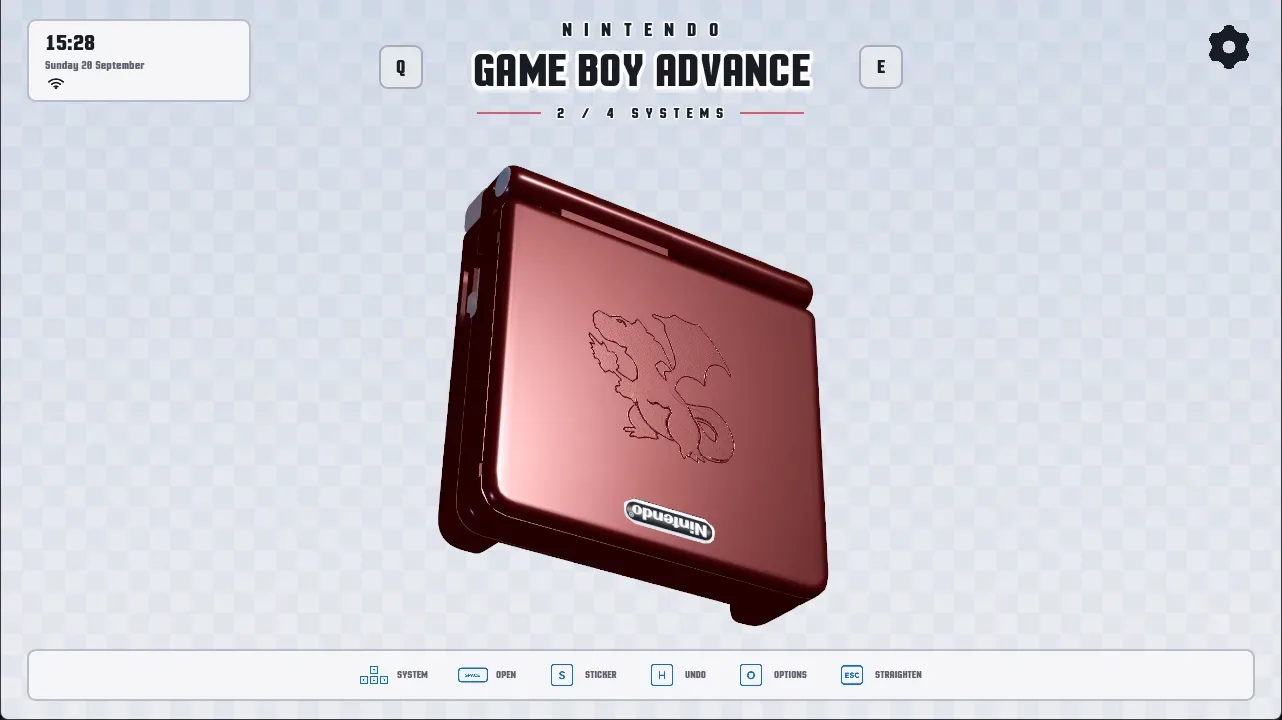
There are also authentic handheld lid-opening and closing sounds for Nintendo 3DS, Game Boy Advance and Nintendo DS. These details will not affect game performance, but they reinforce the frontend's broader aim: making the act of opening a digital game library feel closer to interacting with a collection of physical hardware and software.
Interactive manuals receive a major upgrade
Manuals are another central piece of DigiBitPlay's presentation, and V4 includes several upgrades for users who have scanned documentation or want to build more complete game archives.
Manual page layouts have been corrected so that users can manually assign front and back covers. Those covers are now displayed as individual pages, resembling a real manual rather than being treated as part of a continuous image sequence. Players can drag pages with either a finger or mouse, turning them quickly or slowly depending on how they interact with the screen.
A separate manual page splitting tool has been introduced for scans in which two pages appear on a single image. This should make it easier to divide and format those files properly for reading inside the frontend. For games whose original manuals included artwork, maps, move lists and other contextual material, the changes could make DigiBitPlay a more complete archival and browsing experience.
The update also includes a game safe case, intended as a dedicated place to collect and display favourite titles. Alongside that feature, users can now search for and add multiple games to collections at once through batch collection tools. These additions should make curation less time-consuming for anyone managing a large catalogue.
More control over layout and first-time setup
V4 gives users more say over how their libraries are arranged. Game reordering now allows players to customise locations within the layout and choose exactly which games sit alongside one another. For an interface based on shelves, cases and collection displays, that granular control can make a library feel more intentionally arranged instead of automatically sorted.
New users will also encounter a completely redesigned UI introduction and setup experience. A frontend with multiple visual layouts, game-specific emulators, manuals, art assets and system configurations can be intimidating at first, so a more focused onboarding process may be one of the most meaningful additions for players setting up a library from scratch.
Two new ambience soundtracks have been added as well. Created by PLUNE, they are designed to evoke the mood of classic Nintendo menu systems. Along with the new animated backgrounds and selection highlights, these audio additions help make browsing a collection feel less static.
What V4 means for retro players
DigiBitPlay V4 is a wide-ranging update rather than a simple compatibility patch. New system support will draw attention, especially the addition of Nintendo 64 and Xbox 360 alongside the first Steam Deck build, but much of the update is about improving the experience between launching games.
For retro enthusiasts, that space matters. A large ROM collection can quickly become difficult to browse when it is represented only by filenames and folders. DigiBitPlay is trying to make library management more personal, whether that means lining up favourite games on a virtual shelf, looking through a recreated manual, choosing a cartridge-style display or assigning the best emulator to a single troublesome title.
Android remains a key platform for the frontend, and it is where many of these features will be most immediately useful to handheld emulation players. The Steam Deck version, however, points to a broader future for the project. With V4 now available, DigiBitPlay offers a considerably larger toolkit for users who want their digital game libraries to look and feel like curated collections rather than storage directories.
Community
Discussion
Start the conversation.
No comments have been posted yet.