

Grand Theft Auto 6 adds a small but meaningful way to take the series' famous radio experience beyond the driver's seat. Jason and Lucia can purchase earbuds, equip them as an item, and listen to in-game radio stations while walking around the world. That means a favorite song, talk-radio segment, or station bumper does not have to end the moment players leave a vehicle.
The feature is a natural fit for a game set in a world shaped by newer technology than the one depicted in Grand Theft Auto V. Rather than tying radio entirely to cars, boats, and other vehicles, GTA 6 lets players make their own soundtrack during on-foot exploration and activities. Whether the goal is to keep a song going on the way into a mission, add atmosphere to a chaotic encounter, or simply hear the end of an interview segment, earbuds provide the answer.
Using them is straightforward once players know where to shop and how to access the item menu. Here is what to do.
Where to buy earbuds in GTA 6
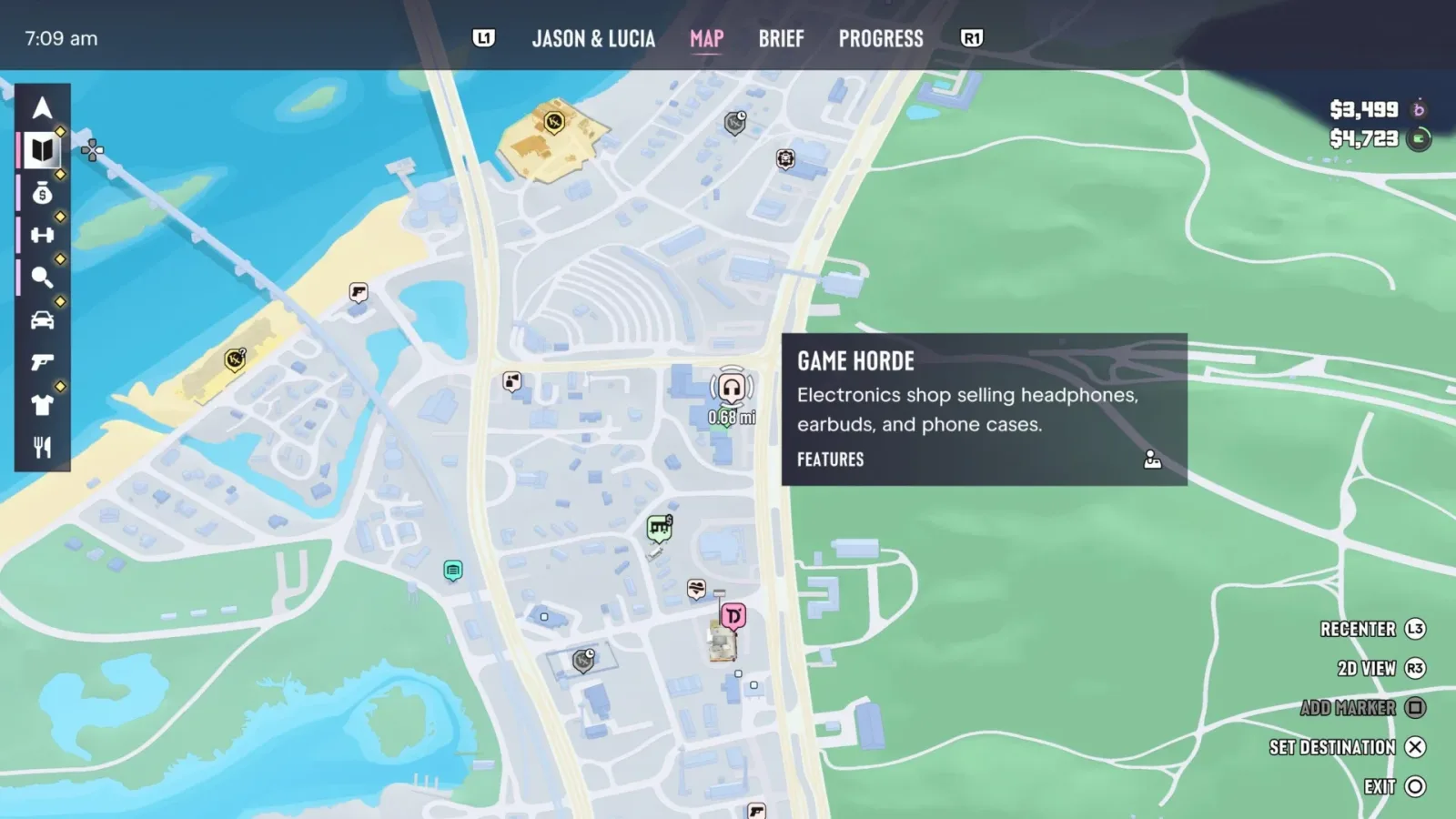
To get earbuds, players need to locate a shop identified by a headphone symbol. This marker indicates that the store sells the item needed for portable radio listening. One example is Game Horde, though the important detail is the headphone icon rather than a single required location.
For useful background on this topic, read PlayStation Signs Marketing Partnership for The Witcher 4.
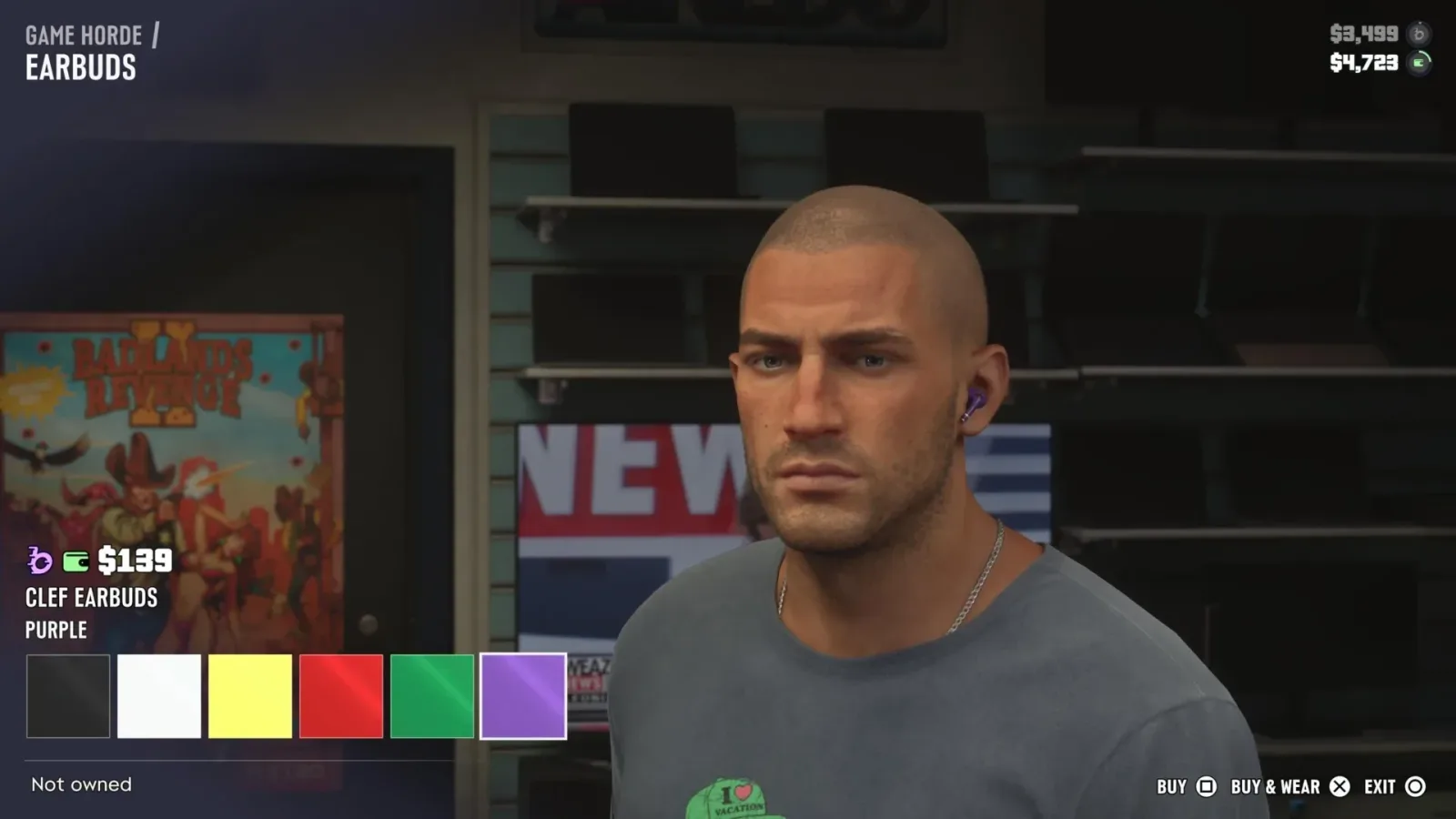
Set a route to a marked store and head inside. Once there, look for the earbud display case. Interacting with that case allows Jason or Lucia to buy a pair.
There are several color choices available, so earbuds are not purely a functional purchase. Players can pick a color that suits the character's outfit or their own preferred look. The earbuds are visible on the character after being equipped, although they are subtle enough that they may be difficult to notice during normal play. Do not expect an oversized or highly conspicuous accessory; this is a small cosmetic detail with a much more noticeable gameplay benefit.
How to equip earbuds
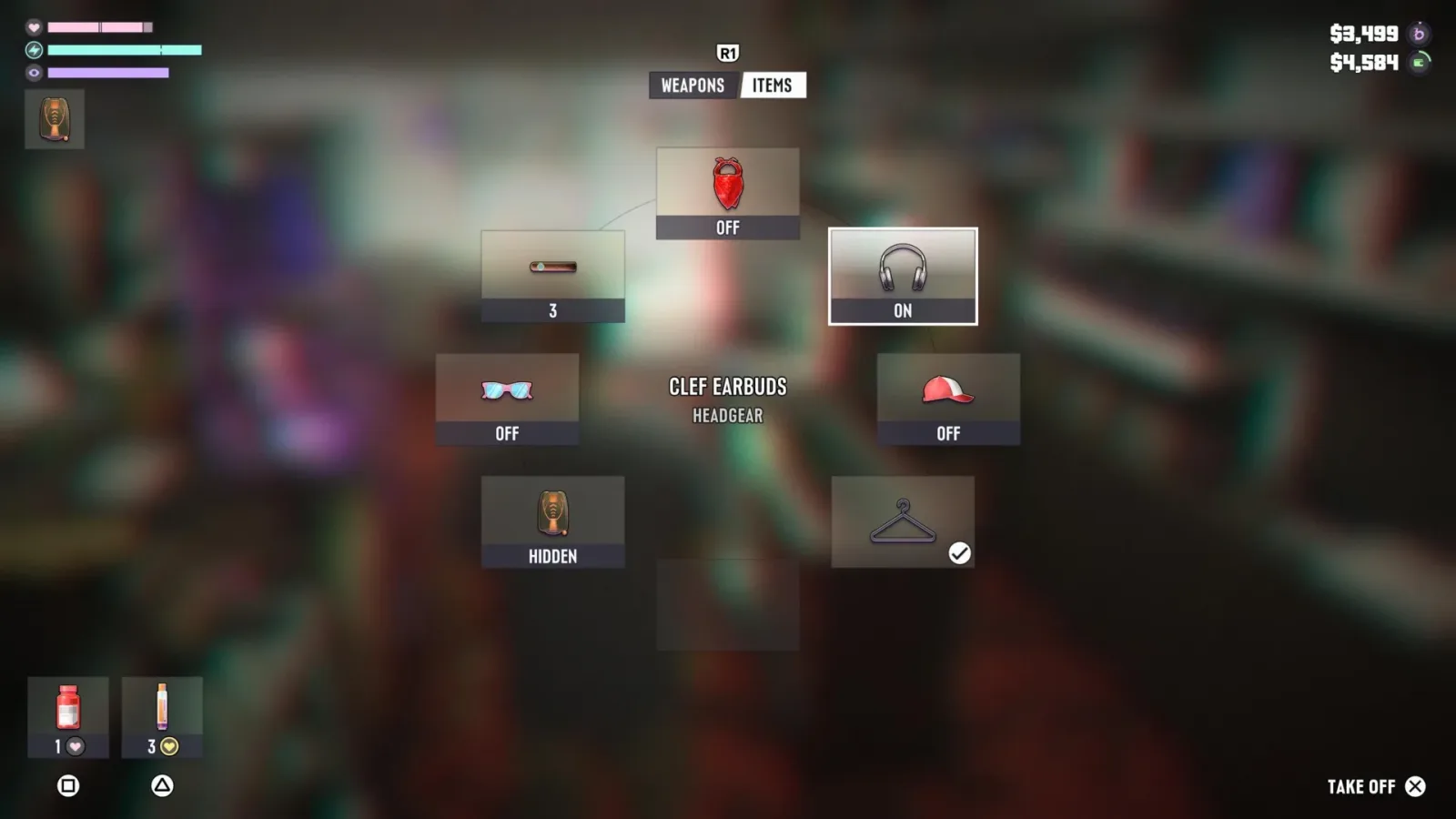
Buying earbuds does not immediately make the radio play. They must first be equipped through the same general item system used for accessories such as masks and hats.
- Hold L1 on PlayStation or LB on Xbox.
- Press R1 on PlayStation or RB on Xbox to move to the item menu.
- Use the right analog stick to highlight the headphones.
- Press X on PlayStation or A on Xbox to equip them.
Once equipped, the earbuds are ready to use while Jason or Lucia is on foot. The process is worth remembering because the accessory behaves as an item rather than a permanent passive upgrade. If the headphones are not equipped, players should not expect the portable station controls to be available.
How to change stations while walking
After the earbuds are on, radio navigation works much like it does in a vehicle. Press Left on the D-pad to bring up and browse the stations. This makes it possible to switch between music, programming, and other radio content without needing to climb back into a car.
There is also a quicker control for players who simply want the audio to start or stop. Double-tap Left on the D-pad to toggle the music on or off. This shortcut avoids having to pause, enter the station-selection interface, and manually deal with radio playback every time the situation changes.
That distinction is useful in practice. The regular Left D-pad input is for navigating among stations, while the rapid double press is for quickly silencing or resuming the current audio. Players who learn both inputs can treat the earbuds as an everyday part of their loadout instead of a novelty they only use occasionally.
Why portable radio matters in GTA 6
Grand Theft Auto radio stations have long been part of the series' identity. They do more than fill silence: music establishes mood, commercials build the world's satirical tone, and spoken segments create the feeling that the game's cities exist beyond the player's current mission. Previously, leaving a vehicle often meant leaving that atmosphere behind as well.
Earbuds change the rhythm of those transitions. A player can hear a song start during a drive, get out at their destination, and keep listening while crossing a parking lot, visiting a store, or approaching an objective. The result is a more continuous soundtrack for the player's own unscripted stories.
It also gives more value to the radio itself. A player who would normally abandon a vehicle as soon as they reach a mission marker may now stay tuned in just to hear how a track ends or to catch the conclusion of a talk segment. The feature may be minor compared with the game's larger systems, but it addresses a familiar open-world annoyance: getting interrupted at exactly the wrong moment by the need to leave the car.
A tool for role-playing and atmosphere
The earbuds also support a more personal approach to free-roaming. Players can decide that Jason or Lucia listens to a particular station while wandering the city, shopping, or preparing for trouble. A quiet walk can have a completely different tone depending on the soundtrack, and a tense scene can become more stylized when the player chooses the music behind it.
That flexibility is especially appealing in a series where players spend long periods moving between missions, activities, and spontaneous distractions. Instead of hearing only ambient city noise during those stretches, players can carry a preferred station with them. It turns radio selection into an on-foot customization choice as much as a driving one.
There is a practical side too. The double-tap shortcut means players can immediately turn playback off when they want to focus on environmental sounds or simply take a break from the station. Then they can turn it back on just as quickly without opening menus. It is a simple quality-of-life touch that makes the system feel designed for frequent use.
Quick GTA 6 earbuds checklist
- Find a store marked with the headphone symbol.
- Approach the earbud case and purchase a pair.
- Choose from the available colors if desired.
- Hold L1/LB, then press R1/RB to open the item menu.
- Highlight the headphones with the right analog stick.
- Press X/A to equip them.
- Press Left on the D-pad to navigate radio stations.
- Double-tap Left on the D-pad to quickly turn music on or off.
Do not leave the good song in the car
The earbud system is one of those additions that can easily become part of a regular GTA 6 routine. It requires only a store visit and a brief stop in the item menu, but it removes the old separation between driving music and on-foot gameplay. Once Jason or Lucia has a pair equipped, players can continue listening while heading into jobs, exploring, causing trouble, or just moving through the world at their own pace.
For anyone who has ever reluctantly exited a vehicle just as a great track began, the solution is pleasantly direct: buy earbuds, put them on, and keep the station playing.
Community
Discussion
Start the conversation.
No comments have been posted yet.