

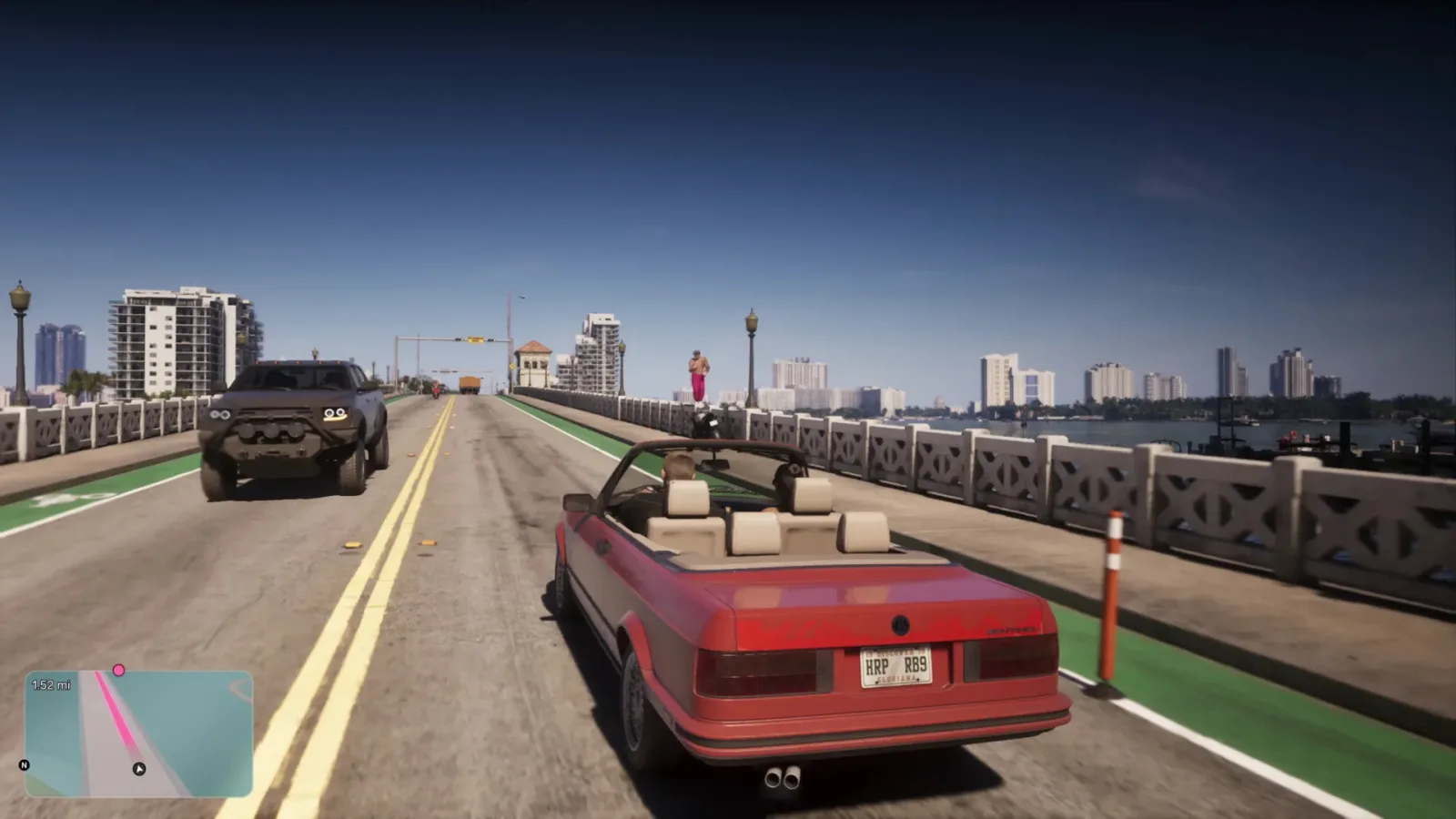
Grand Theft Auto 6 is built around the kind of huge, interruption-filled open world where small quality-of-life discoveries can matter as much as a major mission mechanic. Players can spend dozens or even hundreds of hours driving through Vice City and its surrounding areas, swapping vehicles, escaping police attention, dealing with traffic, and cruising between activities. That makes a handful of lesser-known vehicle inputs especially valuable: they can save time, preserve momentum, and keep players from digging through a submenu while something more urgent is happening on the road.
Several of these shortcuts are easy to miss because they are tied to double-taps or stick clicks rather than the usual held-button vehicle menus. Some are documented in the game's help material, while others appear not to be clearly explained there. The result is a set of useful controls that many players may only discover after seeing them shared by the community.
For anyone playing with a controller, here is a closer look at the GTA 6 driving and boating shortcuts worth remembering. Button names are listed as PlayStation/Xbox equivalents where applicable.
Double-tap left on the D-pad to toggle the radio
One of the most convenient discoveries is also one of the simplest. While driving, double-tap left on the D-pad to turn the vehicle radio on or off. This means there is no need to bring up a separate vehicle-control interface just to silence the music or bring it back.
For useful background on this topic, read GTA 6 Players Push Back as Ultimate Edition Shops Stay Locked to Standard Owners.
That is a modest action on paper, but it can be helpful in plenty of ordinary GTA situations. A player may want to hear nearby dialogue, mission instructions, police chatter, environmental sounds, or the approach of another vehicle. Conversely, switching the radio back on quickly lets a drive return to being part of the game's broader atmosphere without pausing to navigate controls.
The shortcut has circulated among players online, including in community discussion on Reddit. It is notable because it does not appear to be prominently surfaced through the game's in-game help menu, despite being the kind of everyday convenience feature that drivers are likely to use constantly once they know it exists.
Use Circle/B to cycle through headlight settings
The same idea applies to headlights. Rather than holding left on the D-pad and choosing a lighting option from the vehicle submenu, players can double-tap Circle on PlayStation or B on Xbox while in a car. The input cycles the headlights through their available states: off, low beams, and high beams.
For another perspective on this story, read GTA 6 Vehicle Shortcuts for Radio, Lights, Exits and Boats.
It is an especially handy command for players who like to change a car's look while cruising at night, reduce glare during a cinematic drive, or simply avoid breaking their flow to open another menu. The control is also useful because lighting changes tend to be situational. A player might want high beams during a darker stretch of road, then quickly return to lower lighting in a more brightly lit part of the city.
As with the radio input, this shortcut is easy to overlook. Players who assumed that the D-pad vehicle menu was the only route to light controls could spend a long time making a relatively basic adjustment the slower way. There does not appear to be a clear help-menu callout for the double-tap method, and many people may not have encountered an obvious tutorial prompt for it during regular play.
Leave a car without killing the engine or radio
The Triangle/Y button has a more dramatic vehicle use as well. Double-tapping Triangle on PlayStation or Y on Xbox lets Jason or Lucia exit a moving vehicle while leaving the engine and radio running. It is a shortcut with practical uses, but it also fits the series' love of reckless improvisation.
In a straightforward scenario, keeping the engine running is helpful when a player wants to step out briefly without fully shutting down the vehicle. But GTA 6's help information also highlights the more chaotic possibility: the input can be used while the vehicle is in motion, allowing the character to roll out while the car continues ahead and eventually collides with something.
That makes it less of a routine driving feature and more of an option for escapes, distractions, stunts, and unplanned mayhem. A moving, empty vehicle can create a diversion, block a road, or simply produce the kind of unpredictable open-world moment that GTA games often encourage. Of course, timing matters. Leaving a vehicle at speed is not a substitute for careful planning, and the player's surroundings can make the difference between a clean getaway and a bad landing.
Unlike the radio and headlight commands, the engine-running exit is mentioned in the help menu. Even so, many players may still fail to encounter it naturally. GTA 6 gives players a great deal to absorb, and optional help pages are easy to pass over when there are missions, side activities, exploration opportunities, and general chaos competing for attention.
The right-stick click is GTA 6's road rage button
Not every driving shortcut is about managing the car itself. GTA 6 also lets players react directly to the people around them. By clicking the right stick, players can make the protagonist yell at nearby drivers. Rockstar refers to this as the road rage button.
It is a small contextual feature, but it gives everyday driving more character. Traffic in a Grand Theft Auto world is often as much an obstacle as it is background detail: cars stop at inconvenient moments, cut across lanes, crowd intersections, and generally create the kind of irritation that invites an exaggerated response. The road rage input provides a quick role-playing outlet without forcing the player to leave the vehicle or escalate immediately into a chase or a fight.
For players who enjoy immersion, it also makes city travel feel a little less passive. Instead of simply steering around an erratic driver, they can answer back. It is a distinctly minor interaction, yet these are the details that help a large open-world map feel more reactive during the long stretches between major objectives.
Double-tap Triangle/Y on a boat to walk the deck while moving
The Triangle/Y double-tap has another use when players take to the water. While piloting a boat, double-tap Triangle/Y to get up and walk around the deck while the boat continues moving on its own.
That is a particularly entertaining option in a setting where water travel can be part of the wider exploration loop. Rather than remaining locked at the controls for every second of a trip, players can let the vessel keep cruising and move around its deck. It creates opportunities for sightseeing, role-playing, or just enjoying the absurdity of leaving a boat underway while the characters wander about.
There are obvious risks to treating a moving boat as an autopilot-enabled cruise. Waterways can contain obstacles, shorelines, other traffic, and unexpected turns. Still, the feature is useful precisely because it offers a different rhythm from normal vehicle operation. It turns travel time into space for a more relaxed or cinematic moment, at least until the boat needs attention again.
Why these shortcuts are easy to miss
GTA 6 has enough systems, activities, and contextual interactions that not every capability will be taught with equal emphasis. Some controls are available in help documentation, while others may be absent from it or only lightly introduced. Double-tap inputs are particularly vulnerable to being overlooked because players often learn the basic, single-press version of a button early and have little reason to experiment further.
That is why community discoveries remain useful even in games packed with tutorials. A player can understand the central driving controls perfectly well and still not know there is a faster radio toggle, a headlight cycle, a no-shutdown exit, or a dedicated way to shout at traffic. None of these mechanics is required to drive from one marker to the next, but each can make regular play feel smoother or more expressive.
There is also a broader lesson for players who want to get more out of Vice City: experimentation can pay off. Trying alternate inputs in a safe setting, checking the help menu, and paying attention to shared tips may reveal actions that do not announce themselves during the main flow of the game. That does not mean randomly mashing buttons during a high-speed police pursuit is always wise, but it can be worth testing less familiar double-taps when the stakes are low.
A compact GTA 6 vehicle shortcut checklist
- Double-tap left on the D-pad while driving: Toggle the radio on or off.
- Double-tap Circle/B in a car: Cycle headlights between off, low beams, and high beams.
- Double-tap Triangle/Y in a car: Exit while leaving the engine and radio on; this can also be done while moving.
- Click the right stick: Yell at nearby drivers using the road rage interaction.
- Double-tap Triangle/Y in a boat: Leave the controls and walk around the deck while the boat continues onward.
These are not flashy unlocks or major upgrades, but they can have a real effect on how GTA 6 feels over a long play session. Whether the goal is a faster radio change, a cleaner nighttime cruise, a risky moving-car escape, an angry response to traffic, or a more leisurely trip across the water, the shortcuts add useful flexibility to life behind the wheel--or at the helm--in Vice City.
Community
Discussion
Start the conversation.
No comments have been posted yet.