

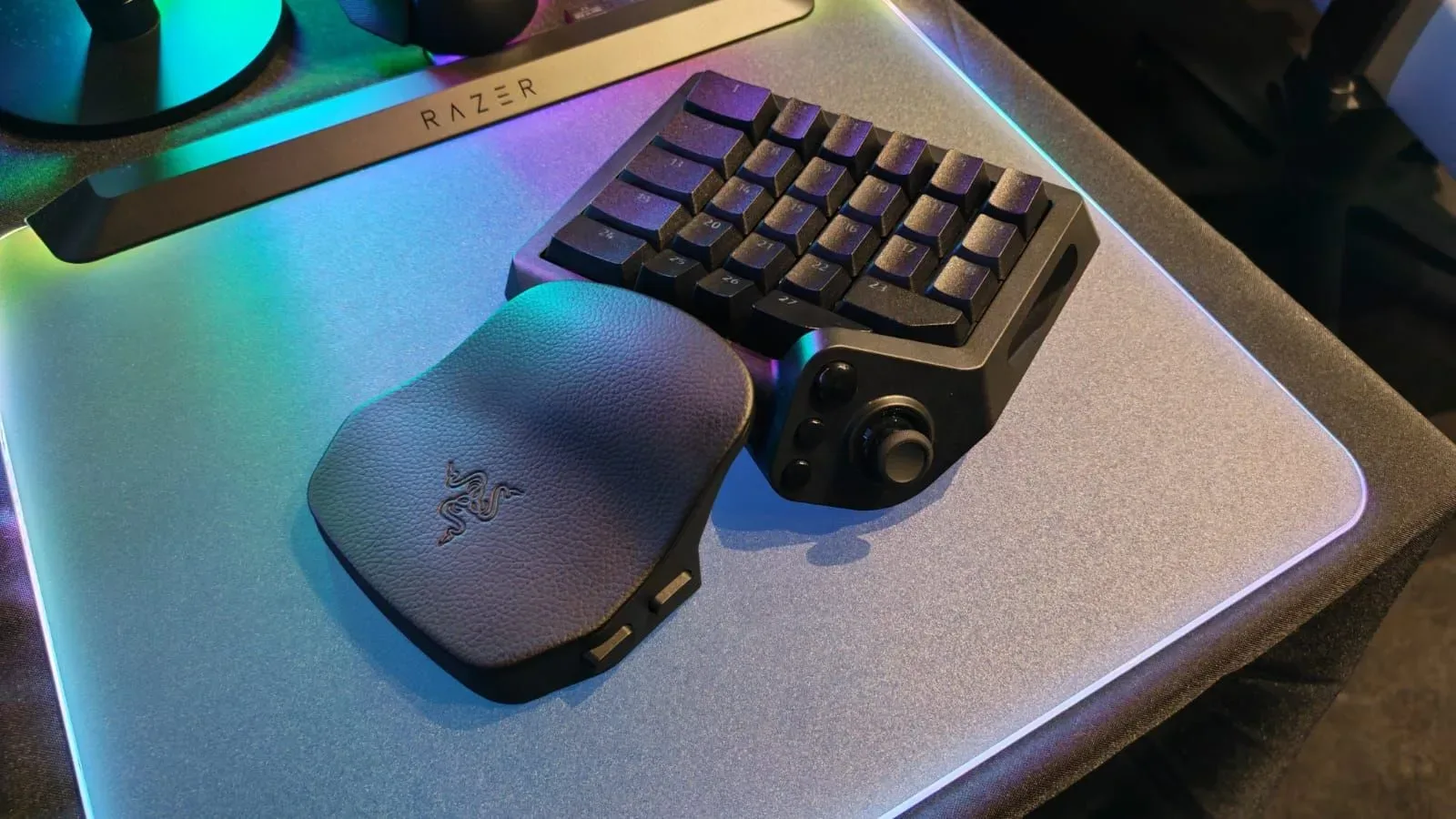
Razer has returned to the specialist gaming keypad category with the Razer Tartarus V2 Pro, a left-hand peripheral built for PC players who would rather not use a conventional keyboard during games. The new device arrives 13 years after the original Tartarus launched in 2013, bringing a modernized feature set that includes a TMR thumbstick, 8,000Hz polling rate, analog optical keys, RGB lighting, and extensive control remapping.
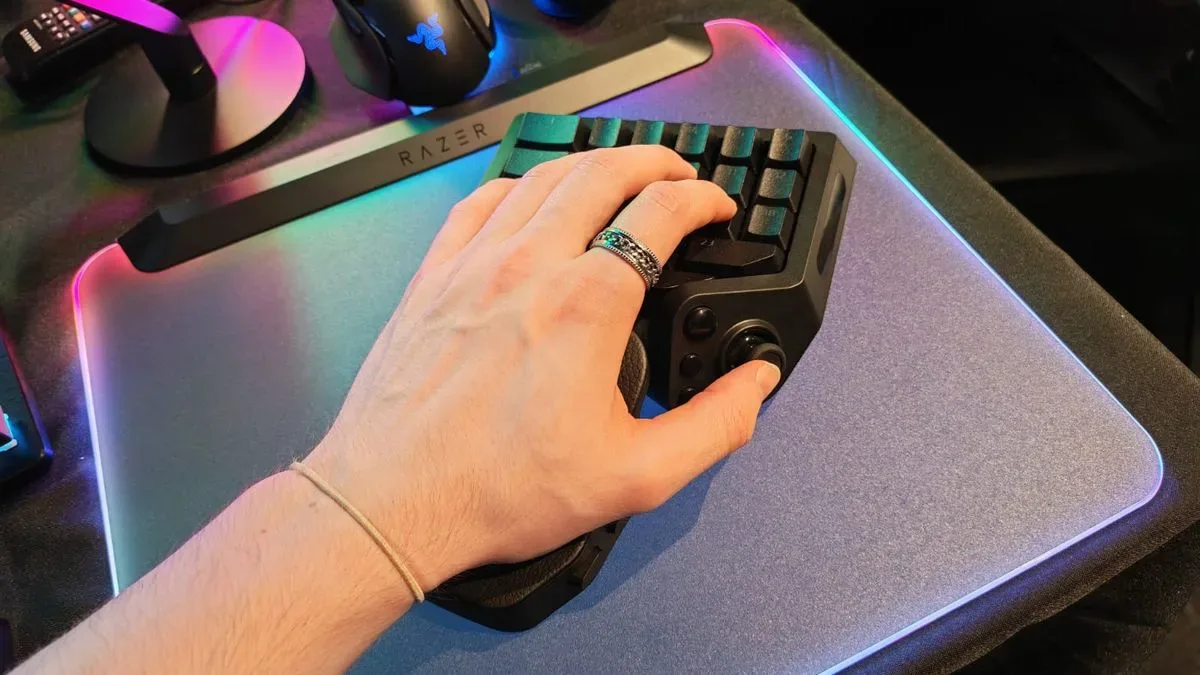
Available now for $199.99 / £199.99, the Tartarus V2 Pro is aimed squarely at players looking for a middle ground between a controller and a mouse-and-keyboard arrangement. It is designed to sit beneath the left hand while a mouse remains in the right, replacing the keyboard's usual WASD movement duties with a thumb-operated stick and grouping game commands around the player's fingers.
That may sound niche, but it addresses a persistent complaint among PC players: the standard keyboard was designed principally for typing, not for moving through virtual worlds while reaching quickly for a large collection of abilities, weapons, menus, and movement commands. A dedicated keypad does not entirely replace a keyboard for everyday desktop use, but it can offer a more focused control layout once a game begins.
A renewed entry in a more competitive keypad market
The Tartarus name has been largely quiet for years, while gaming keypads have continued to develop through specialist manufacturers. Razer's return puts it in direct competition with products such as Azeron's Keyzen and Cyborg II, both of which pursue the same broad idea: combine a thumbstick, programmable controls, and a hand rest into a compact device intended for use alongside a mouse.
For useful background on this topic, read Monster Hunter Wilds Will Drop Paid Character Edit Vouchers Before Ascendance.
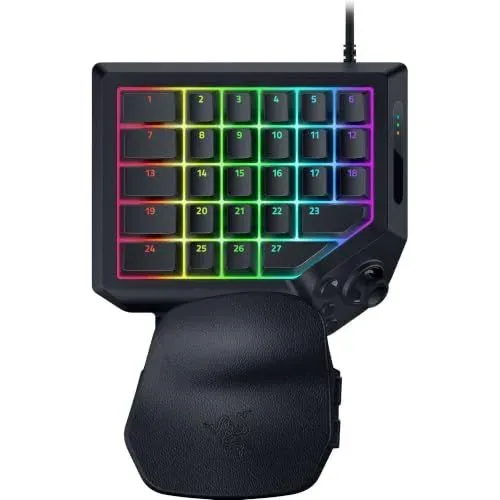
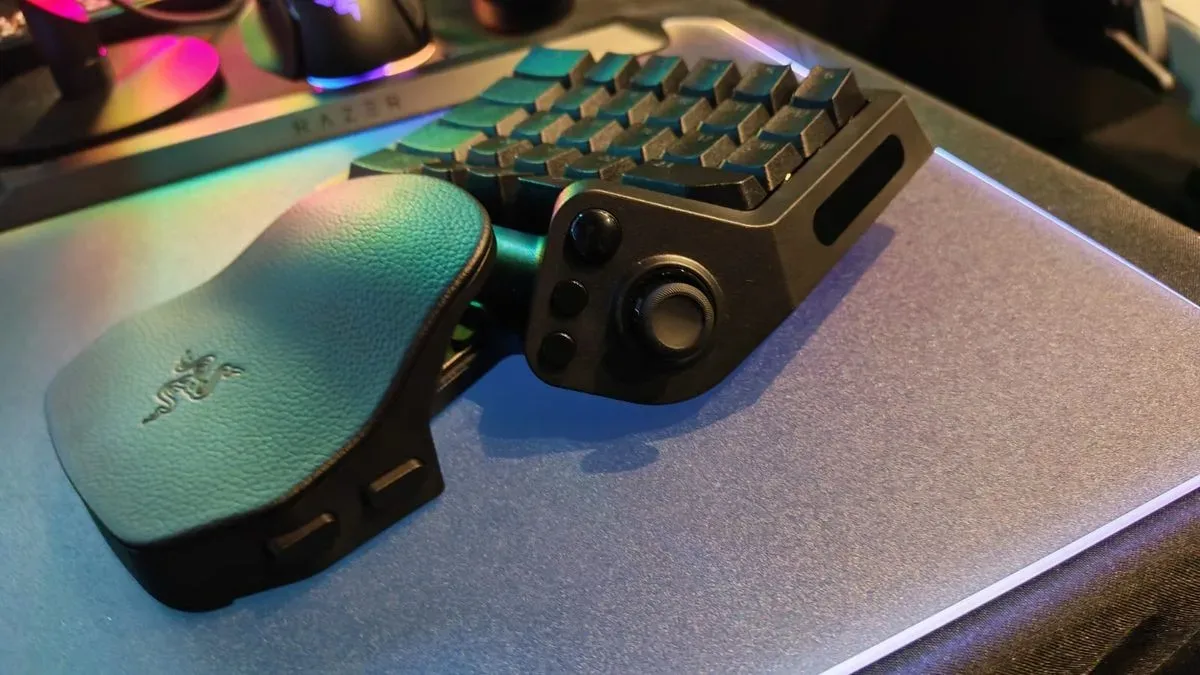
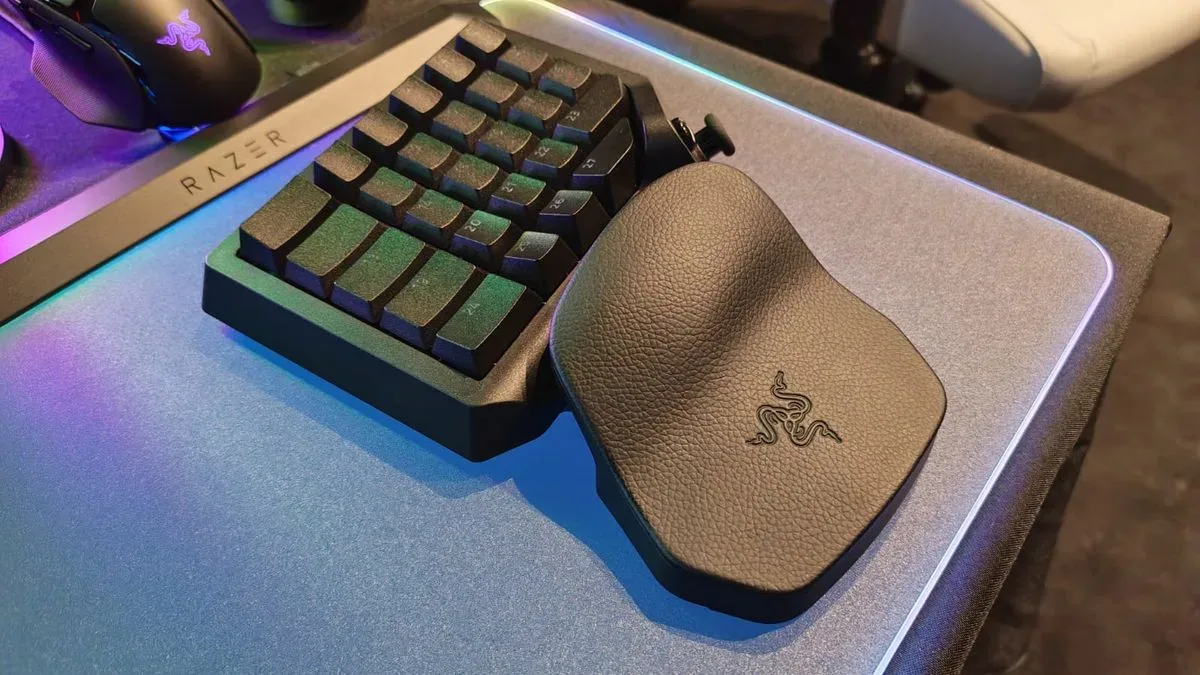
Razer's approach is more conventional in its physical shape than some of those alternatives. The Tartarus V2 Pro has a fixed keypad board with rows of keys, an integrated palm area, and adjustable wrist-rest positioning. Its control surface has been expanded compared with the original Tartarus, but its core layout remains recognizably keypad-like rather than looking like an array of individually adjustable finger towers.
There are 31 mappable controls in total. That puts Razer one control ahead of the Azeron Cyborg II's 30, though just below the 32 offered by the Azeron Keyzen. Raw button totals do not tell the entire story, however. The Tartarus V2 Pro's central pitch is that its switches and software can make each of those inputs considerably more flexible than a standard digital key.
TMR movement and an 8,000Hz polling rate
The most notable hardware inclusion is the device's TMR thumbstick. TMR, or tunnel magnetoresistance, is a magnetic sensing technology that has become increasingly important in controllers and other input hardware because it is designed to deliver accurate stick detection without relying on the physical contact methods associated with traditional potentiometer-based sticks.
For another perspective on this story, read Razer's Tartarus V2 Pro Returns to the PC Keypad Fight With a TMR Stick and Deep Key Customization.
For a keypad user, the thumbstick is a major part of the proposition. Rather than holding down keyboard keys to move, the player can use analog directional control under their thumb while their remaining fingers stay available for abilities, reloads, item shortcuts, crouching, jumping, and other in-game commands. It is a familiar division of labor for controller players, but paired with a mouse it preserves the speed and precision of mouse aiming.
Razer has also specified an 8,000Hz polling rate for the Tartarus V2 Pro. Polling rate describes how frequently a peripheral reports its input state to the PC. While the practical benefit will differ by game, settings, and individual preference, the 8,000Hz figure is substantially higher than the 1,000Hz rate listed for the Azeron Keyzen. It reinforces Razer's effort to position this as a high-spec input device rather than simply a compact macro pad.
The choice of a TMR stick likewise distinguishes it from the Keyzen, which uses a Hall effect stick. Both are contactless magnetic approaches, but Razer is betting that the newer TMR terminology and its associated performance claims will appeal to buyers who closely follow modern controller hardware.
Analog optical switches make the keys more adaptable
The Tartarus V2 Pro uses Razer Analog Optical Switch Gen 2 technology, opening the door to key behavior that goes beyond a typical on-or-off press. Players can set the actuation point as low as 0.1mm or use the full 4.0mm bottom-out travel, allowing the device to be tuned around light, rapid inputs or a deeper press preference.
This level of actuation adjustment can matter in competitive games, where some users favor extremely short key travel for frequent commands, while others want a more deliberate feel to avoid unintended inputs. It can also be useful for games with very different control demands. A fast-paced shooter, a strategy game with numerous hotkeys, and an MMO with ability rotations may all benefit from separate configurations.
Razer includes Rapid Trigger Mode, which resets a key as soon as it rises back past its selected actuation point. In principle, this enables quicker repeated inputs because the key does not need to return all the way to its normal resting position before it can be pressed again. It is a feature increasingly associated with high-end gaming keyboards, and its presence on a dedicated keypad makes the product more compelling for players who prioritize responsive movement and rapid command execution.
Another feature, called Snap Flex, allows functions to be assigned across parts of a key's travel in both directions. A command can be tied to the first portion of the downward press and another to the rest of the press, with further actions potentially assigned as the key rises. Razer says the arrangement can allow as many as four functions from one key interaction: two on the way down and two on release.
That flexibility is particularly interesting in games where one hand has to manage a dense set of commands. It could allow a player to place related actions together on a single key, although the usefulness will depend on the game and on how comfortably someone can develop the necessary muscle memory. More options are not automatically easier to use, especially when the control scheme is handling movement at the same time.
Profiles, keymaps, and macros
Configuration is handled through Razer Synapse. The Tartarus V2 Pro can store three profiles, and each profile supports eight keymaps, creating a total of 24 configurations. Keys can also be assigned macros for players who use multi-step commands in supported games or applications.
Multiple keymaps could be especially useful for players who move among genres. One setup might be built around analog movement and weapon actions in a shooter, another could focus on ability management in an MMO, and a third could serve strategy or simulation games that benefit from a compact bank of readily accessible shortcuts. The onboard profile capacity means core configurations can travel with the peripheral, though the total local storage is lower than the six profiles supported by the Azeron Keyzen.
As always, macro use should be approached with care. Individual games and competitive services can have rules governing automation, so users should ensure that any configuration follows the policies of the game they are playing. The value of remapping is broader than macros alone: simply putting common commands in more comfortable positions can be enough to change how a game feels.
Where rivals may still hold an ergonomic advantage
Razer's technical specifications are aggressive, but ergonomics will likely be the biggest consideration for prospective buyers. The Tartarus V2 Pro lets users adjust the wrist rest's angle and length, which should help accommodate different hand positions. Yet the key rows themselves remain fixed in place.
That differs from Azeron's approach, where the key towers are arranged to follow the hand's natural shape and can be adjusted for height, length, and depth. Those devices are known for their unusual appearance, but their extensive physical customization is a major attraction for users who find traditional flat layouts uncomfortable or inefficient.
The Tartarus V2 Pro may be more immediately approachable for someone accustomed to a keyboard, since its layout retains a more familiar structure. Conversely, users seeking a highly tailored fit may still see an advantage in a design with individually adjustable parts. Comfort is highly personal, and this is one category where hands-on use can matter more than a spec sheet.
A serious alternative for keyboard-resistant PC players
At $199.99 / £199.99, the Razer Tartarus V2 Pro is a premium peripheral, but it undercuts the price of Azeron's 3D-printed keypad options. Razer offers it in one color, with RGB lighting beneath the keys, while Azeron's products provide more extensive color customization. Buyers are therefore weighing different kinds of personalization: Razer emphasizes input technology, key behavior, and software configurations, while Azeron's appeal includes a more adjustable physical design and broader visual options.
The broader significance of the Tartarus V2 Pro is that it gives the gaming keypad market a prominent new contender after a long gap. For PC players who love mouse aiming but dislike using a full keyboard for movement and combat commands, the format remains one of the most interesting alternatives available. The combination of a TMR stick, analog optical switches, rapid reset behavior, and 31 programmable controls makes Razer's revival much more than a nostalgic reissue.
Whether it becomes the preferred option will come down to fit, software experience, and how naturally its fixed key layout works for different hands and genres. But the Tartarus V2 Pro clearly arrives prepared to make a case that the keyboard's long-established role in PC gaming is not the only way to play.
Community
Discussion
Start the conversation.
No comments have been posted yet.