

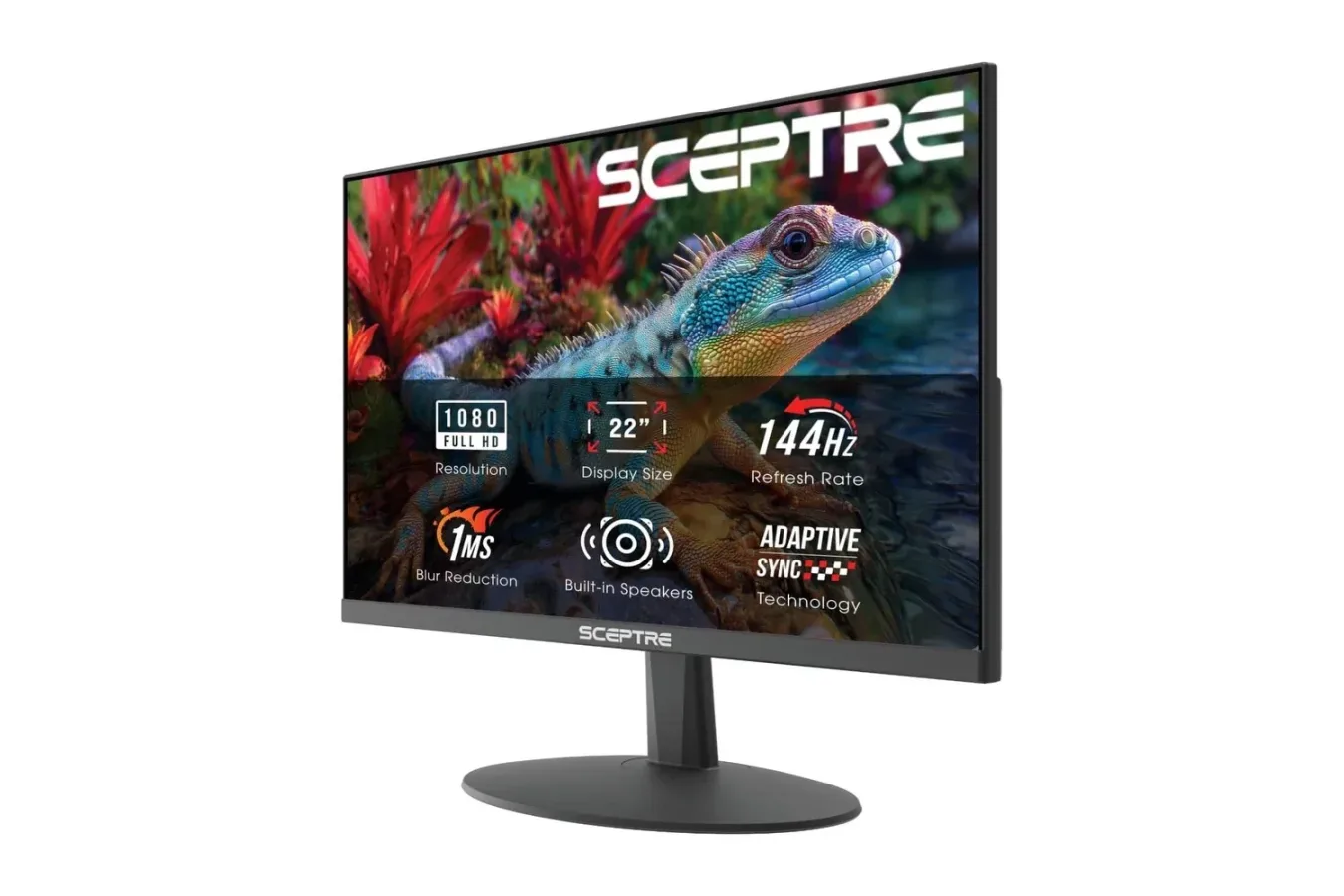
Building a gaming setup can become expensive surprisingly quickly. A new graphics card, a console, a desk, peripherals, speakers, and a monitor can turn even a modest upgrade into a substantial purchase. For players looking for a smaller display with a high refresh rate without moving into premium monitor pricing, Sceptre's 22-inch E225W-FW144 is currently listed at $63. That is a $10 reduction from its stated $73 regular price, or roughly 14% off.
The appeal is straightforward: this is a compact Full HD monitor rated for up to a 144Hz refresh rate, with Adaptive Sync and built-in speakers. It is not positioned as a feature-heavy, high-resolution centerpiece for an enthusiast desktop, but its specification list covers several practical needs for a first setup, a dorm room, a small home office, or a secondary screen beside a larger primary monitor.
As with any retail promotion, pricing and stock can change. Anyone considering the display should confirm the current listing details, final price, and compatibility with their existing hardware before placing an order.
A smaller 1080p monitor built around 144Hz
The Sceptre E225W-FW144 uses a 22-inch screen with a 1920 x 1080 resolution. Full HD remains a sensible fit for a display of this size: pixel demands are modest for a PC, text and interface elements should remain manageable at a normal desktop distance, and players do not need the graphics horsepower required to drive 1440p or 4K displays.
For useful background on this topic, read Fortnite's Pirate Shop Token Hunt Draws Exploit Claims and Costly Account Listings.
Its headline specification is the maximum 144Hz refresh rate. In simple terms, the panel can update the image as many as 144 times per second when connected hardware and the game can supply an appropriate frame rate. That can make motion appear more fluid than on a conventional 60Hz display, particularly in fast-paced games such as competitive shooters, racing titles, and action games with quick camera movement.
The benefit is not restricted to games. Mouse movement, scrolling through pages, and moving windows around a desktop can feel more immediate on a higher-refresh-rate screen. That does not mean every game will automatically run at 144 frames per second, however. Performance depends on the PC's processor and graphics card, game settings, and the title itself. Console users should also check what resolutions and refresh-rate modes their specific console supports through HDMI.
At this price level, the value proposition is less about chasing the most advanced display technology and more about gaining access to a smoother-than-60Hz experience in a compact form factor. For someone still using an older office monitor or television for PC games, the change in responsiveness may be more noticeable than a small jump in resolution.
Adaptive Sync aims to keep motion cleaner
The monitor also includes Adaptive Sync, a feature intended to reduce visual distractions caused when a game's output does not line up neatly with a display's refresh cycle. Screen tearing can show up as misaligned portions of an image during movement, while inconsistent frame pacing can make motion look less smooth than expected.
Adaptive Sync lets the monitor coordinate its refresh behavior with a compatible graphics output, helping reduce tearing and stutter during gameplay. The exact experience will depend on the computer, graphics drivers, cable choice, game settings, and whether the connected device supports the necessary mode. It is still a worthwhile inclusion on a budget-focused gaming monitor, since it complements the 144Hz ceiling rather than treating refresh rate as an isolated specification.
Players should keep expectations appropriate to the hardware category. Adaptive Sync is designed to improve presentation under changing frame rates; it does not create additional performance where a PC or console cannot render it. A game that is struggling heavily will still need settings adjustments or more capable hardware. But when frame rates fluctuate within a usable range, synchronization support can help make the experience look more consistent.
Color, coating, and game-oriented settings
Sceptre lists coverage of 105% of the sRGB color range for the display. The company positions that as a way to deliver vivid-looking games, photos, and video. Color perception can vary based on content, settings, and personal preference, so buyers who need highly specialized color accuracy for professional work should research their requirements carefully. For general gaming, entertainment, schoolwork, and everyday browsing, broader sRGB coverage is a welcome part of the package.
The screen has a matte finish intended to cut down on reflections from overhead lights and nearby windows. That can be especially useful in shared rooms, dorms, or multipurpose workspaces where controlling every light source is not realistic. A matte coating cannot eliminate all glare, but it can be a practical advantage over a more reflective panel when a desk faces a window or sits beneath strong lighting.
There are also dedicated FPS and RTS modes. These presets are designed for first-person shooters and real-time strategy games, giving users quick ways to alter the image for the genre they are playing. Such modes are ultimately optional; many players will prefer their own brightness, contrast, and color settings. Still, easy-access presets can be convenient for a new PC owner who does not yet want to spend time fine-tuning a monitor menu.
The display further includes a Blue-Light Shift function. This setting reduces blue-light output and may be useful for people who prefer a warmer image during extended sessions. It is best treated as a comfort option rather than a substitute for breaks, sensible brightness settings, or proper workspace ergonomics. Since the visual effect can alter the screen's color balance, users editing images or watching color-sensitive content may want to turn it off when accuracy matters more than comfort.
Connections for a PC, laptop, or console desk
Connection flexibility is another important part of this model's appeal. The E225W-FW144 includes both HDMI and DisplayPort inputs, allowing it to serve a desktop PC, laptop, or compatible gaming console. DisplayPort is a common choice for PC gaming setups, while HDMI is broadly useful for consoles and many laptops.
Before buying, it is worth checking the output ports on the device that will be connected. A desktop graphics card may have several DisplayPort connections but only limited HDMI ports, while a console will generally rely on HDMI. The cable and the output standard can also affect which refresh-rate options are available. The monitor's presence of both ports gives buyers more flexibility, but the connected machine still determines the final configuration.
The monitor has an audio jack for headphones or external speakers, and it has speakers built into the display itself. Integrated monitor speakers are not generally meant to replace a dedicated desktop audio system or gaming headset, but they can remove a piece of desk clutter. For watching a video, handling a quick work call, or playing casually in a limited-space room, having audio available without adding another set of cables is useful.
That combination makes the Sceptre display particularly relevant to a compact setup. A player could connect a small PC or laptop, route sound through the monitor when needed, and keep the desk free of separate speakers. Alternatively, headphones can be connected through the available audio jack for a more private session.
A practical fit for limited space
At about 20 inches wide and 7 pounds, the E225W-FW144 is designed to be relatively easy to place and move. The 22-inch class is considerably more compact than the increasingly common 27-inch gaming monitor, which can be an advantage when desk depth is limited. Not every player needs a huge panel, especially if they sit close to the screen or need room for a keyboard, mouse, notebook, microphone, or another display.
It also supports VESA mounting options. That provides another route to freeing desk space, whether through a compatible monitor arm or a wall-mounting solution. Buyers should verify the requirements of any mount they already own and make sure the installation surface is suitable. For a lightweight screen, a monitor arm can be an effective way to improve positioning and reclaim space beneath the display.
The slim Machine Black design is deliberately understated, which may suit a setup that doubles as a work area. Rather than requiring a dedicated gaming room, this kind of monitor can fit into a bedroom desk, office corner, dorm arrangement, or shared household space.
Who should consider the $63 listing?
The Sceptre E225W-FW144 looks most compelling for buyers prioritizing price, refresh rate, and size over premium extras. It could make sense as a first gaming monitor for a budget PC build, an upgrade from a 60Hz office display, or a second monitor where a large panel would not fit. It may also appeal to players who want a separate compact screen for a laptop or console setup.
Those shopping for expansive workspace, very high resolution, advanced HDR features, or a large cinematic display will likely need to look elsewhere. A 22-inch 1080p monitor is a focused solution, not an all-purpose replacement for every kind of display. Likewise, anyone purchasing specifically for a console should confirm their desired console video mode and expected refresh rate before committing.
For $63 at the time of the listing, though, the combination of a 144Hz maximum refresh rate, Adaptive Sync, Full HD resolution, matte coating, HDMI and DisplayPort inputs, built-in speakers, and VESA support makes the monitor a notable low-cost option. It is a compact screen aimed at delivering the core benefits many players want from a gaming display while keeping both the physical footprint and the upfront cost under control.
Community
Discussion
Start the conversation.
No comments have been posted yet.