

Xbox's Disc-to-Digital program is now rolling out to all users after an earlier testing period with Xbox Insiders. The feature allows owners of eligible physical games to claim a digital license through their console, potentially removing the need to insert the disc whenever they want to play.
For players with shelves full of Xbox One and Xbox Series X discs, the change could be a significant convenience. It provides a path to keep playing supported games from a digital library while preserving the value of an existing physical collection. But there are important limits: not every game can be converted, original Xbox and Xbox 360 games are currently excluded, and users are being strongly advised not to discard or sell their discs after claiming a license.
How Xbox Disc-to-Digital works
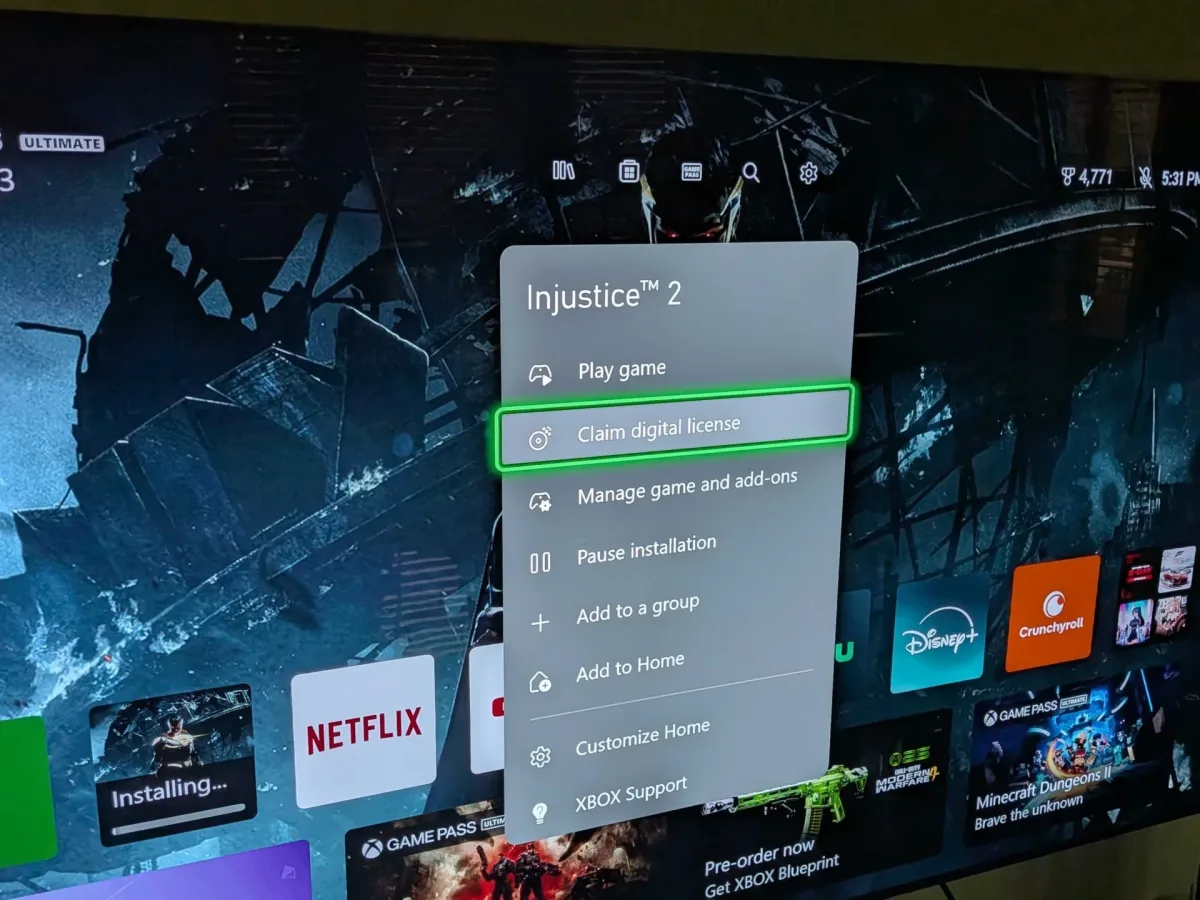
The process appears to be straightforward for a compatible title. After inserting a physical game disc into an Xbox Series X, players can open that game's app menu from the Home screen. Eligible games display a new option labeled "Claim digital license."
Embedded X/Twitter post
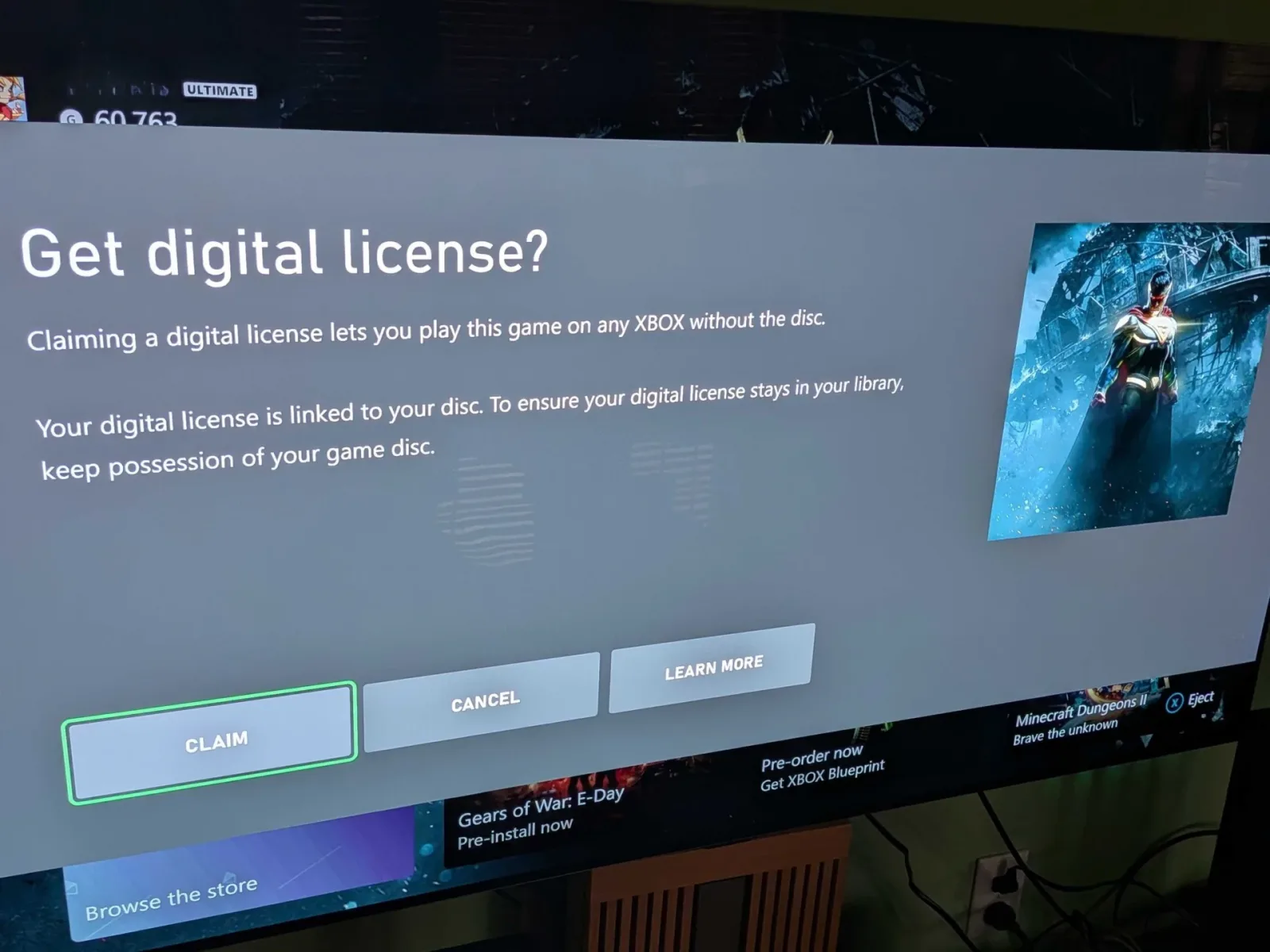
Selecting that option takes the user through the license-claim process. Once completed, the game is tied to the user's digital library, allowing it to be launched without the disc being in the console. The license may also be claimed automatically by simply playing an eligible game after inserting its disc.
For useful background on this topic, read Dune: Awakening's PS5 Version Makes the Survival Grind Feel Surprisingly Approachable.
That simplicity is the central appeal of the program. Physical media has always offered benefits that go beyond a download button, including lending, resale, collecting, and the possibility of playing without relying solely on storefront availability. At the same time, swapping discs can be cumbersome, especially for people who regularly move between several games. Disc-to-Digital is designed to reduce that daily friction without requiring users to repurchase games they already own on disc.
A useful setting before checking a large collection
There is one practical issue players may encounter if they plan to test a stack of games: inserting a disc can begin an installation immediately. That can become annoying when the goal is only to check whether a title supports the new license option, rather than to download or install every game in a collection.
Xbox's support guidance suggests changing the automatic disc behavior first. On the console, go to Settings > Devices & connections > Disc, then turn off "Play disc automatically." With that setting disabled, players can work through their physical library with less risk of starting installations they do not currently want.
For another perspective on this story, read Xbox Disc-to-Digital Rolls Out to All Users, but Keep Every Eligible Disc.
For collectors, this makes the rollout feel less like an all-or-nothing conversion and more like an inventory project. A player can identify compatible games, claim licenses where available, and decide later which titles to install. That is particularly helpful for users with limited storage space on an internal drive or expansion card.
Compatibility is broad, but far from universal
Disc-to-Digital does not apply to every physical Xbox release. At launch, games from the original Xbox and Xbox 360 are not included. That exclusion will be disappointing for players whose collections stretch back multiple generations, especially because backward compatibility has made older discs an important part of the Xbox ecosystem.
Publisher participation is another major variable. Some publishers do not currently support the program, meaning a disc can work normally as physical media while still lacking the option to claim a no-disc digital license. A community-maintained compatibility list indicates that at least 1,400 games are currently supported, giving the program a substantial starting catalog, but players should treat individual game eligibility as something to verify rather than assume.
Support has also changed during the program's rollout. Sega joined the participating publishers on the day the wider launch was announced, while Ubisoft had joined earlier in the month. Those additions matter because they show the list is not fixed. Games from both companies were unavailable in the program's earlier Insider phase, then became eligible later.
Square Enix remains one of the most notable publishers not participating at present. There is no confirmation that its games will be added, and players should not count on that outcome. Still, Sega and Ubisoft's later participation suggests that additional publishers could choose to join over time. For now, the sensible approach is to check each disc individually and regard any unsupported title as a normal disc-based game.
Do not get rid of the physical disc
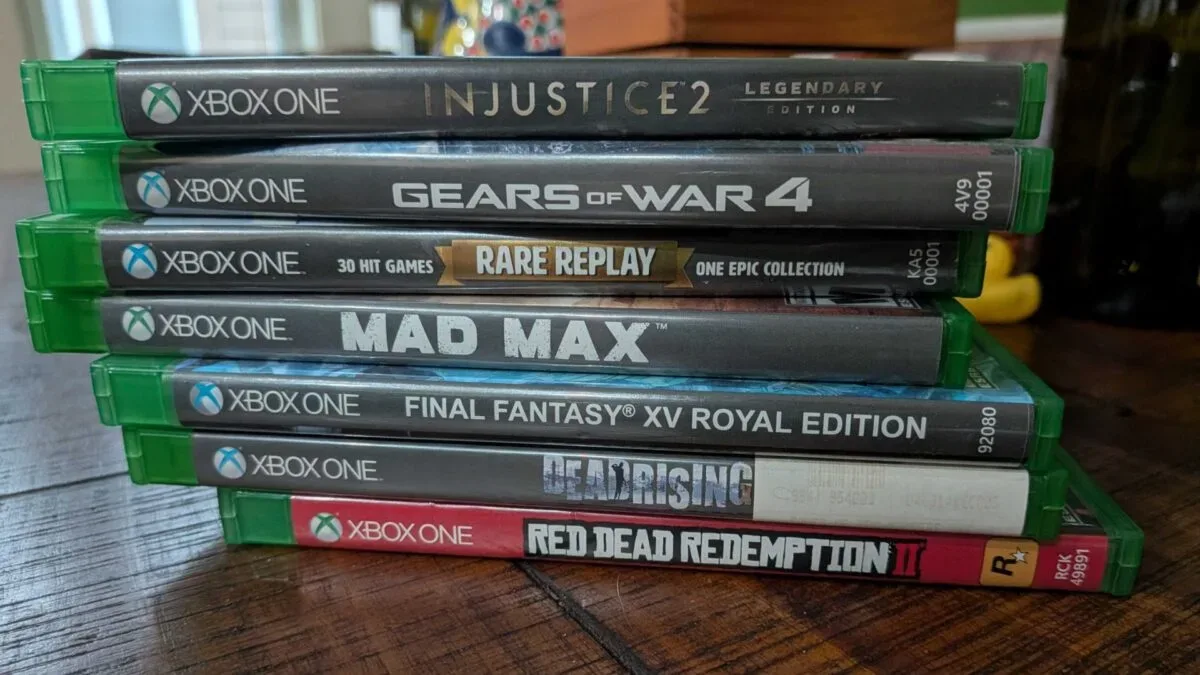
The most important caveat is also the easiest one to overlook: claiming a digital license does not make the original disc irrelevant. Players should keep every disc used with the program, even after the game appears in their digital library.
Xbox's system may require continued proof of ownership in circumstances that are not immediately visible during the initial claim. Selling, trading, losing, or otherwise giving away a disc could result in the associated digital license being lost. There is an additional complication if somebody else redeems that same disc. A physical copy should therefore be treated as the underlying ownership token, rather than disposable packaging for a permanent free digital upgrade.
That condition changes how the program should be understood. Disc-to-Digital is not necessarily a way to turn a physical library into a collection that can be sold off afterward. It is better viewed as a convenience feature for people who still retain their physical games. The disc can gather dust in a storage box instead of occupying the console's drive, but it remains worth holding onto.
For collectors, preserving the disc is already second nature. For players who primarily want a streamlined library, however, it is worth labeling or organizing converted games carefully. Keeping discs protected and knowing which account claimed which titles could prevent confusion later, particularly in households where multiple people use the same console or share game collections.
What the feature says about Xbox's physical-media future
The broader discussion around Disc-to-Digital is tied to the game industry's ongoing transition away from physical distribution. Digital sales have outpaced physical copies on modern consoles for years, yet large groups of longtime console players still own substantial disc collections assembled before digital storefronts became the default purchasing method.
Xbox's program offers a bridge between those two realities. It acknowledges that older physical purchases still matter while making them easier to use in a console environment increasingly built around digital libraries, subscriptions, downloads, and connected accounts. The feature may be especially welcome for Xbox Series X owners who value the disc drive but would rather not use it every time they launch a game.
It also arrives amid wider concern about where physical games fit in future hardware generations. Sony is preparing to end physical disc production in 2028, a move that has intensified speculation that other platform holders could take a similar direction. There is no confirmation here of Xbox's plans for its next console generation, but Disc-to-Digital naturally invites questions about how current disc collections may be handled in an increasingly all-digital future.
That does not mean physical ownership has suddenly become obsolete. On the contrary, the requirement to keep the disc underlines its continuing importance. The feature offers added flexibility, not a clean break from the physical format.
What Xbox players should do now
Players interested in the rollout can begin with a few favorite Xbox One or Xbox Series X discs. Before inserting them, consider disabling automatic disc playback to avoid unwanted installs. Then check the game's app menu on the Home screen for the "Claim digital license" option.
- Start with games from publishers known to be participating, including Sega and Ubisoft.
- Expect some titles to be unavailable, even if they are otherwise playable on the console.
- Do not expect original Xbox or Xbox 360 discs to qualify at this time.
- Keep eligible discs after claiming a license; do not sell, trade, or throw them away.
- Check compatibility title by title as publisher support may continue to expand.
For the right collection, Xbox Disc-to-Digital can make a familiar library much easier to access. Its limits are substantial, and it is not a replacement for careful disc ownership, but the all-user rollout gives physical-game fans a welcome option: more of their existing games can now be played with the speed and convenience of a digital library while the original copies remain safely stored away.
Community
Discussion
Start the conversation.
No comments have been posted yet.