

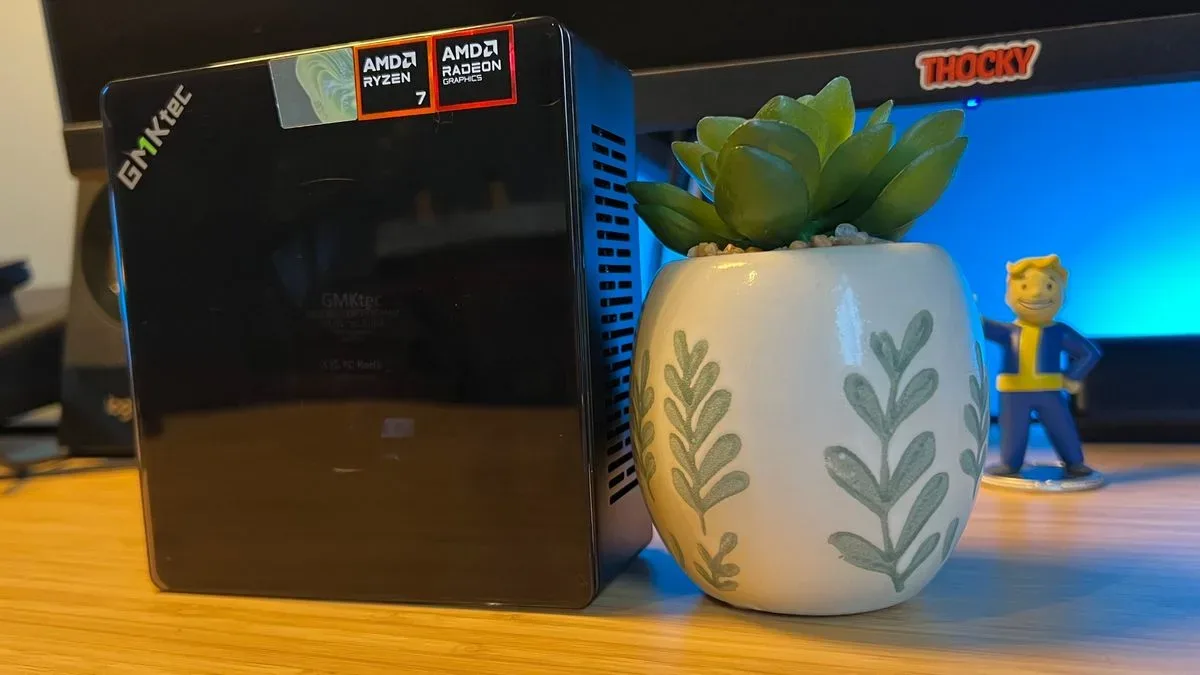
The GMKTec K8 Plus is a mini PC that makes a persuasive case for integrated graphics at the right price. Built around AMD's Ryzen 7 8845HS processor and Radeon 780M graphics, this compact Windows machine can handle everyday work with ease and turn in genuinely playable 1080p gaming results in lighter titles and selected larger releases. It also stands out in a crowded mini-PC field with easy access to its memory and storage, dual Ethernet ports, support for multiple displays, and an uncommon Oculink connection for future expansion.
There is a major qualification attached to that promise. Wireless connectivity is a serious weak point on the tested configuration, with download performance poor enough to make a replacement WiFi card--or simply a dependable Ethernet setup--feel like part of the purchase rather than an optional upgrade. At current prices, that matters. The K8 Plus was once a much easier recommendation around the $400 to $500 mark, but the 32GB model now commonly sits between $750 and $950. That leaves it competing in a much tougher market, where a compact form factor alone cannot excuse flaws.
Even so, the K8 Plus remains a well-rounded entry point for buyers who want a small Windows PC capable of a substantial Steam library, productivity workloads, and meaningful upgrades over time. It is not a replacement for a modern dedicated-GPU gaming desktop, but it does far more than its small chassis and integrated Radeon graphics initially suggest.
A compact design that prioritizes access
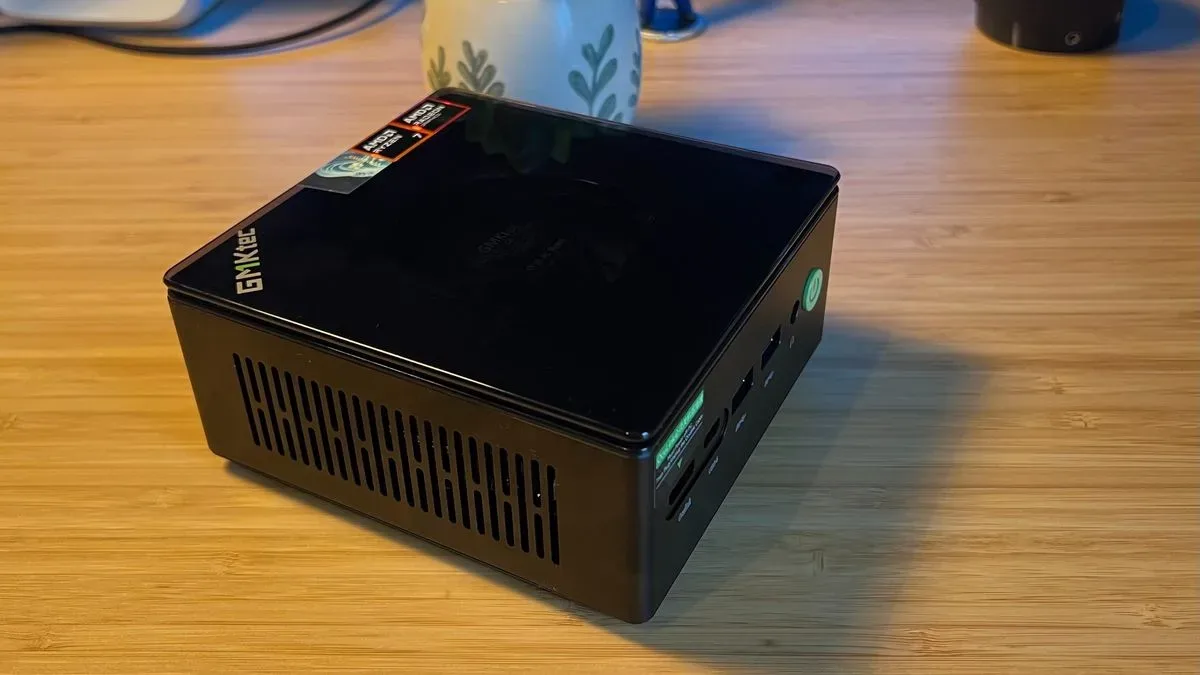
The K8 Plus has the familiar proportions of a mini PC, measuring 127mm by 132mm and 58mm tall. It takes up little room beneath a monitor or beside a television, and its metal outer shell gives it a more substantial feel than many budget-oriented small systems. The broad black body is broken up by a bright green power button, while a clear plastic cap sits above the main chassis.
For useful background on this topic, read AMD FSR 4.1 Is Heading to Xbox Series X as Support Expands Beyond Newest Radeon GPUs.
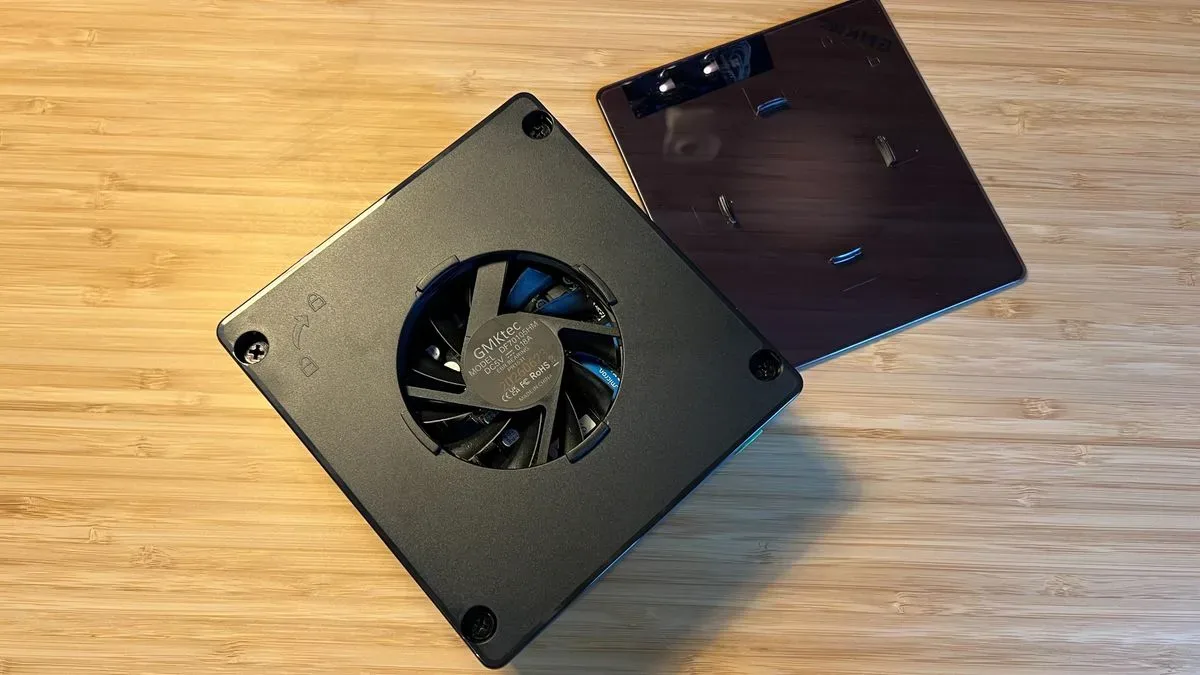
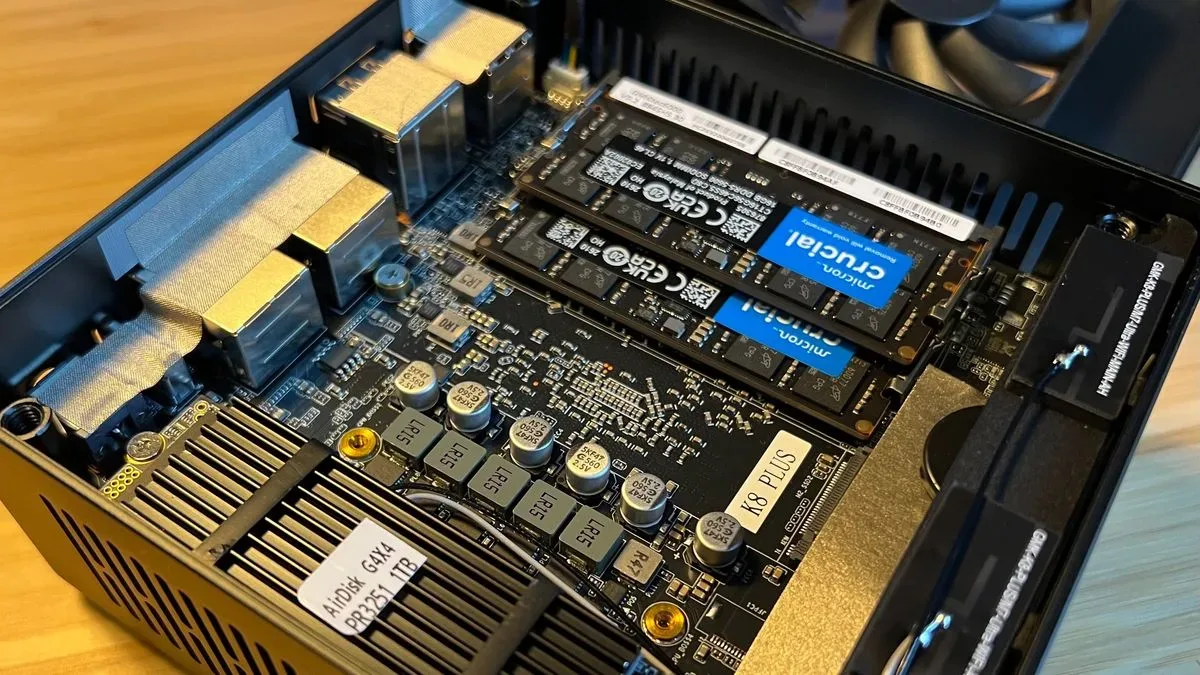
That top cap is the design's most divisive visual element. Buyers looking for a discreet, professional-looking desktop may find the transparent piece and diagonal GMKTec logo less polished than a plain metal box. Others may appreciate that it gives the K8 Plus more personality than the usual anonymous mini-PC slab. More importantly, it has a practical purpose: twisting the lid off reveals screws that lead directly to the internals.
Once inside, users can access the memory and storage with comparatively little fuss. The K8 Plus supports up to 96GB of SODIMM RAM and up to 4TB of M.2 2280 storage, giving it a level of longevity that is increasingly valuable in a compact machine. That is especially important because the two standard configurations are differentiated largely by their memory allocation. The 16GB DDR5-5600 version is commonly available from roughly $600 to $900, while the tested 32GB, 1TB configuration generally falls between $750 and $950 depending on promotions and retailer storage options.
At those upper prices, upgradeability is not merely a welcome feature; it is part of the K8 Plus's argument for long-term value. A buyer who starts with a lower-cost configuration can potentially add RAM or storage later instead of replacing the entire system.
Connections built for flexibility, with some awkward placement
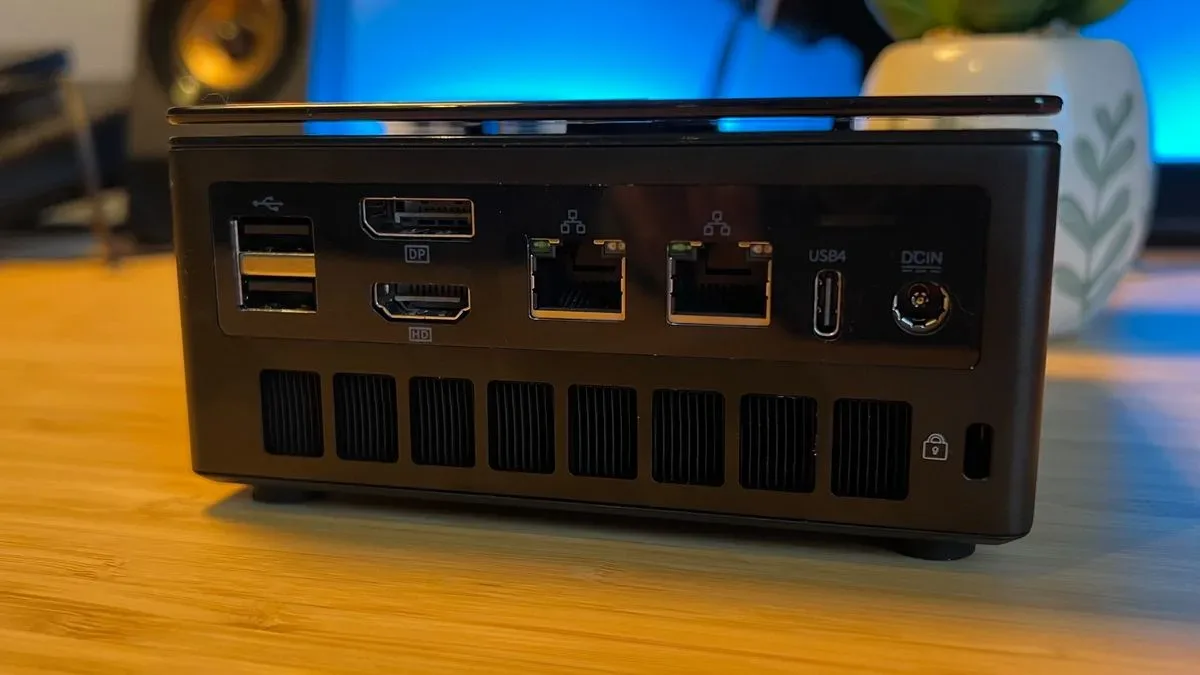
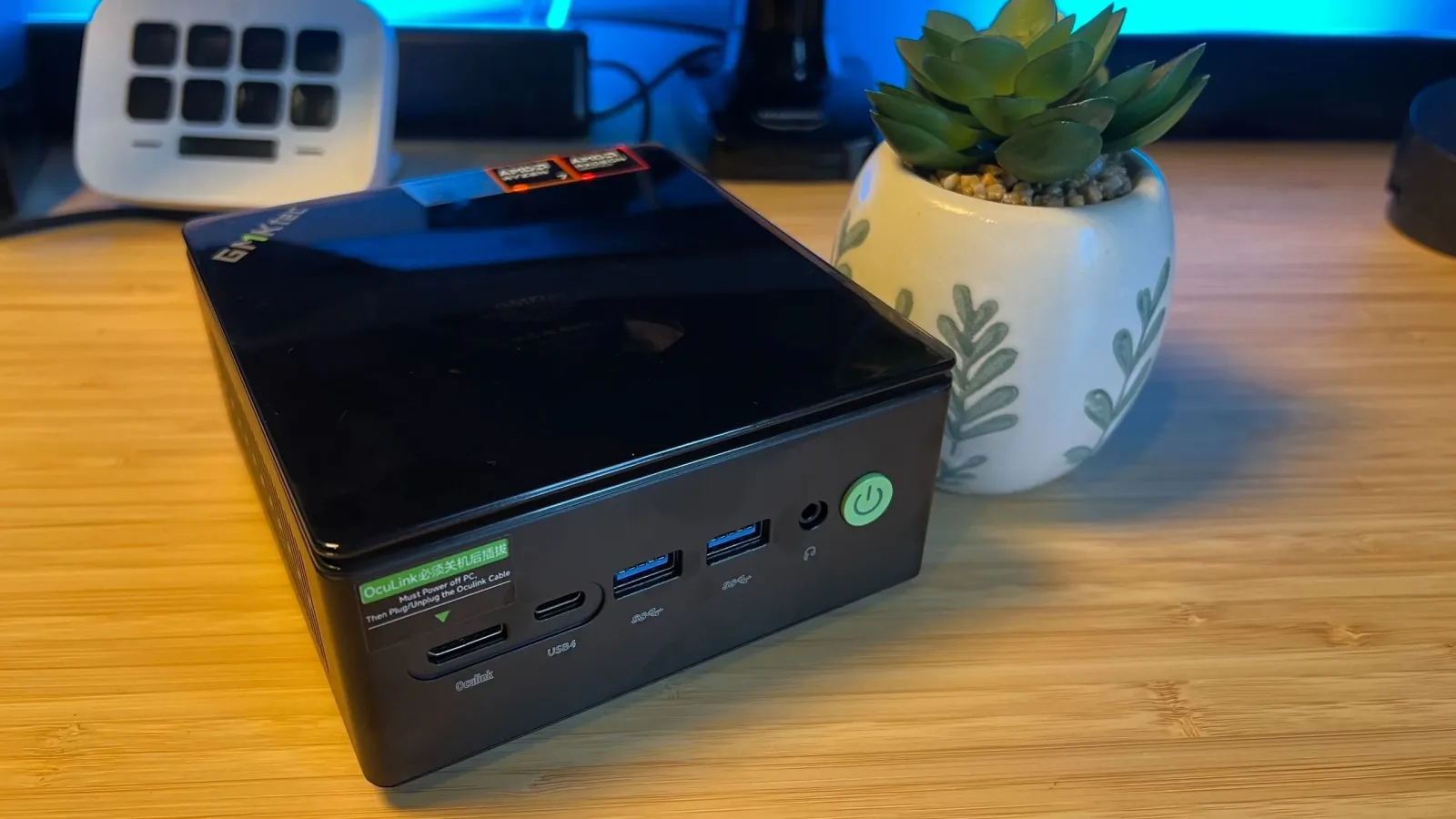
The K8 Plus's connectivity is more ambitious than its compact dimensions imply. It includes HDMI 2.1, DisplayPort 2.1, two USB4 Type-C ports, two USB 3.2 connections, two USB 2.0 ports, dual RJ45 Ethernet ports, and a 3.5mm audio jack. Combined, the video outputs and USB4 capability allow for up to four external displays, a useful perk for a small office workstation, home server, or desk setup that needs more than one monitor.
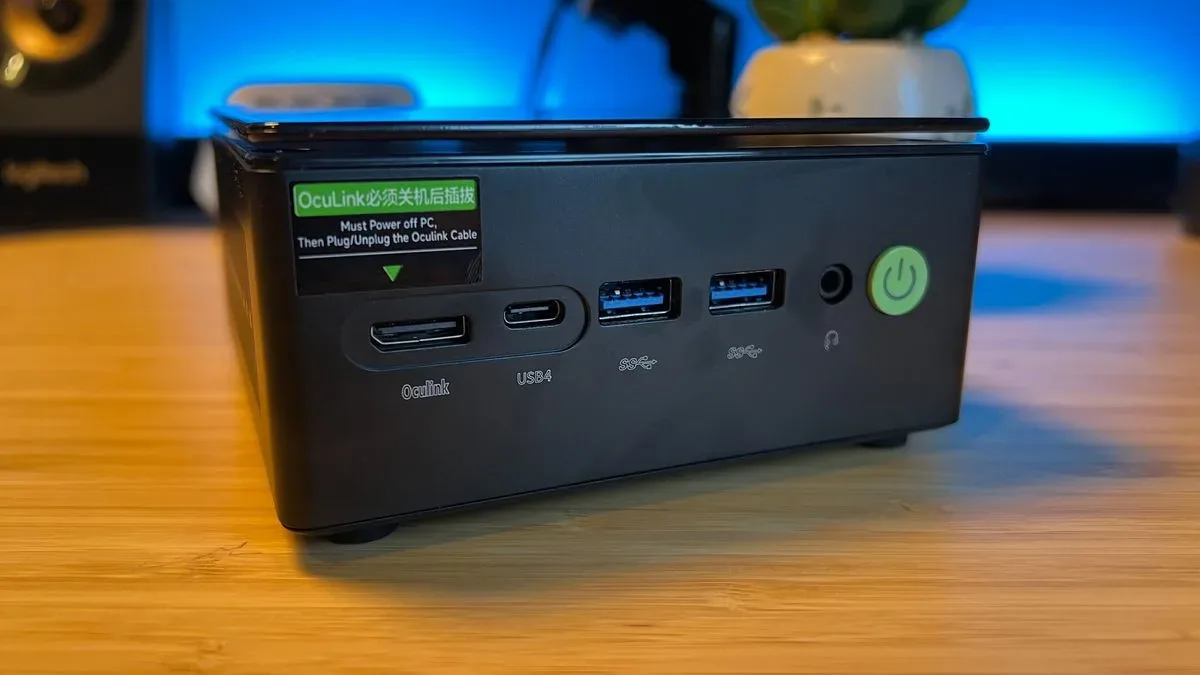
The headline feature is the Oculink PCIe 4.0 port. Oculink remains uncommon even among mini PCs positioned for gaming, and its presence gives the K8 Plus an interesting upgrade route. It can be used with an external GPU enclosure for a dramatic graphics boost later, should the cost of compatible hardware make sense. It also adds flexibility for storage-oriented projects, including home NAS configurations that could benefit from additional SATA connectivity.
The port layout is functional rather than elegant. Two USB 3.2 ports are easy to reach at the front, while the USB 2.0 connections suit peripherals that can remain attached permanently. However, Oculink is also front-facing, as is one of the USB4 ports needed for a maximum-display arrangement. An external GPU or fully populated monitor setup can therefore result in cables stretching visibly across the desk. Moving Oculink to the rear would have made more sense for a connection likely to remain plugged in for long periods.
Radeon 780M gaming is better than expected, not miraculous
The Ryzen 7 8845HS is an eight-core, 16-thread mobile processor with a 54W TDP, paired here with Radeon 780M integrated graphics. That combination is capable of delivering a respectable lightweight gaming experience, particularly for indie releases, older games, and well-optimized titles. Games such as Stardew Valley, Islanders, and Restory run comfortably, with only occasional stutter. For players whose library leans toward smaller-scale games, the K8 Plus offers enough performance to serve as an uncomplicated living-room or desktop Steam machine.
The more impressive result is that it can also run several major games at sensible settings. Shadow of the Tomb Raider, Total War: Three Kingdoms, and Cyberpunk 2077 can operate around the 40fps range at medium settings. That is not the 60fps target associated with a conventional gaming tower, and it should not be presented as one. Nevertheless, getting playable results from a machine this small without a discrete GPU is meaningful, especially for buyers willing to prioritize responsiveness and image quality carefully.
High settings expose the Radeon 780M's limitations quickly. Shadow of the Tomb Raider holds up better than the heavier games, but demanding titles become much less comfortable as graphical presets rise. Modern features such as AMD FidelityFX Super Resolution are therefore important tools rather than optional extras. Upscaling, sensible medium settings, and modest expectations are the route to the K8 Plus's best results.
This means the system is best understood as a 1080p machine for lighter games, older AAA releases, and current titles with scalable settings. It is not the right choice for someone who expects uncompromised new-release performance at high settings. Buyers focused on games like Doom: The Dark Ages or Planet Coaster 2 should expect considerably more compromise than they would with a dedicated gaming GPU.
Productivity performance suits the compact format
The K8 Plus is not solely a gaming device, and its CPU results reinforce that. Geekbench 7 scores of 2,218 in single-core performance and 13,410 in multi-core performance are strong results for a system of this size and class. Day-to-day office work, web browsing, media duties, multitasking, and general Windows use are all well within its comfort zone.
That broader usefulness is one of the main advantages over a more locked-down console-style alternative. The K8 Plus can be a work PC during the day, a compact Steam machine in the evening, and a flexible project box for storage or external-GPU experimentation later. Dual Ethernet further improves its appeal for networking and server-minded users, provided it is actually used.
The WiFi problem is impossible to ignore
Unfortunately, the included WiFi 6 hardware is the K8 Plus's biggest liability. Basic web browsing can be manageable, but downloads may be drastically slower than expected, to the point that jobs which should take about an hour on other systems can require an overnight wait. That is unacceptable behavior for a modern Windows PC, particularly one sold at the upper end of its current price range.
The good news is that the wireless card can be replaced, and compatible hardware is not especially expensive. The bad news is that buyers should plan for that added cost and effort from the outset if they cannot use wired Ethernet. This is not a small quality-of-life concern in an era of large game downloads, frequent patches, cloud backups, and high-resolution streaming.
Who should buy the GMKTec K8 Plus?
The K8 Plus makes the most sense for someone who values a tiny desktop, Windows flexibility, and upgrade access more than plug-and-play simplicity. It is a particularly good fit for indie-game players, fans of older or optimized AAA games, home-office users, and tinkerers interested in Oculink or expanding storage and memory over time. A strong sale price, especially closer to the lower end of its range, makes the package much more appealing.
It is less suitable for buyers who need flawless wireless networking out of the box, want high-settings performance in demanding games, or can find a dedicated-GPU desktop for only a modest additional investment. The 16GB model may offer better initial value, while the 32GB version is better prepared for heavier multitasking and more demanding modern software.
Final takeaway
The GMKTec K8 Plus succeeds because it gives a mini PC room to grow. Its Radeon 780M graphics can support a credible 1080p gaming library, its Ryzen processor is capable in everyday work, and its accessible internals and Oculink port distinguish it from many similarly sized rivals. The price inflation since its earlier budget days weakens the proposition, while the faulty-feeling WiFi performance is a frustrating and potentially costly flaw.
With Ethernet or a replacement wireless card accounted for, however, the K8 Plus is a capable compact PC that can compete surprisingly well in entry-level gaming. It is not effortless, and it is no longer a bargain at every listing, but it remains a flexible and powerful small-form-factor option when found at the right price.
Community
Discussion
Start the conversation.
No comments have been posted yet.