

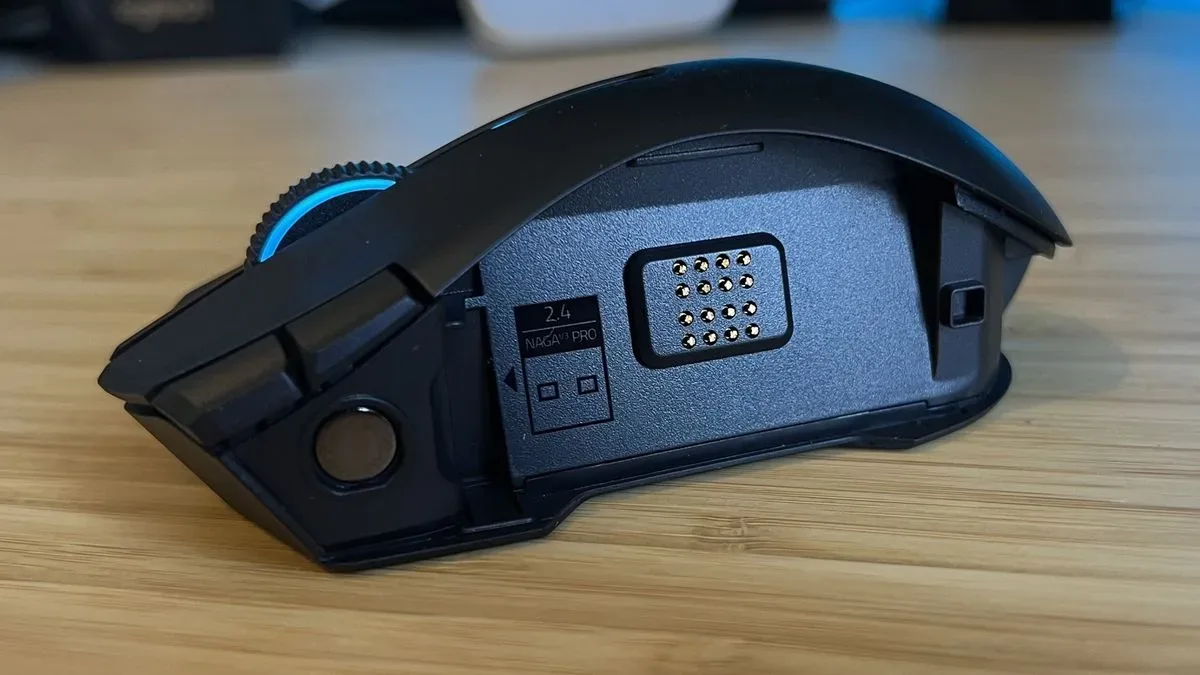
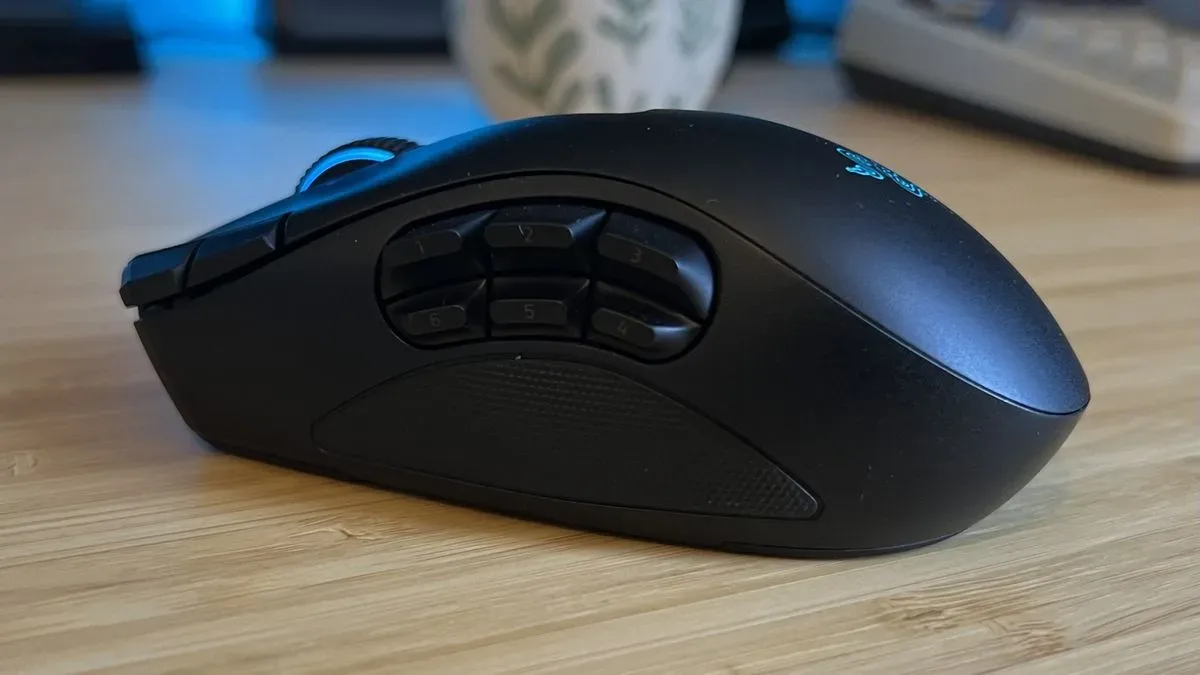
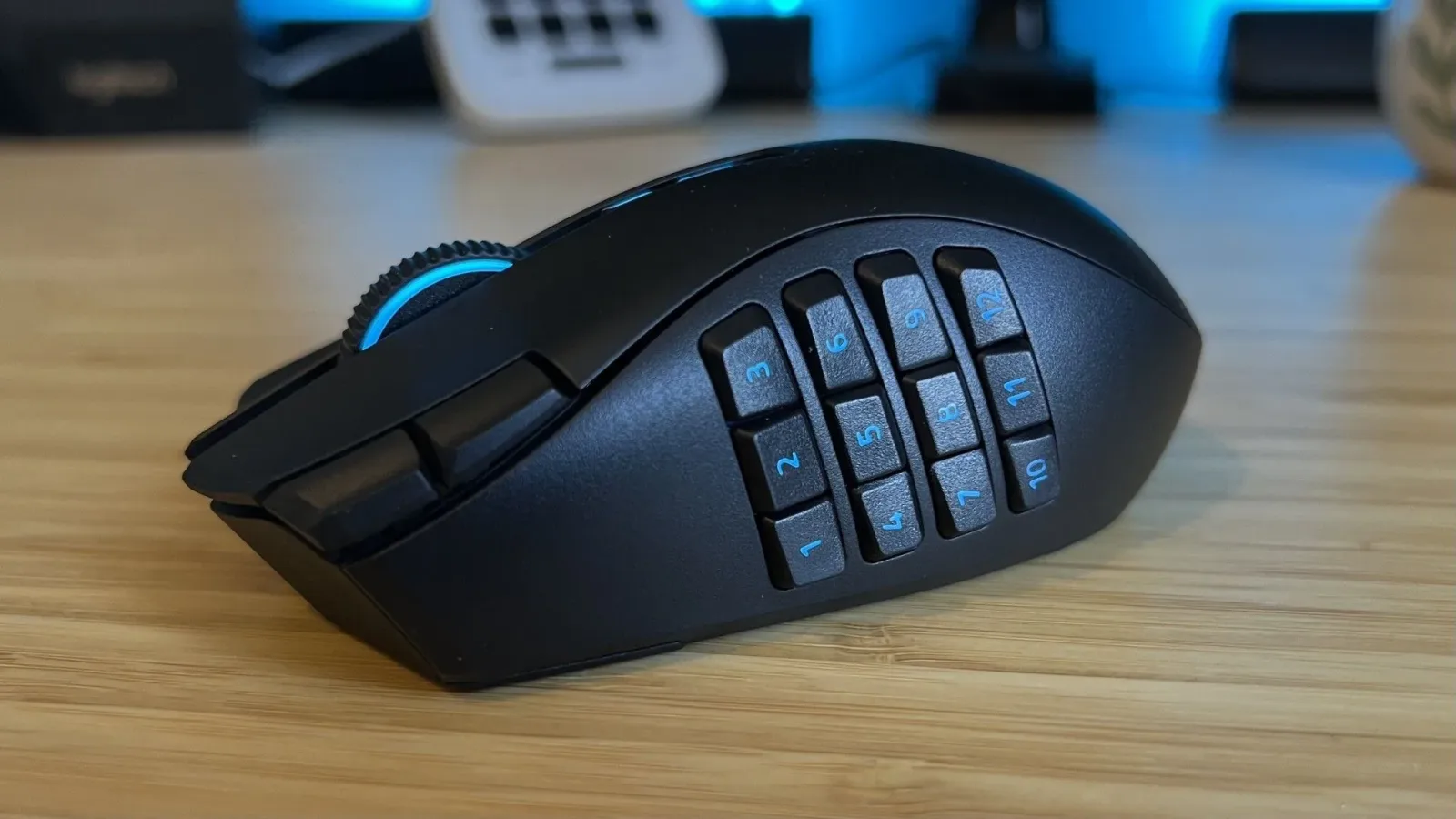
The Razer Naga V3 Pro earns an 8/10 because it does something most premium gaming mice only promise to do: it adapts meaningfully to different kinds of PC games. This is not simply an MMO mouse with an extra button or a fast wireless mouse with a handful of macro options. Its three magnetic side panels alter the available thumb controls from a straightforward two-button arrangement to a six-button layout or a full 12-button grid. That makes the Naga V3 Pro a persuasive, if extravagant, answer for players whose game libraries include shooters, strategy games, RPGs, management sims, action adventures, and online games in equal measure.
The catch is clear from the outset. At $179.99 / £179.99, this is a luxury peripheral, not a compromise-priced jack-of-all-trades. Players devoted primarily to competitive shooters can buy a much lighter specialist mouse for less, while MMO-focused users can find capable multi-button alternatives without paying for features they may never use. The Naga V3 Pro is at its strongest when versatility itself is the priority.
A design shaped around adaptability
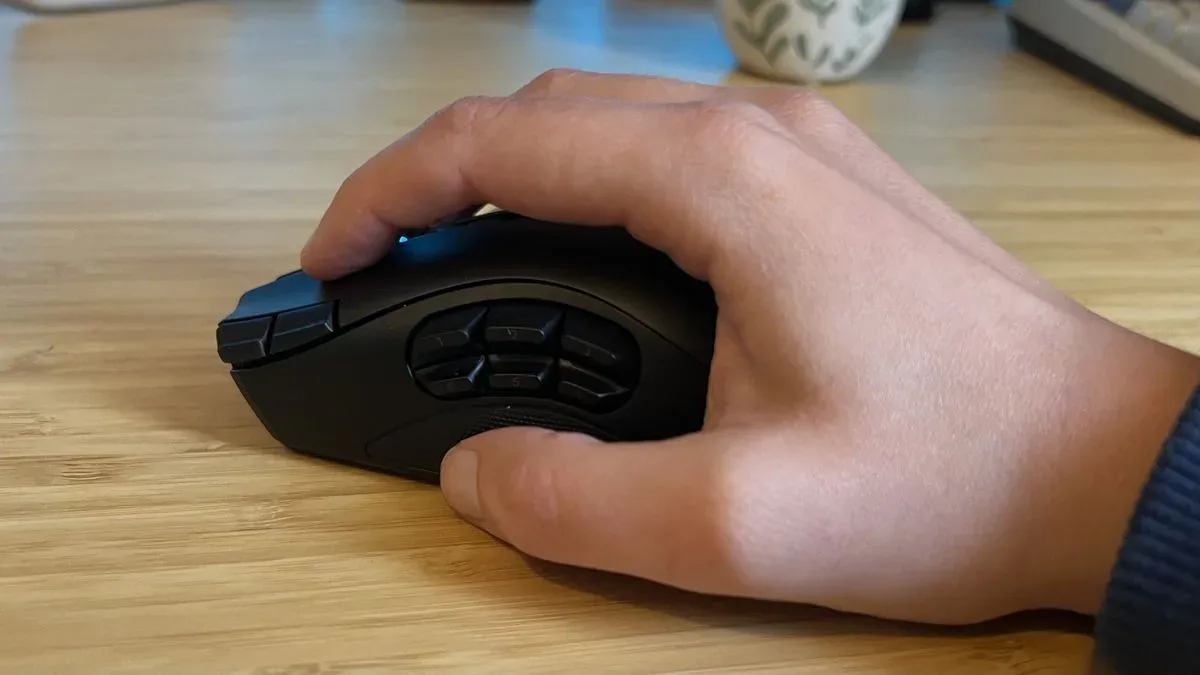
Razer has retained the defining feature of the earlier Naga V2 Pro: interchangeable side plates with two, six, and 12 buttons. The concept remains exceptionally effective. A two-button panel keeps the left side clean and familiar for games where accidental thumb presses would be a nuisance. The six-button panel provides a useful middle ground for action games, RPGs, or productivity shortcuts. Install the 12-button panel and the mouse becomes a macro-heavy control hub suited to MMO hotbars, inventory commands, ability rotations, and other dense layouts.
That physical change matters more than a long list of programmable commands alone. Plenty of MMO-oriented mice advertise layers of inputs, alternate functions, and DPI buttons. The Naga V3 Pro instead changes the shape and complexity of its control surface to meet the task. It can avoid the crowded feel of a 12-button thumb grid when that grid is unnecessary, then restore it when a game benefits from direct access to a large set of commands.
For useful background on this topic, read Creative Pebble Plus Review: Still the Budget 2.1 Speaker Champion.
Razer lists up to 23 programmable buttons depending on the installed panel and configuration. Beyond the swappable plates, the V3 Pro adds controls around the main buttons, including DPI-shift inputs on the left-click area and a button on the right flank that can serve as Hypershift. That extra right-side control is potentially useful for macro-focused users and for certain sniper-style functions, but it is also easy to trigger unintentionally during normal handling. It is a useful option rather than an essential improvement.
Comfortable for palm players, less convincing for fingertip control
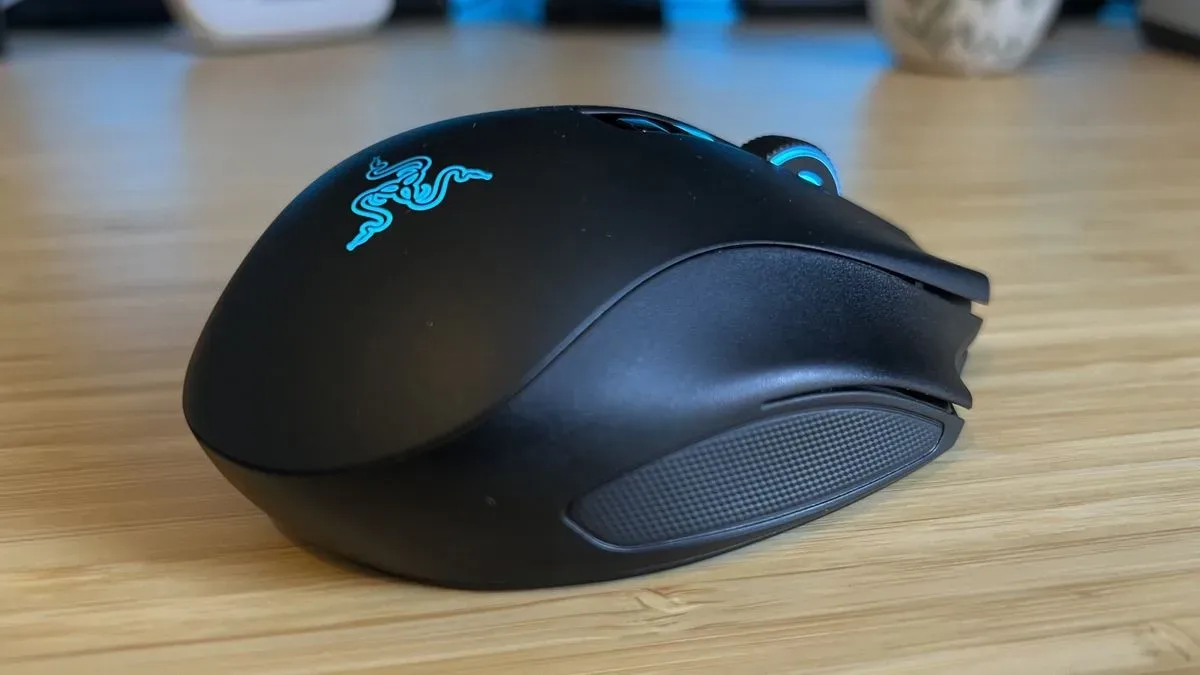
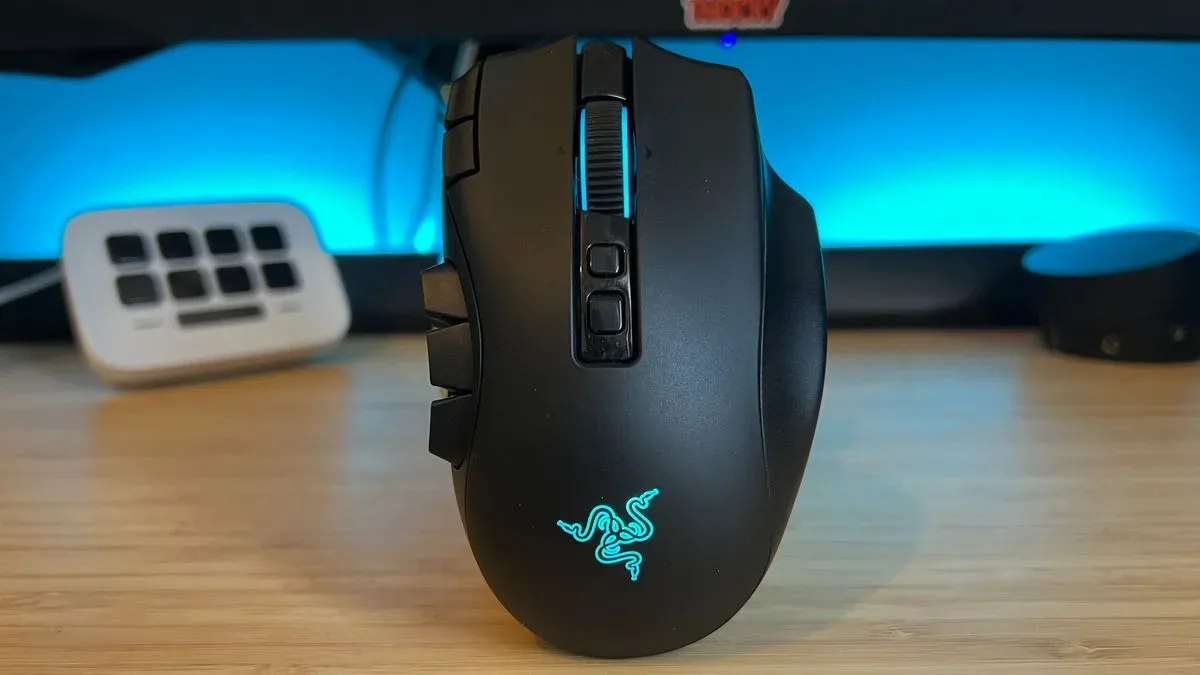
The Naga V3 Pro has a chunky, right-handed ergonomic shape with a tall central hump, a broad base, and a rearward weight balance. Its body is shorter than its substantial profile initially suggests, but the overall impression is still of a solid, supportive mouse intended to fill the hand rather than disappear beneath it.
This works particularly well for a relaxed palm grip. The top of the palm receives ample support, the right side is shaped to accommodate the middle and ring fingers, and the pinky has room to brace against the lower edge. The result is a comfortable position for long sessions, whether the task is navigating an MMO interface, working through a strategy game, or simply using a PC throughout the day.
Claw-grip players can also make the shape work. The angled right side prevents the outer fingers from feeling overly strained, and the mouse can still be moved with reasonable agility when the hand sits higher over the main buttons. However, adopting that grip can mean lifting the ring finger away from the extra right-side button to gain a more secure hold toward the back of the chassis.
Fingertip-grip players should look elsewhere. At 117g with the 12-button panel installed, the Naga V3 Pro is notably lighter than the 134g previous model, but it remains heavy beside modern performance-focused mice. Razer's own Viper V4 Pro weighs 49g, while some ultralight competitors drop considerably lower. Combine the Naga's mass with its high dome and wide footprint, and rapid fingertip adjustments become cumbersome. Precision and speed suffer when the mouse is used in a style it was not designed to favor.
High-end hardware, even if not all of it is necessary
Under the shell, the Naga V3 Pro uses Razer's Focus Pro 50K Optical Sensor Gen-3. Its specifications include up to 50,000 DPI, 930 IPS tracking speed, and 90G acceleration, alongside features such as Frame Sync, dynamic sensitivity, and 26-step asymmetric cut-off adjustment. It also supports an 8,000Hz polling rate.
These are flagship-level numbers, but they do not transform the Naga into a competitive FPS mouse. The sensor is unquestionably capable, and casual shooter players should have no trouble with tracking performance. Yet the physical reality of the mouse remains more important than the specification sheet. Its broad, heavy build is not optimized for the fast, repeated swipes demanded by high-level competitive FPS play. The high polling rate feels more like a premium-box requirement than a feature that defines this mouse's practical appeal.
That does not diminish the Naga's value as a generalist. It means buyers should set the right expectation: this is an MMO-capable mouse that can handle casual action and shooter play, rather than a lightweight esports mouse that happens to offer MMO controls.
The scroll wheel is an unexpected highlight
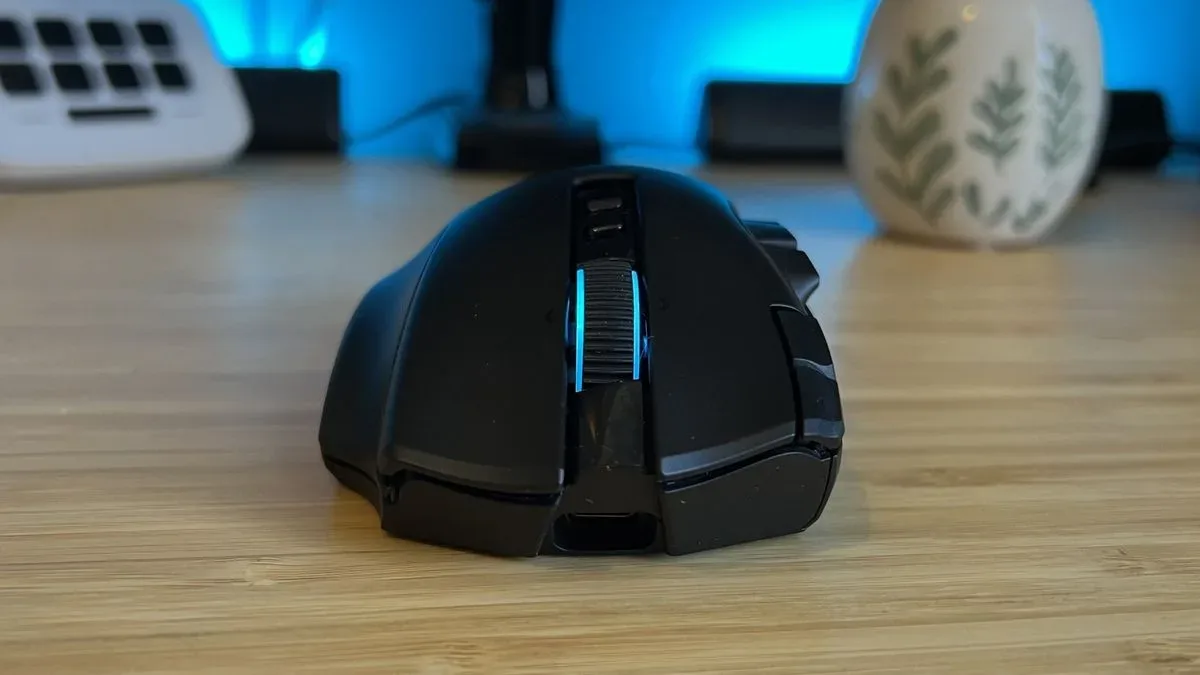
One of the most successful upgrades is the HyperScroll Tilt Wheel Gen-2. It provides four modes: free-spin, a standard 24-step tactile mode, a 48-step precision tactile mode, and a Smart-Reel setting that automatically moves between tactile scrolling and free-spin based on how quickly the wheel is turned.
The precision tactile mode stands out. Its 48 defined steps produce a controlled, deliberate feel that is valuable in games where the scroll wheel handles weapon switching, zoom changes, or other time-sensitive commands. The notches are cleanly separated with a satisfying amount of resistance, making it easier to develop reliable muscle memory than on a looser wheel.
It is also a meaningful benefit outside games. Detailed scrolling is useful for documents, browsing, spreadsheets, creative tools, and general desktop navigation. This is the sort of feature that helps justify the Naga V3 Pro as a device intended to stay on a desk all day rather than come out only for a particular genre.
Smart-Reel is less universally appealing. Its automatic switch between tactile scrolling and free-spin responds quickly and accurately to scroll speed, and it can be convenient when moving between map views and zoom controls. However, the momentum of free-spin can feel overly aggressive, making the behavior less predictable for users who prefer a consistently controlled wheel. Fortunately, the available modes mean it is easy to select a more dependable setting.
Connectivity, battery life, and everyday use
The Naga V3 Pro supports 2.4GHz wireless, Bluetooth, and wired operation. Razer rates battery life at up to 155 hours through 2.4GHz wireless and up to 280 hours over Bluetooth, figures that reinforce its role as a versatile daily-use mouse. Bluetooth support is particularly welcome for users switching between a gaming PC and another device without needing to reserve a separate peripheral for each.
The optical switches are responsive, but their sound is one of the few physical disappointments. The main clicks have a higher-pitched, somewhat hollow or tinny character compared with the deeper, softer click feel many premium mice offer. This is a matter of preference rather than a functional flaw, but at this price it is a detail that some buyers will notice.
Who should buy the Razer Naga V3 Pro?
The ideal Naga V3 Pro owner is a PC player with broad tastes and a healthy peripheral budget. If one evening involves a fast-paced action game, the next a building sim, and the weekend an MMO requiring a crowded hotbar, the interchangeable panels provide a level of convenience that typical gaming mice cannot match. The strong palm-grip comfort, flexible connectivity, extensive remapping, and excellent precision scroll setting add to that all-purpose appeal.
Dedicated competitive FPS players should prioritize lighter alternatives. Even though the Naga V3 Pro offers a top-tier sensor and 8,000Hz polling, its 117g weight and substantial body work against the rapid, low-effort movements that define the ultralight market. Similarly, players who spend nearly all their time in MMOs should compare cheaper 12-button mice before committing. The Naga's modularity is valuable, but only if the other side panels will actually be used.
Final takeaway
The Razer Naga V3 Pro is a premium catch-all mouse with a genuinely convincing reason to exist. Rather than asking players to settle for one button layout across every game, it lets them physically reshape the thumb controls around the genre at hand. Its palm-friendly ergonomics and standout scroll wheel make it useful beyond gaming, while its sensor and connectivity leave little to complain about on a technical level.
Its price, weight, accidental Hypershift presses, and slightly hollow-sounding clicks prevent it from being an automatic recommendation. But for the player who refuses to be defined by a single genre, the Naga V3 Pro is one of the most capable all-round gaming mice available.
Community
Discussion
Start the conversation.
No comments have been posted yet.