

Storage pressure is a familiar problem for players who move between a gaming handheld, a PC, and a phone. Screenshots pile up, video clips become larger than expected, mod archives need somewhere to live, and removable cards can quickly turn into a scattered collection of tiny libraries. A USB-C card reader will not replace a fast internal SSD or solve every storage limitation on a console, but it can be one of the simplest and least expensive tools for managing files already stored on SD and microSD media.
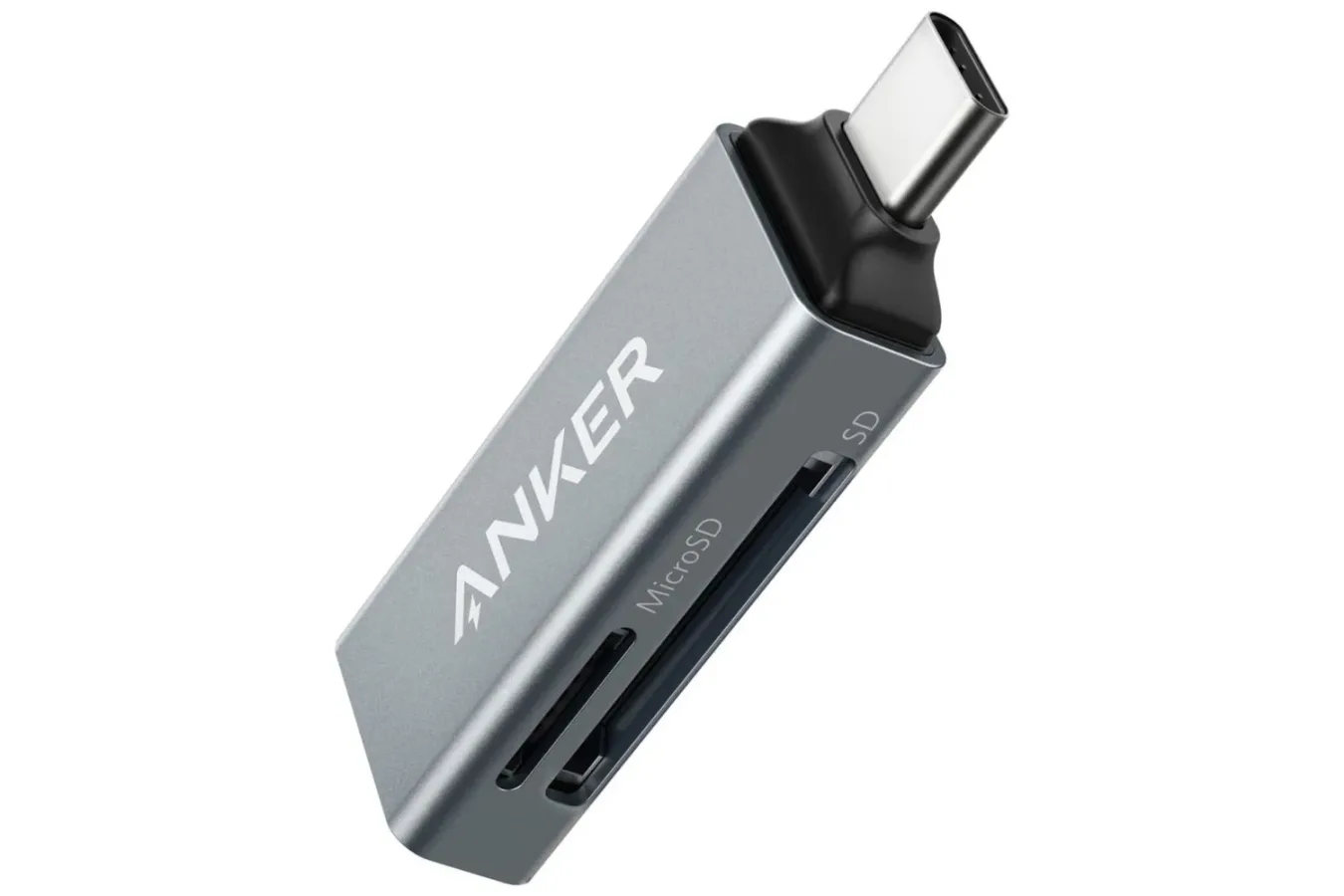
Anker's USB-C SD Card Reader is currently listed at $9.99, a stated 44% reduction from its usual price. At that price, it is a notably inexpensive accessory for anyone who already has spare SD cards, regularly swaps microSD cards between devices, or simply wants a compact way to back up media without using a wireless connection.
The appeal is straightforward: the reader plugs into a USB-C port, accepts compatible memory cards, and provides access to their files on the connected device. It is a small piece of hardware, but one that can be useful in a gaming setup where portable storage, captures, save-related files where supported, and downloaded archives often need to be organized away from a device's main storage.
A simple accessory with broad card support
The Anker reader is designed to work with a wide range of commonly encountered card standards. Its listed compatibility includes microSDXC, microSDHC, microSD, SDHC, RS-MMC, MMC Micro, and standard SD cards. That broad list matters less as technical trivia than as a practical convenience: players and creators often have cards from older cameras, phones, handheld devices, Raspberry Pi projects, and previous storage upgrades sitting in drawers.
For useful background on this topic, read AMD Ryzen 7 7800X3D Falls to $348 in Major Gaming CPU Deal.
Rather than buying a new cable or reader whenever a particular card format turns up, a multi-format USB-C reader can centralize the job. A microSD card used for portable files and a full-size SD card used in a camera can be accessed through the same accessory, assuming the connected USB-C device supports the reader and the card's file system in the way needed for the task.
The unit also includes two card slots. That does not necessarily mean every device or workflow will treat both cards identically, and users should check their device documentation for specific behavior. Still, having two slots creates useful options. It can make it easier to inspect two cards during a file-transfer session, compare folders, or keep one card inserted while checking material on another.
Where it can fit into a gaming routine
For PC players, the most obvious use is moving files to and from microSD cards without needing a built-in card slot on a desktop tower or laptop. A player may want to archive screenshots, transfer captured clips, store installation files, move emulator-related files where legally appropriate, or keep a small portable collection of documents and utilities. The reader is not being positioned as high-performance long-term game storage, but it can be a useful bridge between a card and a computer.
Handheld gaming users may find the format especially convenient because many modern portable devices have USB-C connections and make extensive use of microSD cards. The exact compatibility of any handheld depends on its operating system, port behavior, and supported storage formats. That is worth confirming before making a purchase. Even so, a compact reader can be handy for managing card contents through a compatible laptop, tablet, or phone when direct access is more convenient than connecting the handheld itself.
On mobile devices, the reader's utility can extend beyond games. Phones with USB-C may be used to review footage, copy photos, or carry files between a phone and computer when internet access is unreliable or when a user prefers not to upload large material to cloud storage. For people attending tournaments, conventions, travel events, or multiplayer gatherings, the ability to move media locally can be more useful than it sounds. A card and reader take up very little bag space.
The key advantage is not that a card reader makes every USB-C device gain permanent extra storage. It is that it gives compatible devices a direct, portable path to files already held on removable cards.
What buyers should keep in mind
There is an important distinction between accessing a card through a reader and expanding a device's storage in the same way an internal drive or officially supported external drive might. Games generally cannot be installed and played from arbitrary removable media on every platform, and a connected card reader should not be treated as a universal storage-expansion solution. Platform rules, operating systems, file systems, power requirements, and application permissions all affect what is possible.
Console owners in particular should verify their platform's storage requirements before assuming this accessory can be used for game installs, game transfers, or save management. The reader may still be useful with a separate compatible computer or mobile device, but its presence alone does not override the storage policies of a closed gaming platform.
It is also wise to pay attention to the cards themselves. A very cheap or aging microSD card can be fine for light file transfers, but performance and reliability vary dramatically between models and capacities. For important game captures, photos, video, or personal files, maintaining an additional backup remains the safer approach. A reader makes transfers easier; it does not protect against a damaged, counterfeit, or failing card.
Likewise, anyone hoping to use a card as extra space on a phone should check whether their phone supports external storage through USB-C and whether the apps involved can access it. Some devices can browse and copy files easily but do not allow every application to write directly to external media. Others may require a particular format for the card. These are normal limitations of the host device rather than a unique issue with a compact card reader.
Why the price is the story
There are plenty of USB-C card readers, hubs, docks, and adapters available, including models with more ports or faster connectivity. The reason this Anker model stands out is its current $9.99 listing. At that level, it costs less than many single-purpose cables and becomes easy to justify as a backup accessory even for people who do not expect to use it every day.
It could live in a travel pouch with a charging cable and spare card, stay in a desk drawer for transferring camera and handheld files, or serve as a low-cost solution for a laptop that lacks a dedicated card reader. The ability to use both standard SD and microSD formats also avoids the need to keep separate readers around for different cards.
For players building out a more flexible portable setup, the best accessories are often the unglamorous ones that remove a recurring annoyance. A reader will not deliver higher frame rates, improve a display, or add a new game to a library. What it can do is reduce friction when storage cards enter the picture, whether that means moving a highlight clip to a PC, offloading photos during a trip, or retrieving files from a spare microSD card.
A useful low-cost option for USB-C file transfers
At its listed $9.99 price, Anker's USB-C SD Card Reader is a practical purchase for users who need occasional access to removable storage without paying for a larger dock or external SSD. Its support for multiple SD and microSD standards, along with its two-slot design, gives it more flexibility than a narrowly focused single-card adapter.
Potential buyers should still confirm compatibility with the USB-C devices and cards they plan to use, especially when the goal involves a gaming handheld, phone, or platform with restricted storage rules. But for straightforward file access and transfers, the reader offers a compact, reusable option at a particularly low price. For anyone with a growing stack of memory cards and no convenient way to read them, that may be all the incentive needed.
Community
Discussion
Start the conversation.
No comments have been posted yet.