

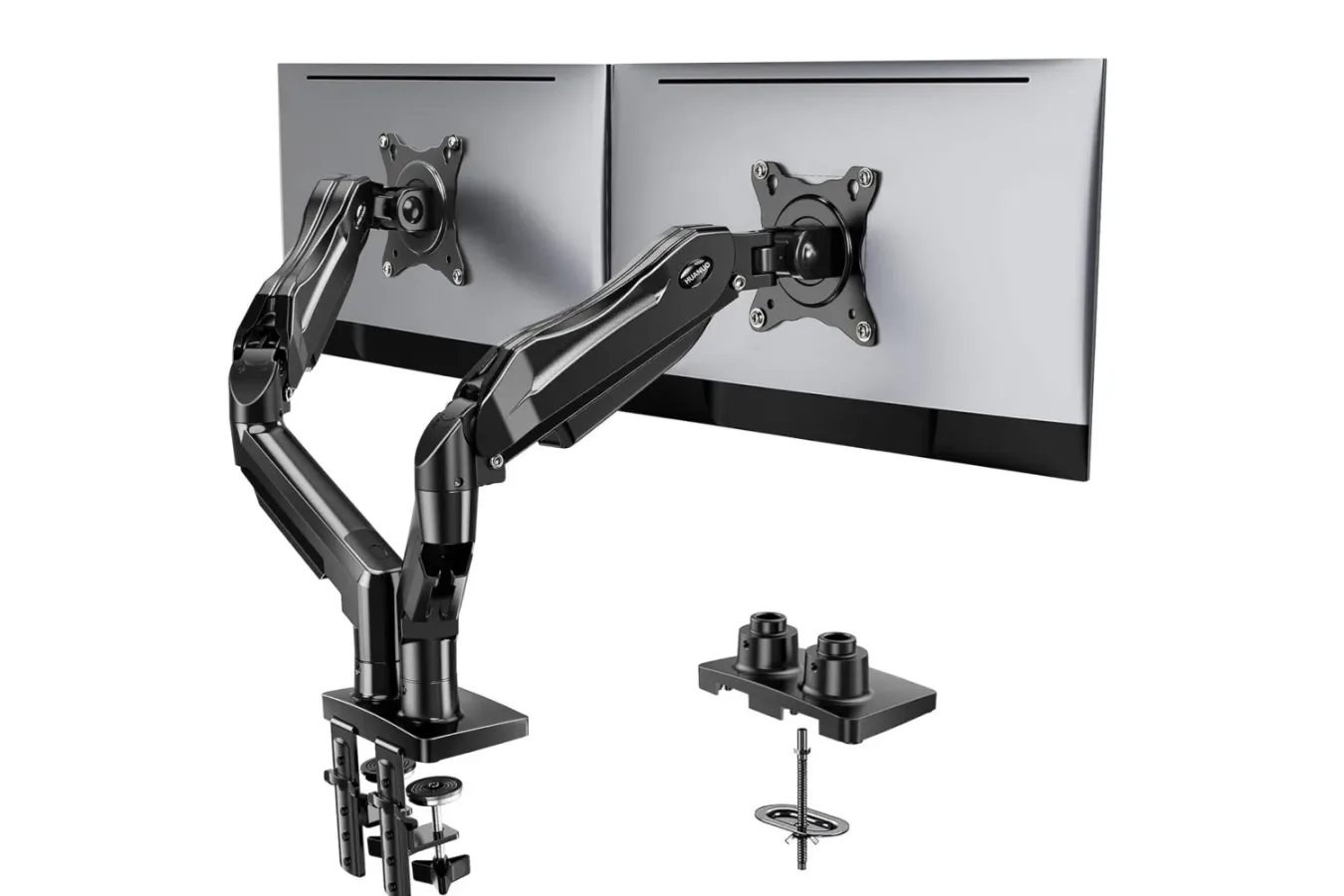
For PC players, streamers, and anyone balancing games with chat, guides, creative software, or work tasks, a second monitor can make a desk setup feel dramatically more useful. The downside is that two conventional display stands consume a surprising amount of valuable desktop space. A dual monitor arm is one answer to that problem, and the Huanuo FlowLift dual monitor stand is currently available for $60 in a limited-time Amazon promotion.
That price is $10 below its stated usual price of $70. Some shoppers may also see an additional 5% discount applied at checkout, although eligibility can vary. As with other limited-time retail offers, the price is not guaranteed to remain available for long.
The FlowLift is designed to hold two displays above the desk rather than leaving both monitor bases planted across the work surface. Its two articulated arms can be adjusted independently, giving users more control over screen height, angle, distance, and orientation. That flexibility has obvious appeal for a gaming desk, especially when one screen is dedicated to a game while the other handles Discord, a stream dashboard, music, a walkthrough, or a browser full of research.
What the FlowLift dual monitor stand supports
Before treating any monitor arm as a simple plug-and-play purchase, it is important to compare its limits with the displays already in use. The Huanuo FlowLift supports monitors measuring from 13 to 32 inches. Each arm is rated to hold up to 19.8 pounds, which covers many mainstream gaming and productivity monitors, but weight can differ widely between models.
For useful background on this topic, read Anker's USB-C SD Card Reader Is Listed at $9.99 for a Low-Cost Storage Upgrade.
Monitor size alone is not enough to confirm compatibility. A 32-inch display with a particularly heavy panel or bulky stand hardware may approach the arm's limit, while a lighter 27-inch display may leave plenty of room. Anyone considering the mount should check the manufacturer specifications for the weight of each monitor without its original stand attached. Staying within the stated per-arm capacity is essential for both stability and safe operation.
The stand also requires visible VESA mounting holes. Compatible monitors need either 75 x 75 mm or 100 x 100 mm mounting patterns. VESA is a common standard across gaming monitors and office displays, but it should never be assumed. Some monitors hide their mounting area behind removable plastic pieces, while others simply do not include a compatible pattern. Checking the rear of both screens before ordering can prevent an inconvenient setup-day surprise.
Key compatibility checks
- Each monitor should measure between 13 and 32 inches.
- Each monitor must weigh no more than 19.8 pounds.
- Both displays need accessible VESA holes with 75 x 75 mm or 100 x 100 mm spacing.
- The desk should be wooden and between 0.59 and 3.54 inches thick.
- The intended mounting area needs a clear, unobstructed underside and surface.
The desk itself matters just as much as the displays. Huanuo recommends installation on a wooden desk with a thickness ranging from 0.59 to 3.54 inches. The mounting point should also be free of obstacles. Cross beams, under-desk panels, rails, and other structural features can interfere with installation or prevent the base from seating correctly. Desk material and construction are worth considering carefully, particularly for users with glass desks, unusually thin tabletops, or furniture with reinforced edges.
A practical upgrade for gaming and work spaces
The most immediate advantage of a dual-arm mount is reclaimed desk space. Removing two large monitor feet can open up room for a full-size keyboard, a larger mousepad, speakers, a microphone arm, a controller charging dock, or simply a less crowded play area. For competitive mouse-and-keyboard games, having extra room for low-sensitivity aiming can be especially welcome.
There is also a visual benefit. A pair of mounted monitors can give a setup a cleaner, more deliberate look, with the screens appearing to float above the surface. The FlowLift's two-arm design creates a distinctly mechanical appearance while serving a practical purpose: it allows the displays to be moved without repeatedly adjusting their original stands or rearranging the desk around them.
Adjustability is the larger selling point. Users can position two monitors side by side for a broad horizontal workspace, pull a display closer for reading small text, or alter the viewing angle to reduce awkward head movement. This is useful beyond standard office work. A player might place a main high-refresh display in the center and move a secondary panel off to the side for chat and recording tools. A creator editing gameplay footage could keep a timeline on one screen while using the other for previewing footage, asset folders, or tutorials.
The arms can also rotate monitors into a vertical position. Portrait orientation is especially practical for long chat logs, web pages, documents, code, and social feeds. For a gaming-focused setup, a vertical side monitor can work well for Twitch chat, Discord, game servers, patch notes, or a long strategy guide. The option to rotate one screen while keeping the main panel in landscape gives a desk more flexibility than a fixed dual-monitor arrangement.
Dual-monitor arms are most useful when they solve a real layout issue: freeing desk space, placing displays at a more comfortable height, or giving each screen a dedicated role.
Things to measure before buying
At $60, the FlowLift's current deal price may make it appealing for anyone who has been waiting to reorganize a PC battlestation. However, a monitor arm is only a bargain if it works with the hardware and furniture already in place. Taking a few measurements first is more valuable than rushing into a purchase based solely on the discount.
Start by checking both monitor weights, then confirm their VESA patterns. It is also wise to think about the total width of the screens. Two 32-inch monitors can be accommodated individually under the listed size range, but their combined footprint may require a wider desk and more thoughtful positioning than a pair of 24- or 27-inch displays. Curved screens, ultrawide models, and unusually thick monitor housings can also affect how comfortably two displays fit side by side.
Next, inspect the desk's rear edge and underside. The base needs a flat, usable area, not a section blocked by a support beam or drawer unit. Users with desks pressed tightly against a wall should consider the amount of clearance needed when moving articulated arms backward or changing their angle. The purpose of an adjustable mount is to make placement easier, but a cramped room or tightly packed desk can still limit its usable range.
Cable planning is another worthwhile step. Lifting monitors off their original stands can make cables more visible at first, especially HDMI, DisplayPort, power, USB, and audio connections. Before finalizing the layout, leave enough slack for each monitor to move through its intended positions. Pulling a display closer should not strain a cable, and rotating a screen to portrait should not twist connections into an awkward angle. A clean setup is easier to maintain when cables are planned around movement rather than tucked away too tightly.
Who should consider this deal?
The Huanuo FlowLift is most relevant to PC users who already own two VESA-compatible monitors and are dissatisfied with how much room the original stands occupy. It could also suit people building a first streaming station, upgrading a home office that doubles as a gaming room, or trying to make a shared space more adaptable. The ability to shift screen placement can be useful for switching between focused work, relaxed controller gaming, and live streaming without rebuilding the entire desk.
It is less compelling for anyone with a single display, monitors that lack VESA mounting support, or a desk that does not meet the recommended installation requirements. Shoppers should also avoid treating the 19.8-pound figure as a combined capacity; it is the maximum for each arm, so both displays must independently fall below that threshold.
The current $60 price represents a modest but useful $10 reduction from the stated $70 standard price, with a possible extra 5% checkout discount for eligible customers. Since the offer is described as limited-time, it may change without notice. For users who have already confirmed their monitors and desk are compatible, the FlowLift provides an affordable path toward a tidier, more adjustable two-screen PC setup.
Community
Discussion
Start the conversation.
No comments have been posted yet.