

Reset Items are the key consumables for changing Dylan's build in Control Resonant. They are used to reset selected areas of character progression, returning previously committed choices so players can build Dylan in a different direction. That can be extremely useful after trying a power that does not suit a preferred combat style, deciding to emphasize another weapon path, or realizing a different Combo Finisher setup would work better.
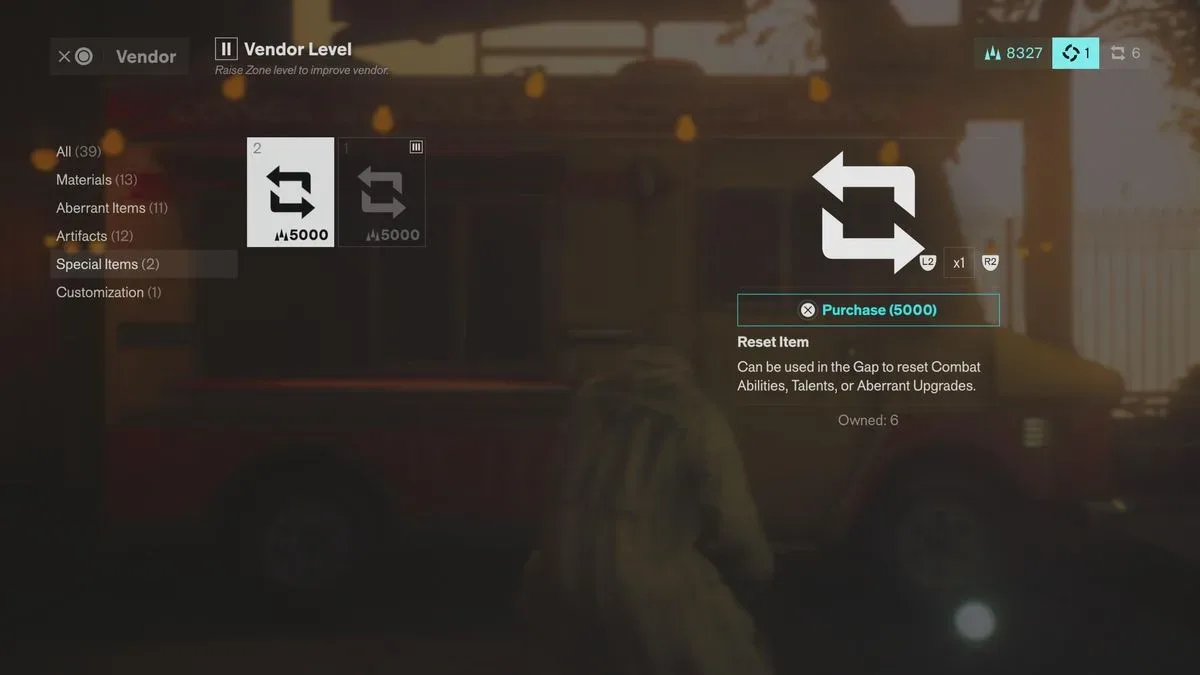
There is an important limitation, however: Reset Items are neither plentiful nor cheap. The most dependable way to obtain them is through the Vendors positioned around the game world, where each one charges 5,000 Source per item. Vendor stocks are limited, and the amount available is tied to that Vendor's level. A smaller number can also arrive as rewards from some missions and quests, though those rewards are not dependable enough to serve as a primary respec plan.
Because the total supply is constrained, Reset Items are best viewed as a safety net for meaningful build changes rather than a tool for constantly rearranging every upgrade. Here is what players need to know about buying them, spending them in the Gap, and deciding when a reset is truly worth the cost.
How to get Reset Items in Control Resonant
The simplest route is to buy Reset Items from Vendors throughout the Control Resonant map. Each item costs 5,000 Source, making Source management an important part of preparing for a respec. Players who expect to alter their build later should avoid treating every bit of Source as immediately expendable, particularly once a Vendor with available Reset Item stock has been found.
For useful background on this topic, read Furyball: Rogue Revenge Smashes Into Steam Early Access on September 23.
Vendors do not offer an unlimited supply. Each has only a couple of Reset Items in total, with the precise amount depending on the Vendor Level. That limited stock means a player cannot assume that one convenient shop will support repeated rebuilds. Checking Vendors encountered during exploration is a sensible habit, especially before committing to a major equipment or power direction.
Although the world contains multiple Vendors, the finite inventory at each location changes the practical value of a purchase. A Reset Item bought early may save a build later, but it also represents Source that could have gone toward immediate progression. Conversely, passing on one may be reasonable when Dylan's current setup is working well and there is no clear alternative build in mind.
Reset Items may also be granted upon completing certain missions or quests. These appear only occasionally and are not awarded with the consistency needed to reliably farm respec opportunities. Treat quest rewards as welcome extras rather than something to plan around. If a reset is needed now, Vendor purchases are the more straightforward option.
Reset Item acquisition at a glance
- Primary method: Purchase them from Vendors across the map.
- Cost: 5,000 Source for each Reset Item.
- Stock: Limited at every Vendor, with availability based on Vendor Level.
- Secondary method: Occasional mission or quest completion rewards.
- Best approach: Treat each item as a limited strategic resource rather than a routine purchase.
How to respec Dylan
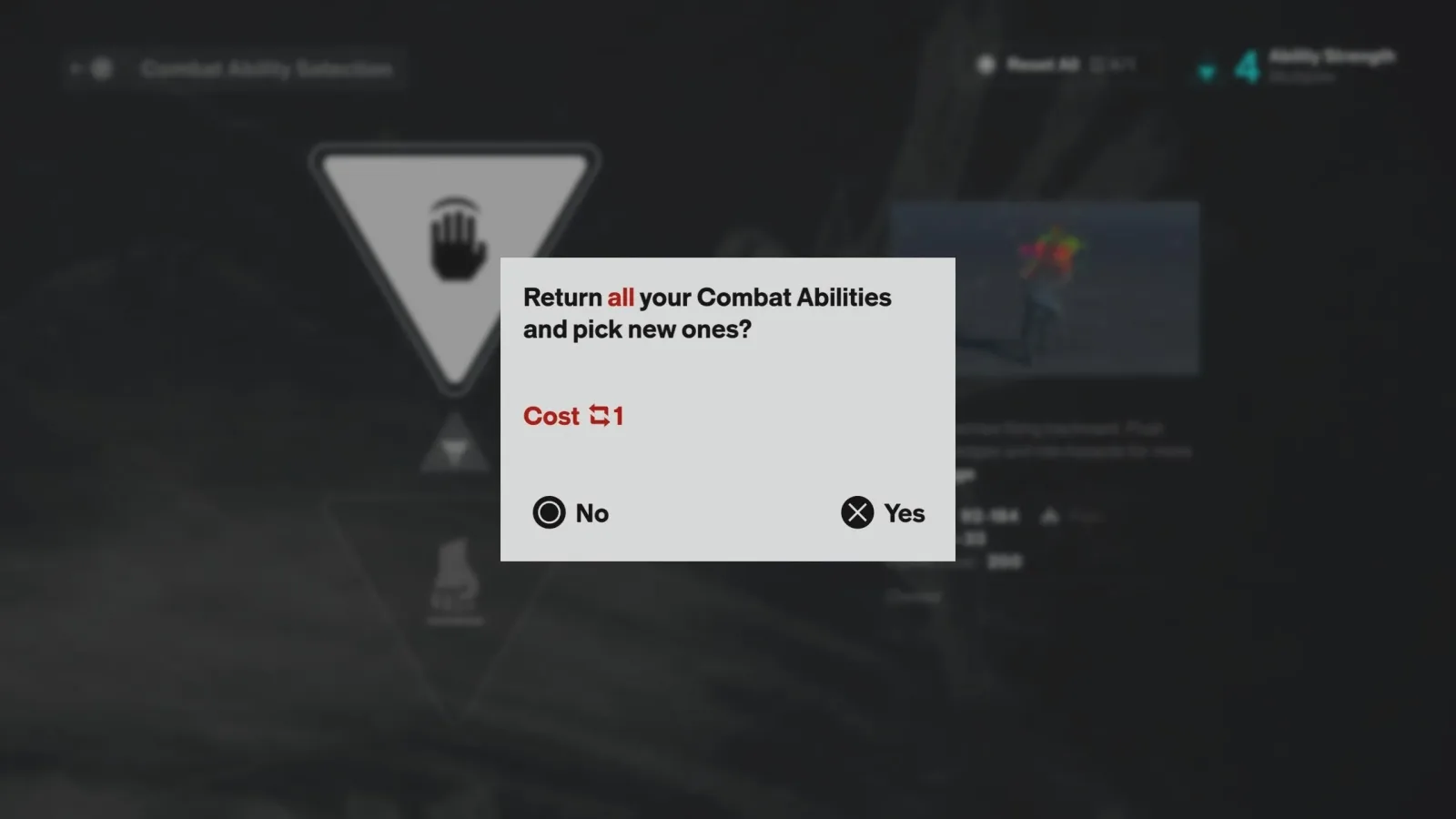
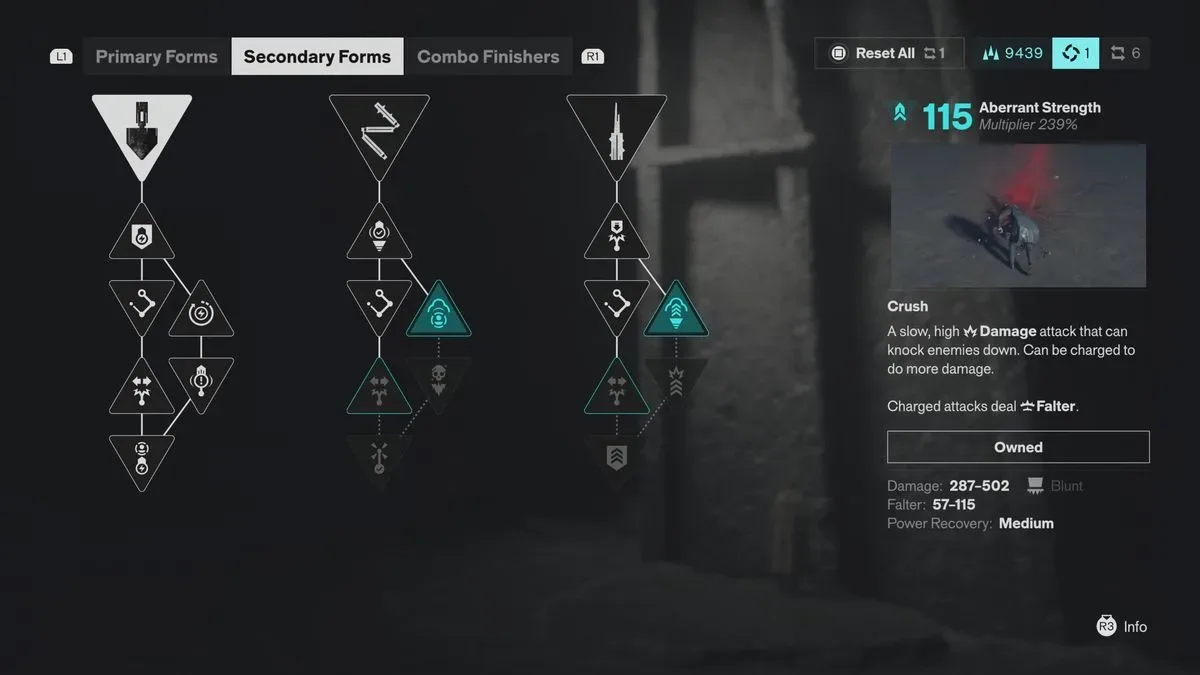
Once a Reset Item is in the inventory, return to the Gap, the game's hub zone. From there, open one of the relevant progression menus. At the top of the applicable screen, the game displays a button prompt; hold that button to spend a Reset Item and completely reset that specific category.
The wording matters here. A Reset Item does not merely undo one small decision. It can fully clear one of Dylan's associated progression sections, allowing choices within that section to be made again. This makes the system valuable when a complete pivot is needed, but potentially wasteful when the goal is only to add a single new upgrade that can be earned normally.
Before holding the reset prompt, take a moment to identify exactly which screen is being reset and what Dylan's revised build is intended to accomplish. If the answer is simply "I want one more node" or "I want to try one upgrade," it may be better to keep the current investments and collect the regular resources required for the new purchase.
What a Reset Item can reset
At the Gap, Reset Items can be used to completely respec four main progression categories. Each category supports a different part of Dylan's combat identity, so resetting one can have a much larger impact than simply changing a piece of gear.
- Chosen Abilities and powers: This is the most direct way to alter Dylan's broader power selection. Since some choices can exclude other options, this category is one of the strongest reasons to preserve Reset Items.
- Weapon and Aberrant Form upgrades: A reset can clear the investments made into weapon development and Aberrant Form progression, opening the path to a different upgrade focus.
- Talents and the skill tree: This lets players reallocate Talent-based choices and rebuild Dylan's skill-tree direction.
- Combo Finishers: A reset can also change the finishing moves chosen for Dylan's combo setup.
These categories should be considered separately. If only the Talent tree needs adjustment, there is no need to reset powers or weapon upgrades as well. The category-specific nature of the system is helpful because it limits a rebuild to the part of the loadout that is actually causing a problem. The trade-off is that every separate full reset still consumes a valuable item.
When should you use a Reset Item?
The best time to spend a Reset Item is when an earlier choice has meaningfully blocked the build you now want to play. This is especially relevant for abilities and powers. If selecting one option leaves another unavailable, a full reset may be the only practical way to access the preferred route. In that situation, the item is doing exactly what it is designed to do: correcting a significant, lasting build commitment.
Resetting can also make sense when the current weapon, Aberrant Form, Talent, or Combo Finisher configuration no longer fits how encounters are being approached. Perhaps a build was created around one rhythm of combat but another has proven more effective or more enjoyable. If several prior choices need to move together, spending one item to rework the whole category can be more valuable than trying to force a mismatched setup through the rest of the game.
It is less appealing to use a Reset Item when nothing is actually wrong with the existing build. Wanting an additional weapon upgrade or another Talent is not necessarily a reason to erase previous progress. In many cases, the better solution is to obtain the materials or Talent Points needed for the desired unlock, then add it without losing the current allocation.
Good reasons to respec
- A power choice has locked out an option that now better suits the intended build.
- Several upgrades within one category no longer support the same combat plan.
- A major shift in weapon, Aberrant Form, Talent, or Combo Finisher focus is planned.
- The player understands exactly what will be selected after the reset.
Reasons to wait
- The desired change can be achieved by earning more materials or Talent Points.
- Only one additional upgrade is wanted, rather than a full reallocation.
- There is no defined replacement build to spend the refunded progression on.
- Reset Item reserves are low and future ability choices may require a bigger change.
How to prepare before resetting
Preparation is the easiest way to avoid wasting one of these scarce consumables. First, decide on the full target build before returning to the Gap. Know which powers, weapon upgrades, Aberrant Form improvements, Talents, or Combo Finishers are meant to replace the existing selections. Resetting without a destination can result in another costly change later.
For weapon upgrades and Talents in particular, it is wise to gather the materials or Talent Points required for the new purchases in advance. A reset removes the old allocation, but it does not remove the need to meet normal upgrade requirements when rebuilding. Having the necessary resources ready lets the new setup come together immediately instead of leaving Dylan temporarily underdeveloped.
Players looking for Living Shards should also consider obtaining those resources before making a weapon-related adjustment. The broader principle is simple: use a Reset Item to move existing investment, not as a substitute for gathering the standard progression resources needed to support a new path.
It also helps to inspect Vendor stock whenever passing through areas with shops. Since every Vendor carries only limited Reset Items, knowing what remains for sale can influence whether a risky experimentation is worthwhile. A player with several possible purchases still available has more flexibility than one who has already exhausted nearby stock.
The key takeaway
Reset Items make it possible to correct or reinvent Dylan's build in Control Resonant, but they are deliberately limited. Vendors offer the most reliable supply at 5,000 Source each, while mission and quest rewards provide occasional additional opportunities. Once an item has been acquired, the Gap is the place to use it, with resets available for powers and abilities, weapon and Aberrant Form upgrades, Talents, and Combo Finishers.
The system is most valuable for major decisions, particularly when ability choices have excluded another route or when an entire progression category needs to be rebuilt. For ordinary upgrades, it is usually better to collect the necessary materials or Talent Points and preserve the Reset Item for a more consequential change. Plan the replacement build first, keep an eye on Vendor inventories, and treat every reset as a finite opportunity.

Community
Discussion
Start the conversation.
No comments have been posted yet.