

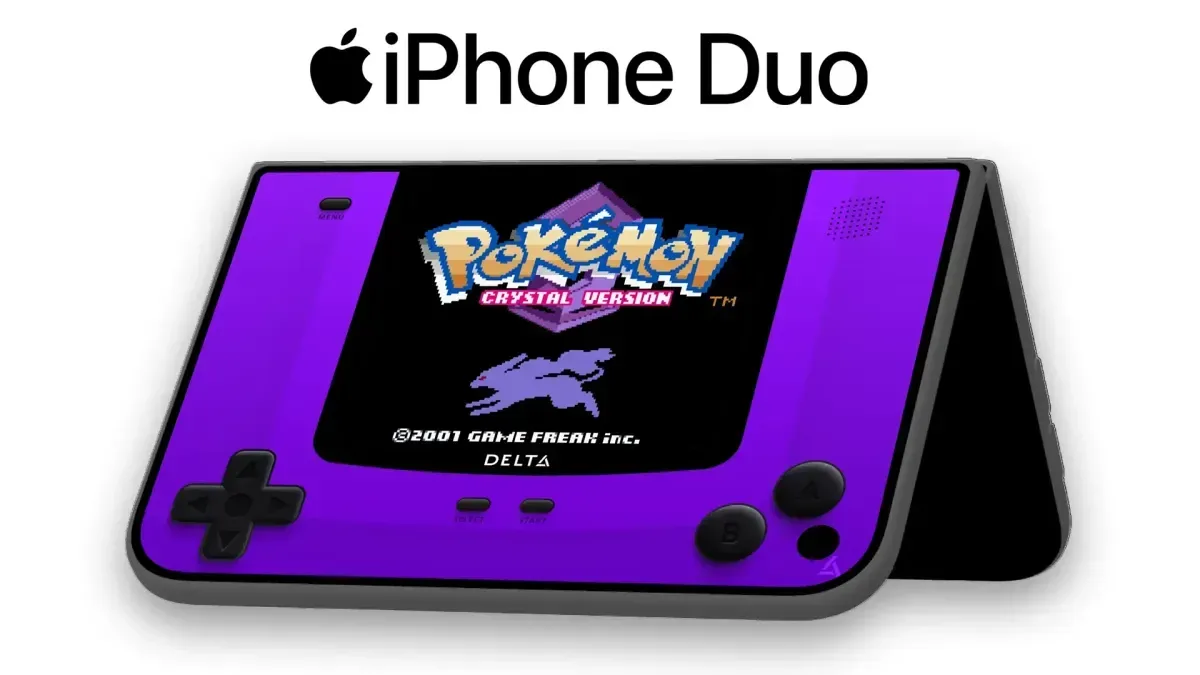
Delta, one of iOS gaming's most prominent retro emulation apps, has received its substantial 2.0 update. The release adds Sega Genesis and Mega Drive support, a broad visual redesign built around Apple's Liquid Glass styling, more library-management options, RetroAchievements integration, and a suite of features intended to make use of the new iPhone Duo form factor.
The update arrives at a notable point for the app. Delta has surpassed 20 million downloads on iOS, an enormous figure for a retro-focused application and a strong indication of the demand for classic gaming on Apple devices. Version 2.0 does not merely add another supported platform: it revises how Delta looks, how its on-screen controls behave, how users organize their games, and how it works alongside physical-cartridge accessories.
It also marks a new point of access for European users. Delta is now available through the EU App Store after a previous obstacle tied to Apple's Core Technology Fee was removed. The team had indicated that the fee could have cost millions of dollars, making an official App Store launch in the region impractical under the earlier terms.
iPhone Duo gives DS games a more natural home
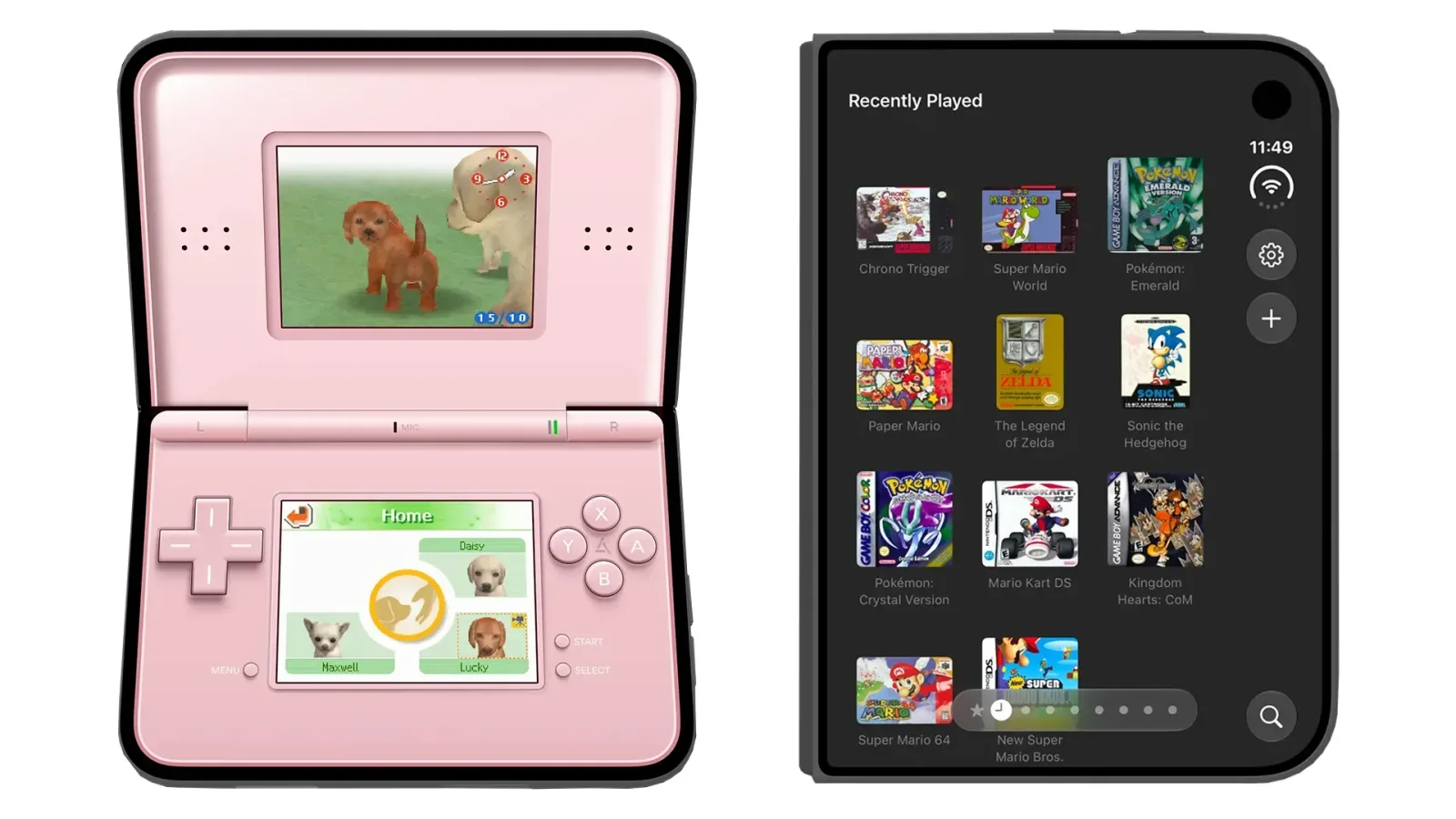
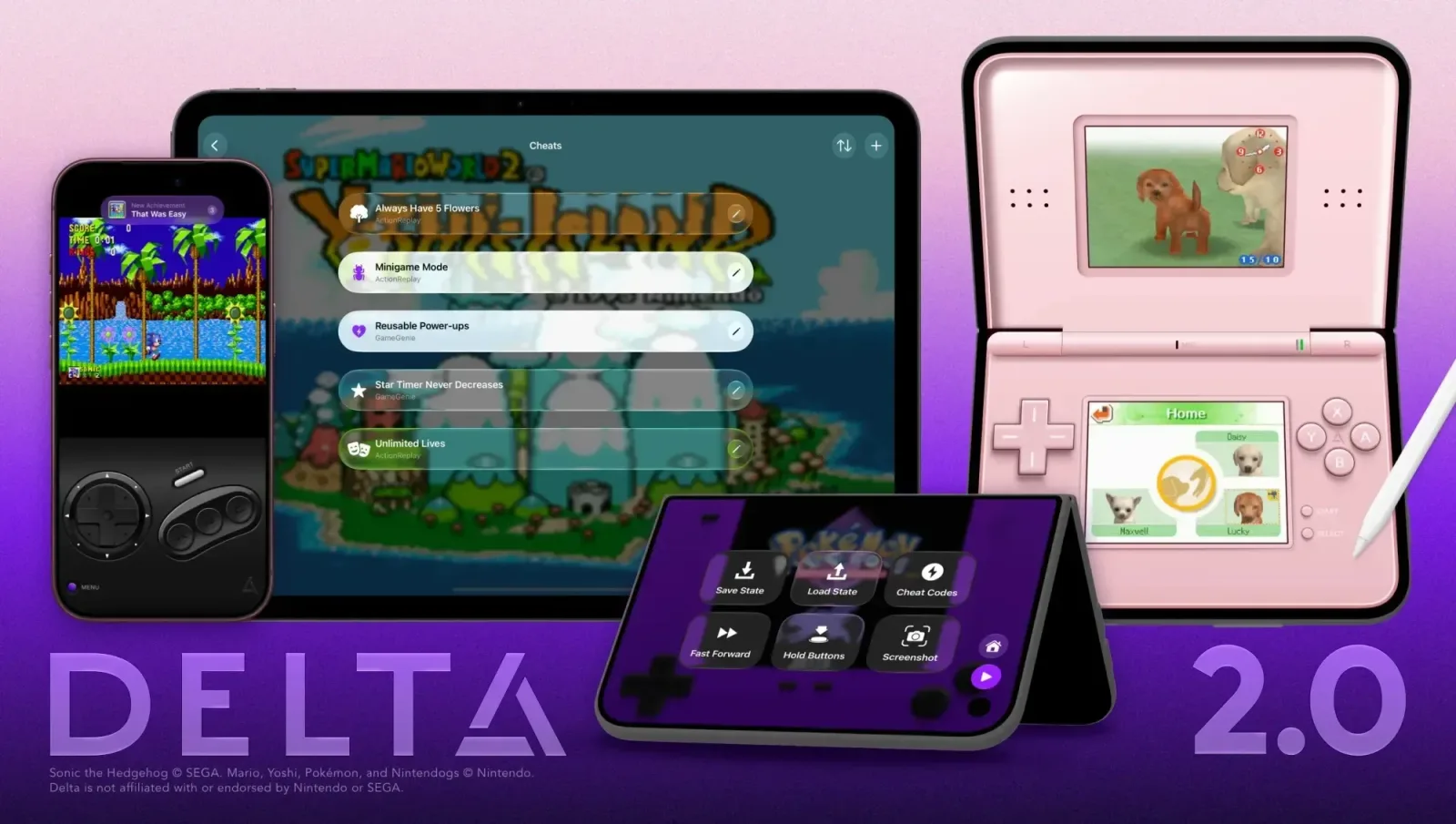
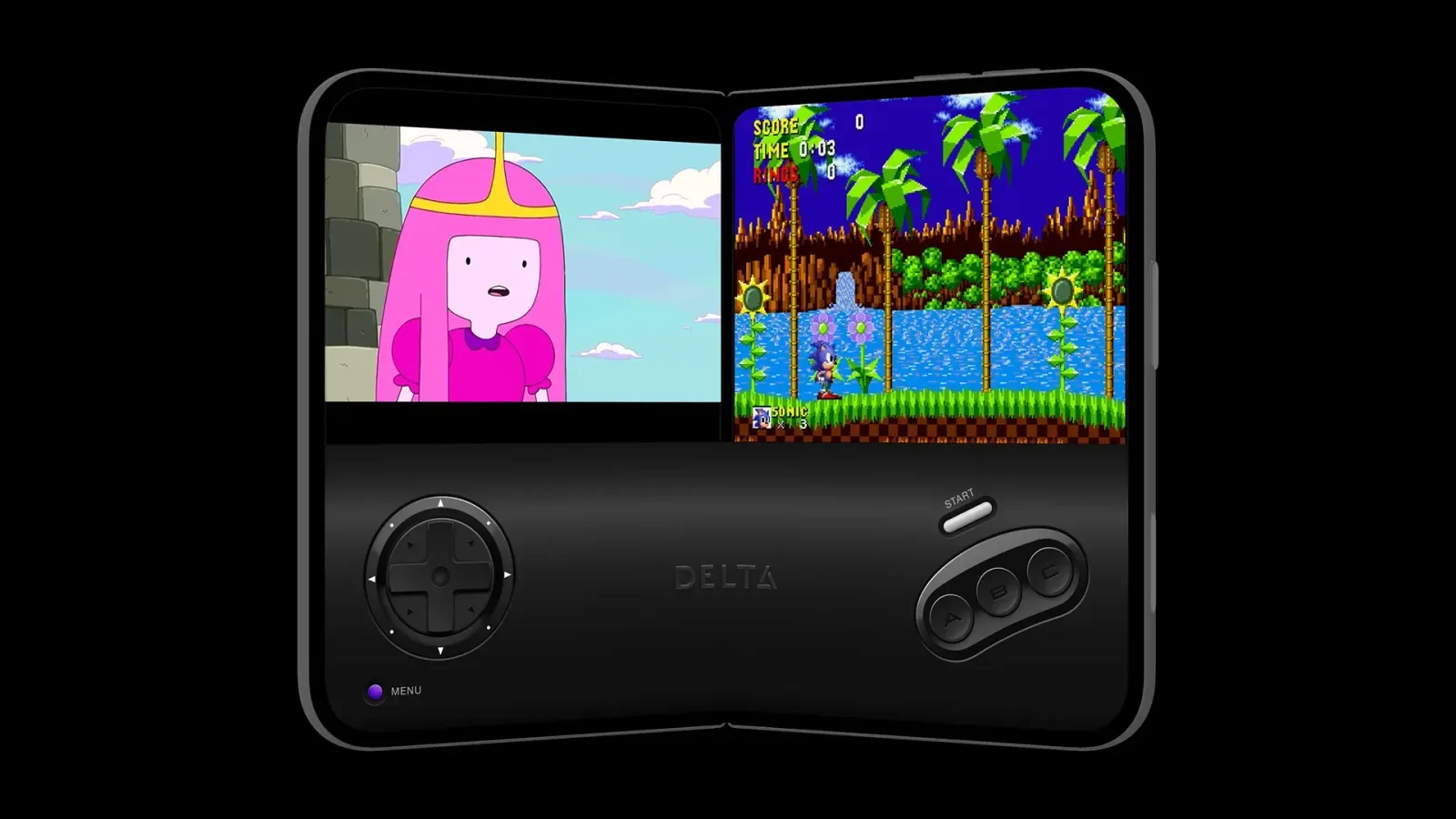
For owners of iPhone Duo, the most immediately striking improvements may be those built for Nintendo DS emulation. A foldable device is an especially natural fit for a system whose original hardware centered on two separate screens and a clamshell design. Delta 2.0 has been tailored around that opportunity with optimized controller skins and support for split-view multitasking on the device.
For useful background on this topic, read Dispatch Marks Its First Anniversary With Commentary, Storyboards, Mobile Release and Live Concert.
It can also put DS games to sleep in a manner meant to echo closing the lid on an original Nintendo DS. That detail is a practical quality-of-life addition as well as a nostalgic one, allowing a session to be paused with behavior familiar to longtime handheld players.
"If you're getting Apple's first foldable, the DS experience is unlike anything you've ever had on Delta before," said Riley, Delta co-founder. "Let the nostalgia flow, because unfolding your phone feels like opening that iconic clamshell from 2004."
The team says it had worked on Delta's Duo support from the time the device was announced, aiming to have the experience ready at launch. While DS games are only one part of Delta's broader retro catalog, the foldable layout gives them a particularly clear advantage over a conventional single-screen phone setup.
Sega Genesis and Mega Drive join the supported systems
The headline expansion in Delta 2.0 is support for Sega Genesis, known as the Mega Drive in many regions. That adds an important 16-bit console library to the app, covering a system known for arcade conversions, fast action games, role-playing games, sports titles, platformers, and Sega's own catalog of enduring franchises.
Delta is pairing Genesis and Mega Drive compatibility with new iPhone and iPad controller skins designed to evoke the look of the original Genesis controller. Such skins are a core part of the app's touch-based approach: rather than presenting a generic virtual gamepad regardless of system, they can make each library feel visually closer to the hardware it is representing.
Genesis and Mega Drive games in Delta 2.0 also gain built-in support for Action Replay and GameGenie cheats. For players revisiting difficult games, experimenting with older cheat codes, or simply exploring titles in a less restrictive way, that inclusion provides a more complete set of options without relying on a separate workflow.
A Liquid Glass redesign extends from Duo to iPad
Delta 2.0's interface has been rebuilt around Liquid Glass, with an adaptive layout intended to work across the iPhone Duo, other iPhone sizes, and iPad. The redesign is not limited to a new coat of paint. System icons now identify the various pages in the Game Library, while default game artwork has adopted a lighter, glass-inspired presentation.
The app's Game Library has also gained dedicated Recently Played and Favorites pages. These additions should make a sizeable collection less cumbersome to navigate. Recently Played offers a direct path back to an active game, while Favorites gives users a simple place for their permanent go-to titles without requiring them to search through an entire system library.
Menus have been refreshed as well. Delta 2.0 includes a redesigned pause menu and updated settings screens, changes that matter because many of the update's new tools are configured in those spaces. Fast-forward behavior, screen placement, visual filters, audio handling, and other preferences all benefit from settings that are easier to locate while playing.
Achievements, animated controls and deeper display options
Players can now sign in using a RetroAchievements account and earn achievements in supported games. Delta displays achievement progress when a game is launched, making the service more visible at the beginning of a session rather than leaving it as a background feature.
The integration supports Hardcore mode. In that mode, loading save states and using cheats are disabled, preserving the stricter conditions associated with achievement-focused play. It gives users a way to tackle older games with modern goals while avoiding tools that could undermine certain challenges.
On-screen controls are becoming more expressive too. Delta 2.0 adds support for fully animated buttons and controls within controller skins. The app will also support third-party skins, opening the door for skin creators to produce their own animated designs. An official animated Game Boy Advance skin designed by Caroline Moore is among the new options highlighted for the release.
Display customization has expanded in other areas. Original Game Boy games can use color palettes, including all official Game Boy Color palettes. That offers players more control over how monochrome titles appear while retaining palettes tied to the Game Boy Color era. Delta 2.0 also introduces custom filters that can be selected on a per-system basis. A CRT filter is included, and users can import their own filters as well.
Fast-forward settings can now be customized per game. Rather than applying one speed choice across an entire library, users can adjust fast-forward behavior for individual titles through the pause menu or in-game settings. This is useful because the ideal pace can differ considerably between genres: a lengthy role-playing game may call for a different option than a platformer or an arcade-style release.
Controller, audio and cartridge-device improvements
Delta 2.0 includes a small but potentially valuable screen-layout option for those who play with external controllers. Users can long-press to move the game screen wherever they prefer while a controller is connected. It is a flexible feature for different accessories and viewing habits, including setups involving the GAMEBABY case and 8BITDO FlipPad.
Audio settings have also been added to control how Delta handles sound from other apps. Mobile gaming often happens alongside podcasts, calls, music, or video, so granular audio behavior can be as important as a visual setting for users who treat an emulator as part of their everyday phone use.
For retro players who still own original cartridges, Delta 2.0 adds support for the Epilogue GB Operator and SN Operator. These devices allow physical cartridges to be used with the app, further bridging the gap between a digital emulator library and original game media. The feature is especially relevant to collectors who want modern convenience without completely separating their play habits from the cartridges they own.
More Pokémon options are planned
One of the update's more intriguing additions is not available quite yet. Delta plans custom in-game experiences for classic Pokémon games, presented as "DLC." The proposed feature is intended to unlock event items, rare Pokémon, and other content for all mainline Game Boy Advance Pokémon games.
Because it is listed as coming soon, users should not expect that Pokémon functionality to be part of the immediately downloadable 2.0 feature set. Still, it signals an interest in going beyond basic emulation tools and providing optional, game-specific ways to revisit older releases whose limited-time events and distribution methods may no longer be easily accessible.
Delta 2.0 is available now
Delta 2.0 is available to download from the App Store now. Its largest changes serve several different kinds of players at once: iPhone Duo owners receive a DS experience tailored to the foldable layout; Sega fans gain Genesis and Mega Drive support; achievement hunters can connect to RetroAchievements; and collectors have new paths for working with physical cartridges through supported Epilogue devices.
Just as importantly, the update addresses the everyday experience of using an emulator over time. Better game-library sorting, per-game fast-forward settings, filters, animated skins, adaptable screen placement, and revised menus all target the small decisions players make each time they return to an old favorite. With official EU App Store availability now in place as well, Delta 2.0 represents both a feature expansion and a wider new chapter for iOS retro gaming.
Community
Discussion
Start the conversation.
No comments have been posted yet.