

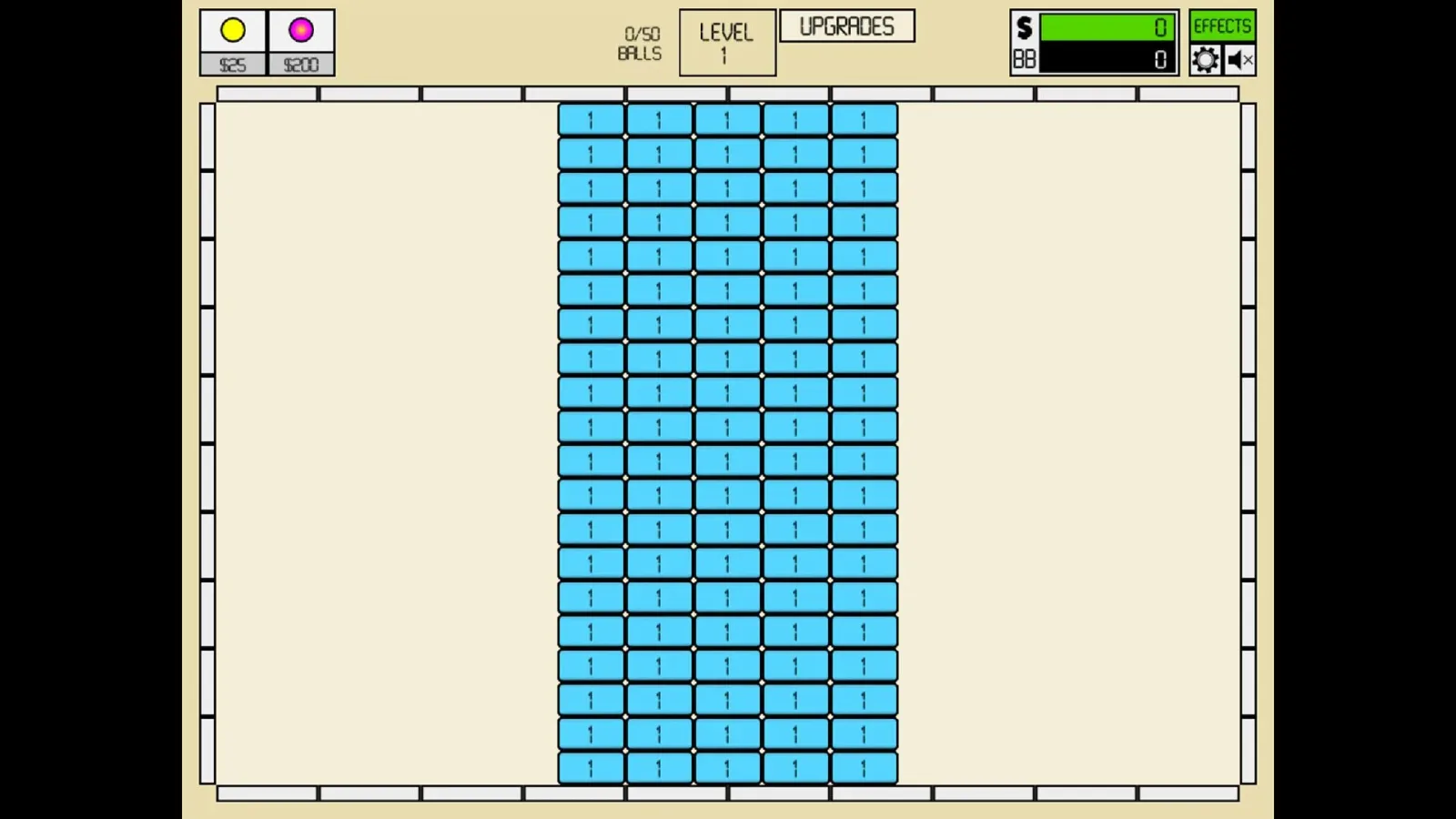
Idle Breakout codes work differently from the promotional redemption codes found in many live-service games. Instead of entering a short word or phrase to receive a reward, players import an entire saved-game state. That means a single code can immediately replace your current progress with a file containing enormous sums of cash, upgraded balls, completed brick totals, unlocked automation, or a dramatically higher level.
For players who want to see Idle Breakout's later-stage systems without waiting through hours of clicking and idle accumulation, these imports are a direct shortcut. They can be useful for experimenting with advanced upgrades, testing how the game behaves at extreme values, or simply bypassing a progression wall. However, they should be approached as separate saves rather than bonuses that can be layered onto an existing game.
Because every import loads a complete state, it is important to understand what you are replacing before pressing confirm. A code offering infinite money may not also contain the exact ball setup, stage number, or prestige progress found in another code. Choose the result you want most, and consider saving your current progress elsewhere before trying a new import.
What Idle Breakout save codes can do
Idle Breakout combines the familiar brick-clearing structure of Breakout with idle and incremental mechanics. Players can manually click blocks for cash while balls automatically bounce around the board and continue breaking bricks. Over time, earnings fund more balls and improvements, allowing the game to keep progressing with less direct input.
For useful background on this topic, read The Witcher 3: Wild Hunt - Remastered Debuts With a 94 Metascore on PC.
The available save states cover several different purposes:
- Infinite money: Loads a save built around effectively unlimited spending power.
- Maximum ball upgrades: Provides a heavily developed ball collection and high-end upgrades.
- One million bricks broken: Starts from a save with an enormous destruction total already recorded.
- Autoplay mode: Enables a progression-focused state intended to reduce manual interaction.
- Level jumps: Moves a save to milestones such as level 200, level 212, level 6,000, level 10,000, level 42,000, and level 260,464.
These are not conventional cheat commands that can be activated and deactivated at will. They are snapshots of a particular account state. Importing an infinite-cash file, for example, does not add infinite cash to the save you were already using; it changes the game to the imported save's configuration.
Idle Breakout code effects available in September 2026
The following named imports are available as save-state options. The actual import strings are lengthy encoded data, so players should take care to copy the full value for the specific save they intend to use. Even one missing character can prevent an import from working correctly.
- Infinitemoney: A save state designed to grant unlimited or effectively limitless cash.
- Maximum ball upgrades: A late-game setup with ball upgrades pushed to exceptionally high levels.
- Instantly break one million bricks: A save that records one million bricks broken immediately.
- Activate autoplay mode: A state focused on automated play.
- Jump to 200 levels: Advances progress to around level 200.
- Jump to 212 levels: Advances progress to around level 212.
- Jump to 6,000 levels: Loads a very high-level progression state.
- Jump to 10,000 levels: Loads an even more advanced save.
- Jump to 42,000 levels: Pushes progression into an extreme late-game range.
- Jump to 260,464 levels: Represents the most dramatic listed level leap.
There is an important detail for the level entries: labels and underlying save information may not always be as straightforward as they appear at a glance. The level 6,000 option uses the same provided encoded save data as the level 200 entry, so players should verify the resulting state after importing rather than assuming a label alone guarantees the exact destination level.
How to import an Idle Breakout code
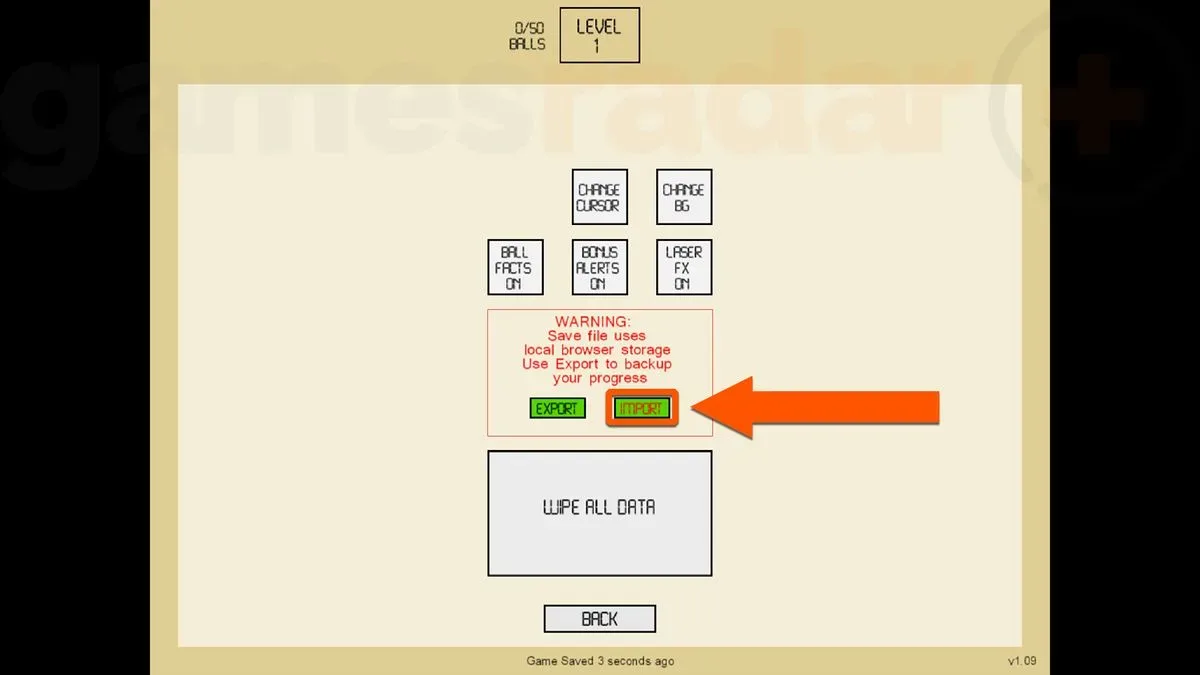
- Open Idle Breakout and look to the upper-right corner of the game screen.
- Select the Cog icon to enter the settings menu.
- Choose the IMPORT option.
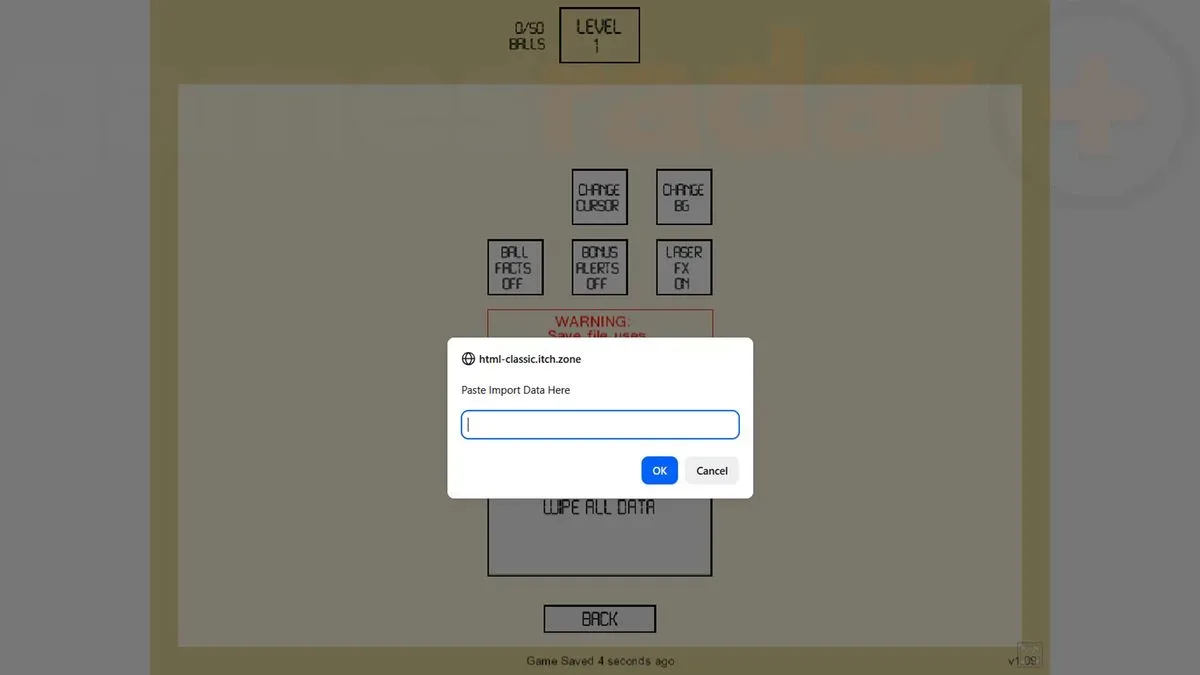
- Paste the complete save-code string into the text field that appears.
- Press Return on the keyboard, or select OK, to load the imported game state.
The input prompt may not appear properly in fullscreen mode on every setup. If the Import button seems to do nothing, or if the text box is missing, exit fullscreen and return to a regular browser window before trying again. The codes are much too long to enter manually, so copying and pasting is the practical method.
After the game accepts an import, inspect the board, currency, ball inventory, upgrades, and current level. This is especially worthwhile when using a high-level state, since a code may have values that take a moment to display or cause the game to process a large amount of existing progress.
Can multiple Idle Breakout codes be combined?
No. The listed options should not be treated as stackable rewards. Each one is a separate save file, and loading one will replace the currently active state. You cannot import the infinite-money state and then add the maximum-ball state on top of it through another import; the second import simply becomes the new save.
This limitation changes how players should select a code. Someone who primarily wants to buy upgrades freely may prefer the infinite-money option. A player interested in watching a fully built ball setup clear boards may be better served by the maximum-upgrades save. Those who want to investigate endgame scaling can choose one of the level-jump files instead.
If you have a save you care about, preserve it before experimenting. At minimum, make a note of your current progress and avoid assuming an imported state can be undone automatically. The import tool is designed to load saved data, not to maintain a history of recently replaced saves.
Why very high level imports can be unstable
Jumping thousands or tens of thousands of stages ahead may be entertaining, but it can also put pressure on a system. Idle games frequently accumulate huge values, many active projectiles, and rapid calculations as progression rises. At sufficiently high levels, the amount of activity on screen and behind the scenes can make performance less consistent.
The 10,000, 42,000, and 260,464-level options are therefore best viewed as experimental shortcuts. Depending on the computer and browser being used, players may encounter slowdowns, delayed interface responses, or difficulty maintaining smooth gameplay. Lower-level imports are generally a more sensible choice for anyone who wants an advanced save while retaining a more manageable experience.
There is also a gameplay consideration. Idle Breakout's appeal comes from watching a modest set of tools evolve into a screen-clearing machine. Loading an endgame state can be satisfying as a spectacle, but it bypasses the pacing and upgrade decisions that define the regular progression loop. Players who are unsure may want to start with autoplay, a brick-total boost, or a few hundred levels before moving to the most extreme states.
Do any Idle Breakout codes expire?
There are currently no expired Idle Breakout save codes in this group. Since these entries are encoded save states rather than time-limited rewards distributed by a developer, they do not have ordinary expiration dates. They would only stop functioning if the game's underlying save format or programming changed in a way that made older data incompatible.
That possibility appears unlikely for a long-established browser game, but players should still remember that imported data depends on the game accepting the format. If an import fails, first confirm that the entire string was copied, that no extra spaces or line breaks were added, and that the Import prompt was used in a normal, non-fullscreen view if necessary.
Ultimately, Idle Breakout's import feature is a powerful sandbox tool. Whether the goal is infinite money, automated destruction, fully upgraded balls, or an instant leap into the game's colossal late-game numbers, each save state offers a different way to skip the wait and see what happens when the bricks no longer stand a chance.
Community
Discussion
Start the conversation.
No comments have been posted yet.